https://github.com/aestream/aestream
Efficient streaming of sparse event data supporting files, network I/O, GPU peripherals (via Torch/Jax/Numpy) and neuromorphic protocols
https://github.com/aestream/aestream
coroutines event-camera gpu-acceleration neuromorphic pytorch
Last synced: 7 months ago
JSON representation
Efficient streaming of sparse event data supporting files, network I/O, GPU peripherals (via Torch/Jax/Numpy) and neuromorphic protocols
- Host: GitHub
- URL: https://github.com/aestream/aestream
- Owner: aestream
- License: mit
- Created: 2020-07-16T17:45:52.000Z (almost 6 years ago)
- Default Branch: main
- Last Pushed: 2025-08-05T09:37:31.000Z (10 months ago)
- Last Synced: 2025-09-02T18:27:33.010Z (9 months ago)
- Topics: coroutines, event-camera, gpu-acceleration, neuromorphic, pytorch
- Language: C++
- Homepage: https://aestream.github.io/aestream
- Size: 30.2 MB
- Stars: 81
- Watchers: 5
- Forks: 12
- Open Issues: 29
-
Metadata Files:
- Readme: README.md
- License: LICENSE
- Citation: CITATION.cff
- Authors: AUTHORS
Awesome Lists containing this project
- awesome-neuromorphic - AEStream - sends event-based data from A to B. AEStream is both a command-line tool an a C++/Python library with built-in GPU-acceleration for use with PyTorch, and Jax. It supports reading and writing from files, event cameras, network protocols, and visualization tools. (Datasets and Dataset Tools)
README







AEStream sends event-based data from A to B.
AEStream is both a command-line tool an a C++/Python library with built-in GPU-acceleration for use with [PyTorch](https://pytorch.org/), and [Jax](https://jax.readthedocs.io/en/latest/).
We support reading and writing from files, [event cameras](https://en.wikipedia.org/wiki/Event_camera), network protocols, and visualization tools.

Read more about the inner workings of the library in [the AEStream publication](https://jegp.github.io/aestream-paper/).
## Installation
> Read more in our [installation guide](https://aestream.github.io/aestream/install.html)
The fastest way to install AEStream is by using pip: `pip install aestream`.
| **Source** | **Installation** | **Description** |
| -------------------- | --- | --- |
| [pip](https://pypi.org/) | pip install aestream
pip install aestream --no-binary aestream | Standard installation
Support for event-cameras and CUDA kernels ([more info](https://aestream.github.io/aestream/install.html#installing-with-cuda-support)) |
| [nix](https://nixos.org/) | nix run github:aestream/aestream
nix develop github:aestream/aestream | Command-line interface
Python environment |
| [docker](https://docker.com/) | See Installation documentation |
Contributions to support AEStream on additional platforms are always welcome.
## Usage (Python): Load event files
> Read more in our [Python usage guide](https://aestream.github.io/aestream/python_usage.html)
AEStream can process `.csv`, `.dat`, `.evt3`, and `.aedat4` files like so.
You can either directly load the file into memory
```python
FileInput("file.aedat4", (640, 480)).load()
```
or stream the file in real-time to PyTorch, Jax, or Numpy
```python
with FileInput("file.aedat4", (640, 480)) as stream:
while True:
frame = stream.read("torch") # Or "jax" or "numpy"
...
```
## Usage (Python): stream data from camera or network
Streaming data is particularly useful in real-time scenarios.
We currently support [Inivation](https://inivation.com/), [Prophesee](https://github.com/prophesee-ai/openeb/), and [SynSense](https://www.synsense.ai/) devices over USB, as well as the [SPIF](https://github.com/SpiNNakerManchester/spif) protocol over UDP.
Note: requires local installation of drivers and/or SDKs (see [installation guide](https://aestream.github.io/aestream/install.html)).
```python
# Stream events from a DVS camera over USB
with USBInput((640, 480)) as stream:
while True:
frame = stream.read() # A (640, 480) Numpy tensor
...
```
```python
# Stream events from UDP port 3333 (default)
with UDPInput((640, 480), port=3333) as stream:
while True:
frame = stream.read("torch") # A (640, 480) Pytorch tensor
...
```
More examples can be found in [our example folder](https://github.com/aestream/aestream/tree/master/example).
Please note the examples may require additional dependencies (such as [Norse](https://github.com/norse/norse) for spiking networks or [PySDL](https://github.com/py-sdl/py-sdl2) for rendering). To install all the requirements, simply stand in the `aestream` root directory and run `pip install -r example/requirements.txt`
### Example: real-time edge detection with spiking neural networks
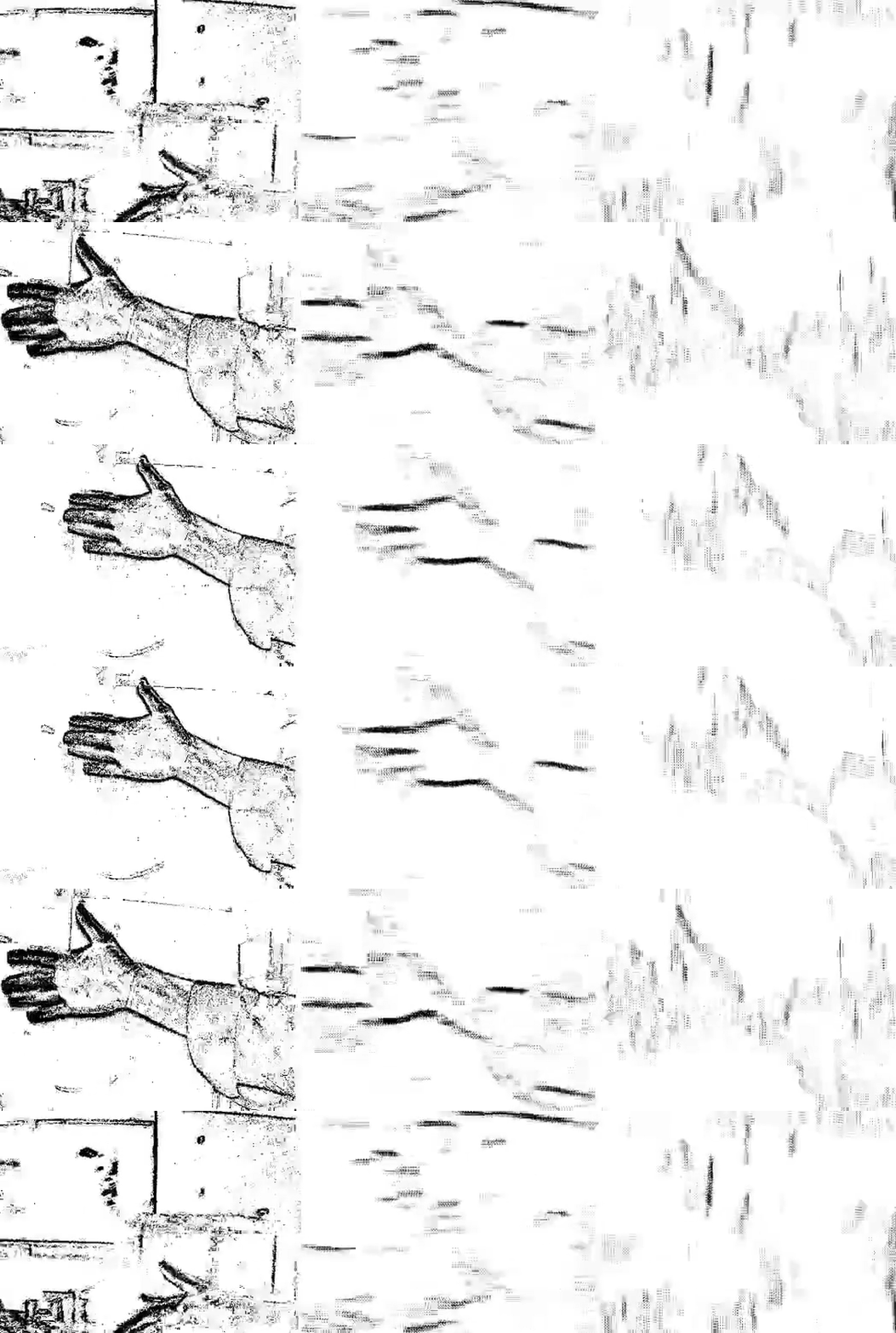
We stream events from a camera connected via USB and process them on a GPU in real-time using the [spiking neural network library, Norse](https://github.com/norse/norse) using fewer than 50 lines of Python.
The left panel in the video shows the raw signal, while the middle and right panels show horizontal and vertical edge detection respectively.
The full example can be found in [`example/usb_edgedetection.py`](https://github.com/aestream/aestream/blob/main/example/usb_edgedetection.py)
## Usage (CLI)
> Read more in our [CLI usage documentation page](https://aestream.github.io/aestream/install.html)
Installing AEStream also gives access to the command-line interface (CLI) `aestream`.
To use `aestraem`, simply provide an `input` source and an optional `output` sink (defaulting to STDOUT):
```bash
aestream input [output ]
```
## Supported Inputs and Outputs
| Input | Description | Example usage |
| --------- | :----------- | ----- |
| DAVIS, DVXPlorer | [Inivation](https://inivation.com/) DVS Camera over USB | `input inivation` |
| EVK Cameras | [Prophesee](https://www.prophesee.ai/) DVS camera over USB | `input prophesee` |
| File | Reads `.aedat`, `.aedat4`, `.csv`, `.dat`, or `.raw` files | `input file x.aedat4` |
| [SynSense Speck](https://www.synsense.ai/products/speck-2/) | Stream events via ZMQ | `input speck` |
| UDP network | Receives stream of events via the [SPIF protocol](https://github.com/SpiNNakerManchester/spif/tree/master/spiffer) | `input udp`
| Output | Description | Example usage |
| --------- | ----------- | ----- |
| STDOUT | Standard output (default output) | `output stdout`
| Ethernet over UDP | Outputs to a given IP and port using the [SPIF protocol](https://github.com/SpiNNakerManchester/spif) | `output udp 10.0.0.1 1234` |
| File: `.aedat4` | Output to [`.aedat4` format](https://gitlab.com/inivation/inivation-docs/blob/master/Software%20user%20guides/AEDAT_file_formats.md#aedat-40) | `output file my_file.aedat4` |
| File: `.csv` | Output to comma-separated-value (CSV) file format | `output file my_file.csv` |
| Viewer | View live event stream | `output view`
## CLI examples
| Example | Syntax |
| ------------- | ------------------------------|
| View live stream of Inivation camera (requires Inivation drivers) | `aestream input inivation output view` |
| Stream Prophesee camera over the network to 10.0.0.1 (requires Metavision SDK) | `aestream input output udp 10.0.0.1` |
| Convert `.dat` file to `.aedat4` | `aestream input example/sample.dat output file converted.aedat4` |
## Acknowledgments
AEStream is developed by (in alphabetical order):
* Cameron Barker (@GitHub [cameron-git](https://github.com/cameron-git/))
* [Juan Pablo Romero Bermudez](https://www.kth.se/profile/jprb) (@GitHub [jpromerob](https://github.com/jpromerob/))
* Alexander Hadjivanov (@Github [cantordust](https://github.com/cantordust))
* Emil Jansson (@GitHub [emijan-kth](https://github.com/emijan-kth))
* [Jens E. Pedersen](https://www.kth.se/profile/jeped) (@GitHub [jegp](https://github.com/jegp/))
* [Christian Pehle](https://www.kip.uni-heidelberg.de/people/10110) (@GitHub [cpehle](https://github.com/cpehle/))
The work has received funding from the EC Horizon 2020 Framework Programme under Grant Agreements 785907 and 945539 (HBP) and by the Deutsche Forschungsgemeinschaft (DFG, German Research Fundation) under Germany's Excellence Strategy EXC 2181/1 - 390900948 (the Heidelberg STRUCTURES Excellence Cluster).
Thanks to [Philipp Mondorf](https://github.com/PMMon) for interfacing with Metavision SDK and preliminary network code.

## Citation
Please cite `aestream` if you use it in your work:
```bibtex
@inproceedings{10.1145/3584954.3584997,
author = {Pedersen, Jens Egholm and Conradt, Jorg},
title = {AEStream: Accelerated event-based processing with coroutines},
year = {2023},
isbn = {9781450399470},
publisher = {Association for Computing Machinery},
address = {New York, NY, USA},
url = {https://doi.org/10.1145/3584954.3584997},
doi = {10.1145/3584954.3584997},
booktitle = {Proceedings of the 2023 Annual Neuro-Inspired Computational Elements Conference},
pages = {86–91},
numpages = {6},
keywords = {coroutines, event-based vision, graphical processing unit, neuromorphic computing},
location = {San Antonio, TX, USA, },
series = {NICE '23}
}
```