https://github.com/ahcm/longread_plots
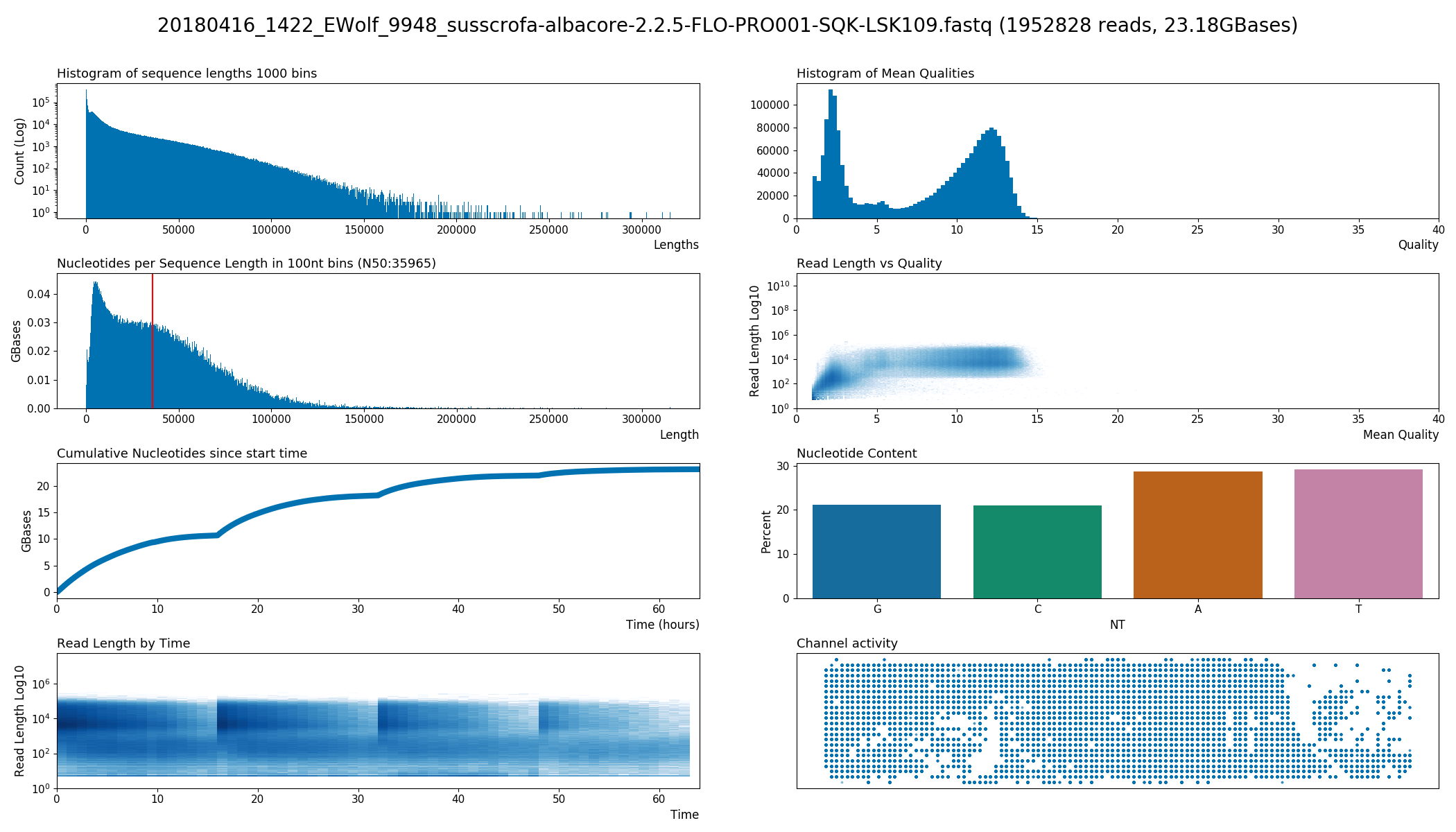
A collection of plots for long read sequencing FastQ files from devices like Oxford Nanopore's MinION and PromethION.
https://github.com/ahcm/longread_plots
fastq longread nanopore plot qualitycontrol
Last synced: 5 months ago
JSON representation
A collection of plots for long read sequencing FastQ files from devices like Oxford Nanopore's MinION and PromethION.
- Host: GitHub
- URL: https://github.com/ahcm/longread_plots
- Owner: ahcm
- License: bsd-2-clause
- Created: 2018-05-24T08:51:10.000Z (about 8 years ago)
- Default Branch: master
- Last Pushed: 2023-02-14T10:27:27.000Z (over 3 years ago)
- Last Synced: 2025-10-27T07:49:57.840Z (8 months ago)
- Topics: fastq, longread, nanopore, plot, qualitycontrol
- Language: Python
- Homepage:
- Size: 593 KB
- Stars: 12
- Watchers: 1
- Forks: 0
- Open Issues: 1
-
Metadata Files:
- Readme: README.md
- License: LICENSE
Awesome Lists containing this project
README
          # longread_plots

A collection of plots for long read sequencing FastQ files from devices like Oxford Nanopore's MinION and PromethION.

# Dependencies

```bash

pip install --user --upgrade pandas seaborn

```

Note that matplot lib >= 3.0.0 is needed and 3.6.1 has a breaking bug (3.6.2 on are fine).

Python >= 3.5 is therfore recommended, otherwise plots might be corrupted.

# Speed up with lrdf

The aggregation of the data in python is quite slow.

Therefore I implemented it as a standalone rust implementation,

which can be found here:

https://github.com/ahcm/lrdf

# Installation

From PyPi:

```bash

pip3 install --user lrplots

```

From the release tar.gz:

```bash

python3 setup.py install --user

```

# Usage

With the pip3 installation it should be in your PATH and you should be able to just call:

```bash

lrplot example.fastq

```

If the command can't be found, pip3 installed it in a path that is not in your PATH variable.

You can then find it with:

```bash

find ~ -name lrplot

```

or

```bash

find /usr/local -name lrplot

```

Then either add the containing directory to your PATH or just use the full path.

You can also call it like a script with python3 (or whatever your python3 is called):

```bash

python3 bin/lrplots example.fastq

```

# Output