https://github.com/ainoya/siro
Enjoy slack #times-\(yours) life 💭💭💭/ World Easiest App Sending Your Soliloquies to Slack on Earth
https://github.com/ainoya/siro
devops macos macos-app slack swift utility
Last synced: over 1 year ago
JSON representation
Enjoy slack #times-\(yours) life 💭💭💭/ World Easiest App Sending Your Soliloquies to Slack on Earth
- Host: GitHub
- URL: https://github.com/ainoya/siro
- Owner: ainoya
- Created: 2019-11-28T04:50:29.000Z (over 6 years ago)
- Default Branch: master
- Last Pushed: 2024-11-02T09:23:40.000Z (over 1 year ago)
- Last Synced: 2025-03-17T14:22:01.614Z (over 1 year ago)
- Topics: devops, macos, macos-app, slack, swift, utility
- Language: Swift
- Homepage: https://apps.apple.com/us/app/siro/id1489576942
- Size: 347 KB
- Stars: 5
- Watchers: 3
- Forks: 1
- Open Issues: 1
-
Metadata Files:
- Readme: README.md
Awesome Lists containing this project
README
Siro 
=====
Made posting slack messages easy.
Installation
--------------
Please install Siro from [Mac App Store](https://apps.apple.com/us/app/siro/id1489576942).
Or, you can download this app on [release](https://github.com/ainoya/siro/releases) page. please download latest version `siro.app.zip` and unarchive, then you can try it quickly.
Configuration
----------------
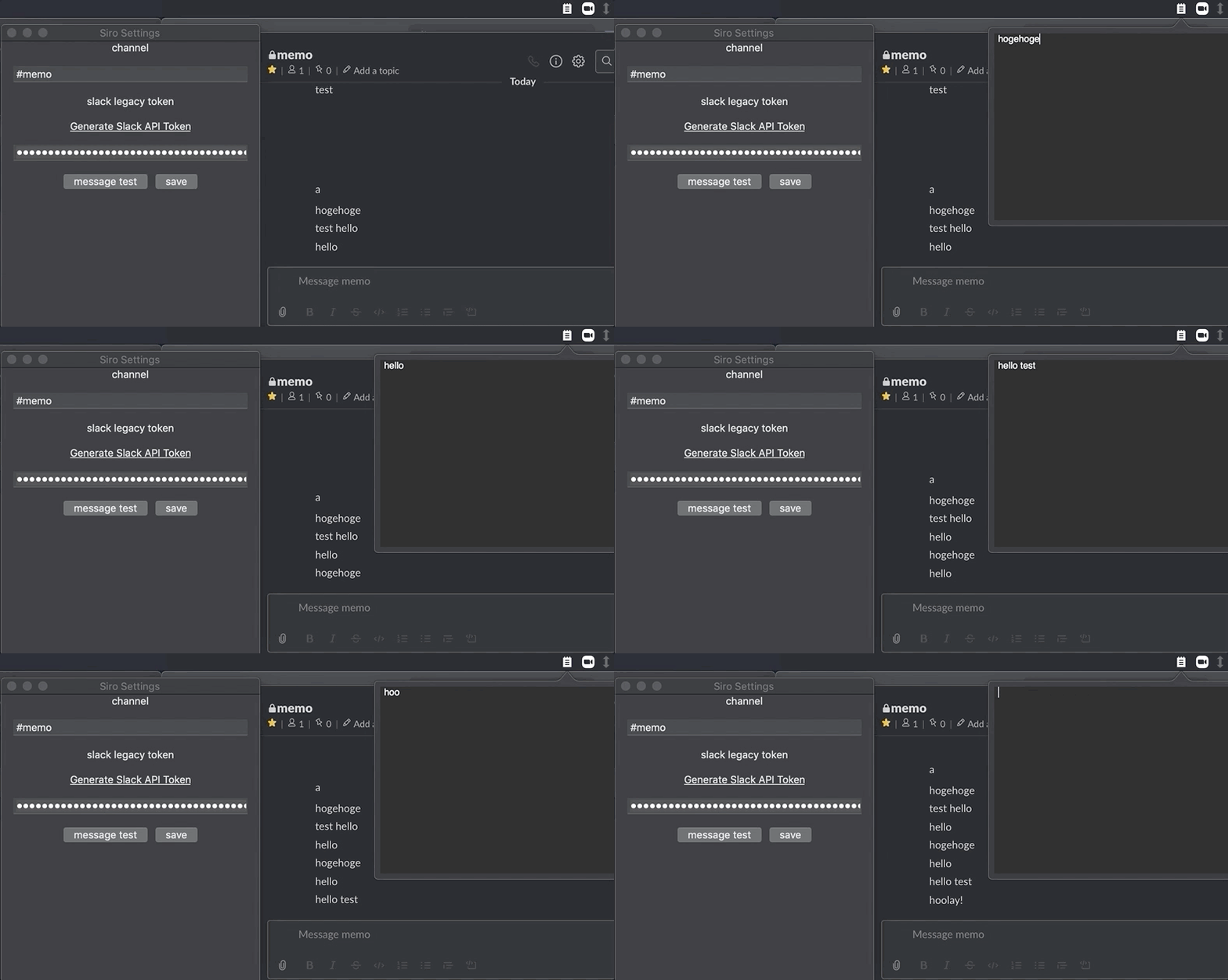
On a settings window, please set channel name you'd like to post and your slack legacy token (slack bot token is also available, but message author is marked at bot apps name.) After that, press the `save` button, and then press `message test` button to test posting a message to slack
Usage
-------
1. `ctrl+shift+M`: open a text window
2. write something as you like
3. `command+enter`: send the text to slack
4. `Esc`: close text window
Enjoy!
Thanks materials
----------------
- App icon: https://www.iconfinder.com/icons/3890931/communication_letter_memo_message_note_open_text_icon
- Status bar icon: https://www.iconfinder.com/icons/4763241/book_jotter_memo_notepad_pad_scratch_writing_icon