https://github.com/akascape/ctktooltip
Small pop-up widget for displaying details inside customtkinter. (extension/add-on)
https://github.com/akascape/ctktooltip
ctktooltips ctktootip customtkinter customtkinter-tooltips tkinter tkinter-gui tkinter-tooltips tooltip tooltip-library tooltip-plugin
Last synced: over 1 year ago
JSON representation
Small pop-up widget for displaying details inside customtkinter. (extension/add-on)
- Host: GitHub
- URL: https://github.com/akascape/ctktooltip
- Owner: Akascape
- License: cc0-1.0
- Created: 2023-04-04T10:52:47.000Z (over 3 years ago)
- Default Branch: main
- Last Pushed: 2024-01-12T01:35:35.000Z (over 2 years ago)
- Last Synced: 2025-03-31T12:08:22.260Z (over 1 year ago)
- Topics: ctktooltips, ctktootip, customtkinter, customtkinter-tooltips, tkinter, tkinter-gui, tkinter-tooltips, tooltip, tooltip-library, tooltip-plugin
- Language: Python
- Homepage:
- Size: 38.1 KB
- Stars: 129
- Watchers: 3
- Forks: 6
- Open Issues: 11
-
Metadata Files:
- Readme: README.md
- Funding: .github/FUNDING.yml
- License: LICENSE
Awesome Lists containing this project
README
# CTkToolTip
**Small tooltip pop-up label for displaying details on customtkinter widgets.**
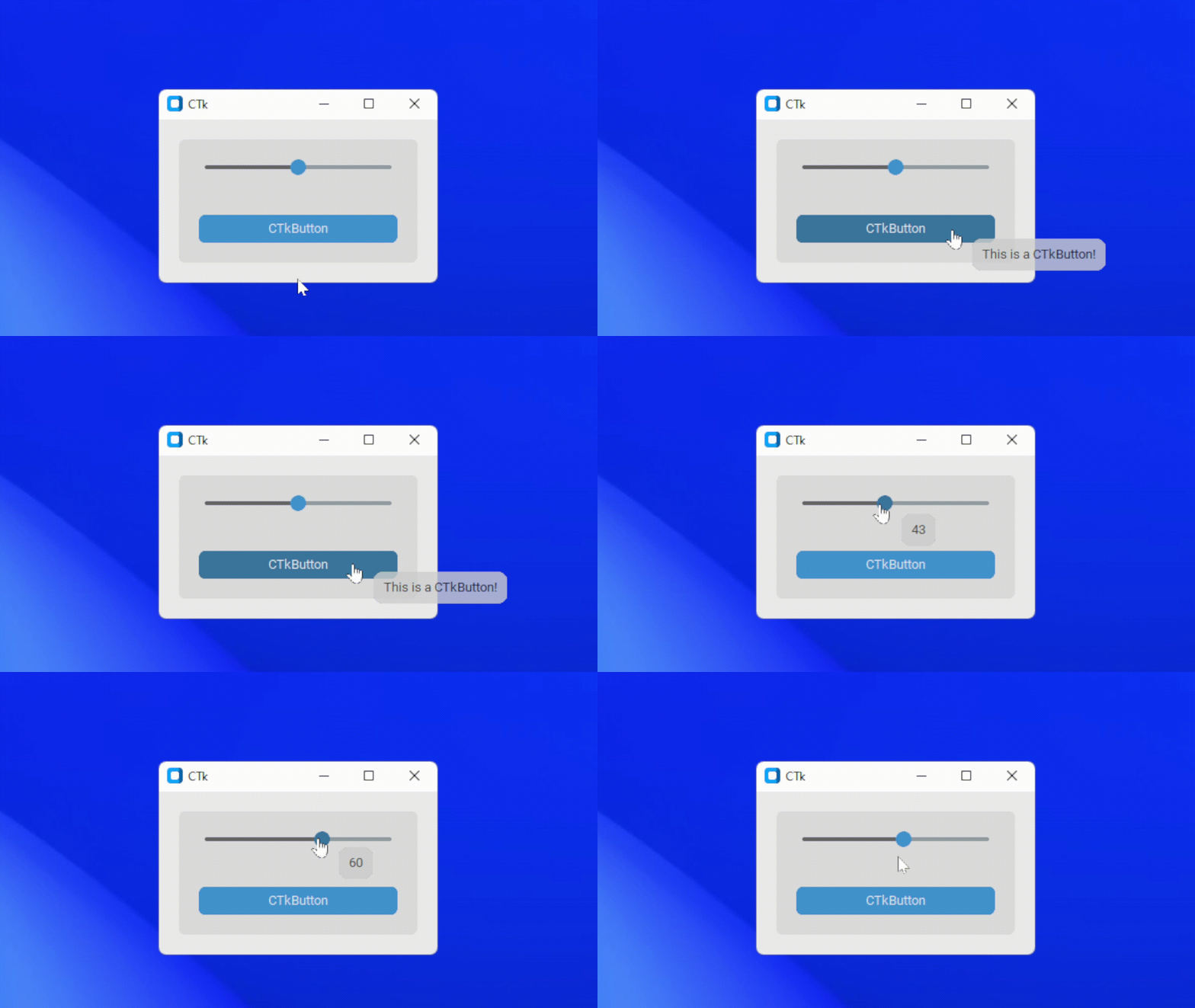
## Features
- Display over any CTk widget
- Configurable options
- Transparency effect
- Round corners
- Can be used with CTkSlider to show the value
- Dynamic offset
- Add delays
## Installation
```
pip install CTkToolTip
```
### [ ](https://github.com/Akascape/CTkToolTip/archive/refs/heads/main.zip)
## Example
**Simple Usage:**
```python
CTkToolTip(widget, message="Your Message")
```
**App Example:**
```python
import customtkinter
from CTkToolTip import *
def show_value(value):
tooltip_1.configure(message=int(value))
def show_text():
print(tooltip_2.get())
root = customtkinter.CTk()
slider = customtkinter.CTkSlider(root, from_=0, to=100, command=show_value)
slider.pack(fill="both", padx=20, pady=20)
tooltip_1 = CTkToolTip(slider, message="50")
button = customtkinter.CTkButton(root, command=show_text)
button.pack(fill="both", padx=20, pady=20)
tooltip_2 = CTkToolTip(button, delay=0.5, message="This is a CTkButton!")
root.mainloop()
```
## Arguments
| Parameter | Description |
|-----------| ------------|
| **widget** | bind the tooltip to the ctk widget |
| **message** | show the message over the toolip |
| **delay** | add a small delay before showing the tooltip (default is 0.2) |
| follow | follow the mouse cursor while hovering (default is True) |
| x_offset | change the horizontal offset of the tooltip widget from mouse cursor |
| y_offset | change the vertical offset of the tooltip widget from mouse cursor |
| **alpha** | change the transparency effect of the tooltip (range: 0-1) |
| **bg_color** | change the background color of the tooltip |
| corner_radius | roundness of the corners |
| border_width | add a border around the tooltips (default is 0) |
| border_color | change the color of the border width |
| padding | add padx and pady inside the tooltip frame, tuple: (padx, pady) |
| **text_color** | change the text color of tooltip |
| wraplength | constrains the width of the tooltip, causing CTkToolTip, where required, to wrap the message at word boundaries. |
| font | label text font, tuple: (font_name, size) |
| justify | change the text display structure (left, right or center) |
| _*Other Label Parameters_ | _All other parameters for ctk label can be passed in ctktooltip_ |
## Methods
- **.configure(message, arguments...)**
configure the text and other parameters for the tooltip
- **.get()**
get the current text of tooltip
- **.hide()**
disables the tooltip from appearing
- **.show()**
enable the tooltip again
- **.is_disabled()**
check the tooltip state
### Thats all about CTkToolTips, hope it will help in your project!