https://github.com/akascape/rembg-fuse
A free and open-source AI plugin for automatic background removal in DaVinci Resolve Fusion.
https://github.com/akascape/rembg-fuse
background-removal davinci davinci-resolve davincistudio fusion rembg rembg-frontend rembg-gui
Last synced: 11 months ago
JSON representation
A free and open-source AI plugin for automatic background removal in DaVinci Resolve Fusion.
- Host: GitHub
- URL: https://github.com/akascape/rembg-fuse
- Owner: Akascape
- License: mit
- Created: 2025-08-15T14:16:38.000Z (11 months ago)
- Default Branch: main
- Last Pushed: 2025-08-16T12:11:57.000Z (11 months ago)
- Last Synced: 2025-08-16T14:27:32.269Z (11 months ago)
- Topics: background-removal, davinci, davinci-resolve, davincistudio, fusion, rembg, rembg-frontend, rembg-gui
- Language: Python
- Homepage: https://www.akascape.com
- Size: 303 KB
- Stars: 1
- Watchers: 0
- Forks: 0
- Open Issues: 0
-
Metadata Files:
- Readme: README.md
- Funding: .github/FUNDING.yml
- License: LICENSE
Awesome Lists containing this project
README
# Rembg-Fuse
## 🎬 **Automatic Background Remover for DaVinci Resolve Fusion**
Free and open-source plugin that integrates the power of [rembg](https://github.com/danielgatis/rembg) into Fusion workflows for seamless background removal.

## ✨ Features
- 🔍 AI-powered background removal using U-2-Net
- 🎞️ Designed for DaVinci Resolve Fusion workflows
- 🛠️ Lightweight, script-based implementation (Python + Fuse)
- 🧩 Easy to integrate, works with both Free and Studio version
- 🆓 100% Free and Open Source
## ⬇️ Download
### [ ](https://github.com/Akascape/Rembg-Fuse/archive/refs/heads/main.zip)
_Don't forget to leave a_ ⭐
## ⚙️ How to Install
1. First install the latest python3 from [www.python.org](https://www.python.org)
2. Download/Clone the Rembg-Fuse Repo
3. Paste the `Rembg` folder in the fuse plugin directory of Resolve. [Know How](https://youtube.com/shorts/OFHyc48WOqc?feature=shared)
4. Follow the Rembg setup, either using `rembg_manager.py` or install manually.
5. Open the Fusion page in DaVinci Resolve
6. Search for the Rembg plugin in the node menu (_Shift+Spacebar_)
7. Connect the rembg node with any footage
8. Select the model and let the plugin do its work
9. The output will be displayed through the media out (if connected)
### ⮞ Automatic Setup for beginners [[Rembg_Manager](https://github.com/Akascape/Rembg-Fuse/blob/main/Rembg/rembg_manager.py)]
An easy-to-use Python application has been developed to simplify the Rembg setup. Just open the `rembg_manager.py` file—either directly in Python or via the Fuse interface — and follow the installation steps.

Or Setup Manually
If you encounter any error or prefer to manually install Rembg and its models, follow the steps below:
* Install rembg using pip/pip3 command
```
pip install rembg
```
For CUDA support, use `rembg[gpu]`
For AMD/ROCM support, use `rembg[rocm]`
* Download the models using this script commands:
```python
import rembg
rembg.new_session("model_name") # replace model name with the actual model name
```
* Also write the _model_name_ in the models.txt file (newline)
## 📦 Available Models
| Model Name | Description | Estimated Download Size |
|------------------------|---------------------------------------------------------------------|------------------------------|
| u2net | Standard U2-Net model for high-quality general segmentation | 168 MB |
| u2netp | Lightweight U2-Net for faster, lower-resource inference | 4 MB |
| u2net_human_seg | U2-Net model specialized for human segmentation | 168 MB |
| u2net_cloth_seg | U2-Net model specialized for clothing segmentation | 168 MB |
| isnet-general-use | ISNet model for general-purpose image segmentation | 170 MB |
| isnet-anime | ISNet model optimized for anime-style image segmentation | 168 MB |
| silueta | Silueta model for silhouette and background removal | 43 MB |
| sam | Segment Anything Model (SAM) ViT decoder for versatile segmentation | 400 MB |
| birefnet-general | BiRefNet model for high-quality general segmentation | 928 MB |
| birefnet-general-lite | Lightweight BiRefNet for general segmentation | 214 MB |
| birefnet-portrait | BiRefNet model tailored for portrait segmentation | 928 MB |
| ben2-base | BEN2 base model for efficient background removal | 213 MB |
For more details, visit this repo: https://github.com/danielgatis/rembg
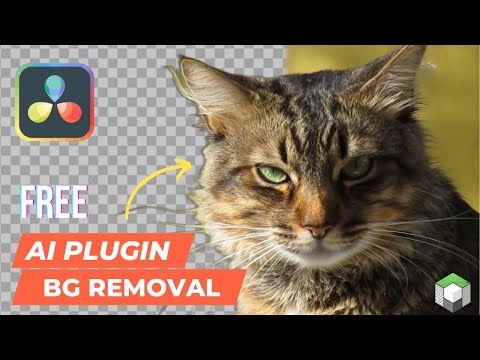
## 🪄 Video Demo
[ ](https://youtu.be/Lv8DGq7qbx4)
## 🌱 Overview
| Fuse Version | 0.2 |
|:-------------------------------|:------------------------------|
| Script Version | 0.1 |
| Setup Version | 1.0 |
| DaVinci Resolve Requirement | Free or Studio : 18+ |
| License | MIT |
| Copyright | 2025 |
| Author | Akash Bora |
## 🐞 Debugging
To view plugin logs and troubleshoot issues, open the console through `Fusion page ⮞ Workspace ⮞ Console`. Make sure not to check the `Disable Logging` option in the fuse.
## 🚧 Planned Improvements
- Streamline Python Script Execution on Windows. Eliminate the disruptive console popup by implementing a cleaner method to trigger the processing script. Maybe consider using `comp:DoAction()` or `comp:Execute()` for a more integrated Fusion workflow.
- Optimize Model Reloading and improve overall performance during repeated operations.
- Refactor Image I/O Handling, replace the use of the `Clip()` method with direct image data passing. Maybe consider the `GetPixel()` method.
- Add a python path parameter for fixing python version conflicts.
Whether you're fixing bugs, suggesting enhancements, or adding new features—your input is valued. Feel free to fork, improve, and submit pull requests to help evolve this tool.
**Get more Resolve plugins at [www.akascape.com](https://www.akascape.com) 👈**
## Thank You