https://github.com/akr4/codepipeline-slack
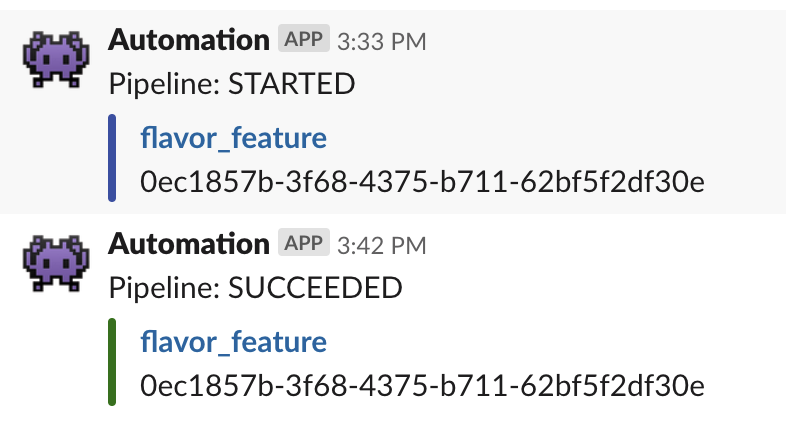
Notify CodePipeline status changes such as STARTED, SUCCEEDED, FAILED, and so on to a Slack channel.
https://github.com/akr4/codepipeline-slack
codepipeline lambda rust terraform
Last synced: 2 months ago
JSON representation
Notify CodePipeline status changes such as STARTED, SUCCEEDED, FAILED, and so on to a Slack channel.
- Host: GitHub
- URL: https://github.com/akr4/codepipeline-slack
- Owner: akr4
- License: mit
- Created: 2019-08-18T07:14:39.000Z (almost 7 years ago)
- Default Branch: master
- Last Pushed: 2019-08-18T23:24:51.000Z (almost 7 years ago)
- Last Synced: 2025-04-09T22:46:55.453Z (about 1 year ago)
- Topics: codepipeline, lambda, rust, terraform
- Language: Rust
- Homepage:
- Size: 224 KB
- Stars: 1
- Watchers: 1
- Forks: 0
- Open Issues: 0
-
Metadata Files:
- Readme: README.md
- License: LICENSE
Awesome Lists containing this project
README
# codepipeline-slack
Notify CodePipeline status changes such as STARTED, SUCCEEDED, FAILED, and so on to a Slack channel.
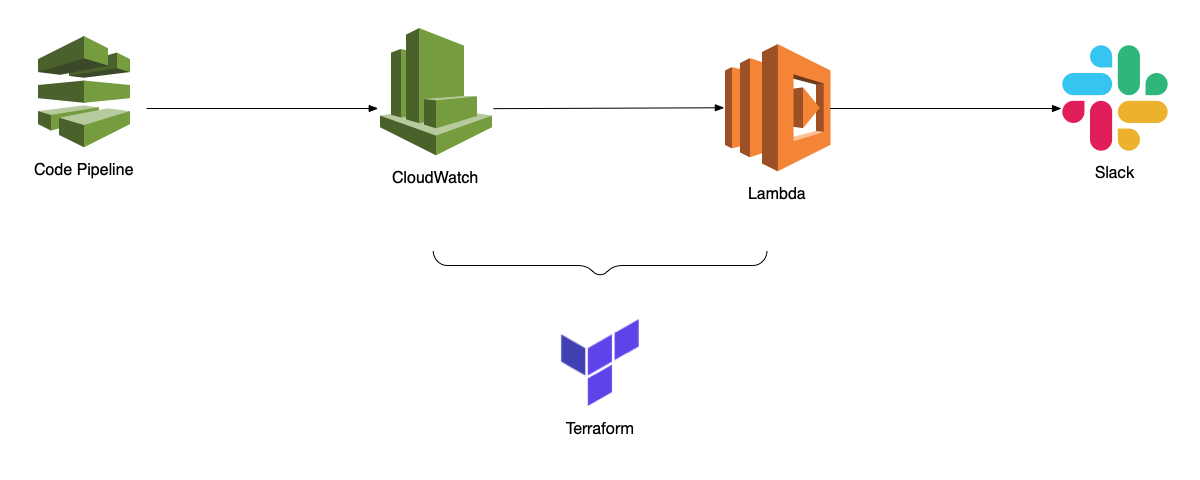
The repository includes a lambda function and a Terraform module, so it's easy to set up in your environment.
## Overview
## Prerequisite
- Terraform 0.12
- Docker
## Set up
1. Build the Lambda function
2. Set up a Slack webhook URL to SSM parameter store
3. Update your AWS environment with Terraform
### Build the Lambda function
The following command builds the Lambda function in a Docker environment.
```sh
docker run --rm -v ${PWD}:/code -v \
${HOME}/.cargo/registry:/root/.cargo/registry -v \
${HOME}/.cargo/git:/root/.cargo/git softprops/lambda-rust
```
The zipped Lambda function will be at `./target/lambda/release/codepipeline-slack.zip`.
### Set up a Slack webhook URL to SSM parameter store
The Lambda function looks for a Slack's webhook URL from SSM parameter store. The parameter name can be configured by a Terraform variable.
- name
- /codepipeline-slack/webhook-url-ssm-param
- value (SecureString is recommended)
- https:....
### Update your AWS environment with Terraform
First, copy `terraform` directory to your Terraform directory. And then add a module block to your Terraform configuration file:
```HCL
module "codepipeline-slack" {
source = "../modules/codepipeline-slack"
slack_webhook_url_ssm_parameter = "/codepipeline-slack/webhook-url-ssm-param"
lambda_zip_file = "lambda/codepipeline-slack.zip"
}
```
- slack_webhook_url_ssm_parameter
- The SSM parameter name which is configured in the previous section
- lambda_zip_file
- Path to the Lambda zip file
Now you can apply the configuration by `terraform apply`.