https://github.com/akryum/vue-router-multi-view
router-view meet v-show meet keep-alive
https://github.com/akryum/vue-router-multi-view
Last synced: over 1 year ago
JSON representation
router-view meet v-show meet keep-alive
- Host: GitHub
- URL: https://github.com/akryum/vue-router-multi-view
- Owner: Akryum
- Created: 2017-11-22T10:18:50.000Z (over 8 years ago)
- Default Branch: master
- Last Pushed: 2021-05-07T17:49:42.000Z (about 5 years ago)
- Last Synced: 2024-10-11T12:53:41.203Z (almost 2 years ago)
- Language: JavaScript
- Homepage: https://akryum.github.io/vue-router-multi-view/
- Size: 1.41 MB
- Stars: 86
- Watchers: 7
- Forks: 9
- Open Issues: 34
-
Metadata Files:
- Readme: README.md
- Funding: .github/FUNDING.yml
Awesome Lists containing this project
README
vue-router-multi-view




## Sponsors
### Gold

### Silver


### Bronze


## About
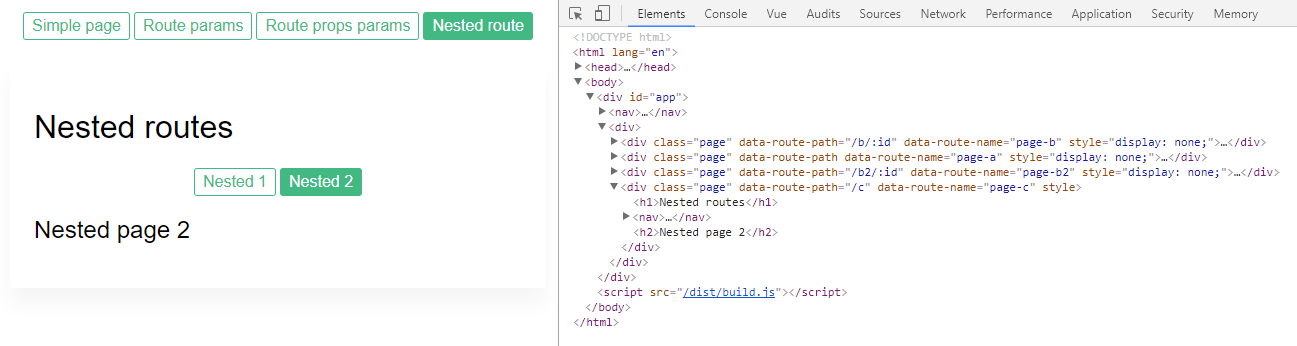
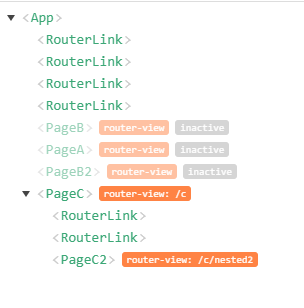
Replace `` with `` to keep the DOM of the deactivated route alive.
**Useful Links**
- [Live Demo](https://akryum.github.io/vue-router-multi-view/)
# Installation
## Npm
```
npm install --save vue-router-multi-view
```
Install the plugin into Vue:
```javascript
import Vue from 'vue'
import VueRouterMultiView from 'vue-router-multi-view'
Vue.use(VueRouterMultiView)
```
Or use the directives and components directly:
```javascript
import Vue from 'vue'
import { VueRouterMultiView } from 'vue-router-multi-view'
Vue.directive('router-multi-view', VueRouterMultiView)
```
## Browser
Include [vue-router-multi-view](/dist/vue-router-multi-view.min.js) in the page.
```html
```
**If Vue is detected in the Page, the plugin is installed automatically.**
Manually install the plugin into Vue:
```javascript
Vue.use(VueRouterMultiView)
```
# Usage
Replace `` with `` and replace the `name` prop by the `viewName` prop (this is to prevent potential conflicts with ``).
**:warning: Contrary to ``, `` will need to wrap the content with an element or component (default: `
`).**
If you were using the [keep-alive](https://vuejs.org/v2/api/#keep-alive) component, you need to remove it. So if you had:
```html
```
It should be replaced by:
```html
```
`` already includes keep-alive and will trigger the `activated` and `deactivated` hooks on the children components.
**:warning: It is recommended to use [props](https://router.vuejs.org/en/essentials/passing-props.html) for the routes.**
Example:
```html
```
Example of rendered HTML:
```html
```
You can change the element or component used to wrap the routes with the `morph` prop:
```html
```
To use transition, you need to use the `viewName` prop to set the name of the view, to prevent a conflict with the `name` prop for the transition:
```html
```
Here `view-name` and `morph` are `` props, while `tag` and `name` are `` props.