https://github.com/al3x-13/undefined.nvim
Dark colorscheme for neovim
https://github.com/al3x-13/undefined.nvim
colorscheme neovim neovim-colorscheme neovim-theme vim
Last synced: about 2 months ago
JSON representation
Dark colorscheme for neovim
- Host: GitHub
- URL: https://github.com/al3x-13/undefined.nvim
- Owner: al3x-13
- License: mit
- Created: 2025-10-15T02:54:59.000Z (8 months ago)
- Default Branch: main
- Last Pushed: 2025-10-19T00:21:27.000Z (8 months ago)
- Last Synced: 2025-10-31T12:02:11.525Z (8 months ago)
- Topics: colorscheme, neovim, neovim-colorscheme, neovim-theme, vim
- Language: Lua
- Homepage:
- Size: 216 KB
- Stars: 0
- Watchers: 0
- Forks: 0
- Open Issues: 0
-
Metadata Files:
- Readme: README.md
- License: LICENSE.txt
Awesome Lists containing this project
README
# undefined.nvim
Dark colorscheme for neovim written in lua. Works with lsp, treesitter and lualine.
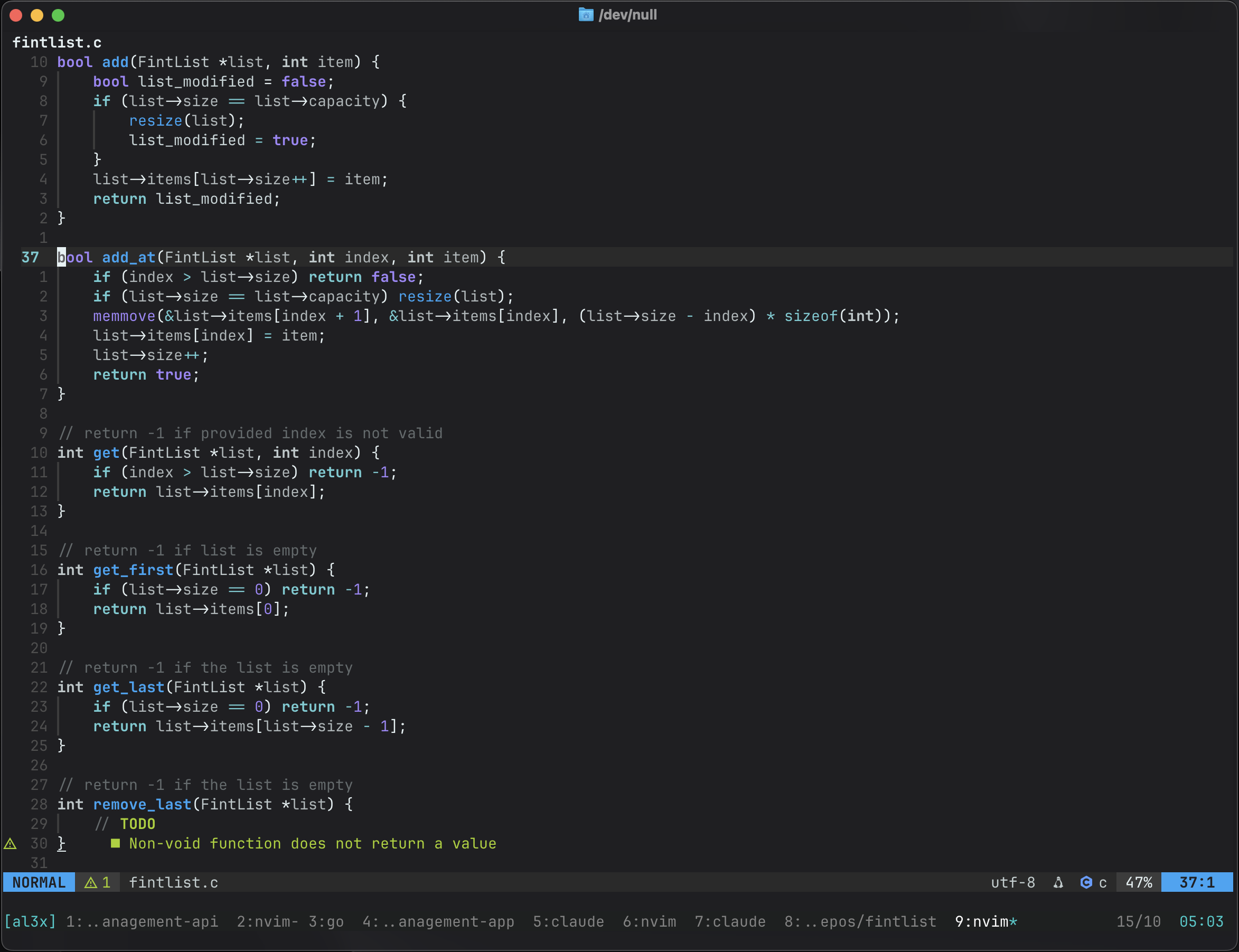
__DISCLAIMER__: this was mostly vibe-coded.
## Installation
Using [lazy.nvim](https://github.com/folke/lazy.nvim):
```lua
{
"al3x-13/undefined.nvim",
lazy = false,
priority = 1000,
config = function()
vim.cmd([[colorscheme undefined]])
end,
}
```
Using [packer.nvim](https://github.com/wbthomason/packer.nvim):
```lua
use {
"al3x-13/undefined.nvim",
config = function()
vim.cmd([[colorscheme undefined]])
end,
}
```
## Configuration
The theme supports multiple variants and transparent backgrounds:
```lua
require("undefined").setup({
variant = "base", -- "base", "darker", or "light"
transparent_background = false,
})
```
### Variants
- `base` - Original dark theme with balanced contrast (default)
- `darker` - Darker variant for reduced eye strain
- `light` - Light theme for daytime use
### Switching Variants
You can switch between variants using commands:
```vim
:UndefinedVariant light " Switch to light variant
:UndefinedVariant base " Switch to base variant
:UndefinedVariant darker " Switch to darker variant
:UndefinedToggle " Toggle between base and darker
```
Or programmatically:
```lua
require("undefined").set_variant("light")
```
## Lualine
To use the lualine theme:
```lua
require('lualine').setup {
options = {
theme = 'undefined'
}
}
```