https://github.com/alduncanson/github-dark
A color scheme for iTerm2, based on GitHub's dark theme
https://github.com/alduncanson/github-dark
githubdark iterm2 iterm2-color-scheme iterm2-colors iterm2-theme
Last synced: 5 months ago
JSON representation
A color scheme for iTerm2, based on GitHub's dark theme
- Host: GitHub
- URL: https://github.com/alduncanson/github-dark
- Owner: alDuncanson
- License: mit
- Created: 2021-05-05T04:22:49.000Z (about 5 years ago)
- Default Branch: main
- Last Pushed: 2021-06-28T14:12:15.000Z (almost 5 years ago)
- Last Synced: 2024-05-01T16:04:42.922Z (about 2 years ago)
- Topics: githubdark, iterm2, iterm2-color-scheme, iterm2-colors, iterm2-theme
- Homepage: https://alduncanson.github.io/Github-Dark/
- Size: 1.21 MB
- Stars: 6
- Watchers: 1
- Forks: 0
- Open Issues: 0
-
Metadata Files:
- Readme: README.md
- Funding: .github/FUNDING.yml
- License: LICENSE
- Code of conduct: CODE_OF_CONDUCT.md
Awesome Lists containing this project
README
# GitHub Dark


[](https://www.contributor-covenant.org/)\

> a color scheme for [iTerm2](https://iterm2.com/), based on GitHub's dark theme
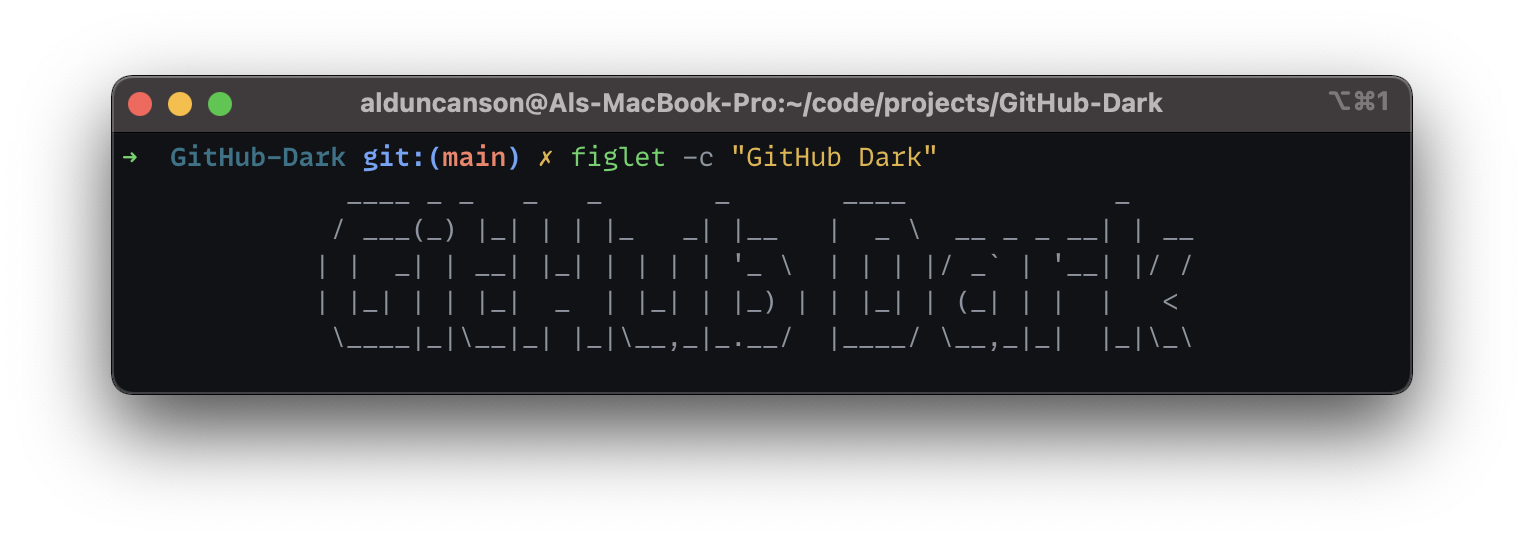
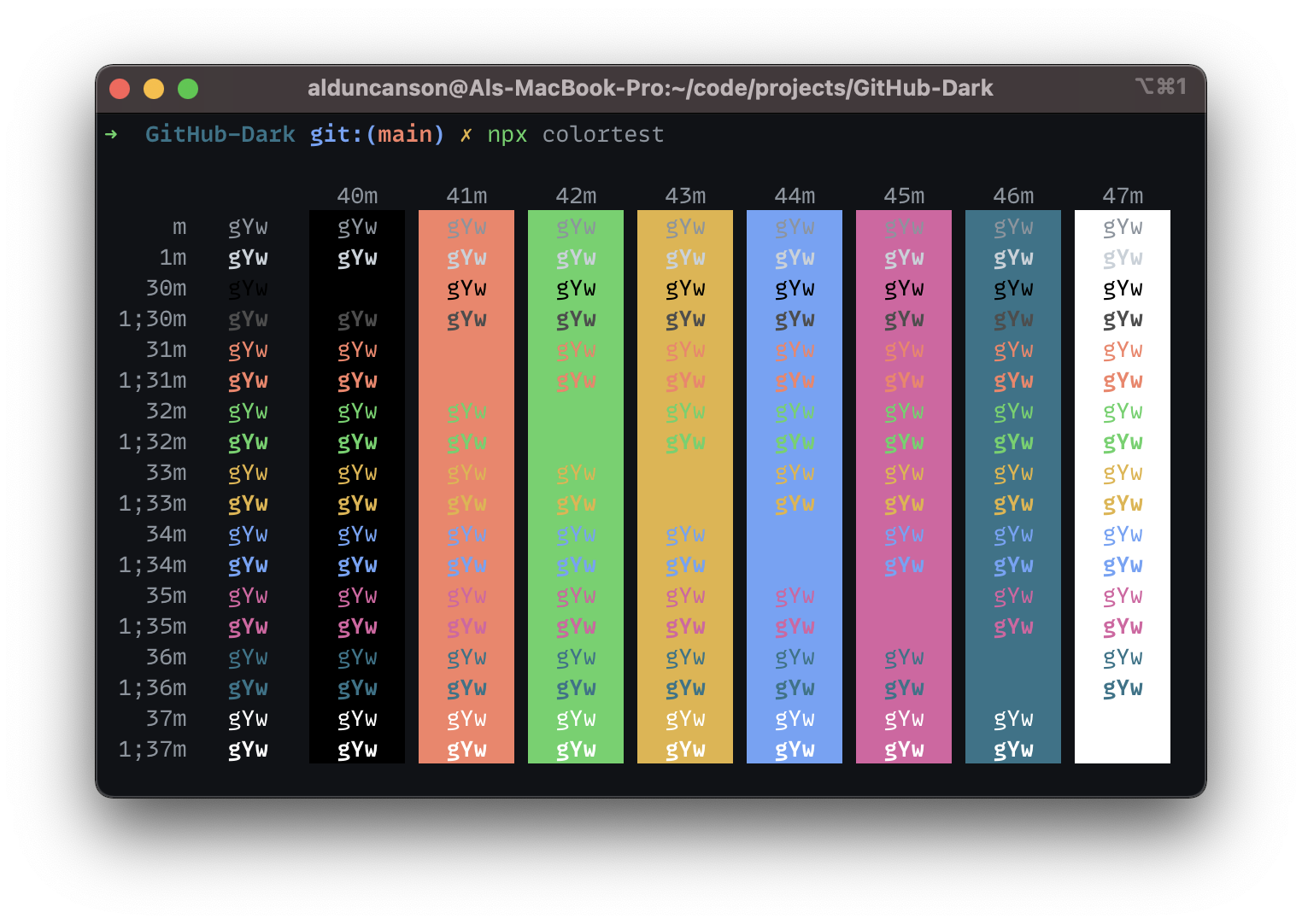
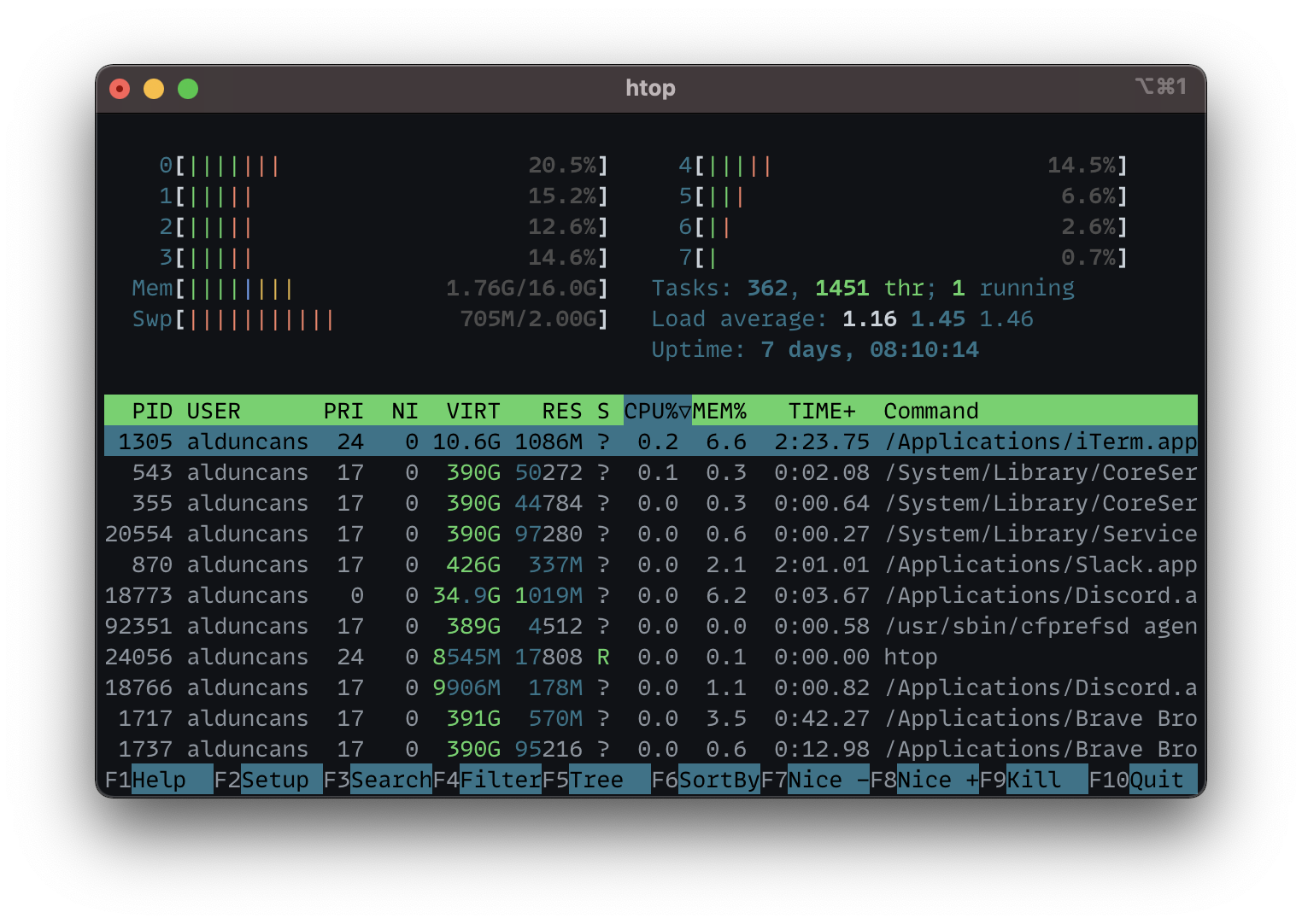
## Screenshots
## Install
### Import
##### Automatic
1. Right-click and save the file
[`GitHub Dark.itermcolors`](https://raw.githubusercontent.com/alDuncanson/Github-Dark/main/GitHub%20Dark.itermcolors)
2. Click the downloaded file, and you should see a message similar to
`The color scheme was imported and added to presets.`
##### Manual
1. Right-click and save the file
[`GitHub Dark.itermcolors`](https://raw.githubusercontent.com/alDuncanson/Github-Dark/main/GitHub%20Dark.itermcolors)
2. Open [iTerm2](https://iterm2.com/) and open `Preferences`
3. Click the `Profiles` tab, then the `Colors` tab
4. Select the `Color Presets...` dropdown and click `import...`, then select the
`GitHub Dark.itermcolors` file
### Use
2. Open [iTerm2](https://iterm2.com/) and open `Preferences`
3. Click the `Profiles` tab, then the `Colors` tab
4. Select the `Color Presets...`, then select the `GitHub Dark.itermcolors` file
## Other Info
- Shell: [Zsh](https://www.zsh.org/)
- Zsh Theme:
[awesomepanda](https://github.com/ohmyzsh/ohmyzsh/blob/master/themes/awesomepanda.zsh-theme)
- Font: [MonoLisa](https://www.monolisa.dev/)
---
