https://github.com/alecxcode/stepper
Stepper Motors for Raspberry Pi gpiozero
https://github.com/alecxcode/stepper
Last synced: 11 months ago
JSON representation
Stepper Motors for Raspberry Pi gpiozero
- Host: GitHub
- URL: https://github.com/alecxcode/stepper
- Owner: alecxcode
- License: mit
- Created: 2025-06-14T23:44:54.000Z (about 1 year ago)
- Default Branch: main
- Last Pushed: 2025-07-24T20:17:58.000Z (12 months ago)
- Last Synced: 2025-07-24T21:07:13.348Z (12 months ago)
- Language: Python
- Size: 6.84 KB
- Stars: 0
- Watchers: 0
- Forks: 0
- Open Issues: 0
-
Metadata Files:
- Readme: readme.md
- License: license
Awesome Lists containing this project
README
# Python Stepper Motor Controller
A lightweight Python class for controlling stepper motors using GPIO on a Raspberry Pi via the `gpiozero` library. Supports 2-pin, 4-pin, and 5-pin motors.
It essentially implements the same `Stepper` class logic as described in the [Arduino Stepper library](https://docs.arduino.cc/libraries/stepper/).
## Features
- Compatible with 2-pin, 4-pin, and 5-pin stepper motors
- Forward and reverse movement
- Adjustable stepping delay (speed)
- Arduino-style stepping logic
- Easy integration with `gpiozero`
## Requirements
- Raspberry Pi with GPIO
- Python 3.9+
- `gpiozero` library
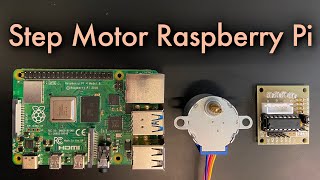
## Video Tutorial with Electronics
[](https://www.youtube.com/watch?v=T8thjPohz5g)
## Installation
Place the `stepper.py` file containing the `Stepper` class in your project directory.
Install dependencies if not already available. For example:
```bash
pip install gpiozero
```
or
```bash
sudo apt install python3-gpiozero
```
## Usage
Initialize the object (example for 4-pin motor with 2048 steps):
`step_motor = Stepper(2048, 5, 6, 13, 19)`
Set the motor speed in rotations per minute (RPM):
`step_motor.set_speed(8)`
Move the motor one step forward:
`step_motor.step(1)`
Move the motor one step backward:
`step_motor.step(-1)`
Stop the motor immediately:
`step_motor.stop()`
## Example
```python
# 4-pin Stepper Motor on Raspberry Pi
from time import sleep
from stepper import Stepper
step_motor = Stepper(2048, 5, 6, 13, 19)
step_motor.set_speed(10)
try:
while True:
step_motor.step(1024)
print("rotated half")
sleep(2)
step_motor.step(1024)
print("rotated half more")
sleep(2)
step_motor.step(-1024)
print("rotated half back")
sleep(2)
step_motor.step(-1024)
print("rotated half more back")
sleep(2)
except KeyboardInterrupt:
pass
finally:
step_motor.stop()
```
## Help the Creator
If you find this useful, consider supporting the developer.
[](https://www.gofundme.com/f/keep-my-science-journey-alive-with-support)