https://github.com/ales-drnz/mpv_studio
MPV Studio is the standalone reference client for the mpv_audio_kit engine: a cross-platform audio player with a full DSP rack, real-time visualizers, Jellyfin, Plex and Samba streaming, and a built-in mpv command console.
https://github.com/ales-drnz/mpv_studio
jellyfin libmpv mpv plex samba streaming
Last synced: 19 days ago
JSON representation
MPV Studio is the standalone reference client for the mpv_audio_kit engine: a cross-platform audio player with a full DSP rack, real-time visualizers, Jellyfin, Plex and Samba streaming, and a built-in mpv command console.
- Host: GitHub
- URL: https://github.com/ales-drnz/mpv_studio
- Owner: ales-drnz
- Created: 2026-05-29T20:31:46.000Z (29 days ago)
- Default Branch: main
- Last Pushed: 2026-06-05T03:43:15.000Z (23 days ago)
- Last Synced: 2026-06-05T05:13:56.042Z (23 days ago)
- Topics: jellyfin, libmpv, mpv, plex, samba, streaming
- Language: Dart
- Homepage:
- Size: 6.38 MB
- Stars: 0
- Watchers: 0
- Forks: 0
- Open Issues: 0
-
Metadata Files:
- Readme: README.md
- Changelog: CHANGELOG.md
Awesome Lists containing this project
README
# MPV Studio
#### Cross-platform audio player built on mpv_audio_kit.
[](https://pub.dev/packages/mpv_audio_kit)
[](https://flutter.dev)
[](https://github.com/ales-drnz/mpv_studio)
[](https://discord.gg/g2Qf4Mq9MP)
[](https://www.patreon.com/cw/ales_drnz)
[](https://www.buymeacoffee.com/ales.drnz)

MPV Studio is the standalone reference client for the mpv_audio_kit engine: a cross-platform audio player with a full DSP rack, real-time visualizers, Jellyfin, Plex and Samba streaming, and a built-in mpv command console.
---
## Platforms
| Platform | Minimum | Architectures |
| :--- | :--- | :--- |
| **Android** | 7.0 (SDK 24) | arm64-v8a, armeabi-v7a, x86_64 |
| **iOS** | 15.0 | arm64, x86_64 |
| **macOS** | 12.0 | arm64, x86_64 |
| **Windows**| 10 | arm64, x86_64 |
| **Linux** | Ubuntu 24.04 | aarch64, x86_64 |
---
## Contents
* [Guide](#guide)
1. Playback
* [1.1 Now playing](#11-now-playing)
* [1.2 Visualizers](#12-visualizers)
* [3.1 Jellyfin](#31-jellyfin)
* [3.2 Plex](#32-plex)
* [4.1 The DSP rack](#41-the-dsp-rack)
* [4.2 Interactive controls](#42-interactive-controls)
* [7.1 Requirements](#71-requirements)
* [7.2 Run](#72-run)
* [Project background](#project-background)
---
## Guide
### 1. Playback
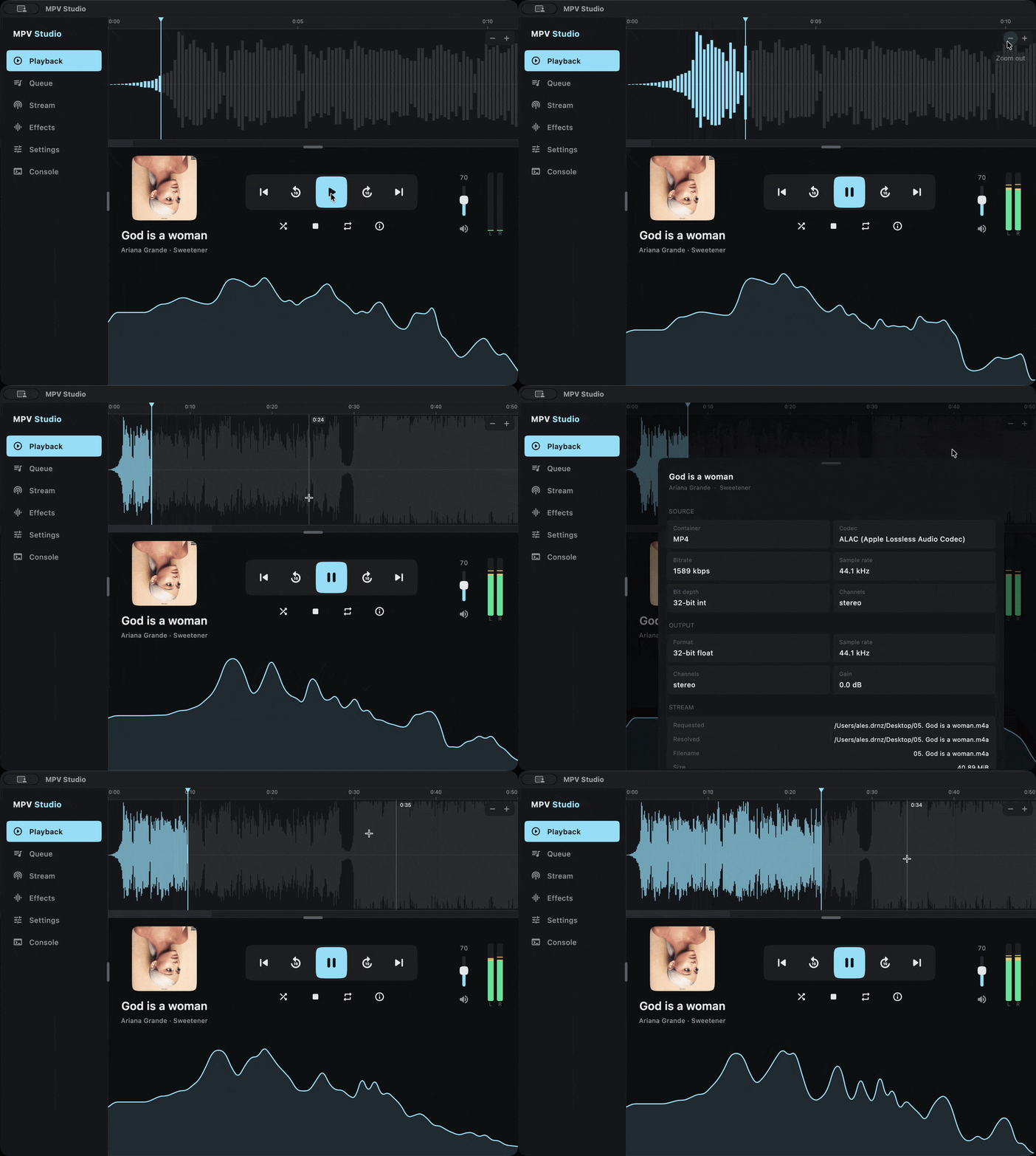
The home screen: cover art, metadata and transport bound to mpv_audio_kit's play-pause **intent**, so the controls never flicker while you scrub.
#### 1.1 Now playing
Cover art, track info, a scrubbable seekbar, and a volume control, driven entirely by the engine's reactive streams.
#### 1.2 Visualizers
Three real-time meters fed by mpv_audio_kit's FFT and PCM streams: a log-spaced **spectrum** curve, a **VU** meter, and a progressive **waveform** seekbar that fills in as network tracks decode.
---
### 2. Queue
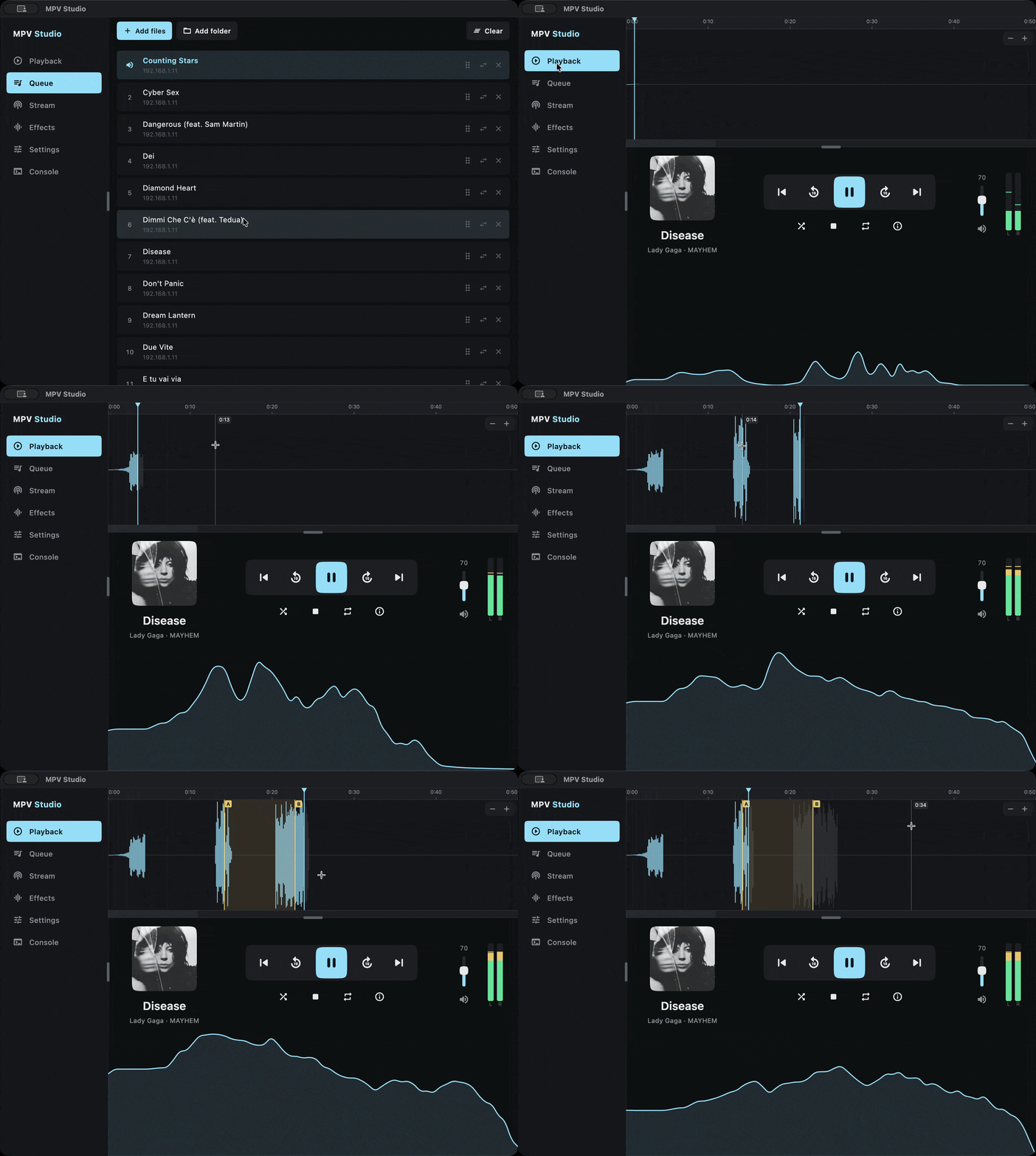
A reorderable playlist with drag-and-drop, gapless transitions, and a determinate prefetch indicator for the next track.
---
### 3. Stream
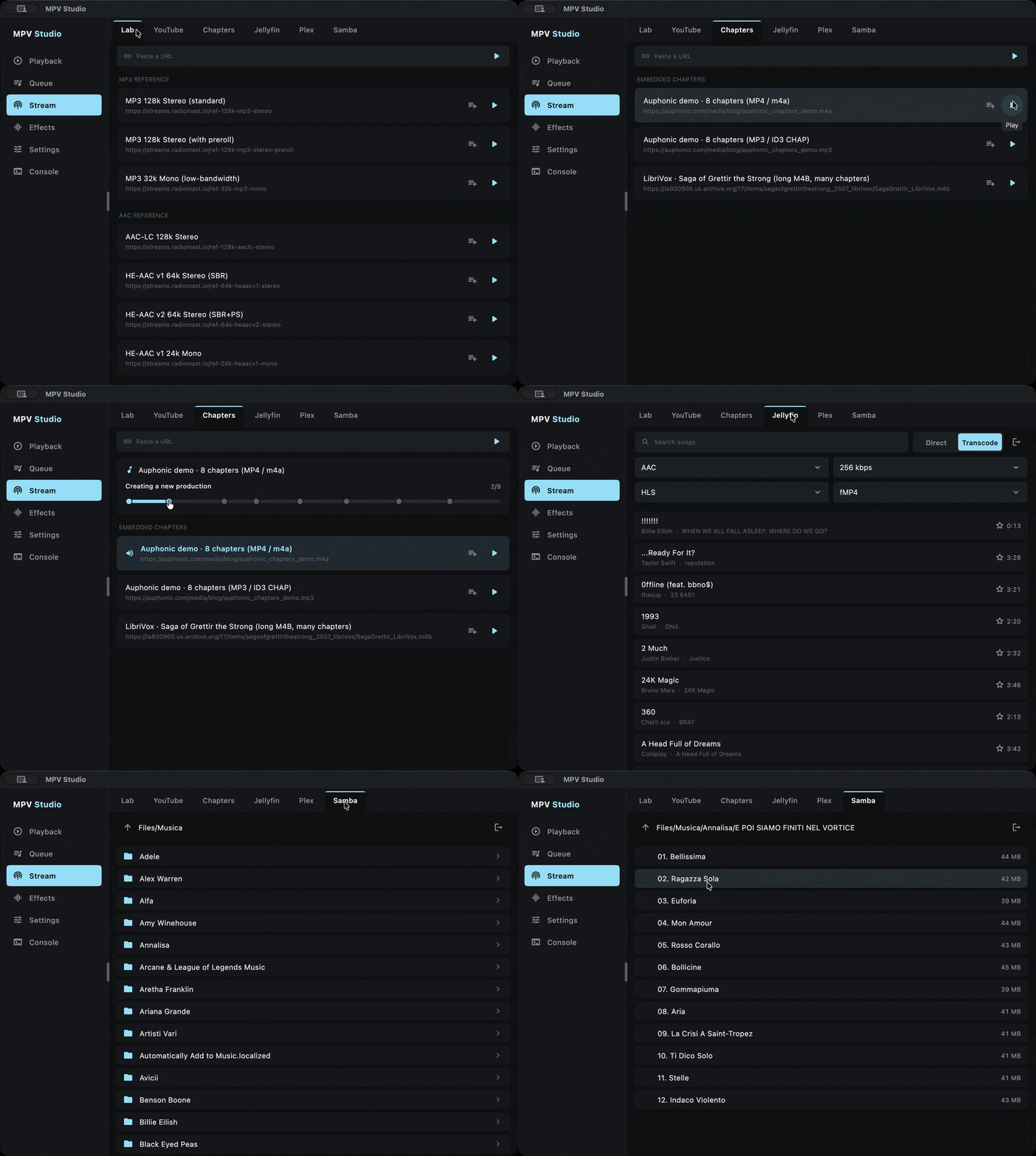
Browse and play from self-hosted media servers. Each library tab pages lazily as you scroll.
#### 3.1 Jellyfin
Connects to a Jellyfin server and streams its libraries directly (HLS), seeking through transcoded sources.
#### 3.2 Plex
Resolves Plex transcode URLs lazily through an `on_load` hook and a `/decision` session manager, and reports playback progress back to the server.
---
### 4. Effects
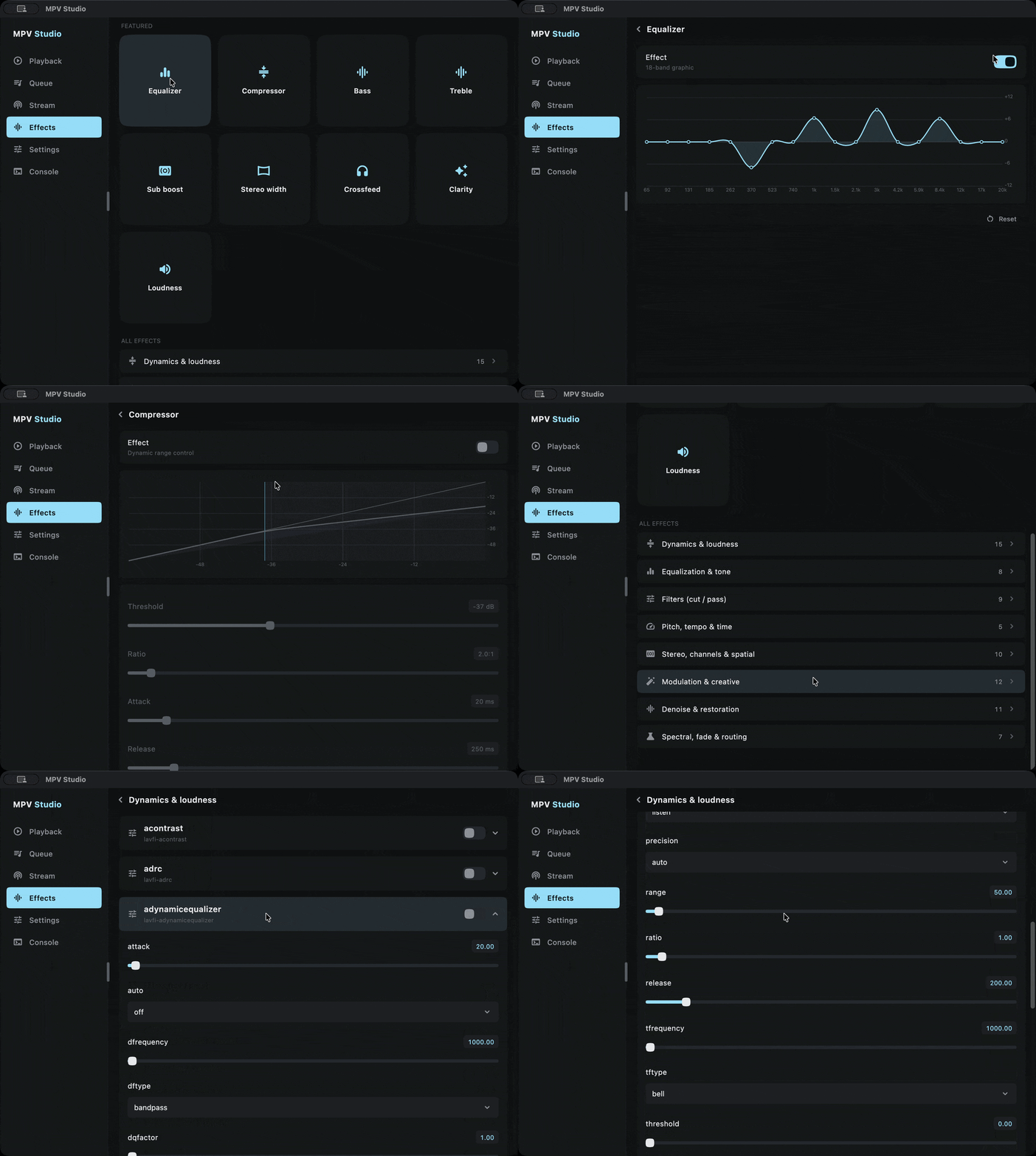
A live DSP rack on top of mpv_audio_kit's `AudioEffects` bundle: toggle and tune effects and hear the change immediately.
#### 4.1 The DSP rack
18-band graphic EQ, compressor, loudness normalization, headphone crossfeed, crystalizer, stereo tools, bass and treble, and more.
#### 4.2 Interactive controls
Each effect renders its own live diagram (a compressor curve, a frequency response curve, a crossfeed diagram, a stereo scope, a loudness gauge), driven by per-filter PCM taps so the visualization tracks the actual signal.
---
### 5. Settings
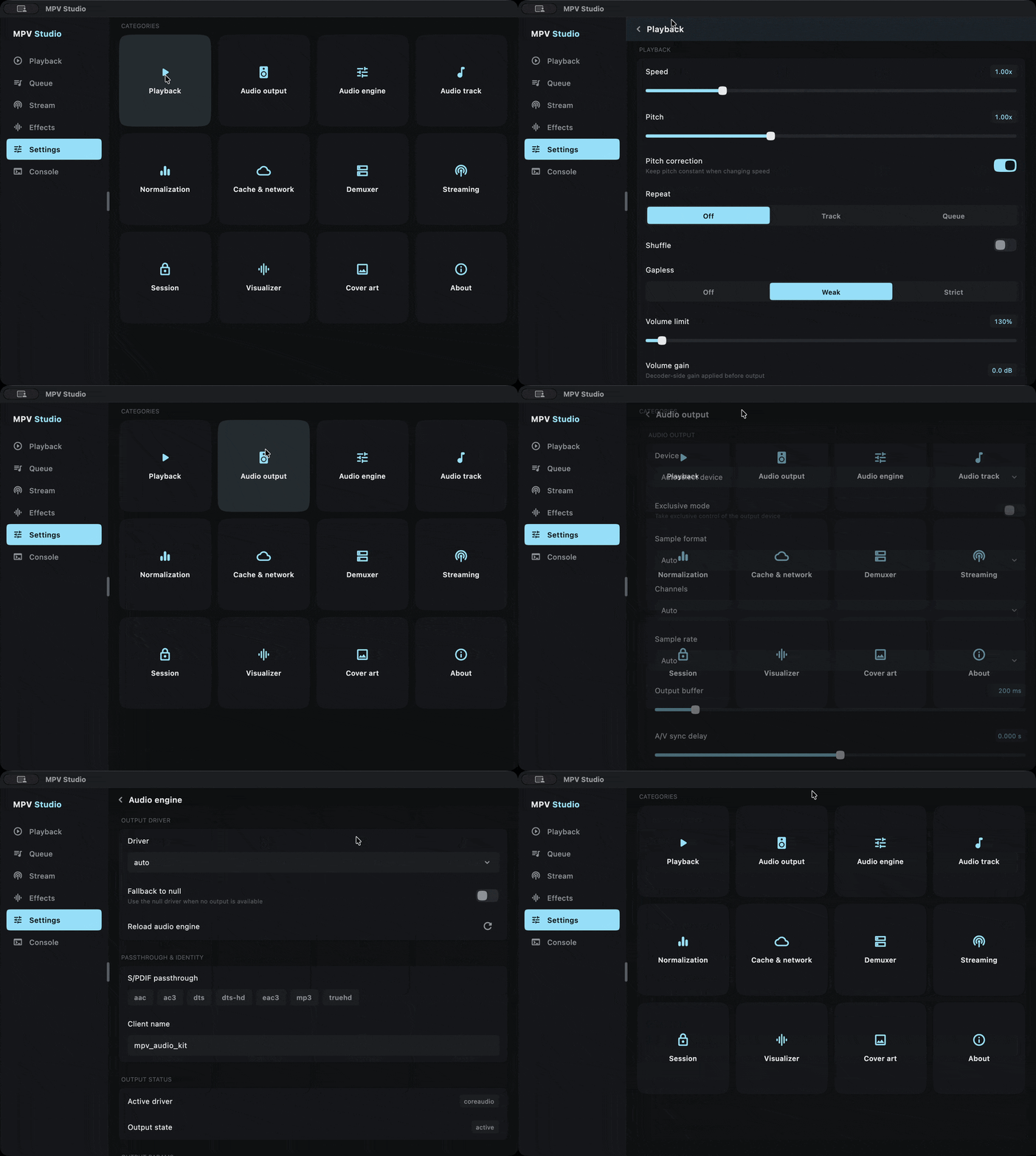
Every mpv subsystem grouped into one screen: audio engine and output, audio track, A-B loop, chapters, demuxer cache, hooks, OS media session, and streaming. Choices persist across launches.
---
### 6. Console
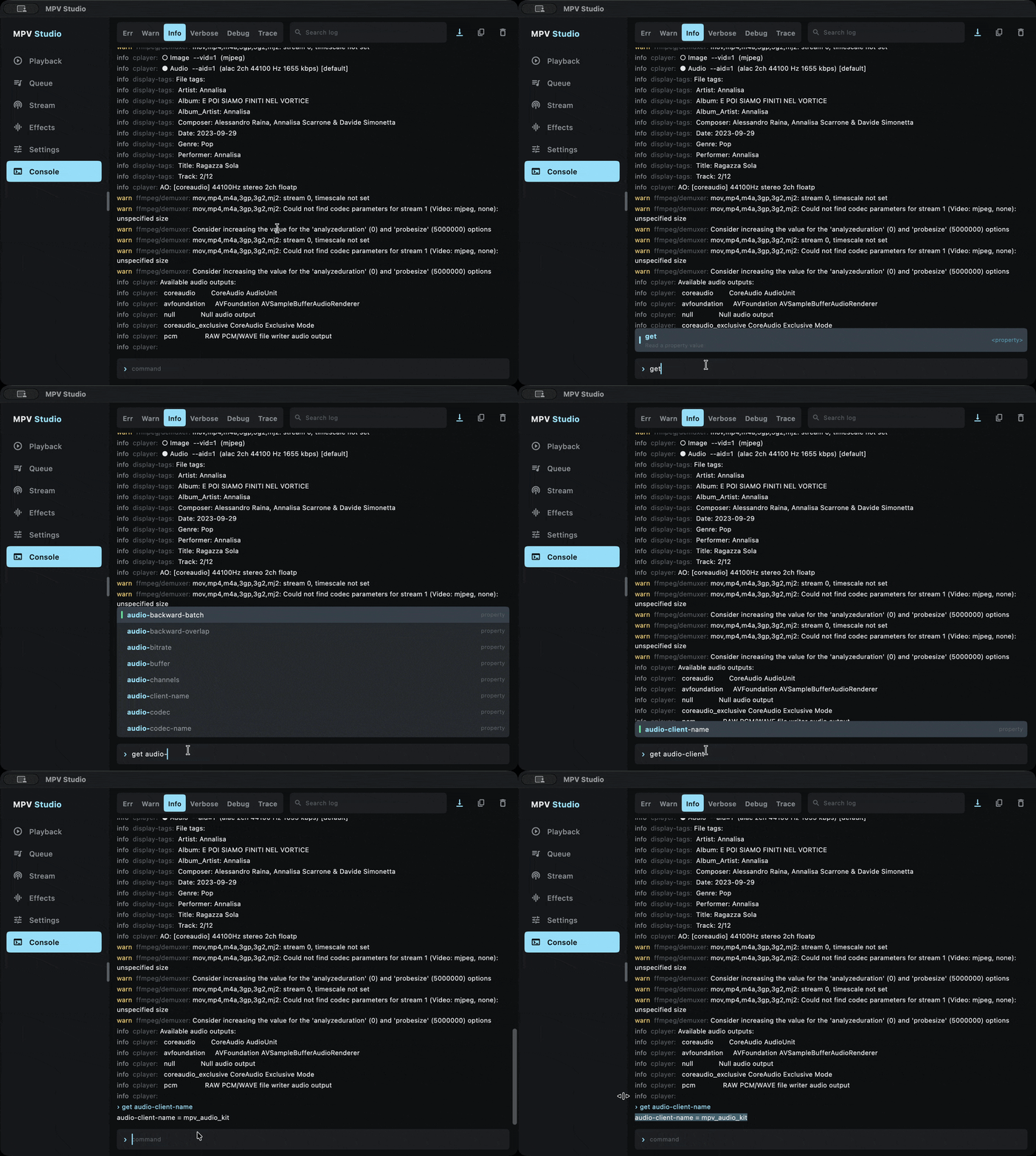
A built-in mpv command console with a command catalog, autocomplete suggestions, and the live engine log, captured from boot, so it's never empty when you open it.
---
### 7. Building from source
#### 7.1 Requirements
- **Flutter** 3.27 or newer (Dart `^3.6.0`).
- The native toolchain for your target platform (Xcode for Apple, Android SDK and NDK for Android, the desktop build tools for Linux and Windows).
#### 7.2 Run
```bash
flutter pub get
flutter run -d macos # or windows, linux, ,
```
To build a release artifact, use the standard `flutter build `.
---
## Project background
The app was implemented through the use of Claude Code.
---
*Developed by Alessandro Di Ronza*