https://github.com/alex313031/pong_win32
Pong Game in raw Win32
https://github.com/alex313031/pong_win32
classic-game classic-games cplusplus mingw ninja ninja-build pong pong-game win32 win32-api win32api windows-2000 windows-2000-compatible windows-xp-compatible windows2000 windowsxp
Last synced: about 1 month ago
JSON representation
Pong Game in raw Win32
- Host: GitHub
- URL: https://github.com/alex313031/pong_win32
- Owner: Alex313031
- License: bsd-3-clause
- Created: 2026-05-11T21:08:03.000Z (about 2 months ago)
- Default Branch: main
- Last Pushed: 2026-05-14T07:15:13.000Z (about 2 months ago)
- Last Synced: 2026-05-19T11:44:24.391Z (about 2 months ago)
- Topics: classic-game, classic-games, cplusplus, mingw, ninja, ninja-build, pong, pong-game, win32, win32-api, win32api, windows-2000, windows-2000-compatible, windows-xp-compatible, windows2000, windowsxp
- Language: C++
- Homepage: https://www.pong-story.com/
- Size: 19.5 MB
- Stars: 0
- Watchers: 0
- Forks: 0
- Open Issues: 0
-
Metadata Files:
- Readme: README.md
- License: LICENSE.md
Awesome Lists containing this project
README
# Pong Win32 
- A classic Pong implementation in raw Win32 C++ and GDI.
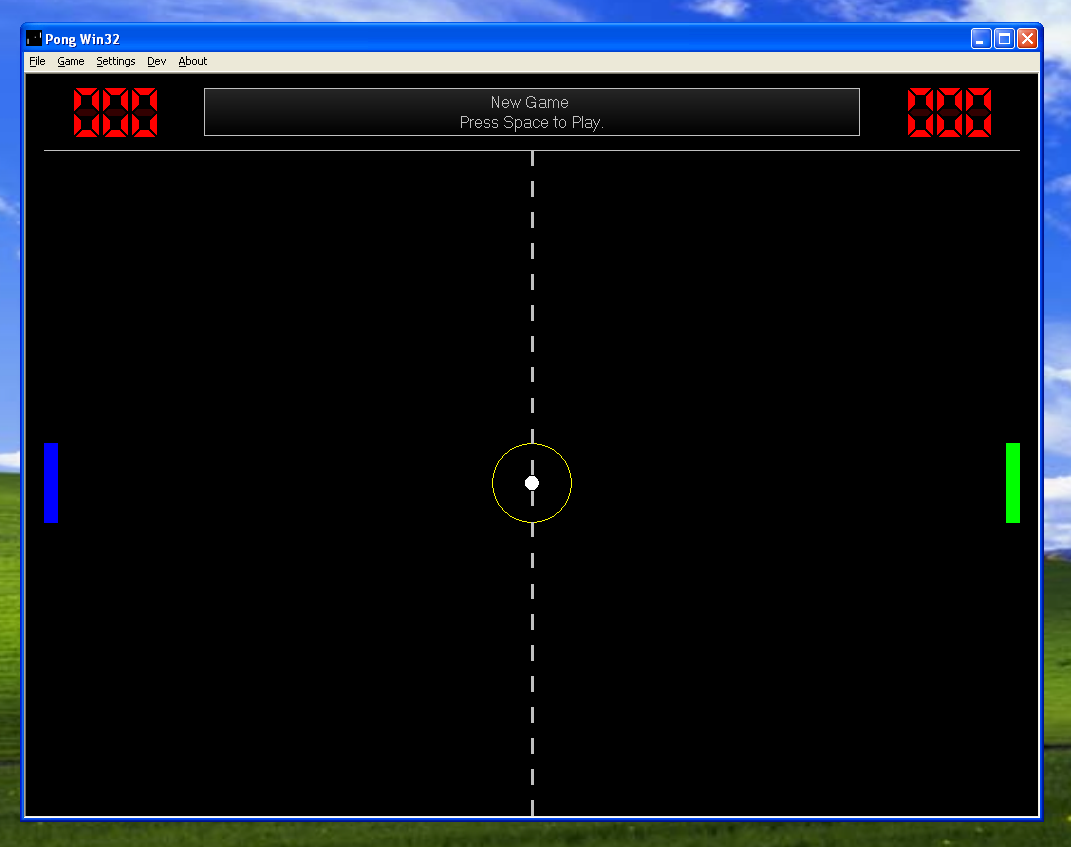
## Motivation
Because I can and it's a classical piece of video game history.
It is multi-threaded, and designed to be hyper-compatible - it supports Windows 2000 - 11.
 :smile_cat:
## Building
### Via MinGW
Use the Makefile or `build_mingw.sh`. It should work on Linux, and with MinGW on Windows.
You can also use my fork of [w64devkit](https://github.com/skeeto/w64devkit), called [win32-devkit](https://github.com/Alex313031/win32-devkit).
Using this method, you can compile on Linux, or Windows XP+ (using win32-devkit).
```
make -B all -j# (where # is number of jobs)
```
### With GN/Ninja
[Chromium](https://www.chromium.org) uses a build system with [GN](https://gn.googlesource.com/gn/+/refs/heads/main/README.md) and [Ninja](https://ninja-build.org/).
I have made a minimal, modified version configured specifically for compiling Win32 programs
for legacy Windows called [gn-legacy](https://github.com/Alex313031/gn-legacy).
It can be used on Windows 7+ or Linux. (Unlike the regular MinGW method above, gn.exe does not work on Windows XP/Vista.)
Really, it is a meta-build system. GN stands for "Generate Ninja" and can use __BUILD.gn__ files to
generate `.ninja` files. These are used by Ninja (the actual build system), to run the commands to compile it.
The compiler itself is dependant on the host platform:
On Linux, a special MinGW build I compiled on Ubuntu 24.04 to support legacy Windows and use static linkage is used.
On Windows, it simply uses an extracted toolchain from win32-devkit mentioned above.
## Resources
[About Pong](https://en.wikipedia.org/wiki/Pong)
Charles Petzold - [Programming Windows 5th Ed.](https://www.charlespetzold.com/books/)