https://github.com/alexellis/seeds2
A Python application for live tweeting photos of your seeds growing on your Raspberry Pi.
https://github.com/alexellis/seeds2
golang plants python raspberry-pi seeds
Last synced: 10 months ago
JSON representation
A Python application for live tweeting photos of your seeds growing on your Raspberry Pi.
- Host: GitHub
- URL: https://github.com/alexellis/seeds2
- Owner: alexellis
- Created: 2017-06-15T06:41:58.000Z (about 9 years ago)
- Default Branch: master
- Last Pushed: 2017-06-27T20:16:00.000Z (almost 9 years ago)
- Last Synced: 2025-05-01T14:53:55.146Z (about 1 year ago)
- Topics: golang, plants, python, raspberry-pi, seeds
- Language: Python
- Homepage: https://blog.alexellis.io/iot-growbox/
- Size: 5.86 KB
- Stars: 25
- Watchers: 2
- Forks: 7
- Open Issues: 0
-
Metadata Files:
- Readme: README.md
Awesome Lists containing this project
README
seeds2
=======
seeds2 is a Python application that you can use to keep track of your seeds or plants growing on Twitter. It is a reboot of the [Internet of Seeds project by Pimoroni in 2016](http://blog.pimoroni.com/the-internet-of-seeds/).
There's a supporting blog post here for background info - http://blog.alexellis.io/iot-growbox/
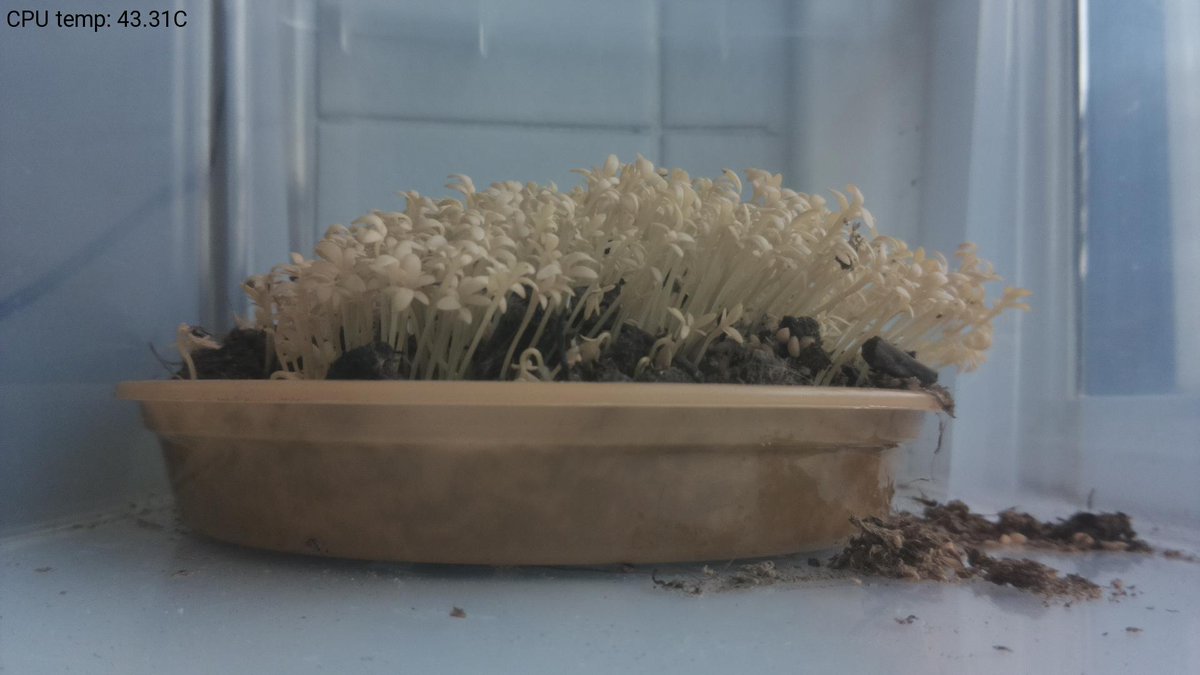
*Example tweet: [https://twitter.com/alexellisuk_bot/status/875077917902024706](https://twitter.com/alexellisuk_bot/status/875077917902024706)*
### Installation
* Install depedencies
```
$ sudo apt-get install python-pip
$ sudo pip install -r requirements.txt
```
* Update your access keys
Now add your Twitter keys into a config.py file:
```
config = {"ckey": "", "csecret": "", "akey": "", "asecret": "", "working_directory": "./", "image_quality": 35 , "tweet": True}
```
> For testing without Tweeting you can set `tweet` to `False` in the `config.py` file.
* Get the Roboto font from:
https://material.io/guidelines/resources/roboto-noto-fonts.html
* For scheduling the code - use `cron` and this entry:
```
*/10 08-20 * * * /home/pi/seeds2/seed-it.sh
```
That runs once every 10 minutes between 8am and 8pm.
### Docker
If you want to save time you can run the code through Docker. A [Dockerfile](https://github.com/alexellis/seeds2/blob/master/Dockerfile) is included in the repo.
* Building
```
docker build -t alexellis2/seeds2 .
```
* Running:
```
$ docker rm -f seeds2
$ docker run --privileged --name seeds2 -v `pwd`/config.py:/root/seeds2/config.py -ti alexellis2/seeds2
```
If you want to extract the image you can do it like this:
```
$ cd /home/pi
$ docker cp seeds2:/root/seeds2/image.jpg image.jpg
```