https://github.com/alfex4936/kakaopi
Using KakaoChatBot to control raspberry pi devices
https://github.com/alfex4936/kakaopi
iot kakao kakaotalk raspberry raspberrypi
Last synced: 3 months ago
JSON representation
Using KakaoChatBot to control raspberry pi devices
- Host: GitHub
- URL: https://github.com/alfex4936/kakaopi
- Owner: Alfex4936
- License: mit
- Created: 2022-06-05T04:32:14.000Z (about 4 years ago)
- Default Branch: main
- Last Pushed: 2023-02-05T07:36:46.000Z (over 3 years ago)
- Last Synced: 2025-03-22T07:23:03.034Z (over 1 year ago)
- Topics: iot, kakao, kakaotalk, raspberry, raspberrypi
- Language: C
- Homepage:
- Size: 6.8 MB
- Stars: 2
- Watchers: 1
- Forks: 0
- Open Issues: 0
-
Metadata Files:
- Readme: README.md
- License: LICENSE
Awesome Lists containing this project
README
# 카카오파이
Using AWS S3 for photo storage, C language for socket communication, Python with OpenCV for face detection, and Rust for a chatbot server.
The project, `KakaoPi`, consists of three Raspberry Pi devices, each with its unique role.
The second Raspberry Pi acts as a TCP server and houses the Rust-based chatbot server, allowing for control of other devices through the KakaoTalk app.
The first Raspberry Pi acts as a TCP client and is equipped with a camera, buttons, LED lights, and sensors.
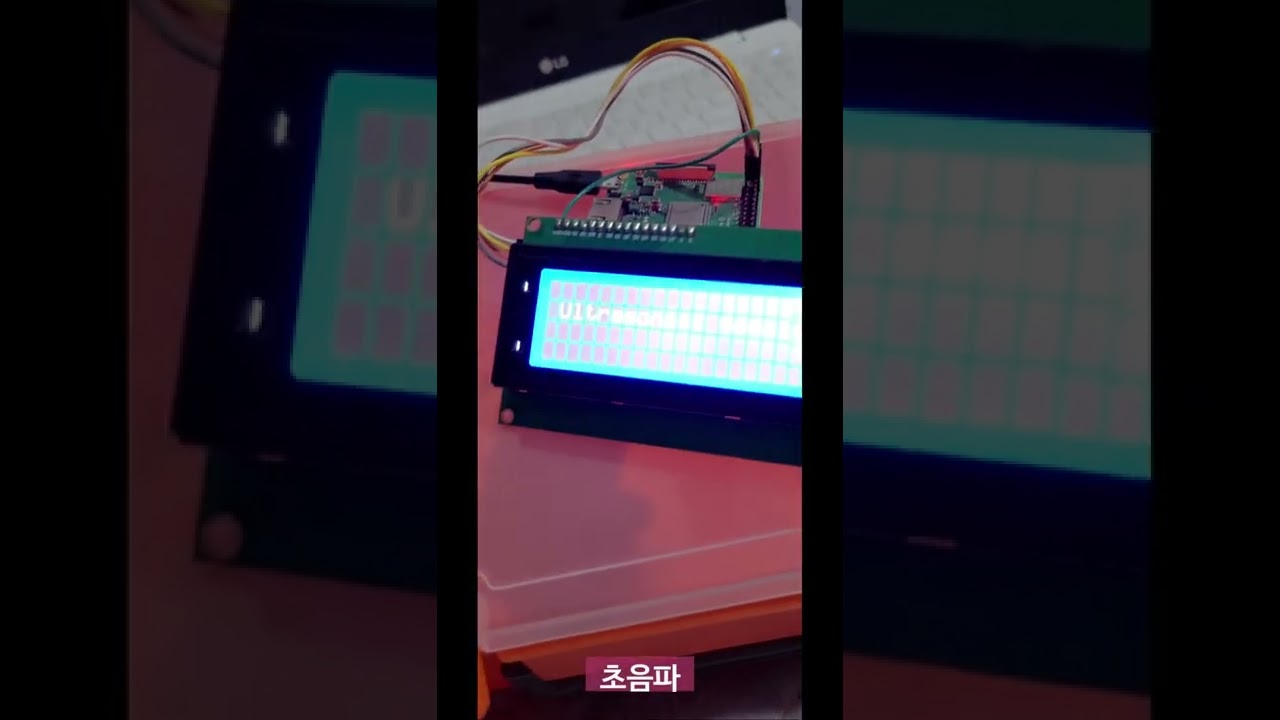
The third Raspberry Pi is also a TCP client, responsible for controlling an LCD screen.
With this setup, the Raspberry Pi Communication project is able to accomplish a wide range of tasks.
For example, a message sent through the KakaoTalk app to the second Raspberry Pi's chatbot server could instruct the first Raspberry Pi to take a picture.
The picture is then uploaded to AWS S3, allowing for viewing from anywhere with internet access.
This project is a true example of mixing multiple programming languages (C + Py + Rust), wireless communication between pies and kakaotalk chatbot api to control pies by KakaoTalk.
[](https://youtu.be/yu4VTjWsiuo)


카카오파이 소스입니다.
파이1 TCP 클라이언트, 파이2 챗봇에서의 TCP 클라이언트, 파이3 TCP 클라이언트
총 3개의 클라이언트와 파이2 TCP 서버로 이루어져 있습니다.
코드는 파이2는 C언어만, 파이1은 C언어(클라이언트) + 파이썬(파이카메라+OpenCV) + 파이3는 C언어만(클라이언트) 사용하였습니다.
```
파이1 - 카메라, LED, 조도센서, 초음파센서
파이2 - 센서 X
파이3 - LCD
```
## 전체 셋업
환경 변수 값들이 필요합니다.
`SERVER`: 서버 고정 IP
`ACCESS_KEY_ID`: AWS IAM 키
`ACCESS_SECRET_KEY`: AWS IAM 시크릿 키
`AWS_S3_BUCKET`: AWS S3 버킷 이름
## 파이1

파이1은 C언어에서 Python을 컨트롤하기 위한
`Python C-API`를 사용했습니다.
카메라를 찍으라고 명령했을 때 (`사진 찍기 -> 마스크 감지 -> S3 업로드`)
위 과정만 파이썬으로 제작되었습니다.
### 실행
```sh
$ gcc -Wall client.c gpio.c pwm.c spi.c `pkg-config python3-embed --libs --cflags` -lpthread -o client
$ ./client
```
## 파이3

파이3는 단순 LCD만 사용합니다.
조도 센서, 초음파 센서 등의 값들과 마지막 명령어를
LCD에 표시하기 위함입니다.
WiringPI C언어 라이브러리를 사용하였습니다.
### 실행
```sh
$ gcc -Wall client_lcd.c soft_lcd.c soft_i2c.c -lwiringPi -o client_lcd
$ ./client_lcd
```
## 파이2
외부 접속 가능하게 고정 ip가 필요합니다. (+ 포트포워딩)
개발용이기에 도메인 이름까지 사용안하고 ip 형식으로 주소가 이루어집니다.
https://123.456.789
카카오챗봇 Rust는 최초로 만들었습니다.
검색해도 제가 쓴 글밖에 안나옵니다. (아주대 챗봇)
kakao-rs 라이브러리도 만들어서 챗봇 서버 사용을 쉽게 하였습니다.
카카오챗봇 서버 (+ 웹 홈페이지) + TCP 서버 동시에 돌아감

### 실행
아래로 서버를 빌드하고 실행
```sh
$ gcc -Wall server.c -o server
$ ./server
```
아래로 카카오파이 챗봇 서버 실행
```sh
$ cargo run --release
```
---
Made by 최석원 (Seok Won, Choi)