https://github.com/alihaider78222/dynamic_tabbar
Flutter package for creating dynamic tabs (TabBar and TabBarView).
https://github.com/alihaider78222/dynamic_tabbar
dart dart-package dynamic dynamic-tab dynamic-tabbar dynamic-tabs flutter flutter-package tabbar tabbarcontroller tabbarview tabs tabs-component tabs-management tabs-switching tabs-widget
Last synced: 5 months ago
JSON representation
Flutter package for creating dynamic tabs (TabBar and TabBarView).
- Host: GitHub
- URL: https://github.com/alihaider78222/dynamic_tabbar
- Owner: alihaider78222
- License: mit
- Created: 2023-12-25T13:27:05.000Z (over 2 years ago)
- Default Branch: main
- Last Pushed: 2024-12-12T23:20:18.000Z (over 1 year ago)
- Last Synced: 2025-04-06T03:35:57.924Z (over 1 year ago)
- Topics: dart, dart-package, dynamic, dynamic-tab, dynamic-tabbar, dynamic-tabs, flutter, flutter-package, tabbar, tabbarcontroller, tabbarview, tabs, tabs-component, tabs-management, tabs-switching, tabs-widget
- Language: Dart
- Homepage: https://pub.dev/packages/dynamic_tabbar
- Size: 3.1 MB
- Stars: 17
- Watchers: 1
- Forks: 13
- Open Issues: 9
-
Metadata Files:
- Readme: README.md
- Changelog: CHANGELOG.md
- License: LICENSE
Awesome Lists containing this project
README
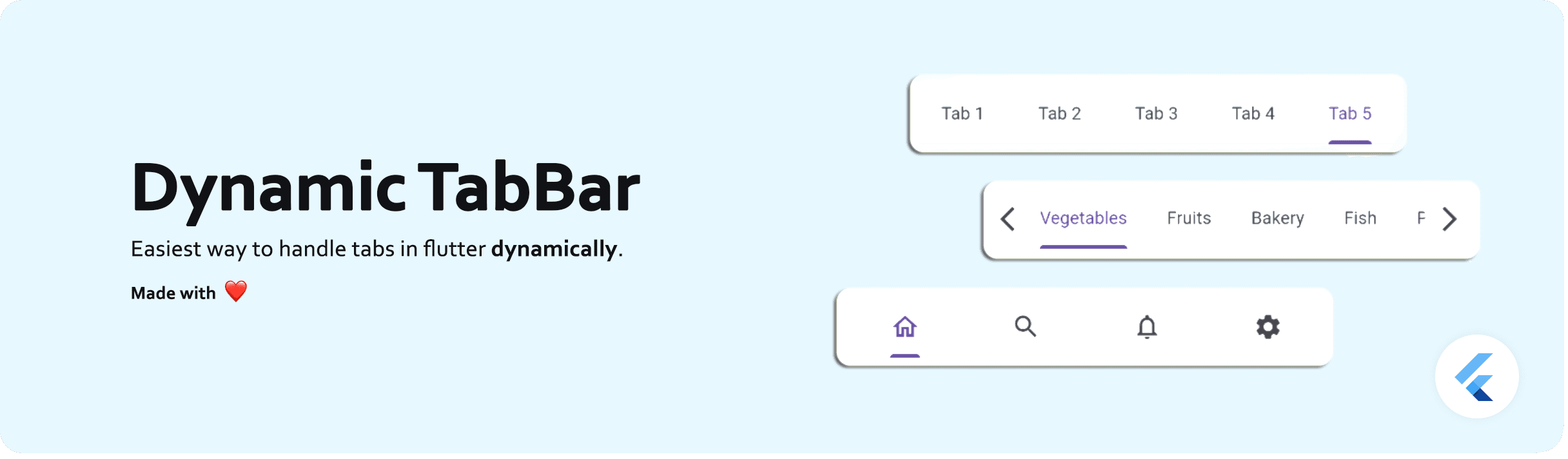
# Dynamic TabBar
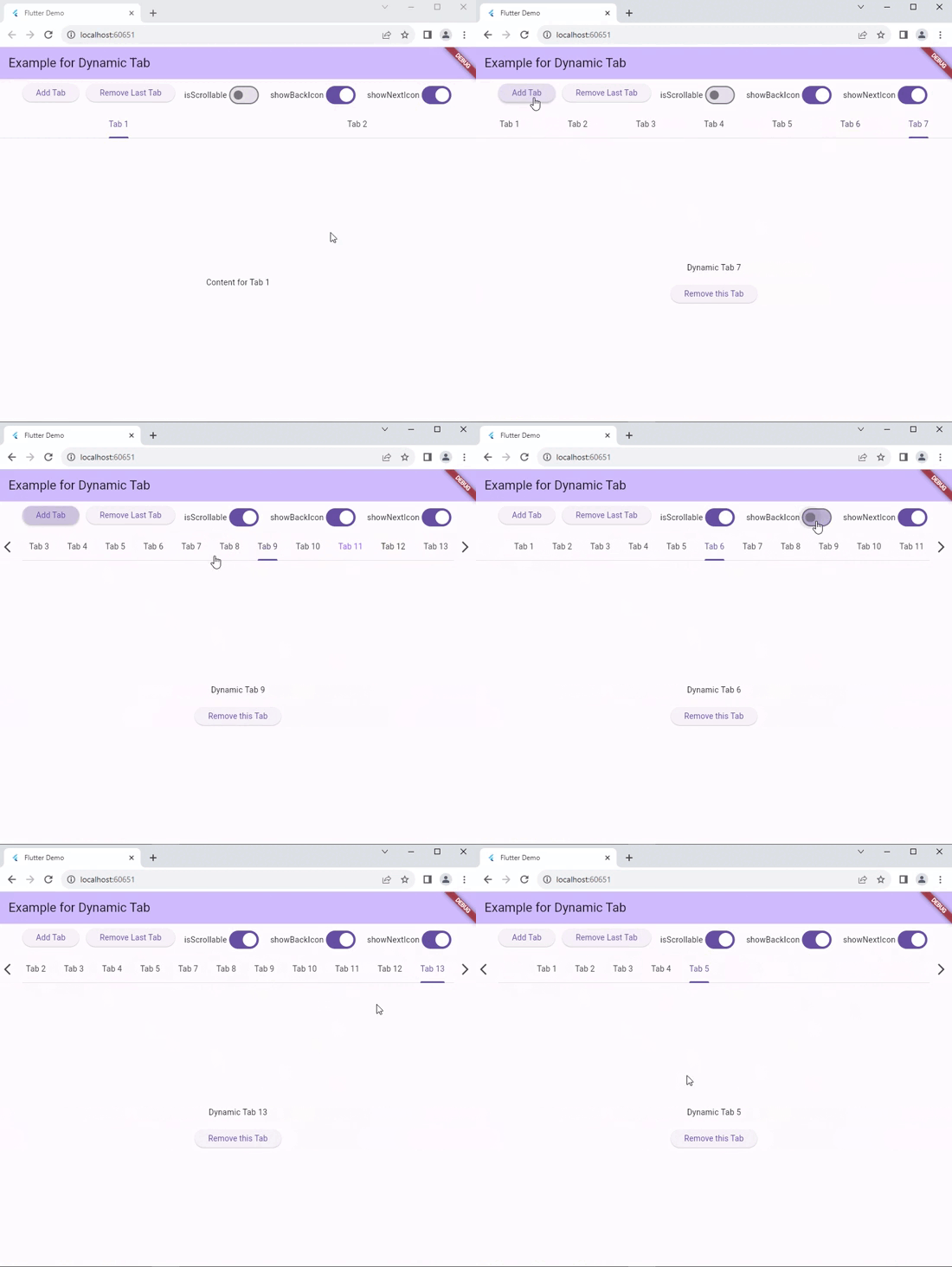
A Flutter package that simplifies the implementation of dynamic TabBar in your application.
With [`DynamicTabBarWidget`](https://pub.dev/packages/dynamic_tabbar), users can effortlessly manage and navigate through a list of [Tabs](https://api.flutter.dev/flutter/material/TabBar-class.html). The widget is designed to auto-update as Tabs are added or removed, providing a seamless and dynamic user experience.
🚀 Demo: [Dynamic Tabbar](https://alihaider78222.github.io/dynamic-tabbar-demo/)
## 📱 Screenshots
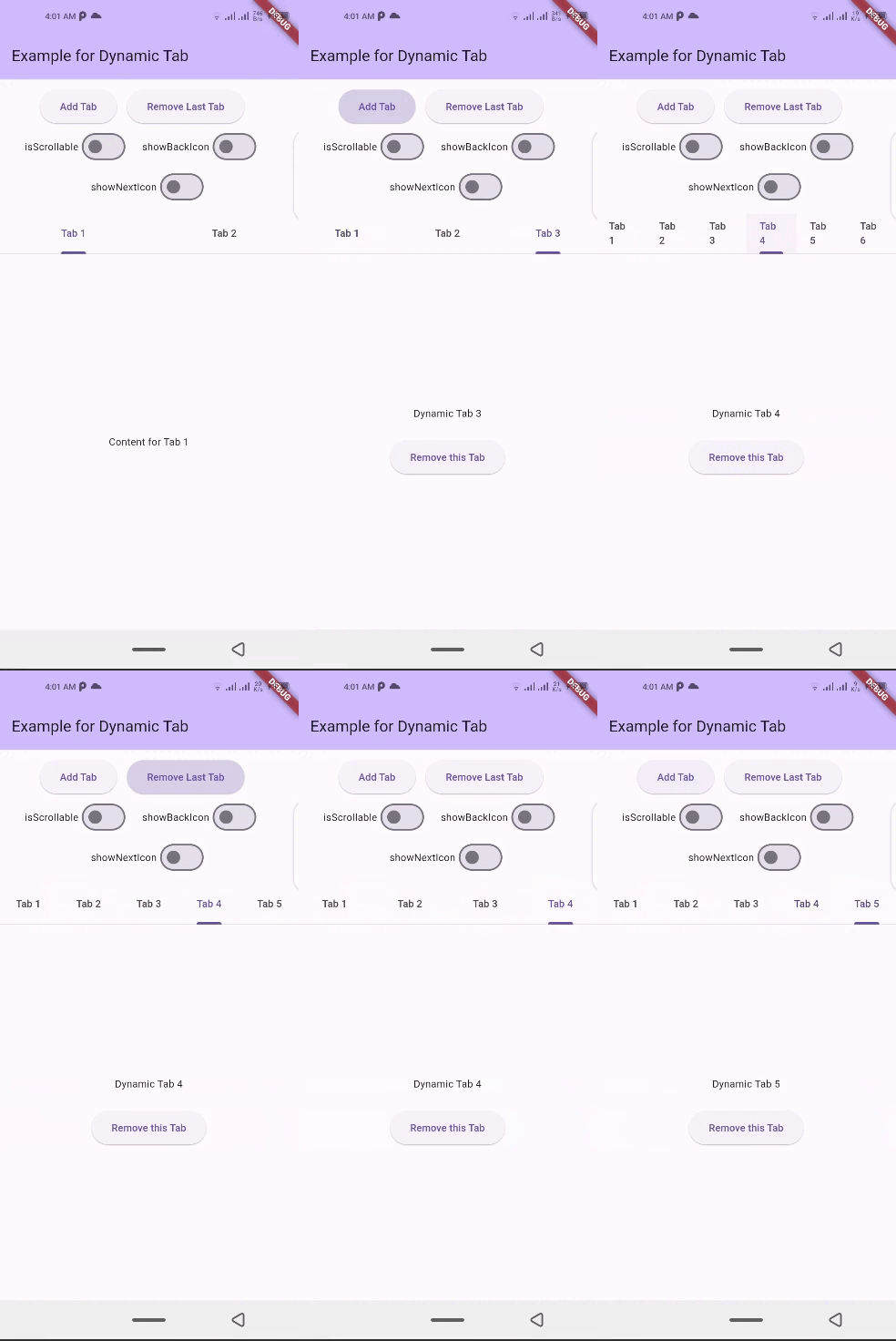
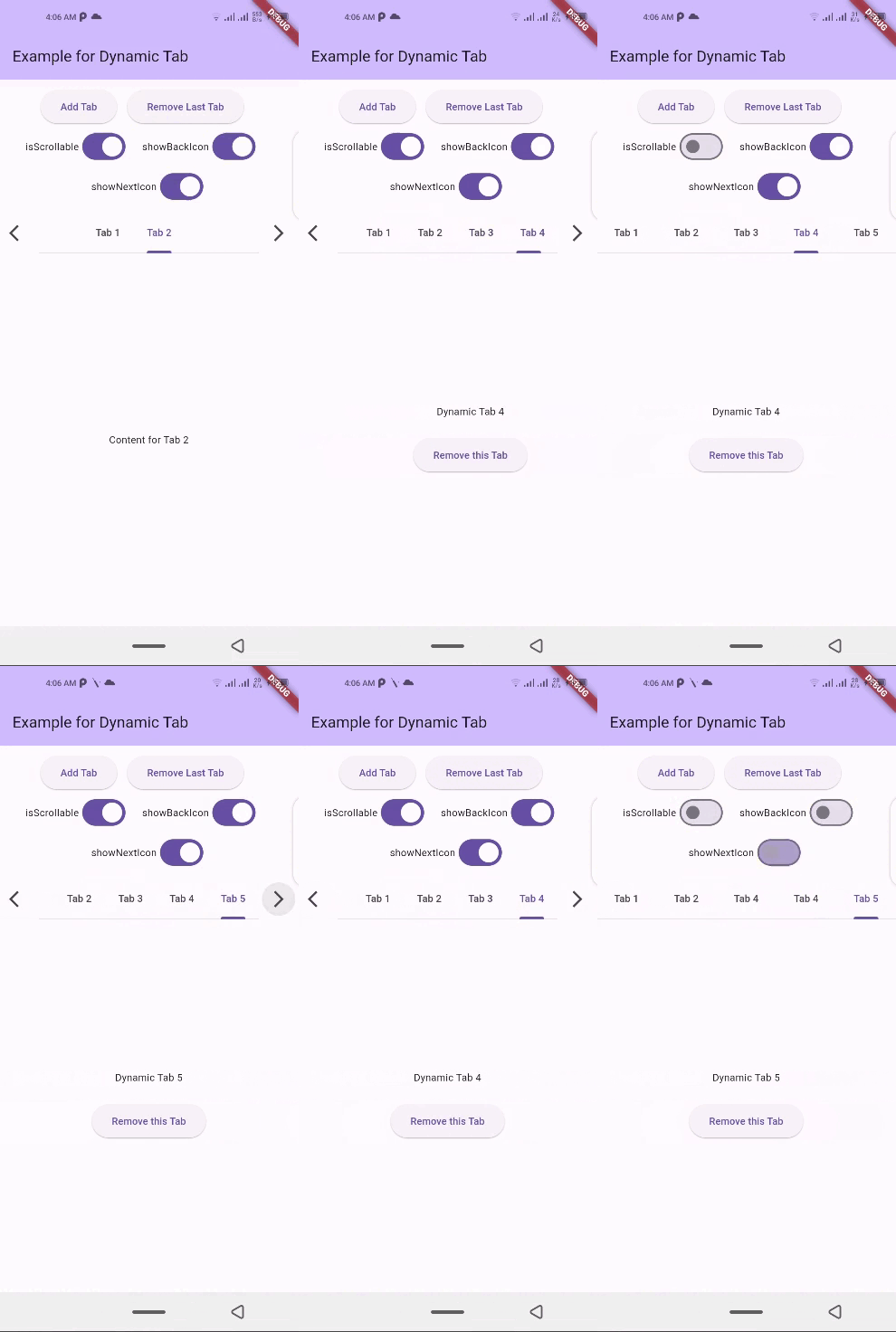
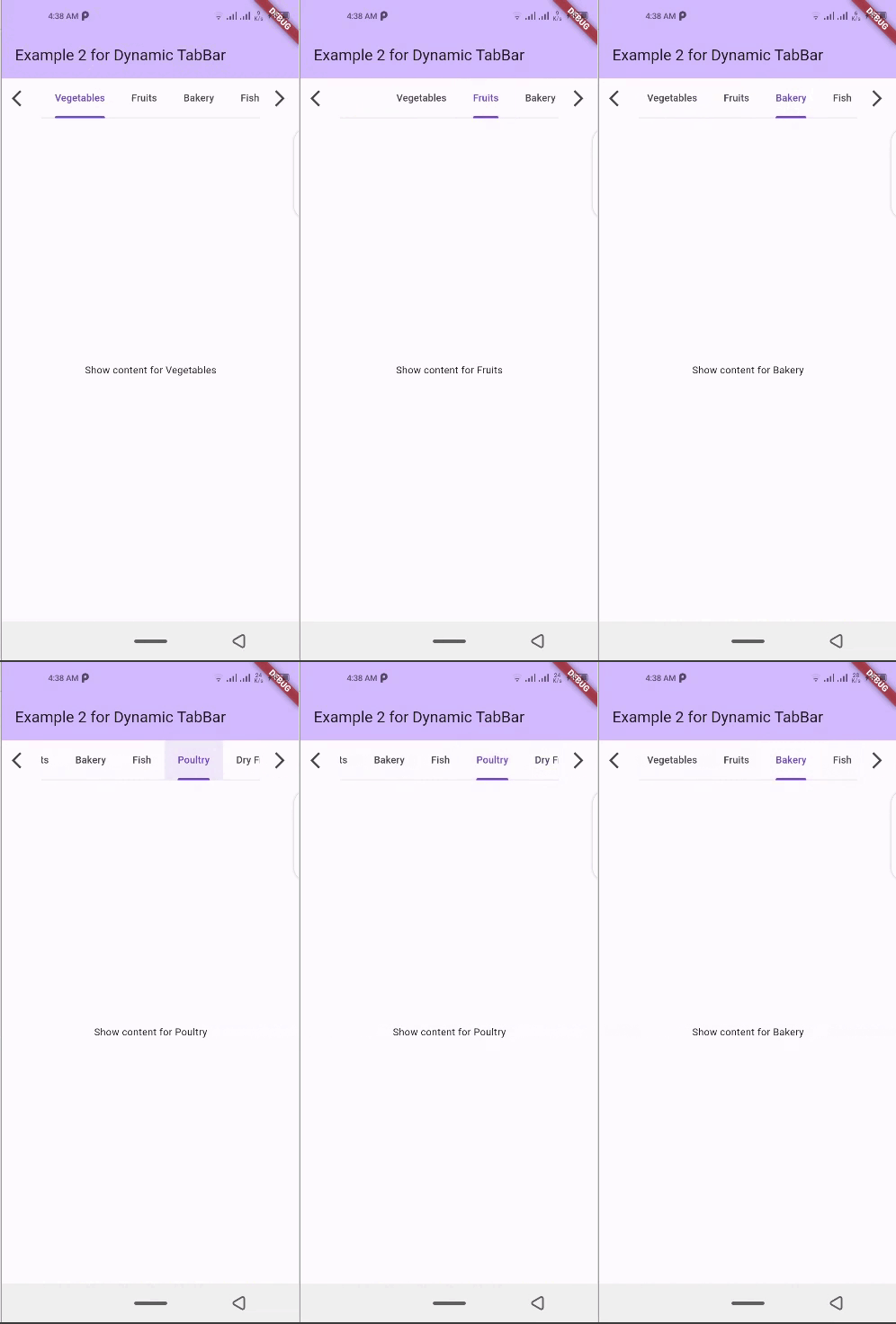
## 🛠 Installation
1. Add dependency to `pubspec.yaml` file:
Get the latest version from the 'Installing' tab on [pub.dev](https://pub.dev/packages/dynamic_tabbar/install)
```yaml
dependencies:
dynamic_tabbar: ^latest_version
```
2. Import the package
```dart
import 'package:dynamic_tabbar/dynamic_tabbar.dart';
```
3. Adding DynamicTabBarWidget
*With required parameters*
```dart
DynamicTabBarWidget(
dynamicTabs: tabs,
);
```
*With optional parameters*
```dart
DynamicTabBarWidget(
dynamicTabs: tabs,
isScrollable: isScrollable,
onTabControllerUpdated: (controller) {},
onTabChanged: (index) {},
onAddTabMoveTo: MoveToTab.last,
onAddTabMoveToIndex : null,
backIcon: Icon(Icons.arrow_back),
nextIcon: Icon(Icons.arrow_forward),
showBackIcon: showBackIcon,
showNextIcon: showNextIcon,
leading : leadingWidget,
trailing : trailingWidget,
// Default Tab properties can also be updated
padding: padding,
indicatorColor: indicatorColor,
automaticIndicatorColorAdjustment: automaticIndicatorColorAdjustment,
indicatorWeight: indicatorWeight,
indicatorPadding: indicatorPadding,
indicator: indicator,
indicatorSize: indicatorSize,
dividerColor: dividerColor,
dividerHeight: dividerHeight,
labelColor: labelColor,
labelStyle: labelStyle,
labelPadding: labelPadding,
unselectedLabelColor: unselectedLabelColor,
unselectedLabelStyle: unselectedLabelStyle,
dragStartBehavior: dragStartBehavior,
overlayColor: overlayColor,
mouseCursor: mouseCursor,
enableFeedback: enableFeedback,
onTap: onTap,
physics: physics,
splashFactory: splashFactory,
splashBorderRadius: splashBorderRadius,
tabAlignment: tabAlignment,
// Default TabBarView properties can also be updated
physicsTabBarView: physicsTabBarView,
dragStartBehaviorTabBarView: physicsTabBarView,
viewportFractionTabBarView: viewportFractionTabBarView,
clipBehaviorTabBarView: clipBehaviorTabBarView,
);
```
## 🌟 Features
- Dynamic Tab Management: Users can push or pop items in the `List tabs` array, and the DynamicTabBarWidget will auto-update accordingly.
- Tab Navigation: Implement the `onTabChanged` callback to handle tab change events.
- Customization Options: Customize the appearance and behavior of the DynamicTabBarWidget using parameters like `backIcon, nextIcon, showBackIcon, and showNextIcon`.
- Tab Position : Specify the position to which cursor moves to after adding new Tab using the `onAddTabMoveTo` property.
### 🧰 Parameters
- dynamicTabs: List of TabData objects representing the dynamic tabs.
- isScrollable: Set to true to enable scrollable tabs.
- onTabChanged: Callback function triggered when a tab is changed.
- onAddTabMoveTo: Enum value (`MoveToTab.idol`, `MoveToTab.last`) specifying where a tab navigator should move when Tab is added.
- backIcon: Custom icon for the "Back" button, If `isScrollable` is false, this property is ignored.
- nextIcon: Custom icon for the "Next" button.
- showBackIcon: Boolean to show or hide the `Back icon` button, If `isScrollable` is false, this property is ignored.
- showNextIcon: Boolean to show or hide the `Next icon` button, If `isScrollable` is false, this property is ignored.
- leading: Custom `leading Widget` if needed.
- trailing: Custom `trailing Widget` if needed.
- `TabBar` default properties...
- and `TabBarView` default properties...
## 📚 How to use
### isScrollable
`isScrollable: false` | `isScrollable: true`
-- | --
 |
| 
### showBackIcon
If `isScrollable` is false, this property is ignored.
`showBackIcon: false` | `showBackIcon: true`
-- | --
 |
| 
### showNextIcon
If `isScrollable` is false, this property is ignored.
`showNextIcon: false` | `showNextIcon: true`
-- | --
 |
|
### backIcon
We can use custom Icon for back button, If `isScrollable` is false, this property is ignored.
`backIcon: Icon()` | `backIcon: null`
-- | --
`Icon(Icons.keyboard_double_arrow_left)` | Default back icon will be used
 |
|
### nextIcon
We can use custom Icon for next button, If `isScrollable` is false, this property is ignored.
`nextIcon: Icon()` | `nextIcon: null`
-- | --
`Icon(Icons.keyboard_double_arrow_right)` | Default back icon will be used
 |
|
## 💻 Example
Check out the **example** app in the [example](example) directory for a complete example with additional parameters.
```dart
import 'package:flutter/material.dart';
import 'package:dynamic_tabbar/dynamic_tabbar.dart';
class DynamicTabExample extends StatefulWidget {
const DynamicTabExample({super.key});
@override
State createState() => _DynamicTabExampleState();
}
class _DynamicTabExampleState extends State {
bool isScrollable = false;
bool showNextIcon = true;
bool showBackIcon = true;
List tabs = [
TabData(
index: 1,
title: const Tab(
child: Text('Tab 1'),
),
content: const Center(child: Text('Content for Tab 1')),
),
TabData(
index: 2,
title: const Tab(
child: Text('Tab 2'),
),
content: const Center(child: Text('Content for Tab 2')),
),
// Add more tabs as needed
];
@override
Widget build(BuildContext context) {
return Scaffold(
appBar: AppBar(
title: Text('Example for Dynamic Tab'),
),
body: Column(
mainAxisSize: MainAxisSize.min,
children: [
Padding(
padding: const EdgeInsets.all(8.0),
child: Wrap(
direction: Axis.horizontal,
alignment: WrapAlignment.center,
children: [
ElevatedButton(
onPressed: addTab,
child: const Text('Add Tab'),
),
const SizedBox(width: 12),
ElevatedButton(
onPressed: () => removeTab(tabs.length - 1),
child: const Text('Remove Last Tab'),
),
const SizedBox(width: 16),
Row(
mainAxisSize: MainAxisSize.min,
children: [
const Text('isScrollable'),
Switch.adaptive(
value: isScrollable,
onChanged: (bool val) {
setState(() {
isScrollable = !isScrollable;
});
},
),
],
),
const SizedBox(width: 16),
Row(
mainAxisSize: MainAxisSize.min,
children: [
const Text('showBackIcon'),
Switch.adaptive(
value: showBackIcon,
onChanged: (bool val) {
setState(() {
showBackIcon = !showBackIcon;
});
},
),
],
),
const SizedBox(width: 16),
Row(
mainAxisSize: MainAxisSize.min,
children: [
const Text('showNextIcon'),
Switch.adaptive(
value: showNextIcon,
onChanged: (bool val) {
setState(() {
showNextIcon = !showNextIcon;
});
},
),
],
),
],
),
),
Expanded(
child: DynamicTabBarWidget(
dynamicTabs: tabs,
isScrollable: isScrollable,
onTabControllerUpdated: (controller) {},
onTabChanged: (index) {},
onAddTabMoveTo: MoveToTab.last,
showBackIcon: showBackIcon,
showNextIcon: showNextIcon,
),
),
],
),
);
}
void addTab() {
setState(() {
var tabNumber = tabs.length + 1;
tabs.add(
TabData(
index: tabNumber,
title: Tab(
child: Text('Tab $tabNumber'),
),
content: Column(
mainAxisAlignment: MainAxisAlignment.center,
children: [
Text('Dynamic Tab $tabNumber'),
const SizedBox(height: 20),
ElevatedButton(
onPressed: () => removeTab(tabNumber - 1),
child: const Text('Remove this Tab'),
),
],
),
),
);
});
}
void removeTab(int id) {
setState(() {
tabs.removeAt(id);
});
}
}
```
## 📝Contribution
Of course the project is open source, and you can contribute to it [repository link](https://github.com/alihaider78222/dynamic_tabbar)
- If you **found a bug**, open an issue.
- If you **have a feature request**, open an issue.
- If you **want to contribute**, submit a pull request.
## 💳 License
This project is [LICENSED](https://choosealicense.com/licenses/mit/) under the MIT License. Use it freely, but let's play nice and give credit where it's due!
## 🎉 Conclusion
I will be happy to answer any questions that you may have on this approach,
If you liked this package, don't forget to show some ❤️ by smashing the ⭐.