https://github.com/alipsa/gade
Groovy Analytics Development Environment
https://github.com/alipsa/gade
analytics data-science groovy visualization
Last synced: 2 months ago
JSON representation
Groovy Analytics Development Environment
- Host: GitHub
- URL: https://github.com/alipsa/gade
- Owner: Alipsa
- License: mit
- Created: 2022-06-16T22:16:15.000Z (about 4 years ago)
- Default Branch: main
- Last Pushed: 2026-02-08T22:42:33.000Z (5 months ago)
- Last Synced: 2026-02-08T23:36:37.856Z (5 months ago)
- Topics: analytics, data-science, groovy, visualization
- Language: Java
- Homepage:
- Size: 19.9 MB
- Stars: 1
- Watchers: 2
- Forks: 0
- Open Issues: 0
-
Metadata Files:
- Readme: README.md
- Contributing: CONTRIBUTING.md
- License: LICENSE
- Agents: AGENTS.md
Awesome Lists containing this project
README
# Gade
## A Groovy based Analytics Development Environment for Analysts and Data Scientists
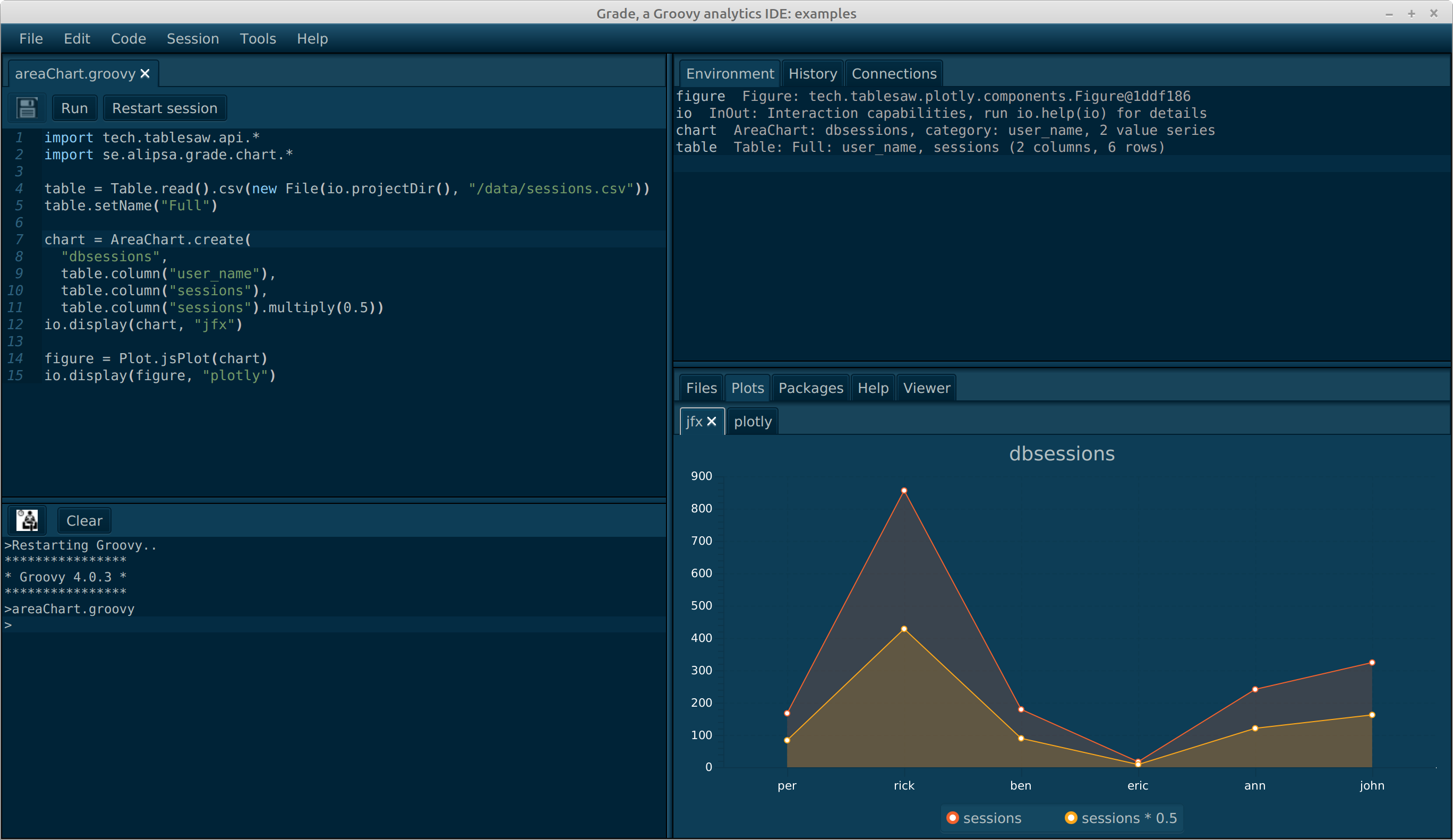
Gade is a modern IDE designed specifically for data analysis, visualization, and machine learning with Groovy. It combines the power of the JVM ecosystem with an intuitive interface optimized for data science workflows.
Gade started off as a fork of [Ride](/Alipsa/ride), but evolved into a simpler, more integrated environment for Groovy-based data science. Since there is no equivalent to R's data.frame in Java or Groovy, Gade integrates the [matrix](https://github.com/Alipsa/matrix) library for tabular data manipulation.
## System Requirements
**Minimum Requirements:**
- **Java:** JDK 21 or later (LTS recommended)
- **Memory:** 4GB RAM minimum, 8GB+ recommended for large datasets
- **Disk Space:** 500MB for application + workspace storage
- **Operating System:**
- Linux (x64, tested on Ubuntu 20.04+)
- macOS (x64/ARM64, tested on macOS 11+)
- Windows 10/11 (x64)
**Optional Dependencies:**
- **Git:** For version control integration (recommended)
- **Gradle/Maven:** For dependency management (bundled runtimes available)
## Features
### 🚀 Interactive Code Execution
- **Multiple Runtime Modes:**
- **Gade Runtime:** Embedded Groovy ScriptEngine for fast interactive execution
- **Gradle Runtime:** Full Gradle support with dependency management
- **Maven Runtime:** Maven-based execution for enterprise workflows
- **Execute code:** Full script execution, selected text, or current line (Ctrl+Enter)
- **Live variable inspection:** See all variables and objects created during execution
- **Fast iteration:** No compilation wait times for quick data exploration
### 💡 Intelligent Code Completion
- **Context-aware suggestions:** Completions for Groovy, Java, SQL, JavaScript
- **Member access completion:** Type `.` to see available methods and properties
- **Import assistance:** Automatic import suggestions for classes
- **Keyword completion:** Language-specific keywords and constructs
- **Performance optimized:** Sub-100ms response time for completions
### 🎨 Syntax Highlighting
- **Multi-language support:** Groovy, Java, SQL, XML, JavaScript, HTML, Markdown
- **Customizable themes:** Configure colors and fonts to your preference
- **Real-time validation:** Syntax errors highlighted as you type
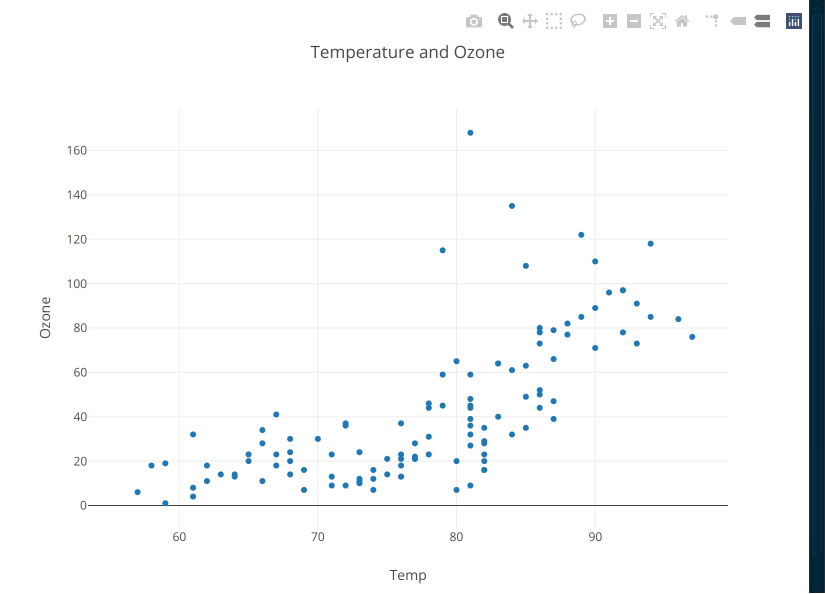
### 📊 Data Visualization
Built-in support for creating publication-quality charts:
- Line charts, bar charts, pie charts
- Scatter plots with regression lines
- Heatmaps and correlation matrices
- Box plots and histograms
- Integration with [matrix-charts](https://github.com/Alipsa/matrix) and FreeCharts
### 🗄️ Database Integration
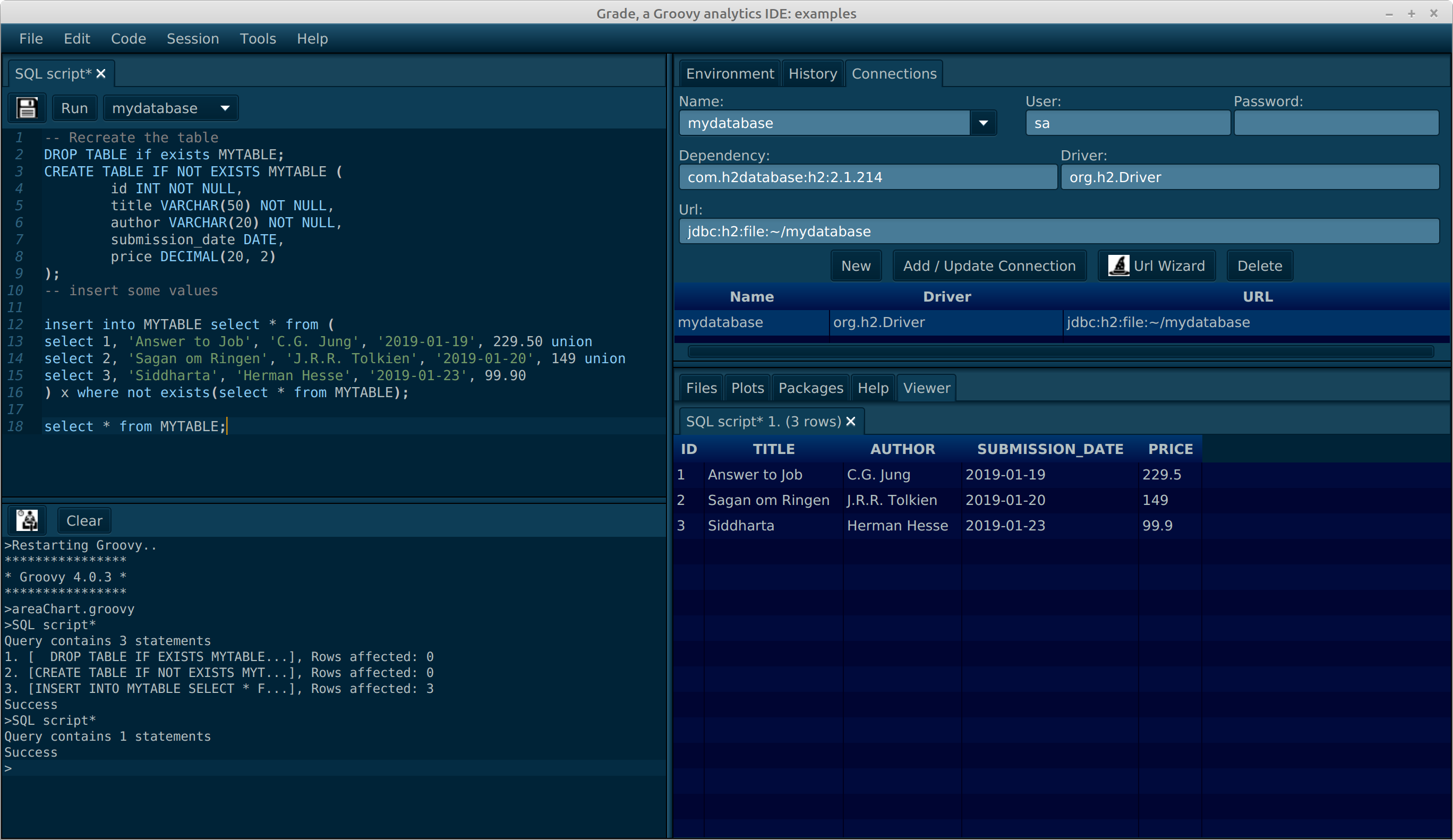
- **JDBC support:** Connect to any JDBC-compatible database
- **Connection management:** Save and reuse database connections
- **SQL editor:** Dedicated SQL script support with result viewers
- **Result visualization:** Query results displayed in interactive tables
- **Export capabilities:** Export results to CSV, Excel, or other formats
### 📦 Dependency Management
- **Gradle integration:** Use Gradle for dependency resolution
- **Maven integration:** Maven-based dependency management
- **Automatic classpath:** Dependencies automatically added to classpath
- **Cache management:** Intelligent caching for faster subsequent runs
### 🔧 Git Integration
- **Built-in Git support:** Clone, commit, push, pull directly from IDE
- **Visual diff:** See changes before committing
- **Branch management:** Create, switch, and merge branches
- **Commit history:** Browse repository history
### 📝 Project Management
- **Workspace organization:** Group related scripts and resources
- **File browser:** Navigate project structure easily
- **Multiple tabs:** Work on multiple files simultaneously
- **Auto-save:** Never lose work with automatic saving
### 🛠️ Advanced Features
- **Environment variables:** Manage runtime environment settings
- **Package wizards:** Scaffold Groovy applications or libraries
- **Chart export:** Save visualizations as PNG/SVG
- **Markdown support:** View and edit Groovy Markdown (gmd) files
- **Extensible:** Plugin architecture for custom completion engines
## Quick Start
### 1. Installation
Download the latest release from the [releases page](https://github.com/perNyfelt/gade/releases) or use one of the installation methods below.
### 2. First Launch
After installation, start Gade using the platform-specific launcher:
- **Linux/macOS:** `./gade.sh`
- **Windows:** `gade.cmd` or double-click the desktop icon
### 3. Create Your First Script
1. Click **File → New Script** (or press Ctrl+N)
2. Enter the following code:
```groovy
// Simple data analysis example
import se.alipsa.groovy.matrix.*
// Create a matrix (like R's data.frame)
def data = Matrix.builder()
.columns([
[1, 2, 3, 4, 5] as Integer[],
[10, 20, 30, 40, 50] as Integer[]
])
.columnNames('x', 'y')
.build()
println data
println "Mean of x: ${data.mean('x')}"
println "Sum of y: ${data.sum('y')}"
```
3. Press **F5** (or click the Run button) to execute
4. View results in the Console tab
### 4. Working with Databases
1. Right-click **Connections** → **Add Connection**
2. Enter connection details:
- **Name:** MyDatabase
- **Driver:** org.h2.Driver (for H2 database)
- **URL:** jdbc:h2:mem:testdb
- **Username/Password:** (if required)
3. Right-click connection → **Connect**
4. Create a new SQL script and run queries
### 5. Create Visualizations
```groovy
import se.alipsa.groovy.matrix.*
import se.alipsa.groovy.charts.*
def data = Matrix.builder()
.data([
[1, 10], [2, 20], [3, 15], [4, 25], [5, 30]
])
.columnNames('x', 'y')
.build()
def chart = LineChart.create(data, 'x', 'y', 'My Chart')
chart.show()
```
For more examples, see the [examples directory](https://github.com/perNyfelt/gade/tree/main/examples).
## Installation
### Option 1: Pre-built Distribution (Recommended)
The easiest way to get started. Download the platform-specific zip file from the [releases page](https://github.com/perNyfelt/gade/releases).
**Linux:**
```bash
# Download and extract
wget https://github.com/perNyfelt/gade/releases/download/v1.0.0/gade-linux-1.0.0.zip
unzip gade-linux-1.0.0.zip
cd gade-linux-1.0.0
# Run Gade
./gade.sh
# Optional: Create desktop launcher
# Use the gade.png icon in the base directory
```
**macOS:**
```bash
# Download and extract
curl -L -O https://github.com/perNyfelt/gade/releases/download/v1.0.0/gade-macos-1.0.0.zip
unzip gade-macos-1.0.0.zip
cd gade-macos-1.0.0
# Run Gade
./gade.sh
# Optional: Move to Applications folder
# mv gade.app /Applications/
```
**Windows:**
```powershell
# Download gade-windows-1.0.0.zip from releases page
# Extract to C:\Program Files\Gade (or location of choice)
# Run gade.cmd or double-click desktop icon
# For Git Bash users:
# Create shortcut: "C:\Program Files\Git\bin\bash.exe" ./gade.sh
```
### Option 2: Run via Maven (No Installation)
If you have Maven and Java 21 installed:
```bash
# Download the launcher script
wget https://github.com/perNyfelt/gade/releases/download/v1.0.0/gadeMavenRunner.sh
chmod +x gadeMavenRunner.sh
# Run Gade
./gadeMavenRunner.sh
```
This downloads dependencies on first run and launches Gade without a full installation.
### Option 3: Run via Groovy
If you have Groovy installed:
```bash
# Download the Groovy launcher
wget https://github.com/perNyfelt/gade/releases/download/v1.0.0/gade.groovy
# Run Gade
groovy gade.groovy
```
### Option 4: Build from Source
For developers who want the latest version:
```bash
# Clone the repository
git clone https://github.com/perNyfelt/gade.git
cd gade
# Quick run (development mode)
./gradlew run
# Build platform-specific distribution
./gradlew clean build runtimeZip
# Find distributions in build/ directory
# gade-linux.zip, gade-macos.zip, gade-windows.zip
```
See [CONTRIBUTING.md](CONTRIBUTING.md) for detailed build instructions.
### Option 5: Install from Maven (Offline Installation)
Creates a self-contained offline installation:
```bash
# Prerequisites: Java 21+ and Maven 3.6.3+
wget https://github.com/perNyfelt/gade/releases/download/v1.0.0/installFromMaven.sh
chmod +x installFromMaven.sh
# Run installer
./installFromMaven.sh
# Application created in gade.app/ directory
cd gade.app
./gade.sh
```
**Note:** The distribution is OS-specific due to JavaFX platform dependencies.
## Configuration
### Customizing Startup Options
Create `env.sh` (Linux/macOS) or `env.cmd` (Windows) in Gade's installation directory:
**Linux/macOS (env.sh):**
```bash
#!/usr/bin/env bash
# Increase memory for large datasets
JAVA_OPTS="-Xmx16G"
# Hi-DPI scaling (200%)
JAVA_OPTS="$JAVA_OPTS -Dglass.gtk.uiScale=200% -Dsun.java2d.uiScale=2"
# Use Marlin rendering engine (better performance)
JAVA_OPTS="$JAVA_OPTS -Dsun.java2d.renderer=sun.java2d.marlin.MarlinRenderingEngine"
# Custom splash screen duration (seconds)
SPLASH_TIME=5
```
**Windows (env.cmd):**
```batch
@echo off
REM Increase memory for large datasets
set "JAVA_OPTS=-Xmx16G -Dglass.win.uiScale=200% -Dsun.java2d.uiScale=2"
REM Show console output (use java instead of javaw)
SET JAVA_CMD=C:\Program Files\Java\jdk-21\bin\java.exe
REM Custom splash screen duration
SET SPLASH_TIME=5
```
### Available Environment Variables
| Variable | Purpose | Example |
|---------------|--------------------------------------------|------------------------|
| `JAVA_OPTS` | JVM options and system properties | `-Xmx16G -Dprop=value` |
| `JAVA_CMD` | Path to Java executable (override default) | `/opt/jdk-21/bin/java` |
| `SPLASH_TIME` | Splash screen duration in seconds | `5` |
### Common JVM Options
**Memory Settings:**
```bash
-Xmx16G # Maximum heap size (16GB)
-Xms4G # Initial heap size (4GB)
-XX:+UseG1GC # Use G1 garbage collector (recommended)
```
**Display Settings:**
```bash
-Dglass.gtk.uiScale=200% # Hi-DPI scaling for JavaFx (main app) (Linux/macOS)
-Dsun.java2d.uiScale=2 # Hi-DPI scaling for awt/swing (plash screen) (Linux/macOS)
-Dsun.java2d.renderer=... # Rendering engine
-Dprism.order=sw # Software rendering (for remote desktop)
```
**Performance:**
```bash
-Dsun.java2d.renderer=sun.java2d.marlin.MarlinRenderingEngine # Better 2D performance
```
## Troubleshooting
### Application Won't Start
**Problem:** Gade fails to launch or crashes immediately
**Solutions:**
1. **Verify Java version:**
```bash
java -version # Must be 21 or later
```
If wrong version, set `JAVA_CMD` in env.sh/env.cmd to point to Java 21+
2. **Check JavaFX availability:**
```bash
# JavaFX should be bundled, but verify with:
java -jar gade.jar --version
```
3. **Enable console output (Windows):**
```batch
REM In env.cmd:
SET JAVA_CMD=C:\path\to\java.exe
```
This shows error messages in console window
4. **Clear JavaFX cache:**
```bash
# Linux/macOS
rm -rf ~/.java/.userPrefs/javafx
# Windows
del /S /Q %USERPROFILE%\.java\.userPrefs\javafx
```
### Code Completion Not Working
**Problem:** Pressing Ctrl+Space shows no suggestions or is very slow
**Solutions:**
1. **Check runtime selection:**
- Go to **Tools → Runtime → Select Runtime**
- For quick completion, use "Gade Runtime" (embedded)
- Gradle/Maven runtimes may need dependency resolution first
2. **Rebuild dependency cache:**
- Go to **Tools → Clear Gradle Cache**
- Restart Gade
- Open your script and wait for indexing to complete
3. **Verify classpath:**
```groovy
// Add to your script to debug
println System.getProperty("java.class.path")
```
4. **Performance tuning:**
- Increase memory in env.sh: `JAVA_OPTS="-Xmx8G"`
- Large projects may need more heap space
### Gradle Dependency Resolution Fails
**Problem:** "Could not resolve dependencies" error when using Gradle runtime
**Solutions:**
1. **Check build.gradle syntax:**
```groovy
// Ensure valid Gradle build file
plugins {
id 'groovy'
}
repositories {
mavenCentral()
}
dependencies {
implementation 'org.apache.commons:commons-lang3:3.12.0'
}
```
2. **Clear Gradle cache:**
- Go to **Tools → Clear Gradle Cache**
- Or manually: `rm -rf ~/.gradle/caches/`
3. **Check network connectivity:**
```bash
# Test Maven Central access
curl -I https://repo1.maven.org/maven2/
```
4. **Use offline mode (if you have cached dependencies):**
- Add to build.gradle: `offline = true`
5. **Verify Gradle daemon:**
```bash
./gradlew --status # Check daemon health
./gradlew --stop # Stop and restart daemon
```
### Database Connection Fails
**Problem:** Cannot connect to database or "ClassNotFoundException: driver"
**Solutions:**
1. **Verify JDBC driver is added:**
- Go to **Connections → Add Connection**
- Click **Add JDBC Driver** and select .jar file
- Or add to build.gradle dependencies
2. **Test connection string:**
```groovy
// H2 (embedded)
jdbc:h2:mem:testdb
jdbc:h2:file:./data/mydb
// PostgreSQL
jdbc:postgresql://localhost:5432/mydb
// MySQL
jdbc:mysql://localhost:3306/mydb
```
3. **Check firewall/network:**
```bash
# Test database server connectivity
telnet localhost 5432 # PostgreSQL
telnet localhost 3306 # MySQL
```
4. **Enable JDBC logging:**
- Add to env.sh: `JAVA_OPTS="-Djdbc.drivers=org.postgresql.Driver -Dlog4j.debug=true"`
### Script Execution Hangs or Crashes
**Problem:** Script runs forever or crashes with OutOfMemoryError
**Solutions:**
1. **Increase heap memory:**
```bash
# In env.sh
JAVA_OPTS="-Xmx16G" # Adjust based on dataset size
```
2. **Check for infinite loops:**
- Use **Run → Stop Execution** (or Ctrl+C in console)
- Review loop conditions
3. **Large dataset handling:**
```groovy
// Stream large files instead of loading all at once
def file = new File('large.csv')
file.eachLine { line ->
// Process one line at a time
}
```
4. **Monitor memory usage:**
```groovy
// Check memory during execution
def runtime = Runtime.getRuntime()
println "Used memory: ${(runtime.totalMemory() - runtime.freeMemory()) / 1024 / 1024} MB"
println "Max memory: ${runtime.maxMemory() / 1024 / 1024} MB"
```
### Git Operations Fail
**Problem:** Cannot clone, commit, or push to repository
**Solutions:**
1. **Verify Git credentials:**
- Go to **Git → Settings**
- Configure username and email
- For HTTPS: Use personal access token (not password)
2. **SSH key setup (for SSH URLs):**
```bash
# Generate SSH key if needed
ssh-keygen -t ed25519 -C "your_email@example.com"
# Add to ssh-agent
eval "$(ssh-agent -s)"
ssh-add ~/.ssh/id_ed25519
# Add public key to GitHub/GitLab
cat ~/.ssh/id_ed25519.pub
```
3. **Test Git access:**
```bash
# HTTPS
git clone https://github.com/user/repo.git
# SSH
git clone git@github.com:user/repo.git
```
4. **Check proxy settings:**
```bash
# If behind corporate proxy
git config --global http.proxy http://proxy.company.com:8080
```
### Hi-DPI / Scaling Issues
**Problem:** UI appears too small or blurry on high-resolution displays
**Solutions:**
1. **Linux/macOS:**
```bash
# In env.sh - scale UI 200%
JAVA_OPTS="-Dglass.gtk.uiScale=200% -Dsun.java2d.uiScale=2"
```
2. **Windows:**
```batch
REM In env.cmd
set "JAVA_OPTS=-Dglass.win.uiScale=200% -Dsun.java2d.uiScale=2"
```
3. **Font size adjustment:**
- Go to **Edit → Preferences → Appearance**
- Adjust editor font size
- Adjust console font size
### Remote Desktop / VNC Issues
**Problem:** Gade doesn't render properly over remote desktop
**Solutions:**
1. **Use software rendering:**
```bash
# In env.sh
JAVA_OPTS="-Dprism.order=sw -Dprism.verbose=true"
```
2. **Disable hardware acceleration:**
```bash
JAVA_OPTS="$JAVA_OPTS -Djavafx.animation.fullspeed=false"
```
3. **For headless servers, use X11 forwarding:**
```bash
ssh -X user@server
./gade.sh
```
### Getting Help
If these solutions don't resolve your issue:
1. **Check logs:**
- Logs are in `~/.gade/logs/` (Linux/macOS) or `%USERPROFILE%\.gade\logs\` (Windows)
- Include log contents when reporting issues
2. **Search existing issues:**
- Check [GitHub Issues](https://github.com/perNyfelt/gade/issues) for similar problems
3. **Report a bug:**
- Use the [GitHub issue tracker](https://github.com/perNyfelt/gade/issues)
- Include: OS, Java version, error messages, steps to reproduce
4. **Community support:**
- See [Wiki](https://github.com/perNyfelt/gade/wiki) for additional documentation
- Check [Discussions](https://github.com/perNyfelt/gade/discussions) for Q&A
## Issues and Feature Requests
For bugs, feature requests, or questions, please use the [GitHub issue tracker](https://github.com/perNyfelt/gade/issues).
# Documentation
- [Cookbook](docs/cookbook/cookbook.md) - an introduction to use Gade to solve common Data Scientist tasks.
- [Freecharts](docs/FreeCharts.md) - A short description on how to use the Freecharts library with Gade
- User Manual - can be found in Gade (Help -> User Manual)
- [Wiki](https://github.com/perNyfelt/gade/wiki) - Wiki pages on various topics related to Gade
# Examples
In the [examples](https://github.com/perNyfelt/gade/tree/main/examples) dir you can find a lot of examples of using Gade.
Many of them are taken from Paul Kings [groovy-data-science](https://github.com/paulk-asert/groovy-data-science) project at Github
and modified slightly to work interactively in Gade.
# Building and compiling
To build Gade, simply do `gradle build`
A quick development run is simply `gradle run`
To create multi-platform distributions do `gradle clean build runtimeZip`
You will find the zip distros (gradle-*.zip) in the build dir, and the source jar and javadoc jar in build/libs
The install.sh script is an example of how to automate installation of the platform specific build on your machine.
## 3:rd party software used
Note: only direct dependencies are listed below.
### org.apache.groovy:groovy-all
Makes it possible to run Groovy scripts.
Apache Software License, Version 2.0.
### io.github.classgraph:classgraph
Very fast class and module loader scanning library. Used for autocompletion among other things.
MIT License
### org.fxmisc.richtext:richtextfx
Base for all code editors. Used to color (syntax highlight) code etc.
Copyright (c) 2013-2017, Tomas Mikula and contributors under BSD 2-Clause "Simplified" License
### org.girod:fxsvgimage
Allows conversion of svg files to javafx Image nodes.
MIT license.
### org.apache:log4j
The logging framework used.
Apache 2.0 license
### com.fasterxml.jackson.core:jackson-core and jackson-databind
Used for JSON handling in various places.
Copyright Fasterxml under Apache 2.0 license.
### org.apache.tika:tika-core
Used to detect file types as Files.probeContentType is inconsistent over different OS's;
Apache 2.0 license.
### org.apache.tika:tika-parsers
Used to detect file encoding.
Apache 2.0 license.
### org.apache.commons-lang3
Used for time and string formatting
Apache 2.0 license.
### org.apache.commons-io
Used for reading files content
Apache 2.0 license.
### com.github.jsqlparser:jsqlparser
Used to validate and analyse SQL code.
Apache Software License, Version 2.0.
### org.apache.maven:maven-artifact
Used to do semantic version comparisons.
Apache Software License, Version 2.0.
### org.eclipse.jgit:org.eclipse.jgit
Used to provide git support.
Eclipse Distribution License v1.0
### se.alipsa.matrix + all sub projects
A data container, statistics and visualization library for Groovy, similar to Joinery and Tablesaw for Java.
MIT license.
### se.alipsa.groovy:data-utils
Makes it possible to load jdbc drivers without having to resort to the system classloader.
MIT license.
### se.alipsa:simple-rest
Provides support for REST interaction with Munin.
MIT license.
### se.alipsa.groovy:gmd
Provides support for processing Groovy Markdown (gmd).
MIT license.
# Contributing
If you are interested in helping out, reporting issues, creating tests or implementing new features
are all warmly welcome. See also [todo](todo.md) for roadmap.