https://github.com/alireza787b/mavsdk_drone_show
All in one Drone Show and Smart Swarm Solutin for PX4
https://github.com/alireza787b/mavsdk_drone_show
drone mavlinkk mavsdk px4 swarm swarm-robotics
Last synced: about 1 month ago
JSON representation
All in one Drone Show and Smart Swarm Solutin for PX4
- Host: GitHub
- URL: https://github.com/alireza787b/mavsdk_drone_show
- Owner: alireza787b
- License: other
- Created: 2023-05-12T09:58:22.000Z (about 3 years ago)
- Default Branch: main
- Last Pushed: 2026-01-24T02:19:49.000Z (5 months ago)
- Last Synced: 2026-01-24T12:58:04.740Z (5 months ago)
- Topics: drone, mavlinkk, mavsdk, px4, swarm, swarm-robotics
- Language: Python
- Homepage:
- Size: 441 MB
- Stars: 257
- Watchers: 10
- Forks: 65
- Open Issues: 3
-
Metadata Files:
- Readme: README.md
- Changelog: CHANGELOG.md
- Contributing: CONTRIBUTING.md
- License: LICENSE
- Notice: NOTICE
Awesome Lists containing this project
README
# MAVSDK Drone Show (MDS)
**All-in-One PX4 Framework for Drone Shows, Smart Swarms, and SAR**
[](CHANGELOG.md)
[](LICENSE)
[](docs/guides/python-compatibility.md)
MDS combines the drone-side runtime, GCS/backend services, and React operator dashboard into one PX4-oriented stack. It is built to stay simple enough for a quick SITL demo while remaining structured enough for serious multi-drone validation, operations, and custom deployments.
## What MDS Covers
- **Offline drone shows** with SkyBrush-imported trajectories and synchronized execution
- **Smart swarm missions** with live leader-follower coordination and runtime control
- **QuickScout SAR / recon** with multi-drone coverage planning and PX4 Mission Mode execution
- **Unified operations tooling** with SITL, GCS services, trajectory planning, and live/historical logs
## Start Here
| If you want to... | Start here |
|-------------------|------------|
| run the first demo quickly | [SITL Comprehensive Guide](docs/guides/sitl-comprehensive.md) |
| import and launch a drone show | [Drone Show Guide](docs/features/drone-show.md) |
| run Smart Swarm from the dashboard | [Smart Swarm Guide](docs/features/smart-swarm.md) |
| author, process, and launch a Swarm Trajectory mission | [Swarm Trajectory Guide](docs/features/swarm-trajectory.md) |
| point MDS at a customer/private repo | [Custom Repo Workflow](docs/guides/custom-repo-workflow.md) |
| install a GCS on a VPS or Ubuntu box | [GCS Setup Guide](docs/guides/gcs-setup.md) |
| deploy real drone hardware | [MDS Init Setup Guide](docs/guides/mds-init-setup.md) |
| build or ship a validated custom SITL image | [SITL Custom Release Workflow](docs/guides/sitl-custom-release-workflow.md) |
| browse everything else | [Documentation Index](docs/README.md) |
## Quick Demo
For a normal first run, use the official SITL archive and the full guide:
- **[SITL Comprehensive Guide](docs/guides/sitl-comprehensive.md)** for the current MEGA download, archive validation, extraction, GCS bootstrap, and container launch flow
Once the official image is loaded and the GCS bootstrap is complete, the minimal 2-drone demo path is:
```bash
cd ~/mavsdk_drone_show
bash multiple_sitl/create_dockers.sh 2
bash app/linux_dashboard_start.sh --sitl
```
Then open `http://:3030`.
If you prefer a memorable command wrapper, the root `Makefile` exposes the same
canonical scripts without replacing them:
```bash
make help
make gcs-sitl
make gcs-real START_FLAGS="--prod --skip-deps"
make fleet-sync
```
See the [Operator Makefile Guide](docs/guides/operator-makefile.md) for the
full command map and the rule that `make` targets must remain thin wrappers.
`bash app/linux_dashboard_start.sh --sitl` now keeps the FastAPI backend single-process by default, even in development mode, so telemetry, heartbeats, command tracking, and other in-memory operational state stay coherent during live SITL runs. Only enable backend auto-reload for backend code editing with `MDS_GCS_BACKEND_RELOAD=true`.
For the stock official SITL package, Mission Config starts from the tracked Azadi Stadium demo origin in `data/origin.sitl.default.json`. If you later set a different origin in the dashboard or via the API, MDS writes a local runtime override to `data/origin.json` on that server. Remove that local file when you want the stock Azadi default to apply again.
For the default official HTTPS demo path, the GCS now treats git write-back as disabled by default (`MDS_GIT_AUTO_PUSH=false`). That keeps imports/config saves clean on read-only evaluation setups; move to the fork/SSH workflow when you want the GCS to commit and push changes.
If you skipped the bootstrap installer and do not have the repo yet:
```bash
git clone -b main https://github.com/alireza787b/mavsdk_drone_show.git
cd mavsdk_drone_show
```
For a first dashboard-driven Smart Swarm run after SITL launch:
1. open `Overview` and confirm the target drones show `READY` with live telemetry
2. open `Swarm Design` and review the saved follow chain / cluster layout
3. use `Formation Analysis` to choose the cluster you want to operate on
4. use `Smart Swarm Runtime` to verify the `Formation Preview` and live readiness snapshot
5. start `Selected Drone` or `Selected Cluster`, then use `Stop Swarm (Hold)`, `Land Swarm`, or `RTL Swarm` for explicit swarm-level control
For the validated 5-drone Smart Swarm acceptance flow after a SITL launch, use:
```bash
python3 tools/validate_smart_swarm_runtime.py
```
If you need your own fork, custom image, or a pinned redistribution workflow, do not improvise from the demo path. Use:
- **[Custom Repo Workflow](docs/guides/custom-repo-workflow.md)**
- **[Advanced SITL Guide](docs/guides/advanced-sitl.md)**
- **[SITL Custom Release Workflow](docs/guides/sitl-custom-release-workflow.md)**
These advanced and real-hardware paths require stronger PX4/Linux/networking knowledge plus licensing, regulatory, and operational review. If you need private assistance or deployment consulting, contact [Alireza on LinkedIn](https://www.linkedin.com/in/alireza787b/) or [p30planets@gmail.com](mailto:p30planets@gmail.com).
## More Guides
- **[Advanced SITL Guide](docs/guides/advanced-sitl.md)** for custom runtime env vars, mutable boot-sync behavior, and debug-oriented SITL tuning
- **[Logging System Guide](docs/guides/logging-system.md)** for live and historical GCS / drone logs
- **[QuickScout Guide](docs/quickscout.md)** for SAR / recon workflows
- **[Documentation Index](docs/README.md)** for the full map, APIs, archived notes, and deeper references
## Product Highlights
- **Single operator surface**: React dashboard for monitoring, control, QuickScout, trajectory planning, and log review
- **Modern SITL workflow**: prebuilt PX4 Gazebo SITL image, fast container startup, and reproducible custom-image tooling
- **Operational visibility**: unified logging across GCS, drones, and frontend error reporting with exportable sessions
- **Drone Show pipeline**: staged SkyBrush ZIP import, processed trajectory plots, readiness gating, and synchronized launch control
- **Scalable architecture**: designed for anything from a small demo to large validated multi-container runs
## Dashboard Scope
The dashboard covers:
- live fleet monitoring and control
- mission upload and execution
- 3D trajectory planning
- QuickScout mission planning and monitoring
- live and historical Log Viewer workflows
Map-heavy features such as trajectory planning and QuickScout require a Mapbox token. See the relevant guides in [Documentation Index](docs/README.md).
## Videos
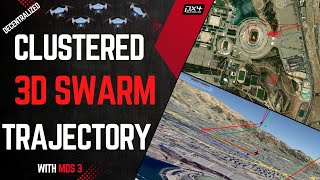
Feature Showcase
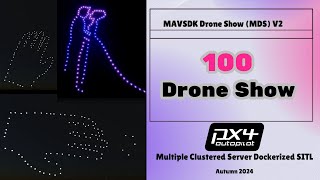
100-Drone SITL
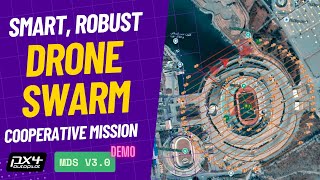
Smart Swarm Demo
- **Project history and walkthrough playlist:** [YouTube playlist](https://www.youtube.com/watch?v=dg5jyhV15S8&list=PLVZvZdBQdm_7ViwRhUFrmLFpFkP3VSakk&pp=sAgC)
- **MDS 5 walkthrough:** coming soon, to be linked here when published
## Documentation
- **[Documentation Index](docs/README.md)**: full guide map
- **[CHANGELOG.md](CHANGELOG.md)**: notable changes
- **[VERSIONING.md](docs/VERSIONING.md)**: release/version workflow
- **[Python Compatibility](docs/guides/python-compatibility.md)**: supported Python versions
## Licensing
MDS uses dual licensing:
- **PolyForm Noncommercial** for education, research, and other non-commercial use
- **PolyForm Small Business** for qualifying small commercial operators
- **Commercial license** for larger commercial deployments
See [LICENSE](LICENSE) and [LICENSE-COMMERCIAL.md](LICENSE-COMMERCIAL.md).
## Contact And Contributions
- **Commercial / deployment inquiries:** [p30planets@gmail.com](mailto:p30planets@gmail.com)
- **GitHub issues:** [bug reports and feature requests](https://github.com/alireza787b/mavsdk_drone_show/issues)
- **Contributing guide:** [CONTRIBUTING.md](CONTRIBUTING.md)
Contributors should start feature branches from `main`. Use short-lived feature or client branches for work-in-progress, then merge back to `main` only after SITL/hardware validation.
## Safety Note
Real-drone deployment requires appropriate flight-test discipline, regulatory compliance, and failsafe validation. Treat SITL success as a prerequisite, not as proof of real-world readiness.