https://github.com/alivx/urless
URL Shortener Service using flask,fastapi,redis
https://github.com/alivx/urless
docker fastapi flask redis url-shortener yaml
Last synced: about 1 year ago
JSON representation
URL Shortener Service using flask,fastapi,redis
- Host: GitHub
- URL: https://github.com/alivx/urless
- Owner: alivx
- License: gpl-3.0
- Created: 2020-11-19T20:59:04.000Z (over 5 years ago)
- Default Branch: master
- Last Pushed: 2024-11-12T16:27:54.000Z (over 1 year ago)
- Last Synced: 2025-04-12T12:55:08.475Z (over 1 year ago)
- Topics: docker, fastapi, flask, redis, url-shortener, yaml
- Language: HTML
- Homepage: https://github.com/alivx/urless
- Size: 1.36 MB
- Stars: 5
- Watchers: 1
- Forks: 2
- Open Issues: 0
-
Metadata Files:
- Readme: README.md
- License: LICENSE
Awesome Lists containing this project
README


# URLess
URL Shortener `API` Service
self-hostable open-source URL shortening web API service with a Fast API. It allows you to host your own URL shorten easy to use.
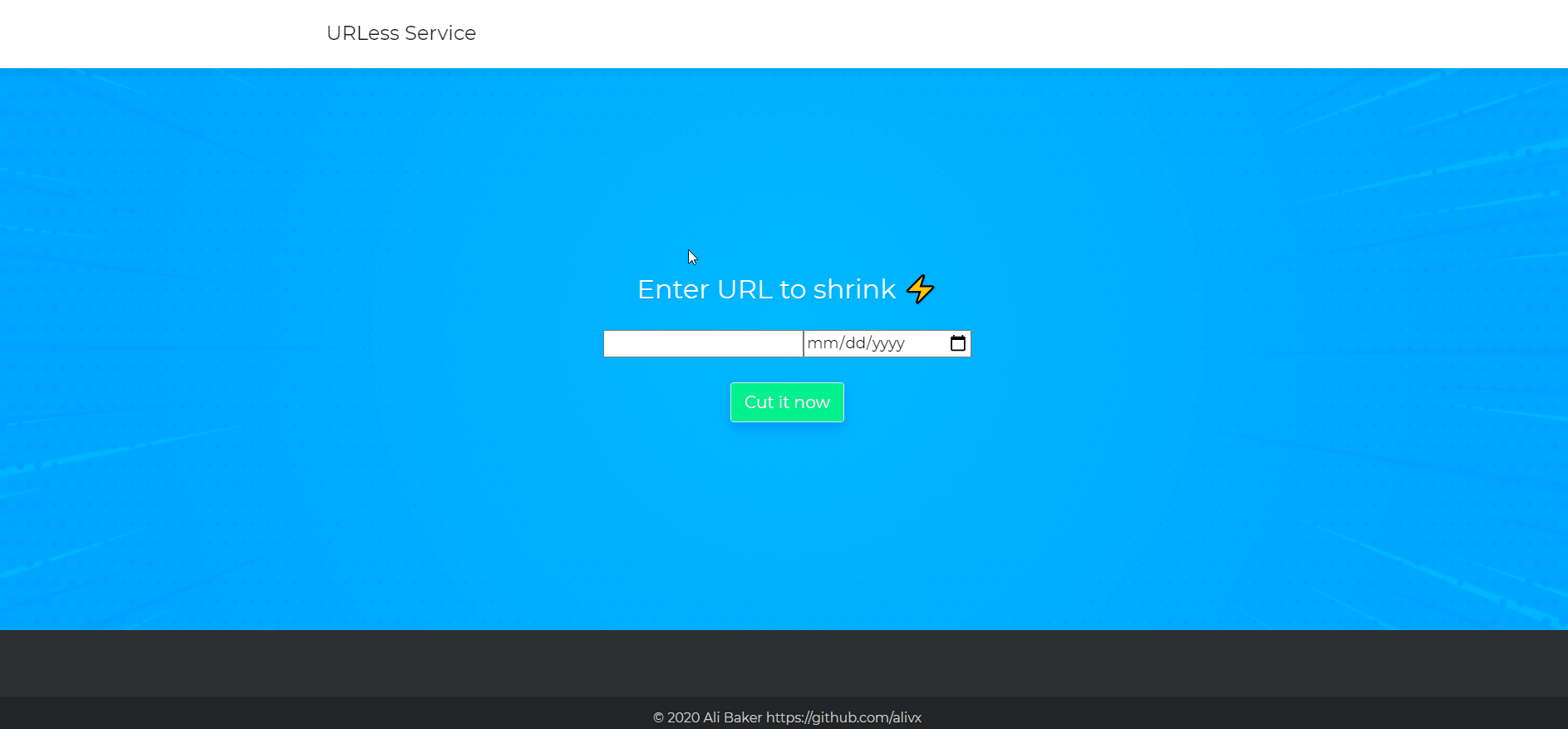
## Screenshots
## Quickstart
Urless is written in Python, using Redis as its primary database.( TODO redisgears + mysql)
## Installation
Download the latest version of URLess via this image 'alivx/urless'.
```Bash
docker-compose build #To build project
docker-compose up #To run project, You can use `-d` option to run it in the background.
```
To test service run CURL command:
```Bash
curl --location --request POST 'http://127.0.0.1:8000/' \
--header 'Content-Type: application/json' \
--data-raw '{"url":"www.google.com"}'
```
OR
from browser open `localhost` and start testing the system.
## Configs
To Deal with config for each app, you have two method.
1. settings.yaml
2. enviromnet varables. (This will override settings.yaml value)
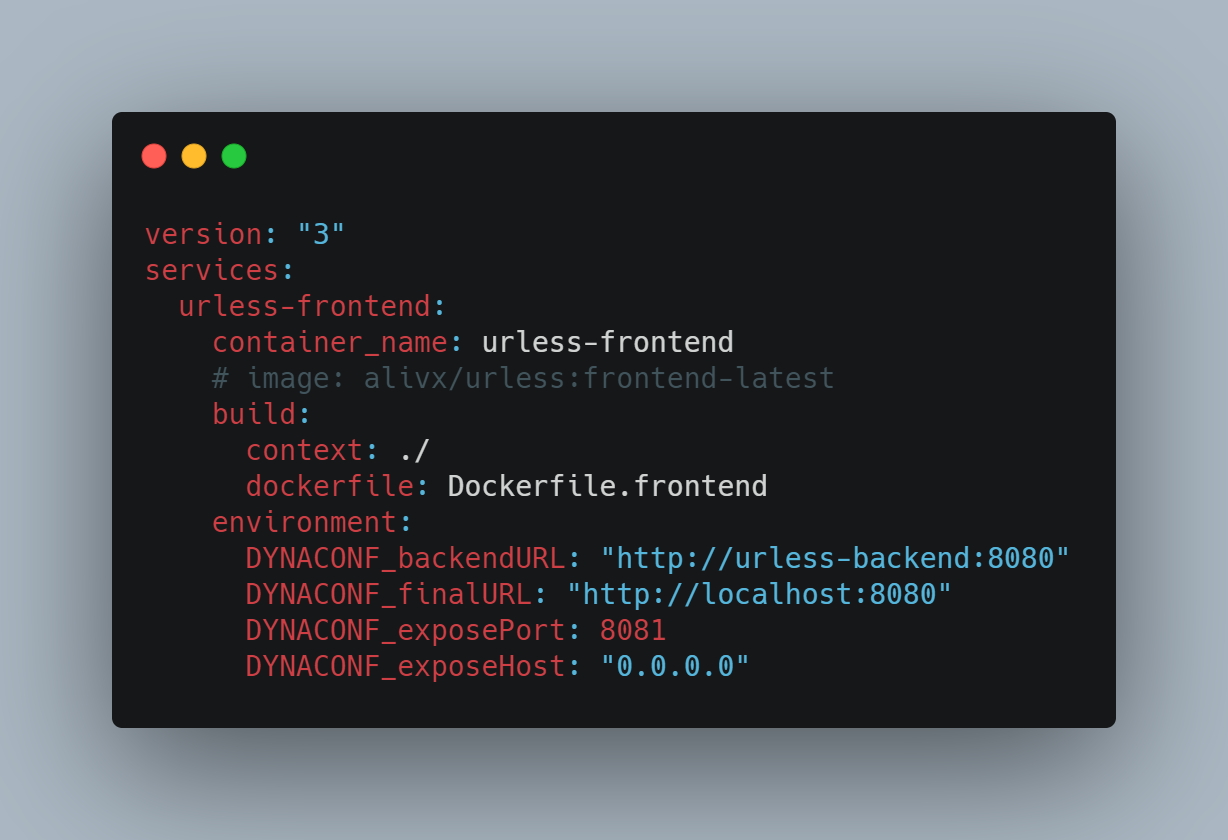
In point 2, just use `DYNACONF_[valueName]`, for example, in our API there is a config called `exposePort`, to override it use this value `DYNACONF_exposePort`. such as `export DYNACONF_exposePort=1991`
If you want to use a custom config under docker-compose, just add it under `environment` section as explained above.
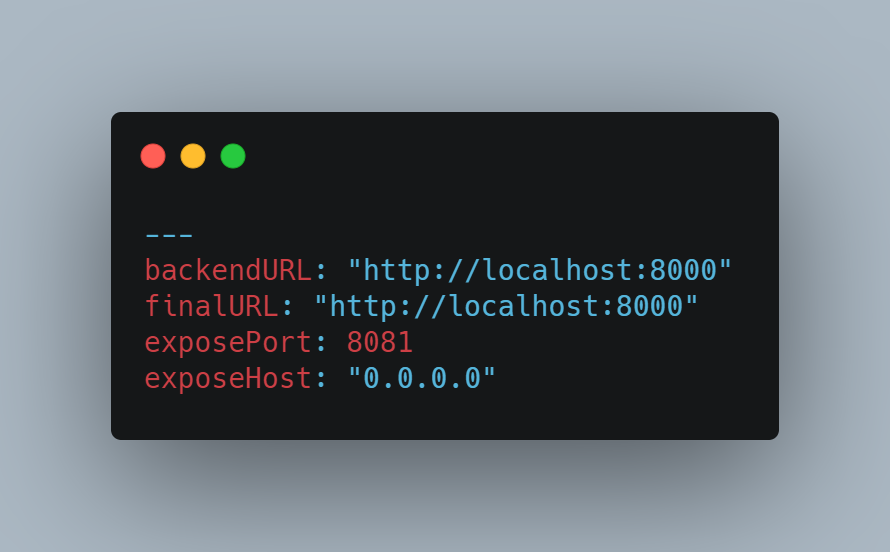
You can change value for each service config under file `settings.yaml`
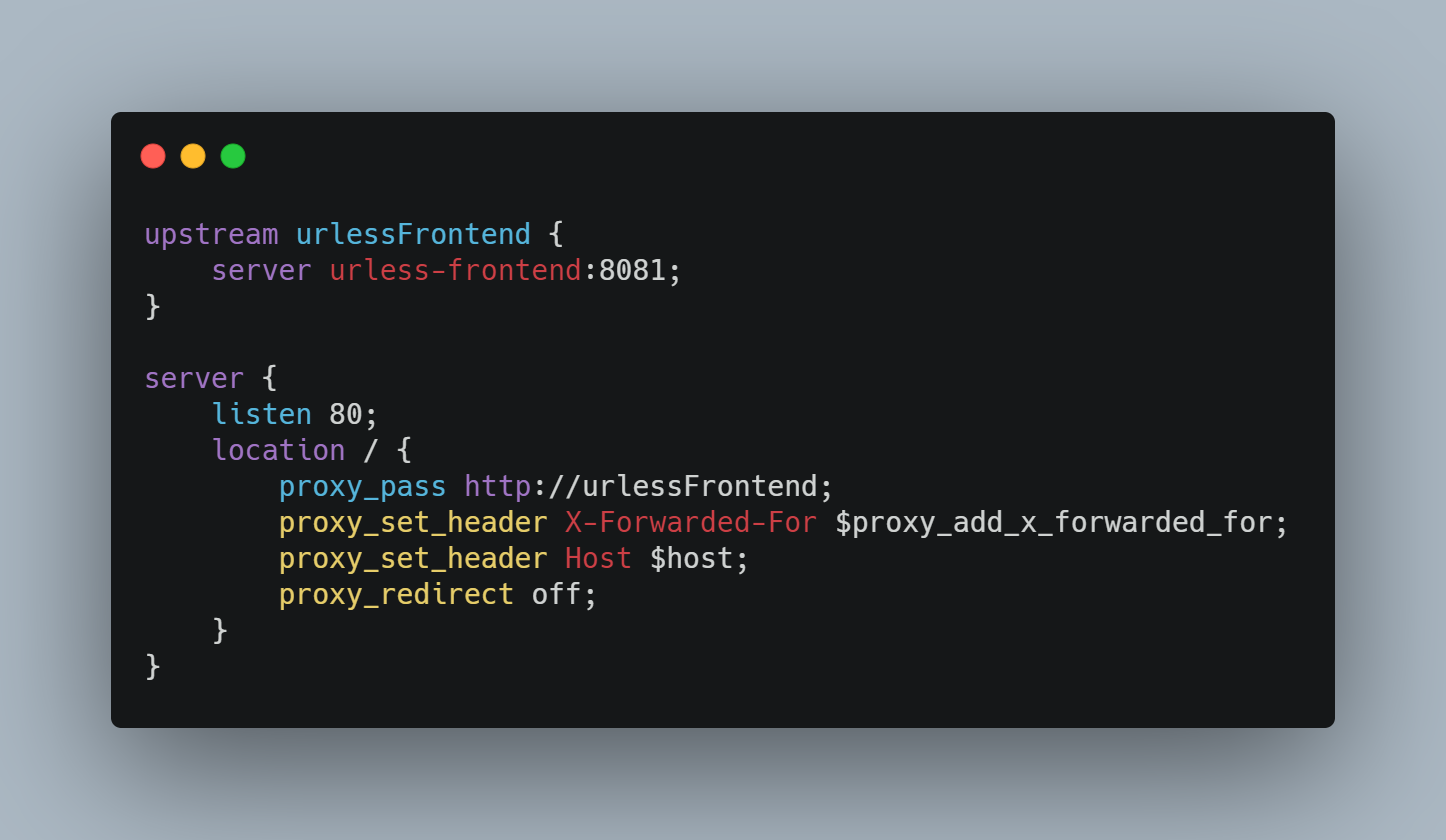
For nginx, you must change the config file under `infrastructure/nginx/urless.conf` if you changes `frontend` container name or port.
----
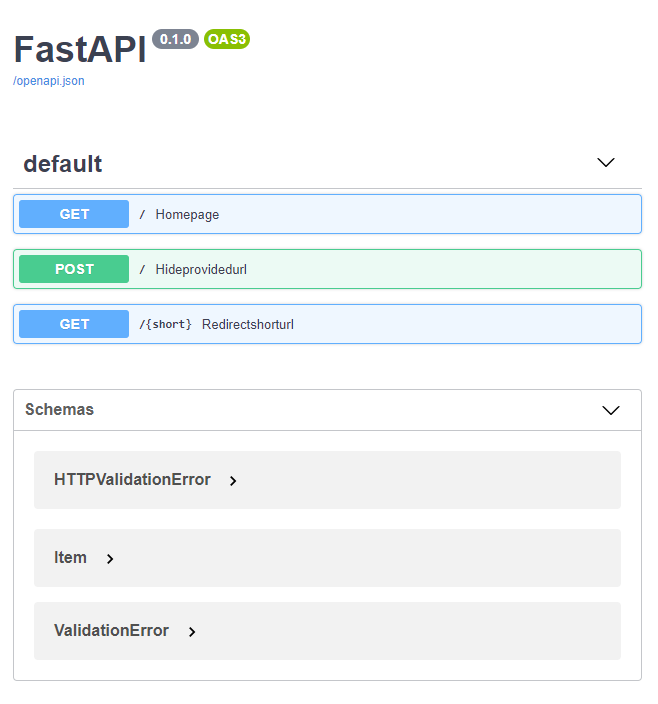
You can check the API documntion by `/docs`