https://github.com/alloc/misty
Logging utils for command line
https://github.com/alloc/misty
cli command-line logging
Last synced: 8 months ago
JSON representation
Logging utils for command line
- Host: GitHub
- URL: https://github.com/alloc/misty
- Owner: alloc
- License: mit
- Created: 2021-03-31T05:55:54.000Z (about 5 years ago)
- Default Branch: master
- Last Pushed: 2022-06-24T17:26:50.000Z (about 4 years ago)
- Last Synced: 2025-04-15T18:52:26.900Z (about 1 year ago)
- Topics: cli, command-line, logging
- Language: TypeScript
- Homepage:
- Size: 1.14 MB
- Stars: 4
- Watchers: 3
- Forks: 0
- Open Issues: 1
-
Metadata Files:
- Readme: README.md
- License: LICENSE
Awesome Lists containing this project
README
# misty 
[](https://www.npmjs.com/package/misty)
[](https://github.com/prettier/prettier)
[](https://paypal.me/alecdotbiz)
> Logging utils for command line
## Example
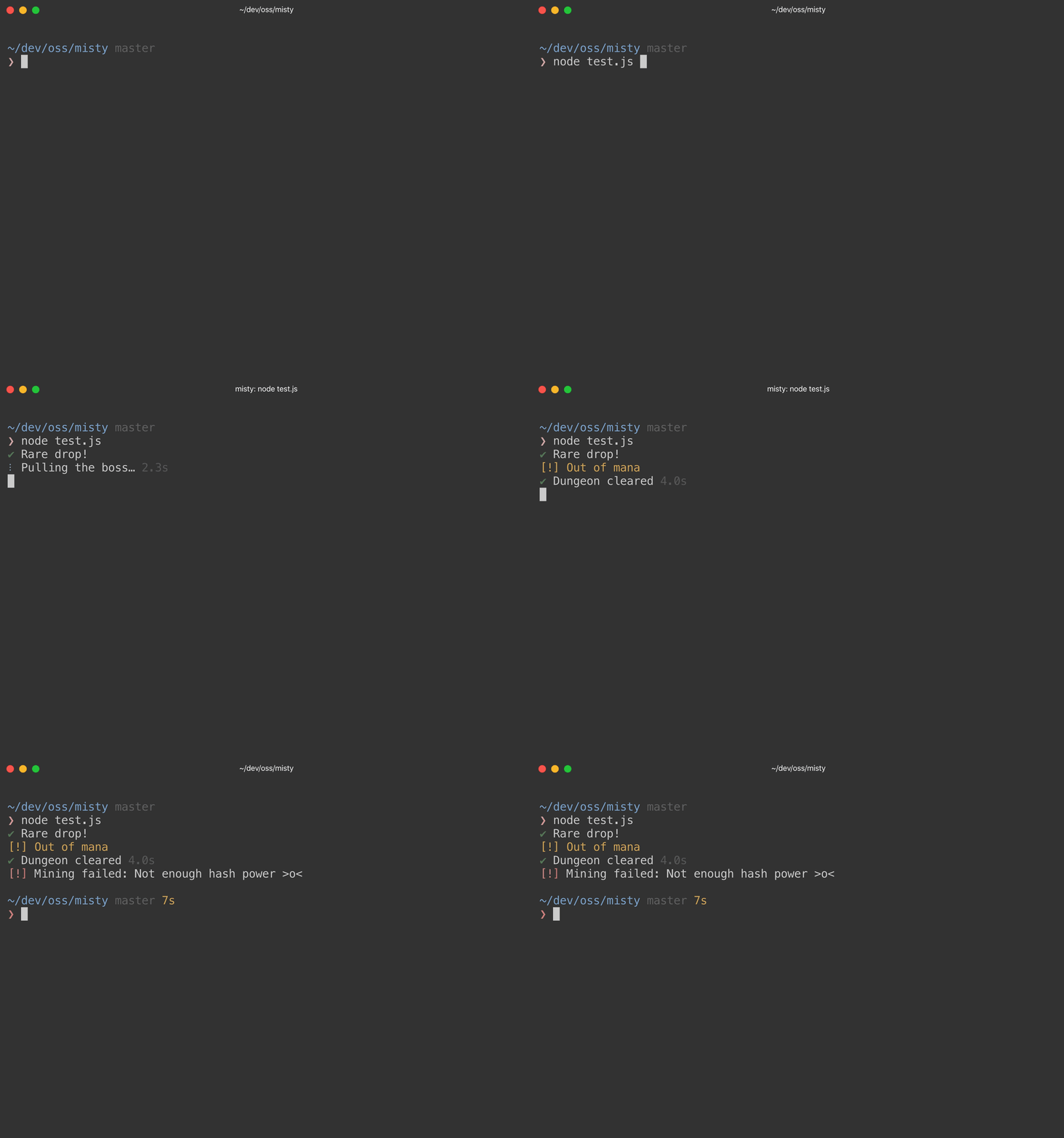
Clone `misty` and run the `test.js` script.
```sh
git clone https://github.com/alloc/misty
node misty/test.js
```
## Usage
```ts
import {
isInteractive,
warn,
warnOnce,
fatal,
success,
clear,
print,
} from 'misty'
if (isInteractive) {
// Prompt the user or something.
}
// Print a yellow message with [!] in front.
warn('Be careful')
// Like `warn` but messages are deduplicated.
warnOnce('Deprecated: Use foo instead')
// Print a message to stderr with red [!] in front. Then call process.exit(1)
fatal('Bollocks')
// Print a message with green checkmark in front.
success('We did it!')
// Clear the screen and scrollback.
clear()
// Clear two lines above the cursor.
clear(2)
// Like console.log without a line break. Useful for control sequences.
print('...')
```
### Tasks
The `misty/task` module provides the `startTask` function, which helps you communicate what your script is doing without spamming the final output. **Task logs are transient,** so it's best to avoid using tasks for information that could be useful for debugging.
Tasks are logs that:
- have a spinner in front
- stick to the end
- can be updated
- can be finished
- print their elapsed time
```ts
import { startTask } from 'misty/task'
const task = startTask('Building…')
task.update('Analyzing…')
task.finish('Build completed')
```
**What else should you know?**
- Multiple tasks can be active at once.
- Call `finish` with no message to hide the task.
### Spinner
The `misty/spin` module provides functions to customize the spinner
and build your own task-like messages.
```ts
import { setSpinner } from 'misty/spin'
// Customize the spinner!
setSpinner({
interval: 50,
frames: ['◐', '◓', '◑', '◒'],
color: require('kleur').magenta,
})
// These are for advanced usage.
import { spin, spinListeners, getSpinner } from 'misty/spin'
```
**What else should you know?**
- Animating multiple different spinners is not supported.
- Tasks use the spinner passed to `setSpinner`.
### Prompts
Prompts are not supported by `misty`, but I recommend these packages:
- [`clikey`](https://github.com/zewish/clikey) for keypress events
- [`prompts`](https://github.com/terkelg/prompts) for user input
### Colors
Color support is provided by [`kleur`](https://github.com/lukeed/kleur), so you should use that too.
### Logging
Logs are handled by [`shared-log`](https://github.com/alloc/shared-log).