https://github.com/ambientwave/inventory-management-spa
A basic single-page application to manage an inventory of items.
https://github.com/ambientwave/inventory-management-spa
bootstrap frontend javascript js nodejs npm react reactjs
Last synced: 3 months ago
JSON representation
A basic single-page application to manage an inventory of items.
- Host: GitHub
- URL: https://github.com/ambientwave/inventory-management-spa
- Owner: ambientWave
- Created: 2023-07-20T02:58:57.000Z (almost 3 years ago)
- Default Branch: main
- Last Pushed: 2023-08-12T12:53:43.000Z (almost 3 years ago)
- Last Synced: 2026-01-03T19:26:26.322Z (6 months ago)
- Topics: bootstrap, frontend, javascript, js, nodejs, npm, react, reactjs
- Language: JavaScript
- Homepage: https://ambientwave.github.io/Inventory-Management-SPA/
- Size: 705 KB
- Stars: 0
- Watchers: 1
- Forks: 0
- Open Issues: 0
-
Metadata Files:
- Readme: README.md
Awesome Lists containing this project
README
# Inventory Management Single-page App
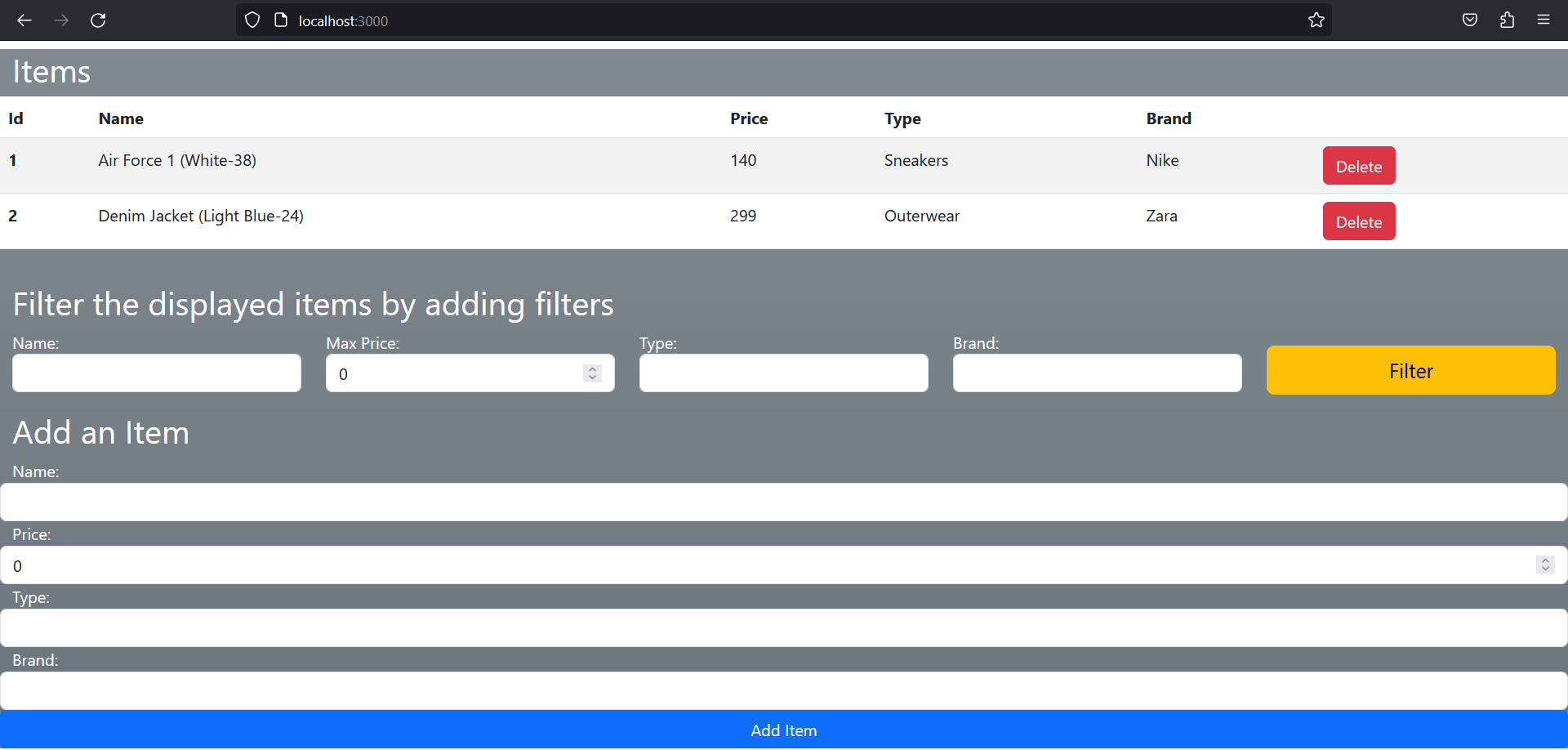
This project was created using ReactJS and Bootstrap frameworks to manage an inventory of items.
## Application Screenshot
## Instructions for Running the Online-hosted Application
To run the hosted application correctly, you must download and install the npm package 'json-server' that acts as our storing
database, then navigate your way in the terminal to your working directory, and download the JSON file shipped with the project
in your working directory that would act as the database table; the JSON file is located [here](https://raw.githubusercontent.com/ambientWave/Inventory-Management-SPA/main/json-server_package_db.json).
Finally, run the following line:
### `npx json-server "json-server_package_db.json" -p 3001`
Once you run the 'json-server' package, the deployed app can be found [here](https://ambientwave.github.io/Inventory-Management-SPA/).
## Technology
- HTML5, CSS, Bootstrap
- Javascript, Webpack, React
- Node.js, npm, npx, json-server
Available npm Scripts
## Available Scripts
In the project directory, you can run:
### `npm start`
Runs the app in the development mode.\
Open [http://localhost:3000](http://localhost:3000) to view it in your browser.
The page will reload when you make changes.\
You may also see any lint errors in the console.
### `npm test`
Launches the test runner in the interactive watch mode.\
See the section about [running tests](https://facebook.github.io/create-react-app/docs/running-tests) for more information.
### `npm run build`
Builds the app for production to the `build` folder.\
It correctly bundles React in production mode and optimizes the build for the best performance.
The build is minified and the filenames include the hashes.\
Your app is ready to be deployed!
See the section about [deployment](https://facebook.github.io/create-react-app/docs/deployment) for more information.