https://github.com/amhsirak/js-diary
In-browser local coding environment for JavaScript
https://github.com/amhsirak/js-diary
cli-tool code-editor esbuild javascript js-diary markdown react typescript webassembly
Last synced: over 1 year ago
JSON representation
In-browser local coding environment for JavaScript
- Host: GitHub
- URL: https://github.com/amhsirak/js-diary
- Owner: amhsirak
- Created: 2021-07-21T10:14:36.000Z (almost 5 years ago)
- Default Branch: master
- Last Pushed: 2022-05-03T20:04:16.000Z (about 4 years ago)
- Last Synced: 2024-10-16T09:05:39.801Z (almost 2 years ago)
- Topics: cli-tool, code-editor, esbuild, javascript, js-diary, markdown, react, typescript, webassembly
- Language: TypeScript
- Homepage: https://www.npmjs.com/package/js-diary
- Size: 8.57 MB
- Stars: 24
- Watchers: 1
- Forks: 0
- Open Issues: 0
-
Metadata Files:
- Readme: README.md
Awesome Lists containing this project
README
# JS Diary
### In browser live coding environment with markdown & JSX support for JavaScript 🎉

[](https://www.npmjs.org/package/js-diary)
[](http://npm-stat.com/charts.html?package=js-diary)
## Install
```
npm i js-diary
```
## Usage
```
npx js-diary serve
```
Run this command and navigate to https://localhost:4050
Now you have a live code editor running in your browser 🎉
## Features
* Live code execution
* Auto code formatting
* Write comprehensive documentation using markdown
* Use NPM packages without installing them on your local machine
* Run JSX in browser
## Usecase
Useful for small code snippets and trying NPM packages
## How To Use
* On starting the application you will see two options - Code and Text.
* The code in each code editor is all joined together in one file. For eg: If you define a variable in one cell you can refer it in any of the following cells.
* You can show any string, number, etc. and even ***React components*** by calling the `display` function.
* ***Note: `display` function is a function built in this environment. Call `display` multiple times to display multiple values.***
* You can delete cells or re-order them (move up or down) using buttons on the top right corner.
* To add new cells, hover on the divider between each cell.
* The code cells and text cells are resizable.
## Example
[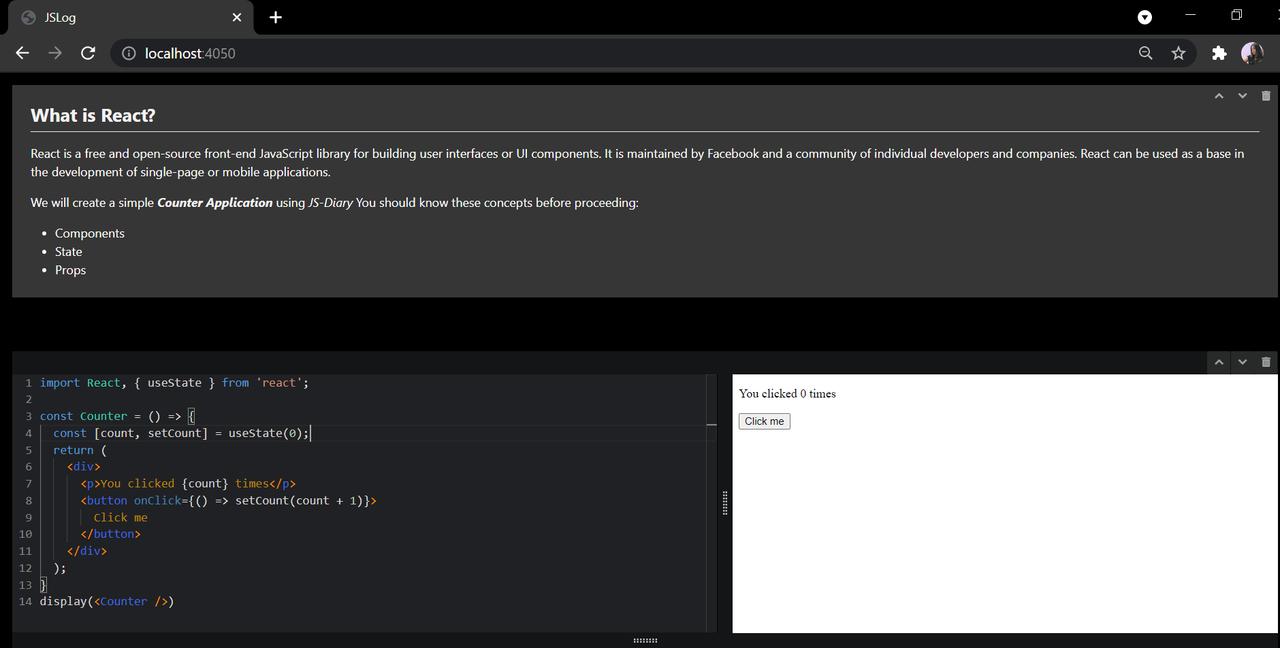](https://postimg.cc/ZvNYzv3M)
**All of your changes get saved to a file you opened [js-diary](https://www.npmjs.com/package/js-diary) with.
If you run `npx js-diary serve notebook.js` then all your code and text will be saved to a file named notebook.js**
By default, the name of the file is notes.js
Currently the file gets saved in JSON format ( Working on saving it in JS Format in future release )
## Issues
Raise an [Issue](https://github.com/karishmashuklaa/js-diary/issues) if you find any bugs/got ideas.
Copyright 2021 Karishma Shukla