https://github.com/amikavousi/app-maker
AppMaker, designed to help modularize your Laravel project. With AppMaker, you can easily organize your code and improve your project's scalability.
https://github.com/amikavousi/app-maker
archtecture laravel laravel-modular laravel-modular-architecture laravel-module-generator laravel-modules laravel-package modularization
Last synced: 13 days ago
JSON representation
AppMaker, designed to help modularize your Laravel project. With AppMaker, you can easily organize your code and improve your project's scalability.
- Host: GitHub
- URL: https://github.com/amikavousi/app-maker
- Owner: amikavousi
- Created: 2023-07-28T19:41:45.000Z (over 2 years ago)
- Default Branch: 2.x
- Last Pushed: 2025-01-11T09:56:23.000Z (over 1 year ago)
- Last Synced: 2026-02-17T10:04:13.342Z (about 2 months ago)
- Topics: archtecture, laravel, laravel-modular, laravel-modular-architecture, laravel-module-generator, laravel-modules, laravel-package, modularization
- Language: PHP
- Homepage:
- Size: 39.1 KB
- Stars: 4
- Watchers: 1
- Forks: 1
- Open Issues: 0
-
Metadata Files:
- Readme: README.md
Awesome Lists containing this project
README
# AppMaker
With AppMaker You can create the Apps or Modules you want for your Laravel Application.
Version: 2.0.0 dev
## Installation
Open your Terminal in your project dir and run:
```bash
composer require amikavousi/app-maker
```
## Usage
1) Now you can use this command for Create new App or Module :
```bash
php artisan app:make AppName
```
2) You can now see a new directory called 'Module' in your Laravel project where your added apps are located. But before you can access the added apps, you must first add the 'Modules' directory to your composer.json autoload:
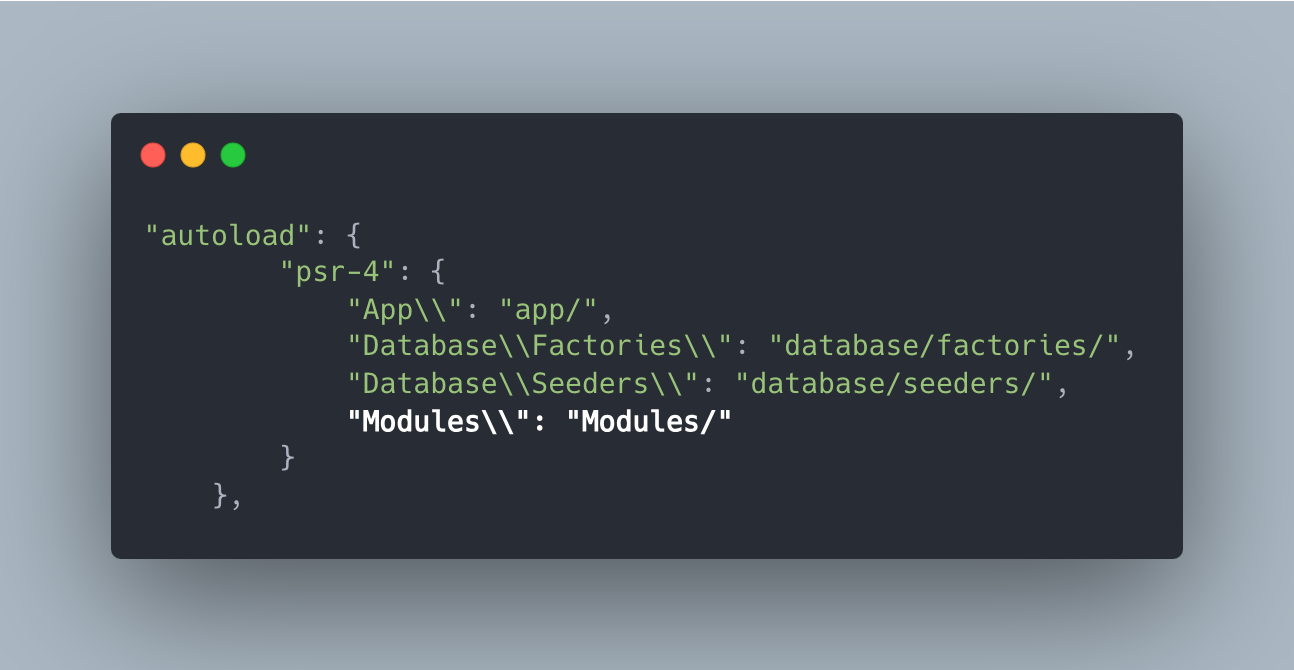
!!!! Then Run !!! :
```bash
composer dump-autoload
```
3) To access your added app, you must add your Module Service Provider located at ` Modules/ModulesProvider/ModulesServiceProvider.php` class to the `app.php` file in the 'config' directory:
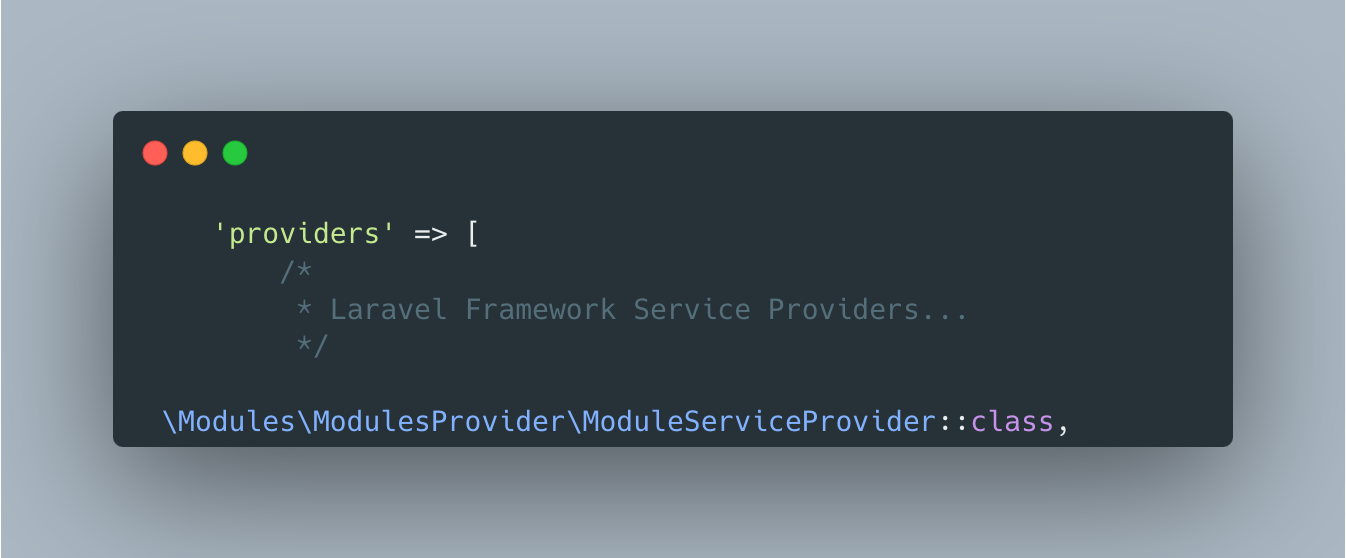
know your Modules service provider add to ModulesServiceProvider.php automatically.
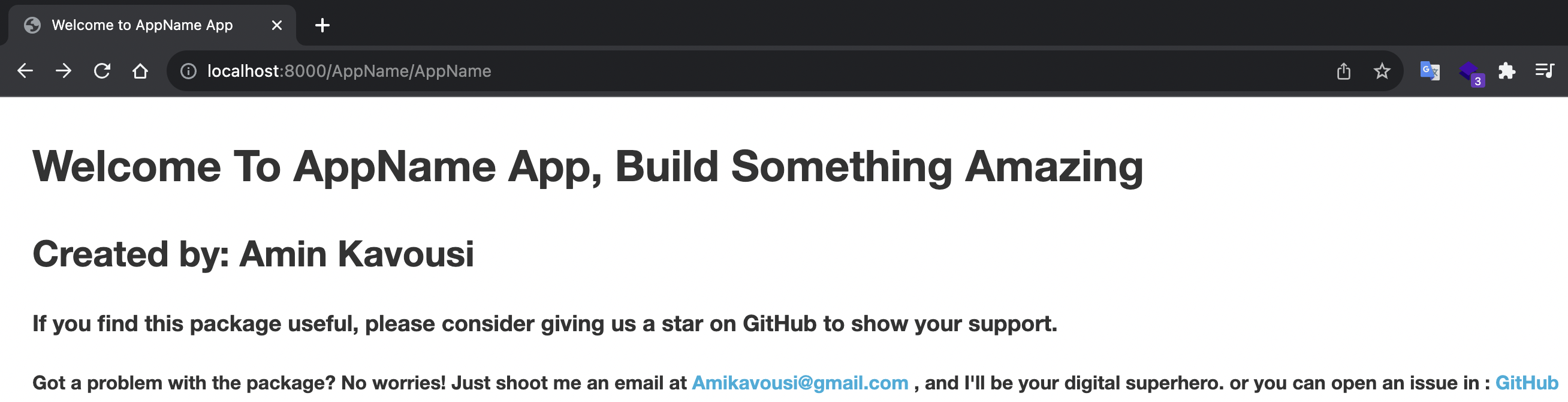
4) To test your app, simply run ` php artisan serve ` in your terminal. Then, open your browser and visit `localhost:8000/AppName/AppName`. You will see:
## Comands
after you run `php artisan app:add -h` you will see a good documentation about commands and available **options**:
```bash
Description:
With this command you can add your Models or Controller or ... to your Apps.
Command Format: php artisan app:add AppName -flag FileName
Usage:
app:add [options] [--]
Arguments:
appName Your App Dir Name
name Your File name
Options:
-c, --controller Create Controller for your App
-M, --model Create Model for your App
-m, --migration Create migration for your App
-w, --middleware Create Middleware for your App
-d, --validation Create Validation Middleware for your App
```
For Example for add a new **Controller** to your **App** you can use this command:
```bash
php artisan app:add AppName -c FileNameForController
-------------------------or--------------------------
php artisan app:add AppName --controller FileName
```
## The last word
We sincerely appreciate your consideration in giving us a **shining star** if you find our efforts valuable. 🫶🏻🌟🤍
Your support and recognition serve as a true inspiration to us. 🤜🏻🤛🏿
We highly value your feedback and encourage you to share any concerns or suggestions you may have. 🙏🏻
Our commitment is to promptly address any issues and create a delightful experience for you.
Your contributions through pull requests are truly cherished as we work together harmoniously to elevate this project to new heights. 👥
So we conclude that it works 🌈 - Kian Pirfalak
Support Email: **AmiKavousi@gmail.com**