https://github.com/aminalaee/vllm-doctor
Diagnostic tool for vLLM inference servers
https://github.com/aminalaee/vllm-doctor
Last synced: about 1 month ago
JSON representation
Diagnostic tool for vLLM inference servers
- Host: GitHub
- URL: https://github.com/aminalaee/vllm-doctor
- Owner: aminalaee
- Created: 2026-05-13T09:31:39.000Z (about 2 months ago)
- Default Branch: main
- Last Pushed: 2026-05-27T18:53:51.000Z (about 1 month ago)
- Last Synced: 2026-05-27T20:21:38.071Z (about 1 month ago)
- Language: Python
- Homepage: https://aminalaee.github.io/vllm-doctor/
- Size: 642 KB
- Stars: 1
- Watchers: 0
- Forks: 0
- Open Issues: 0
-
Metadata Files:
- Readme: README.md
Awesome Lists containing this project
README



Diagnose vLLM serving issues from `/metrics`.
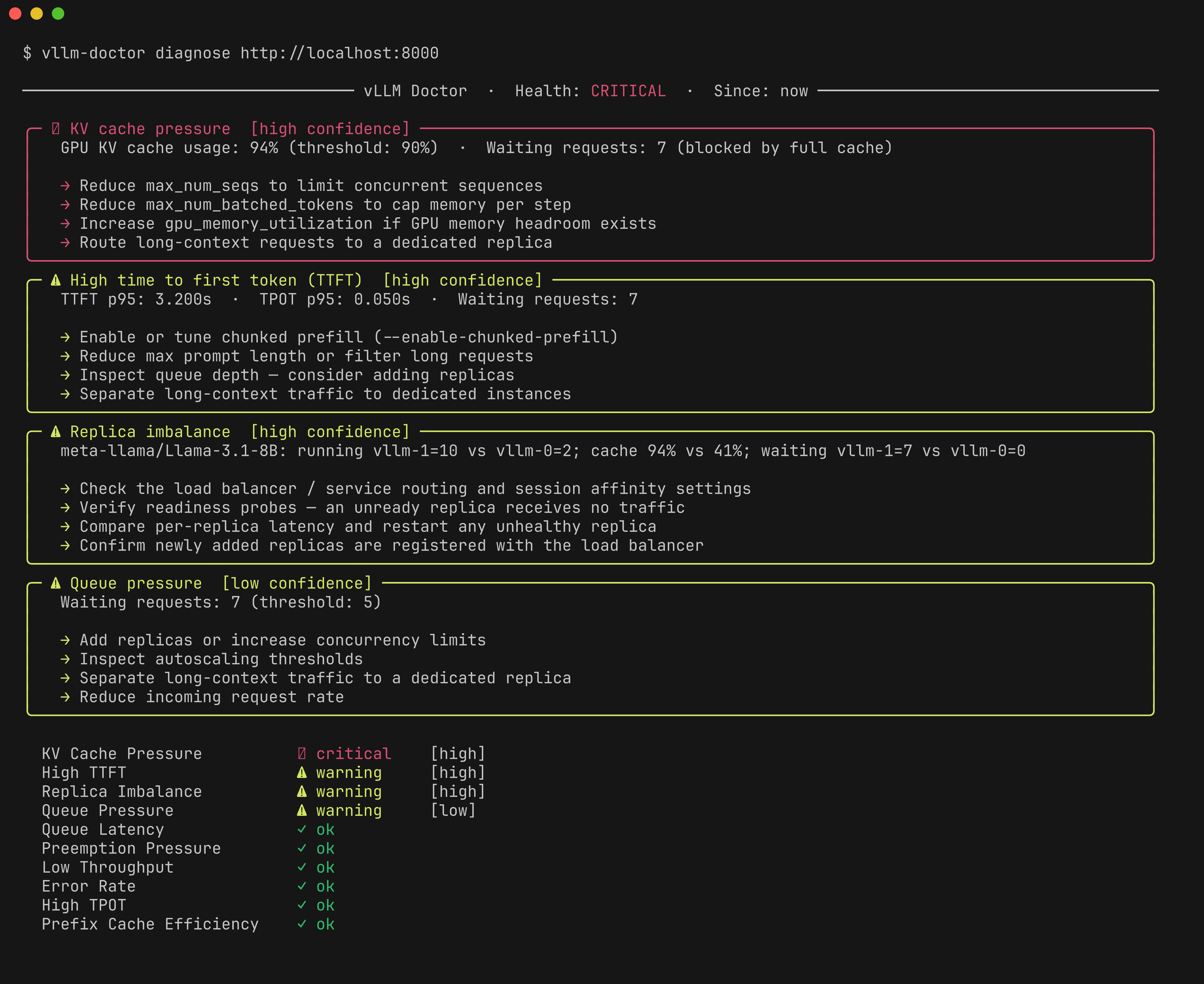
vLLM Doctor reads production metrics and turns them into operational findings: what looks wrong, how confident the diagnosis is, and which vLLM knobs are worth checking first.
```shell
vllm-doctor --url http://localhost:8000/metrics
```
> vLLM Doctor is not a dashboard replacement. It is a fast diagnostic snapshot for a single server or Prometheus target.
## Why not just a dashboard?
Dashboards show metrics. vLLM Doctor explains inference-system behavior.
| | Dashboards | vLLM Doctor |
| ------------------------ | ---------- | ----------- |
| Shows raw metrics | ✓ | ✓ |
| Explains what's wrong | ✗ | ✓ |
| Recommends vLLM configs | ✗ | ✓ |
| Requires setup | ✓ | ✗ |
| Works on a single server | ✗ | ✓ |
## Installation
With pip:
```shell
pip install vllm-doctor
```
With uv:
```shell
uv tool install vllm-doctor
```
## Quickstart
Direct scrape:
```shell
vllm-doctor --url http://localhost:8000/metrics
```
Prometheus:
```shell
vllm-doctor --url http://localhost:9090
```
Options:
```
Usage: vllm-doctor [OPTIONS]
Options:
-u, --url TEXT URL to diagnose (vLLM /metrics or Prometheus). [required]
-w, --window TEXT Time window (e.g. '1h', '30m', 'now'). [default: now]
-f, --format [text|json] Output format. [default: text]
-v, --verbose Show additional diagnostic detail.
-l, --live INTEGER Refresh interval in seconds (e.g. --live 10).
-c, --config PATH Path to config file (default: vllm-doctor.toml).
--help Show this message and exit.
```
## Example output
```shell
─────────── vLLM Doctor · Health: CRITICAL · Window: 5m ────────────
╭─ ⚠ Queue pressure [low confidence] ─────────────────────────────────╮
│ Waiting requests: 7 │
│ │
│ → Add replicas or increase concurrency limits │
│ → Inspect autoscaling thresholds │
╰──────────────────────────────────────────────────────────────────────╯
╭─ ✖ KV cache pressure [high confidence] ─────────────────────────────╮
│ GPU KV cache usage: 94% · Waiting requests: 7 │
│ │
│ → Reduce max_num_seqs to limit concurrent sequences │
│ → Increase gpu_memory_utilization if GPU memory headroom exists │
╰──────────────────────────────────────────────────────────────────────╯
Queue Pressure ⚠ warning [low]
KV Cache Pressure ✖ critical [high]
Low Throughput ✓ ok
Error Rate ✓ ok
High TTFT ✓ ok
─────────────────────────── Observed Metrics ───────────────────────────
Requests Running 12
Requests Waiting 7
GPU Cache Usage ███████████████████░ 94%
Generation Tokens/s 42.0
TTFT p95 (s) 3.200
TPOT p95 (s) 0.050
```
## Documentation
Read the full documentation: https://aminalaee.github.io/vllm-doctor