https://github.com/amireshoon/wpsbuilder
WordPress Settings Page Builder
https://github.com/amireshoon/wpsbuilder
wordpress wordpress-plugin
Last synced: about 2 months ago
JSON representation
WordPress Settings Page Builder
- Host: GitHub
- URL: https://github.com/amireshoon/wpsbuilder
- Owner: amireshoon
- License: other
- Created: 2020-11-17T20:02:04.000Z (over 5 years ago)
- Default Branch: master
- Last Pushed: 2020-12-12T14:59:54.000Z (over 5 years ago)
- Last Synced: 2025-01-28T05:11:19.928Z (over 1 year ago)
- Topics: wordpress, wordpress-plugin
- Language: PHP
- Homepage: https://gitlab.com/amirhwsin/wordpress-settings-page-builder
- Size: 14.6 KB
- Stars: 1
- Watchers: 1
- Forks: 1
- Open Issues: 0
-
Metadata Files:
- Readme: README.md
- License: LICENSE
Awesome Lists containing this project
README
# WordPress Settings Builder
[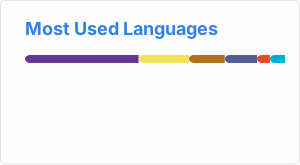](https://github.com/anuraghazra/github-readme-stats)
[](https://github.com/ellerbrock/open-source-badges/)
WpsBuilder is a tool to create wordpress like setting page or edit page.
- Can add Menu or submenu
- Support most of input types
- Support callback response function
# Supported inputs
All the inputs uses wordpress classes.
- Text Input
- Hidden input
- Text Area
- Select box
- Radio Groups
- CheckBoxes
- Media Selector (Still in development)
- Text (p tag)
You can also:
- Set forms method (post,get,put,...)
- Set Page and menu Title
- Set page description
# Installation
WpsBuilder requires [WordPress](https://wordpress.com/) v4+ and [php](https://php.net) v5.6+ to run.
Install using composer.
```php
$ composer require amirhwsin/wpsbuilder
```
or install manually, first download package.
```php
require_once('wpsBuilder/wpsBuilder.php');
```
# Usage
WpsBuilder have simple and easy syntax, you can see some examples for menu or submenu cases.
### Create Menu
```php
$builder = new wpsBuilder();
$builder->addMenu('magical_menu')
->setPosition(6)
->setCapability('manage_options')
->setIconUrl('dashicons-editor-code')
->setPageTitle('Magic is real')
->setMenuTitle('See Magic')
->setPageDescription('This page can do some magics for you.')
->setFormMethod('post')
->input('pass', 'Password', array(['key' => 'type', 'value' => 'password']))
->textArea('describe_ys', 'Describe yourself to me')
->hiddenInput('hidden_value','thats_right')
->text('yu','Username', 'amirhwisn *You cant edit this')
->checkbox('cbid', 'Do magic can happen?', 'Shall we play magic?', true)
->radio('radio', array('field_1' => 'this one', 'field_2' => 'that one'),'Which you choose?', 'that one')
->select('selectbox', array('key1'=> 'one', 'key2' => 'two'), 'title', 'two')
->media('media_id', 'Choose Profile picture')
->build();
```
### Create Submenu
```php
$builder = new wpsBuilder();
$builder->attachToMenu('magical_menu')
->setPageTitle('This is a little magic')
->setMenuTitle('Menu Title')
->setCapability('manage_options')
->setMenuSlug('magical_submenu')
...
->build();
```
### Get Response and store data
You can call ```response``` function and pass a function as an argument and do your stuff.
When you call ```response``` you get a variable from your declared function can called anything thats your data that collected from form.
Remember at the end you should pass an array from your ```function``` that first element is response message like unvalid errors or success message and second one should be ```true``` or ```false``` as success or failed; In case of null passed or nothing passed no messages will be shown at the page.
```php
$builder->response(function($res) {
print_r($res);
return array('message', true);
});
```
# Todos
- Develope media functions
- Create a usefull document
- Add more inputs
# License
GPL2
**Free Software, Hell Yeah!**
**Feel free to contribute**