https://github.com/amoshuke/show_touches
👇 Show finger touch effects for Flutter, with support for multiple fingers, controllers, custom widgets, and animations | 为 Flutter 创建显示手指触摸效果,支持多指、控制器、自定义 widget 和动画
https://github.com/amoshuke/show_touches
flutter-package pointer touch widget
Last synced: 4 months ago
JSON representation
👇 Show finger touch effects for Flutter, with support for multiple fingers, controllers, custom widgets, and animations | 为 Flutter 创建显示手指触摸效果,支持多指、控制器、自定义 widget 和动画
- Host: GitHub
- URL: https://github.com/amoshuke/show_touches
- Owner: AmosHuKe
- License: mit
- Created: 2024-10-20T05:28:03.000Z (about 1 year ago)
- Default Branch: main
- Last Pushed: 2024-10-29T06:34:35.000Z (about 1 year ago)
- Last Synced: 2024-12-13T04:32:38.428Z (about 1 year ago)
- Topics: flutter-package, pointer, touch, widget
- Language: Dart
- Homepage: https://pub.dev/packages/show_touches
- Size: 516 KB
- Stars: 2
- Watchers: 1
- Forks: 0
- Open Issues: 0
-
Metadata Files:
- Readme: README-ZH.md
- Changelog: CHANGELOG.md
- License: LICENSE
- Codeowners: CODEOWNERS
Awesome Lists containing this project
README
[](https://github.com/AmosHuKe/show_touches)
[](https://pub.dev/packages/show_touches)
📓 语言:[English](README.md) | 中文
Show Touches




在 Flutter 上显示手指触摸效果!
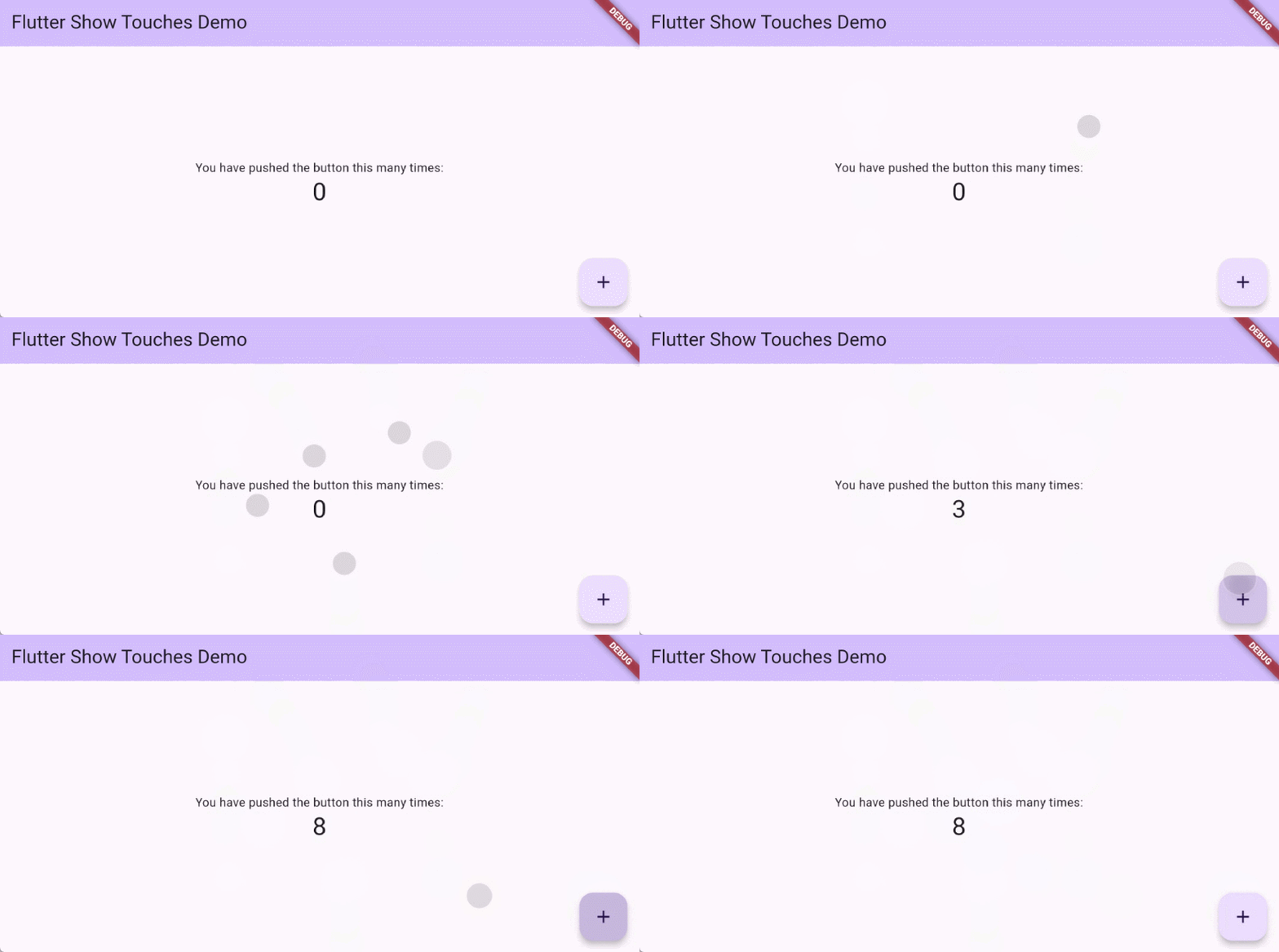
## 目录 🪄
- [特性](#特性-)
- [安装](#安装-)
- [版本兼容](#版本兼容-)
- [平台兼容](#平台兼容-)
- [添加 show_touches](#添加-show_touches-)
- [简单用法](#简单用法-)
- [ShowTouches](#showtouches-)
- [使用](#使用-)
- [ShowTouches widget 参数][]
- [PointerBuilder][]
- [ShowTouchesController][]
- [贡献者](#贡献者-)
- [许可证](#许可证-)
## 特性 ✨
- 👇 支持多指(指针)
- 🔧 可通过控制器来控制
- ⚙️ 自定义指针 Widget 和动画
## 安装 🎯
### 版本兼容 🐦
| Flutter | 3.3.0+ |
| --------- | :------: |
| show_touches 0.0.1+ | ✅ |
### 平台兼容 📱
| Android | iOS | Web | macOS | Windows | Linux |
| :-----: | :---: | :---: | :---: | :-----: | :---: |
| ✅ | ✅ | ✅ | ✅ | ✅ | ✅ |
### 添加 show_touches 📦
使用 Flutter 运行以下指令,
```sh
$ flutter pub add show_touches
```
或手动将 `show_touches` 添加到 `pubspec.yaml` 依赖项中。
```yaml
dependencies:
show_touches: ^latest_version
```
## 简单用法 📖
示例:[show_touches/example][]
### ShowTouches 📦
[ShowTouches][ShowTouches widget 参数] widget 会自带默认的手势逻辑和指针 widget。
```dart
/// 导入 show_touches
import 'package:show_touches/show_touches.dart';
MaterialApp(
builder: ShowTouches.init(),
home: XxxPage(),
);
/// 或者
ShowTouches(child: XxxPage()),
```
## 使用 📖
### `ShowTouches` widget 参数 🤖
| 参数名 | 类型 | 默认值 | 描述 |
| --- | --- | --- | --- |
| child `必选` | `Widget` | - | - |
| enable | `bool` | `true` | true(启用)
false(禁用) |
| controller | [ShowTouchesController][]? | `null` | 通过 `ShowTouchesController` 来控制指针。 |
| pointerBuilder | [PointerBuilder][]? | `null` | 自定义指针 Widget,但会导致 `defaultPointerStyle` 失效。 |
| defaultPointerStyle | `DefaultPointerStyle` | `DefaultPointerStyle()` | 默认的指针 Widget 样式(在没有指定 `pointerBuilder` 的时候)。 |
| showDuration | `Duration` | `Duration(milliseconds: 50)` | 显示动画的持续时间(指针)。 |
| removeDuration | `Duration` | `Duration(milliseconds: 200)` | 移除动画的持续时间(指针)。 |
### PointerBuilder 📄
示例:
```dart
ShowTouches(
pointerBuilder: (
BuildContext context,
int pointerId,
Offset position,
Animation animation,
) {
final Animation scaleAnimation = Tween(
begin: 2.0,
end: 1.0,
).animate(animation);
return Positioned(
left: position.dx - 30.0,
top: position.dy - 30.0,
child: IgnorePointer(
ignoring: true,
child: ScaleTransition(
scale: scaleAnimation,
child: FadeTransition(
opacity: animation,
child: Container(
width: 60,
height: 60,
color: Colors.black,
),
),
),
),
);
},
child: XxxPage(),
),
```
| 参数名 | 类型 | 描述 |
| --- | --- | --- |
| context | `BuildContext` | - |
| pointerId | `int` | 指针(触摸)ID。 |
| position | `Offset` | 当前触摸位置。 |
| animation | `Animation` | 显示和移除的动画。 |
### ShowTouchesController 📄
你可以使用控制器来控制 `ShowTouches` widget 内的指针,
或者你也可以实现自己的手势逻辑来控制指针。
示例:
```dart
final ShowTouchesController controller = ShowTouchesController();
......
@override
void dispose() {
controller.dispose();
super.dispose();
}
......
Listener(
onPointerDown: (event) => controller.addPointer(...),
onPointerMove: (event) => controller.updatePointer(...),
onPointerUp: (event) => controller.removePointer(...),
onPointerCancel: (event) => controller.removePointer(...),
behavior: HitTestBehavior.translucent,
child: child,
);
```
#### 获取所有指针数据
通过 `controller.data` 来获取所有指针数据 (`Map`)。
> Map -> `key`: pointerId, `value`: PointerData
##### PointerData
| 参数名 | 类型 | 描述 |
| --- | --- | --- |
| pointerId | `int` | 指针(触摸)ID。 |
| positionState | `ValueNotifier` | 当前触摸位置。 |
| animationController | `AnimationController` | 动画控制器。 |
| pointerOverlayEntry | `OverlayEntry?` | 指针 `OverlayEntry`。 |
#### addPointer()
| 参数名 | 类型 | 默认值 | 描述 |
| --- | --- | --- | --- |
| context `必选` | `BuildContext` | - | - |
| pointerId `必选` | `int` | - | 指针(触摸)ID。 |
| position `必选` | `Offset` | - | 当前触摸位置。 |
| animationController `必选` | `AnimationController` | - | 动画控制器。 |
| pointerBuilder | `PointerBuilder?` | `null` | 自定义指针 Widget,但会导致 `defaultPointerStyle` 失效。 |
| defaultPointerStyle | `DefaultPointerStyle` | `DefaultPointerStyle()` | 默认的指针 Widget 样式(在没有指定 `pointerBuilder` 的时候)。 |
#### updatePointer()
| 参数名 | 类型 | 默认值 | 描述 |
| --- | --- | --- | --- |
| pointerId `必选` | `int` | - | 指针(触摸)ID。 |
| position `必选` | `Offset` | - | 当前触摸位置。 |
#### removePointer()
| 参数名 | 类型 | 默认值 | 描述 |
| --- | --- | --- | --- |
| pointerId `必选` | `int` | - | 指针(触摸)ID。 |
#### disposePointer()
| 参数名 | 类型 | 默认值 | 描述 |
| --- | --- | --- | --- |
| pointerId `必选` | `int` | - | 指针(触摸)ID。 |
## 贡献者 ✨
## 许可证 📄
[](https://github.com/AmosHuKe/show_touches/blob/main/LICENSE)
根据 MIT 许可证开源。
© AmosHuKe
[show_touches/example]: https://github.com/AmosHuKe/show_touches/tree/main/example
[ShowTouches widget 参数]: #showtouches-widget-参数-
[PointerBuilder]: #pointerbuilder-
[ShowTouchesController]: #showtouchescontroller-
