https://github.com/amytho/glimboi-docs
A website documenting Glimboi
https://github.com/amytho/glimboi-docs
Last synced: 5 months ago
JSON representation
A website documenting Glimboi
- Host: GitHub
- URL: https://github.com/amytho/glimboi-docs
- Owner: aMytho
- License: mit
- Created: 2021-02-28T20:38:38.000Z (over 5 years ago)
- Default Branch: main
- Last Pushed: 2023-06-07T20:12:15.000Z (about 3 years ago)
- Last Synced: 2025-11-12T10:04:48.352Z (8 months ago)
- Language: SCSS
- Homepage: https://glimboi.com
- Size: 5.2 MB
- Stars: 0
- Watchers: 1
- Forks: 1
- Open Issues: 0
-
Metadata Files:
- Readme: README.md
- Changelog: CHANGELOG.md
- License: LICENSE
- Code of conduct: CODE_OF_CONDUCT.md
Awesome Lists containing this project
README

Doks
Modern documentation theme
Doks is a Hugo theme helping you build modern documentation websites that are secure, fast, and SEO-ready — by default.




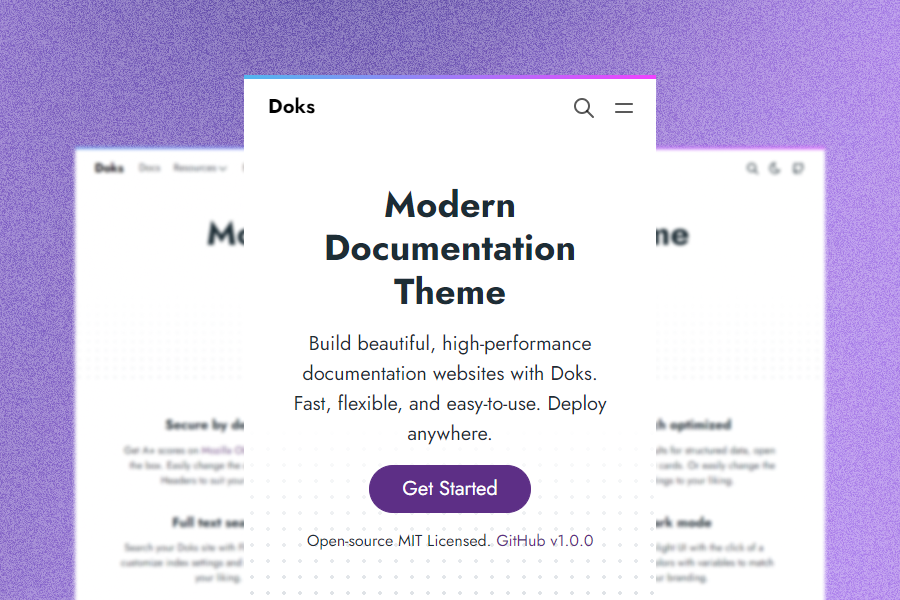
## Demo
- [doks.netlify.app](https://doks.netlify.app/)
## Quick start
Get your Doks site in 1 min.
[](https://app.netlify.com/start/deploy?repository=https://github.com/h-enk/doks)
## Why Doks?
Nine reasons why you should use Doks:
1. __Security aware__. Get A+ scores on [Mozilla Observatory](https://observatory.mozilla.org/analyze/doks.netlify.app) out of the box. Easily change the default Security Headers to suit your needs.
2. __Fast by default__. Get 100 scores on [Google Lighthouse](https://googlechrome.github.io/lighthouse/viewer/?gist=7731347bb8ce999eff7428a8e763b637) by default. Doks removes unused css, prefetches links, and lazy loads images.
3. __SEO-ready__. Use sensible defaults for structured data, open graph, and Twitter cards. Or easily change the SEO settings to your liking.
4. __Development tools__. Code with confidence. Check styles, scripts, and markdown for errors and fix automatically or manually.
5. __Bootstrap framework__. Build robust, flexible, and intuitive websites with Bootstrap. Or use any other front-end framework if you prefer.
6. __Netlify-ready__. Deploy to Netlify with sensible defaults. Easily use Netlify Functions, Netlify Redirects, and Netlify Headers.
7. __Full text search__. Search your Doks site with FlexSearch. Easily customize index settings and search options to your liking.
8. __Page layouts__. Build pages with a landing page, blog, or documentation layout. Add custom sections and components to suit your needs.
9. __Dark mode__. Switch to a low-light UI with the click of a button. Change colors with variables to match your branding.
## Requirements
Doks uses npm to install dependencies and run commands. Installing npm is pretty simple. Download and install [Node.js](https://nodejs.org/) (it includes npm) for your platform.
## Get started
Start a new Doks project in three steps:
### 1. Create a new site
```bash
git clone https://github.com/h-enk/doks.git my-doks-site && cd my-doks-site
```
### 2. Install dependencies
```bash
npm install
```
### 3. Start development server
```bash
npm run start
```
## Other commands
Doks comes with [commands](https://getdoks.org/docs/prologue/commands/) for common tasks.
## Documentation
- [Netlify](https://docs.netlify.com/)
- [Hugo](https://gohugo.io/documentation/)
- [Doks](https://getdoks.org/)
## Communities
- [Netlify Community](https://community.netlify.com/)
- [Hugo Forums](https://discourse.gohugo.io/)
- [Doks Discussions](https://github.com/h-enk/doks/discussions)
## Blog
* [Say hello to Doks 👋](https://getdoks.org/blog/say-hello-to-doks/)