https://github.com/analyticace/blog
https://github.com/analyticace/blog
Last synced: 10 months ago
JSON representation
- Host: GitHub
- URL: https://github.com/analyticace/blog
- Owner: AnalyticAce
- License: mit
- Created: 2024-09-14T18:58:56.000Z (almost 2 years ago)
- Default Branch: main
- Last Pushed: 2024-09-14T19:00:58.000Z (almost 2 years ago)
- Last Synced: 2024-12-22T04:42:33.041Z (over 1 year ago)
- Language: MDX
- Size: 4.54 MB
- Stars: 1
- Watchers: 1
- Forks: 0
- Open Issues: 0
-
Metadata Files:
- Readme: README.md
- License: LICENSE
Awesome Lists containing this project
README
# Next.js 13 Blog Tutorial: Build SEO Optimized Personal Blog with Next.js, Contentlayer, and Tailwind CSS 🔥


For Demo checkout following links👇:
[Nextjs Personal Blog Website](https://create-blog-with-nextjs.vercel.app/)
Starter Code Files👇:
[Nextjs Personal Blog Website Starter Code](https://github.com/codebucks27/Nextjs-contentlayer-blog)
If you want to learn how to create it please follow below tutorial👇:
https://youtu.be/1QGLHOaRLwM
[](https://youtu.be/1QGLHOaRLwM)
Checkout My Personal blog: [DevDreaming](https://devdreaming.com/)
### ⭐DO NOT FORGET TO STAR THIS REPO⭐
### Images of The Portfolio Website:
#### Home
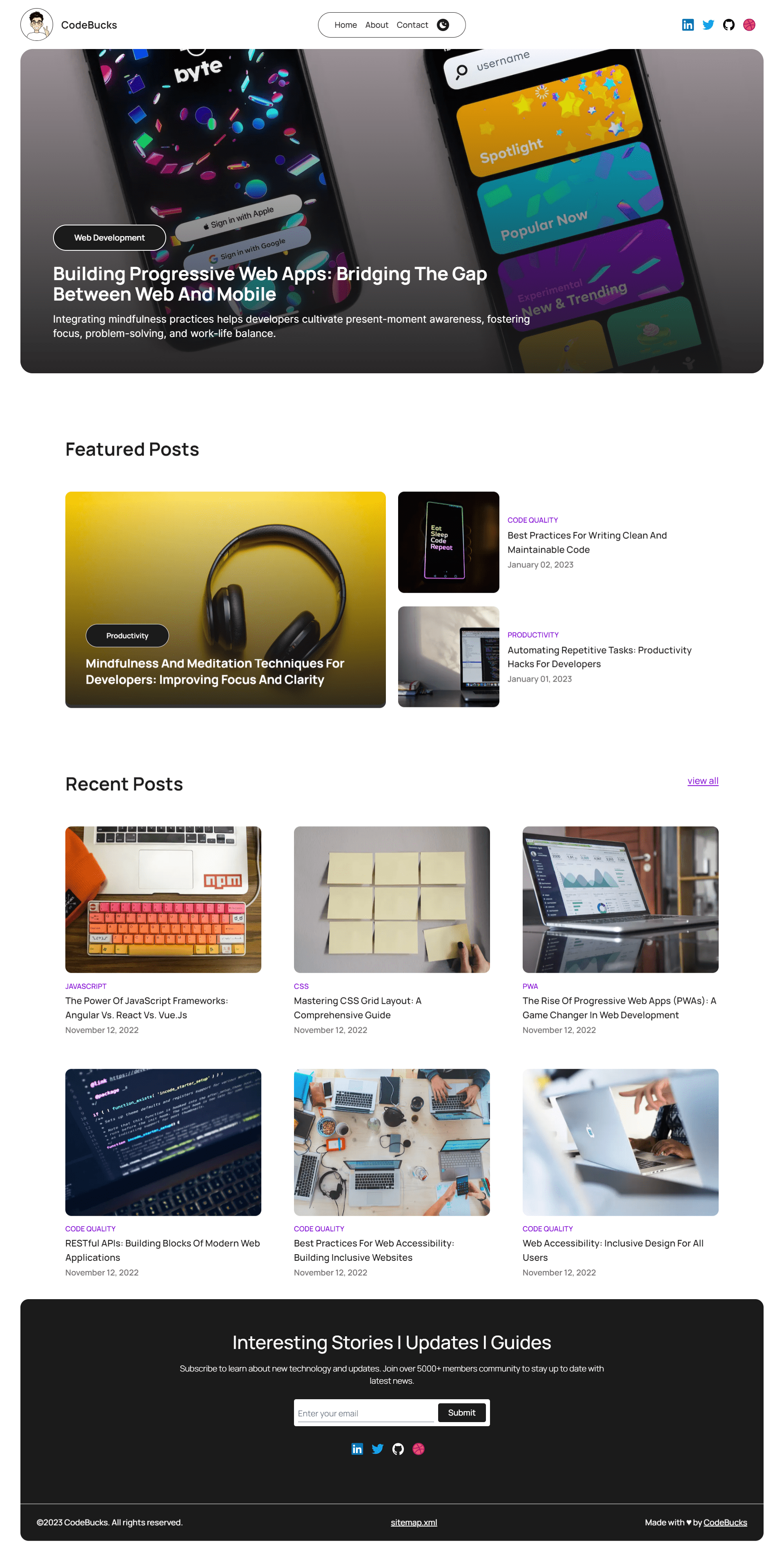
#### About

#### Contact

For more Images please check the [project images](https://github.com/codebucks27/Nextjs-contentlayer-blog/tree/main/project%20images) folder from this repo or check the demo link.
### Resources Used in This Project
- Character image in the About page created by using [Bing Search[(https://www.bing.com/).
- Lottie animation in the contact page: [from here](https://lottiefiles.com/animations/sloth-meditate-SzNofNFhYY)
- Fonts from https://fonts.google.com/
- Icons from https://iconify.design/
### All the images used in the blogs:
- Photo by Carlos Muza on Unsplash
- Photo by Marvin Meyer on Unsplash
- Photo by Paul Esch-Laurent on Unsplash
- Photo by Kelly Sikkema on Unsplash
- Photo by Lauren Mancke on Unsplash
- Photo by Luca Bravo on Unsplash
- Photo by Christina @ wocintechchat.com on Unsplash
- Photo by C D-X on Unsplash
- Photo by charlesdeluvio on Unsplash
- Photo by Emile Perron on Unsplash
- Photo by Roman Synkevych on Unsplash
This is a [Next.js](https://nextjs.org/) project bootstrapped with [`create-next-app`](https://github.com/vercel/next.js/tree/canary/packages/create-next-app).
## Getting Started
First, run the development server:
```bash
npm run dev
# or
yarn dev
# or
pnpm dev
```
Open [http://localhost:3000](http://localhost:3000) with your browser to see the result.
You can start editing the page by modifying `app/page.js`. The page auto-updates as you edit the file.
This project uses [`next/font`](https://nextjs.org/docs/basic-features/font-optimization) to automatically optimize and load Inter, a custom Google Font.
## Learn More
To learn more about Next.js, take a look at the following resources:
- [Next.js Documentation](https://nextjs.org/docs) - learn about Next.js features and API.
- [Learn Next.js](https://nextjs.org/learn) - an interactive Next.js tutorial.
You can check out [the Next.js GitHub repository](https://github.com/vercel/next.js/) - your feedback and contributions are welcome!
## Deploy on Vercel
The easiest way to deploy your Next.js app is to use the [Vercel Platform](https://vercel.com/new?utm_medium=default-template&filter=next.js&utm_source=create-next-app&utm_campaign=create-next-app-readme) from the creators of Next.js.
Check out our [Next.js deployment documentation](https://nextjs.org/docs/deployment) for more details.