https://github.com/anandan-bs/simplediskdb
Simple, serverless key value pair data stoarge with MongoDB-like wrapper on top of DiskCache
https://github.com/anandan-bs/simplediskdb
cache-storage caching curd-operation databases diskcache python serverless-database
Last synced: 4 months ago
JSON representation
Simple, serverless key value pair data stoarge with MongoDB-like wrapper on top of DiskCache
- Host: GitHub
- URL: https://github.com/anandan-bs/simplediskdb
- Owner: anandan-bs
- License: mit
- Created: 2025-05-23T16:35:12.000Z (about 1 year ago)
- Default Branch: main
- Last Pushed: 2025-05-30T05:00:53.000Z (about 1 year ago)
- Last Synced: 2025-11-12T23:48:40.014Z (8 months ago)
- Topics: cache-storage, caching, curd-operation, databases, diskcache, python, serverless-database
- Language: Python
- Homepage:
- Size: 176 KB
- Stars: 0
- Watchers: 0
- Forks: 0
- Open Issues: 0
-
Metadata Files:
- Readme: README.md
- License: LICENSE
Awesome Lists containing this project
README
# SimpleDiskDB
A MongoDB-style disk-based database implementation for Python applications. SimpleDiskDB provides a familiar MongoDB-like interface while storing data locally on disk using the `diskcache` package.
## Features
- MongoDB-like document storage and querying
- Thread-safe operations
- Rich query language supporting `$and`, `$or`, `$gt`, `$exists`, `$nin` operators
- Flexible document schema within collections
- Sorting and pagination support
- Projection support to retrieve specific fields
- Data persistence across application restarts
## Use Cases
- Distributed applications that require a database but don't want to deal with the complexity of a full database system. [Application uses network disk for storage, hence distribution comes for free]
- Serverless, Zero-configuration, Zero-dependency applications that require a database.
- CI/CD scripts that require containers to store the persistent data.
## Installation
```bash
# Install the package
pip install simplediskdb
# Load example data (either method works)
simplediskdb example load
# or
python -m simplediskdb example load
# Delete example data (either method works)
simplediskdb example delete
# or
python -m simplediskdb example delete
# Show available commands
simplediskdb --help
# or
python -m simplediskdb --help
```
## Usage
```python
from simplediskdb import DiskDB
# Get a database instance
db = DiskDB()
# Create collections
tasks = db.add_collection('tasks')
users = db.add_collection('users')
# Insert documents
tasks.insert_one({
"task_id": "T123",
"status": "pending",
"priority": 1,
"assigned_to": "john",
"files": ["doc1.pdf", "doc2.txt"]
})
# Bulk insert
users.insert_many([
{"name": "John", "role": "admin"},
{"name": "Jane", "role": "user"}
])
# Complex query with AND, OR, and comparison operators
results = tasks.find(
conditions={
"$and": [
{"status": "pending"},
{"$or": [
{"priority": {"$gt": 0}},
{"priority": 0}
]},
{"files": {"$exists": True}}
]
},
sort=[("priority", -1)],
limit=10
)
# Print results
for doc in results:
print(doc)
```
## Web Viewer Interface
SimpleDiskDB comes with a built-in web viewer that allows you to browse, query, and manage your database collections through a user-friendly interface.
### Starting the Viewer
```bash
# Start the viewer on default host (127.0.0.1) and port (5000)
simplediskdb viewer
or
python -m simplediskdb viewer
# Start on a specific host and port
simplediskdb viewer --host 0.0.0.0 --port 8000
or
python -m simplediskdb viewer --host 0.0.0.0 --port 8000
```
### Features
#### Home Page
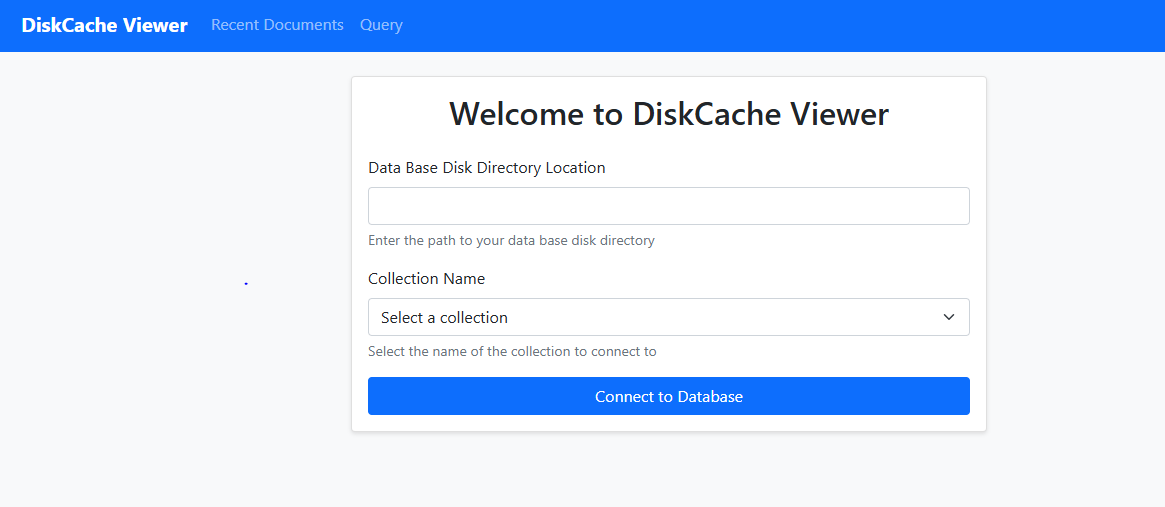
- Lists all available collections in your database
- Shows document count for each collection
- Quick links to view or query collections
#### View Documents
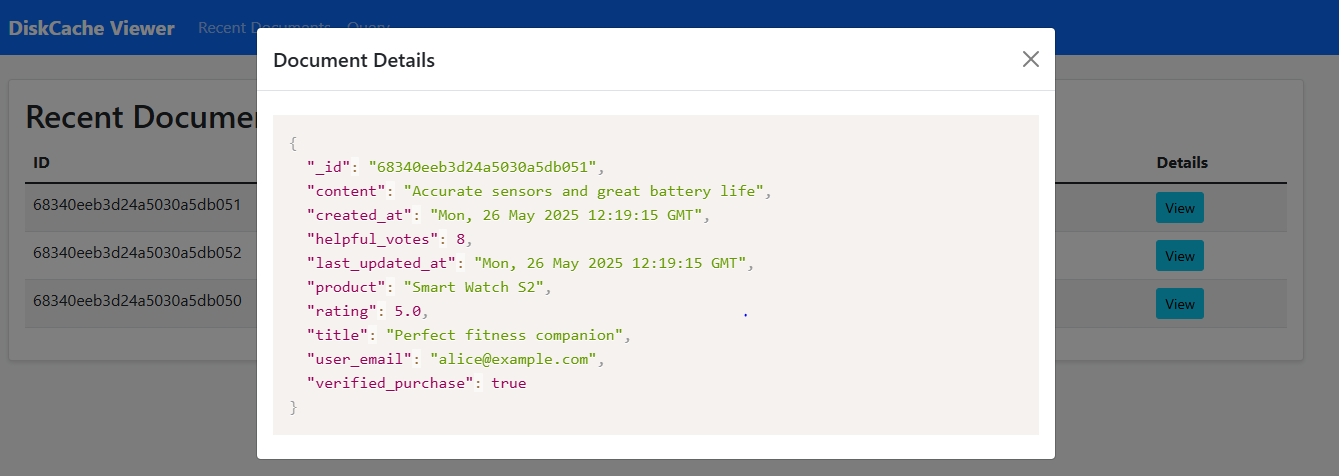
- Browse all documents in a collection
- Documents are displayed in a paginated table
- JSON view for better readability
- Copy document content to clipboard
#### Query Interface
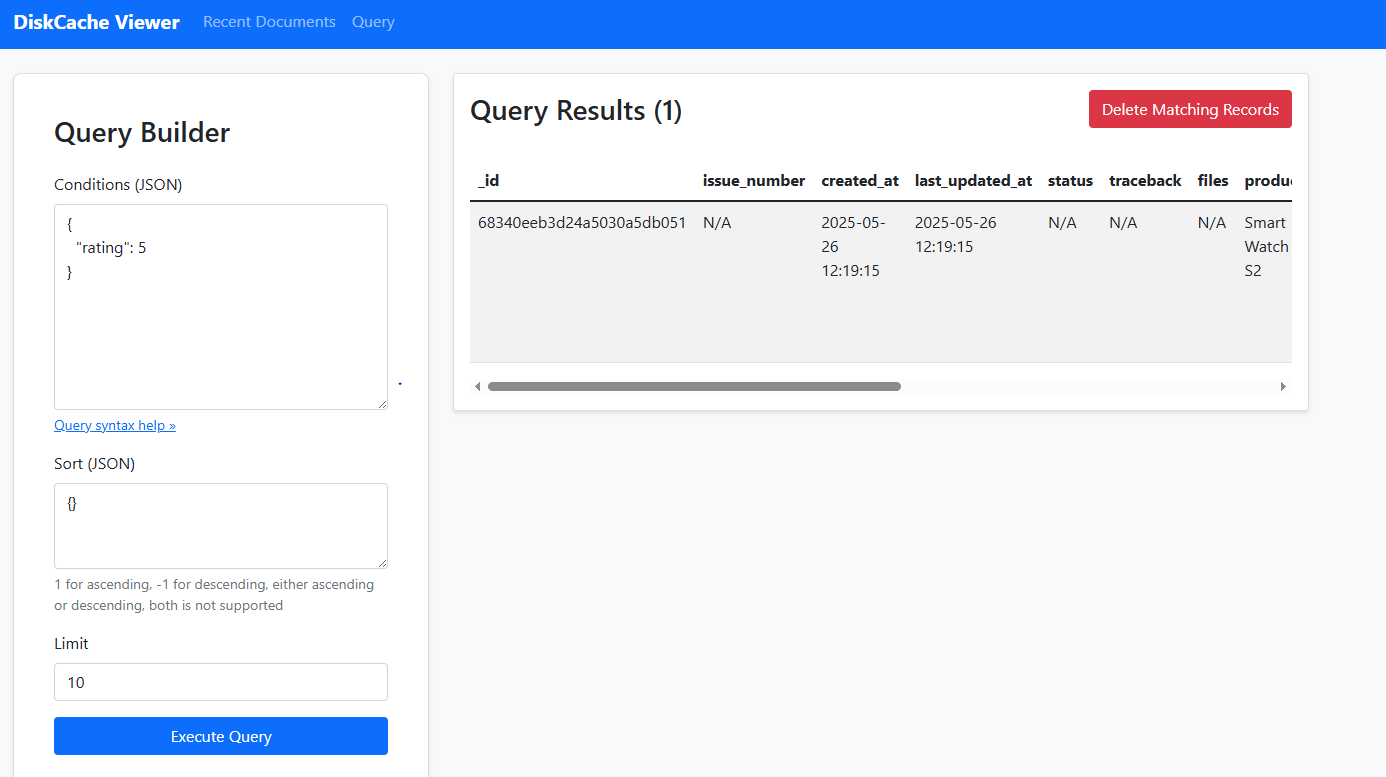
- Write and execute MongoDB-style queries
- Support for complex queries using operators ($and, $or, $gt, etc.)
- Query results shown in real-time
- Export query results
#### Delete Documents
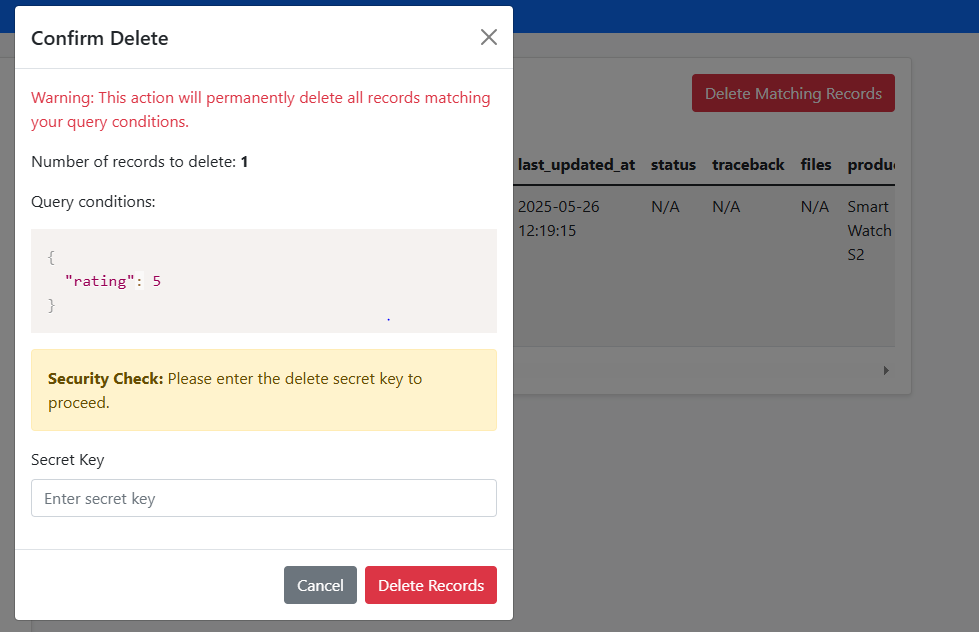
- Delete documents matching specific query conditions
- **Important Security Note**: The default delete secret key is `simplediskdb`. For production use, you should change this by setting the `DELETE_SECRET_KEY` environment variable:
```bash
# Windows
set DELETE_SECRET_KEY=your-secure-key
# Linux/Mac
export DELETE_SECRET_KEY=your-secure-key
```
- Confirmation required before deletion
- Shows count of matching documents before deletion
## TODO
- Add support for more operators ($regex.)
- Time To Live (TTL) support
- Indexing support
## License
This project is licensed under the MIT License - see the LICENSE file for details.
## Contributing
We love your input! We want to make contributing to SimpleDiskDB as easy and transparent as possible, whether it's:
- Reporting a bug
- Discussing the current state of the code
- Submitting a fix
- Proposing new features
- Becoming a maintainer
### Development Process
1. Fork the repo [https://github.com/anandan-bs/simplediskdb](https://github.com/anandan-bs/simplediskdb)
2. Clone your fork (`git clone https://github.com/anandan-bs/simplediskdb.git`)
3. Create your feature branch (`git checkout -b feature/amazing-feature`)
4. Make your changes
5. Run the tests to ensure nothing is broken
6. Commit your changes (`git commit -m 'Add some amazing feature'`)
7. Push to the branch (`git push origin feature/amazing-feature`)
8. Open a Pull Request
### Pull Request Process
1. Update the README.md with details of changes if needed
2. Update the example data or tests if your changes require it
3. Make sure your code follows the existing style
4. Include comments in your code where necessary
### Any Questions?
Feel free to file an issue on the repository or contact the maintainer:
- GitHub: [@anandan-bs](https://github.com/anandan-bs)
- Email: anandanklnce@gmail.com
### License
By contributing, you agree that your contributions will be licensed under its MIT License.
## Acknowledgments
SimpleDiskDB is built on top of the excellent [diskcache](https://pypi.org/project/diskcache/) package, which provides the core storage functionality. Some key performance highlights from diskcache:
- Faster than other disk-based cache implementations like SQLite and LevelDB
- Sequential operations run at ~300 microseconds
- Bulk operations run at ~100 microseconds per operation
- Performance is stable with database size due to O(1) record operations
For detailed performance benchmarks and comparisons with other storage solutions, please refer to the [diskcache documentation](https://grantjenks.com/docs/diskcache/tutorial.html#performance-comparison).