https://github.com/anataliocs/archive-data-playground
This application demonstrates various use cases for Infura Ethereum Archive Data Nodes!
https://github.com/anataliocs/archive-data-playground
ethereum infura java spring typescript
Last synced: 3 months ago
JSON representation
This application demonstrates various use cases for Infura Ethereum Archive Data Nodes!
- Host: GitHub
- URL: https://github.com/anataliocs/archive-data-playground
- Owner: anataliocs
- License: agpl-3.0
- Created: 2022-05-31T04:03:47.000Z (about 4 years ago)
- Default Branch: main
- Last Pushed: 2022-06-03T00:42:48.000Z (about 4 years ago)
- Last Synced: 2025-03-05T06:20:35.170Z (over 1 year ago)
- Topics: ethereum, infura, java, spring, typescript
- Language: Java
- Homepage: https://infura.io/register
- Size: 1.18 MB
- Stars: 2
- Watchers: 3
- Forks: 1
- Open Issues: 0
-
Metadata Files:
- Readme: README.md
- License: LICENSE
Awesome Lists containing this project
README
# Archive Data Playground
This application demonstrates various use cases for Infura Ethereum Archive Data Nodes!
Sign up for Infura here: [https://infura.io/register](https://infura.io/register)
Use cases:
- Block Explorer
- Museum of Famous Blocks
## Project Structure
Node is required. `package.json` is always generated.
`/src/*` structure follows default Java structure.
- `.yo-rc.json` - Yeoman configuration file
JHipster config is stored in `generator-jhipster` key
- `.yo-resolve` (optional) - Yeoman conflict resolver
- `.jhipster/*.json` - JHipster entity config files
- `npmw` - wrapper to use locally installed npm
JHipster installs Node/npm locally using the build tool by default.
- `/src/main/docker` - Docker configurations
## Development
Dependencies:
1. [Node.js][]: Used for dev web server and the build stage.
```
npm install
```
We use npm scripts and [Webpack][] as our build system.
Live Reload:
```
./gradlew -x webapp
npm start
```
### JHipster Control Center
JHipster Control Center can help you manage and control your application(s). You can start a local control center server (accessible on http://localhost:7419) with:
```
docker-compose -f src/main/docker/jhipster-control-center.yml up
```
## Testing
To launch your application's tests, run:
```
./gradlew test integrationTest jacocoTestReport
```
### Client tests
Unit tests are run by [Jest][]. They're located in [src/test/javascript/](src/test/javascript/) and can be run with:
```
npm test
```
----
## Tutorial
This is a full-stack application that provides a reference implementation and proof-of-concept for
various use cases that are enabled by access to Ethereum archive data.
Check out the repo here: https://github.com/anataliocs/Archive-Data-Playground
Technologies Used:
- Java 11
- Spring Boot
- Gradle
- Typescript
- React/Redux
- node/npm
### Setup and Configuration
The project is built with a Java/Spring Boot backend and a React front-end.
You will need to install the following dependencies locally to run this project:
- [An Infura account](https://infura.io/register)
- Git
- Node / npm
- Java 11
- An IDE
**Get your API endpoint URL and Project ID**
Head to https://infura.io/ and go to your project settings page:
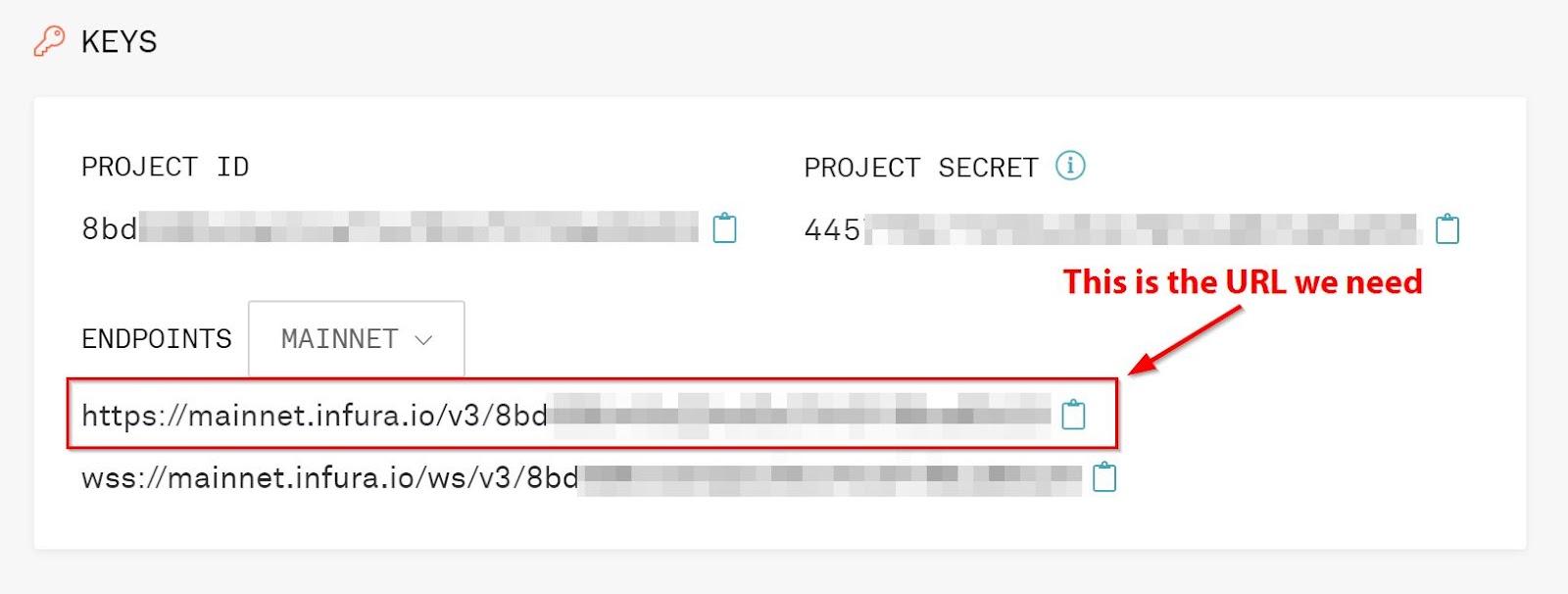
Now let’s set up our externalized configuration so that we can use our project ID without exposing those details on Github.
The Spring Boot app uses Spring Dev Tools when running locally so we can use a `.spring-boot-devtools.properties` file for
configuration properties.
**Configuration for MacOS users:**
Create the properties file:
`touch ~/.spring-boot-devtools.properties`
Open the properties file:
`vi ~/.spring-boot-devtools.properties`
Add the following line to properties file:
`infura.projectid=[YOUR_PROJECT_ID]`
**Running the application:**
Pull down the source code:
`git clone git@github.com:anataliocs/Archive-Data-Playground.git`
Import the project into your IDE and it should build automatically.
Our project uses gradle to build the back-end and npm/webpack for the front-end UI.
Change directory into the project folder:
`cd archivedataplayground/`
Then to run the full stack, invoke the Gradle wrapper:
`./gradlew`
This command will start up the Spring Boot backend in dev mode and also the React front-end all in one command!
After the application starts up you should see the following:
```
2022-05-31 11:21:45.262 INFO 83493 --- [ restartedMain] i.i.a.ArchiveDataPlaygroundApp : Started ArchiveDataPlaygroundApp in 3.709 seconds (JVM running for 3.924)
2022-05-31 11:21:45.264 INFO 83493 --- [ restartedMain] i.i.a.ArchiveDataPlaygroundApp :
----------------------------------------------------------
Application 'archivedataplayground' is running! Access URLs:
Local: http://localhost:8080/
External: http://192.168.0.37:8080/
Profile(s): [dev, api-docs]
----------------------------------------------------------
<============-> 92% EXECUTING [2m 15s]
```
Navigate to the local server in a browser at http://localhost:8080/
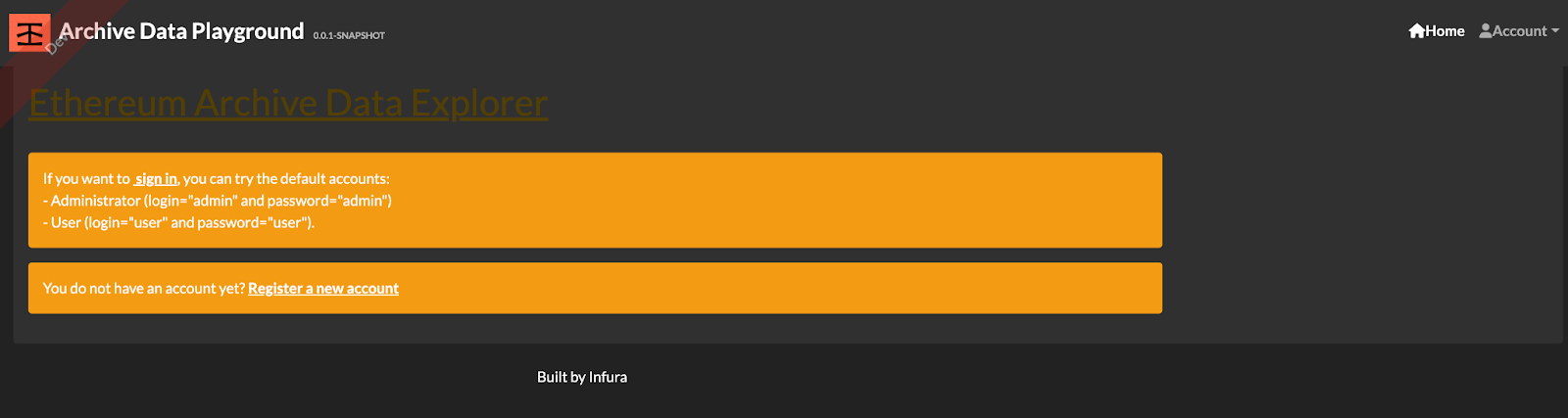
On the right-hand corner click account -> Sign-in and use the canned login and password “admin/admin”
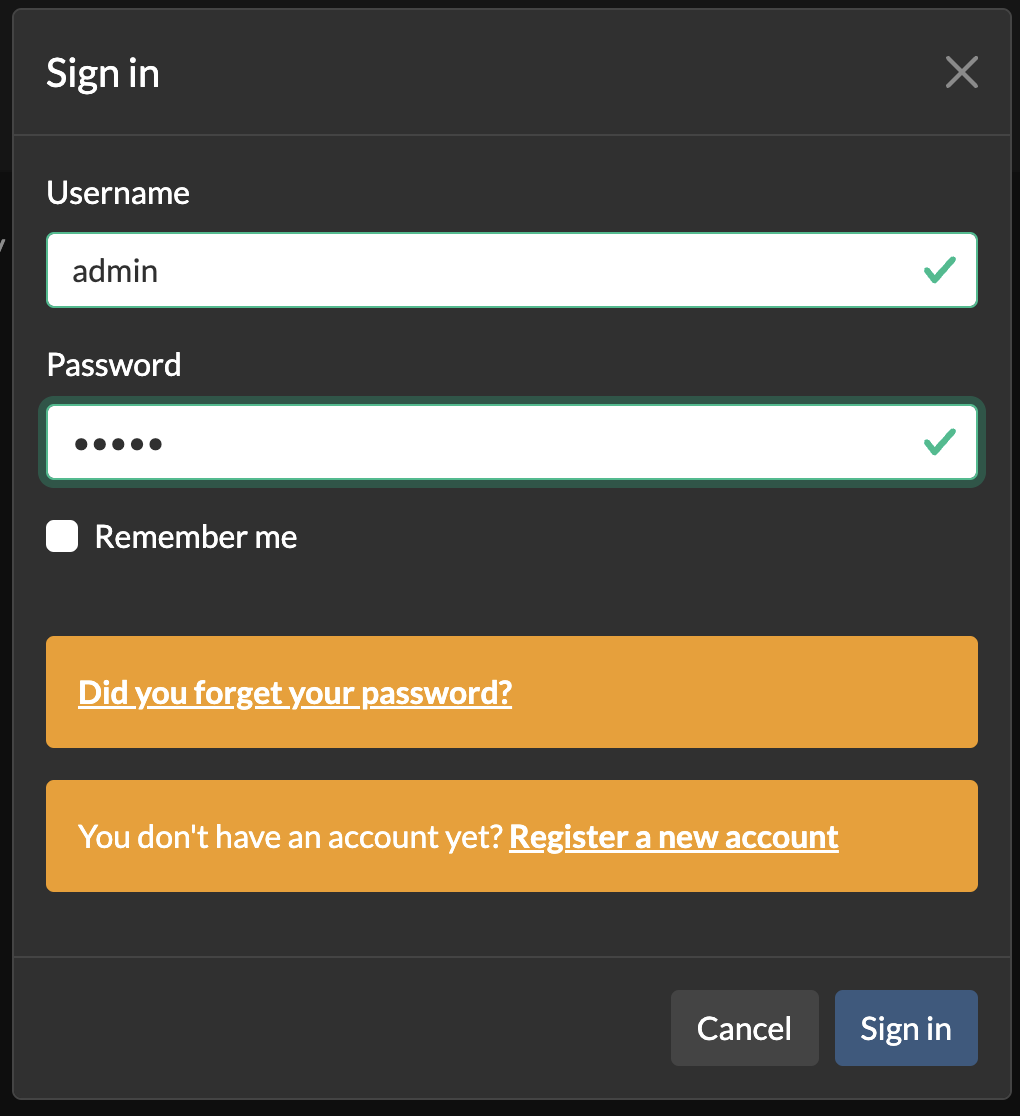
You will then have access to the application. The login flow comes from the base Jhipster project scaffolding tool that
was used to create the basic project skeleton.
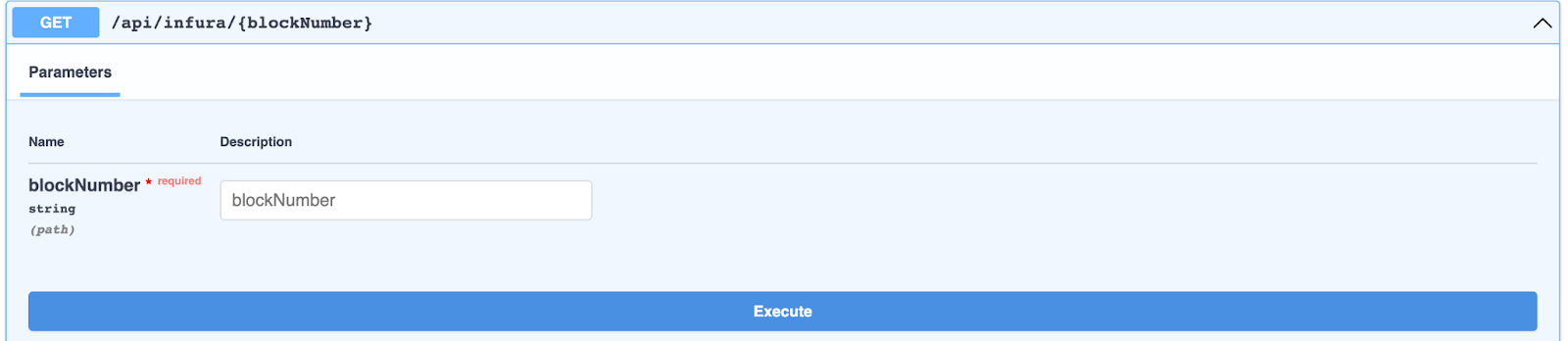
You can directly query Infura JSON-RPC endpoints if you navigate to
http://localhost:8080/admin/docs or click Administration -> API
This will bring you to the Swagger UI interface where you can call JSON-RPC endpoints such as getting blocks older than
128 blocks which are available via Archive nodes with hydrated transactions. These calls can then be used in Block Explorer style
applications or other use cases.
Some specific blocks of code that help enable this functionality include:
https://github.com/anataliocs/Archive-Data-Playground/blob/main/src/main/java/io/infura/archivedataplayground/config/InfuraConfig.java
**InfuraConfig.java**
```
@Configuration
public class InfuraConfig {
@Bean
public RestTemplate restTemplate() {
return new RestTemplate();
}
}
```
This code provides a “RestTemplate” singleton which can be injected in classes where it’s needed and helps abstract away the complexity of making JSON-RPC calls to Infura.
The `dto.infura` package contains POJO objects representing request and response JSONs used in Infura RPC calls.
https://github.com/anataliocs/Archive-Data-Playground/tree/main/src/main/java/io/infura/archivedataplayground/service/dto/infura
For instance, the following 3 DTO objects contain the block and hydrated transactions response from
an `eth_getBlockByNumber` JSON-RPC call which can be used to get archive blocks from Ethereum’s history.
**GetBlockByNumberResponse.java**
```
public class GetBlockByNumberResponse {
private String jsonrpc;
private String id;
private GetBlockByNumberResult result;
// Getters and setters
}
```
Infura POJO response to de-serialize JSON
**GetBlockByNumberResult.java**
```
public class GetBlockByNumberResult {
private String difficulty;
private String extraData;
private String gasLimit;
private String gasUsed;
private String hash;
private String logsBloom;
private String miner;
private String mixHash;
private String nonce;
private String number;
private String parentHash;
private String receiptsRoot;
private String sha3Uncles;
private String size;
private String stateRoot;
private String timestamp;
private String totalDifficulty;
private Transaction[] transactions; //Hydrated Transactions
// Getters and setters
}
```
Infura POJO response to de-serialize JSON
**Transaction.java**
```
public class Transaction {
private String blockHash;
private String blockNumber;
private String from;
private String gas;
private String gasPrice;
private String hash;
private String input;
private String nonce;
private String r;
private String s;
private String to;
private String transactionIndex;
private String type;
private String v;
private String value;
}
```
The included “RestTemplate” will automatically marshal/unmarshal responses into these Object types.
You could also consider using https://github.com/web3j/web3j to help facilitate Infura JSON–RPC calls made using the Spring Boot
backend but this is a more heavyweight solution that contains a lot of stuff you might not need.
#### The Front-end
One feature that archive data enables is Block Exploration.
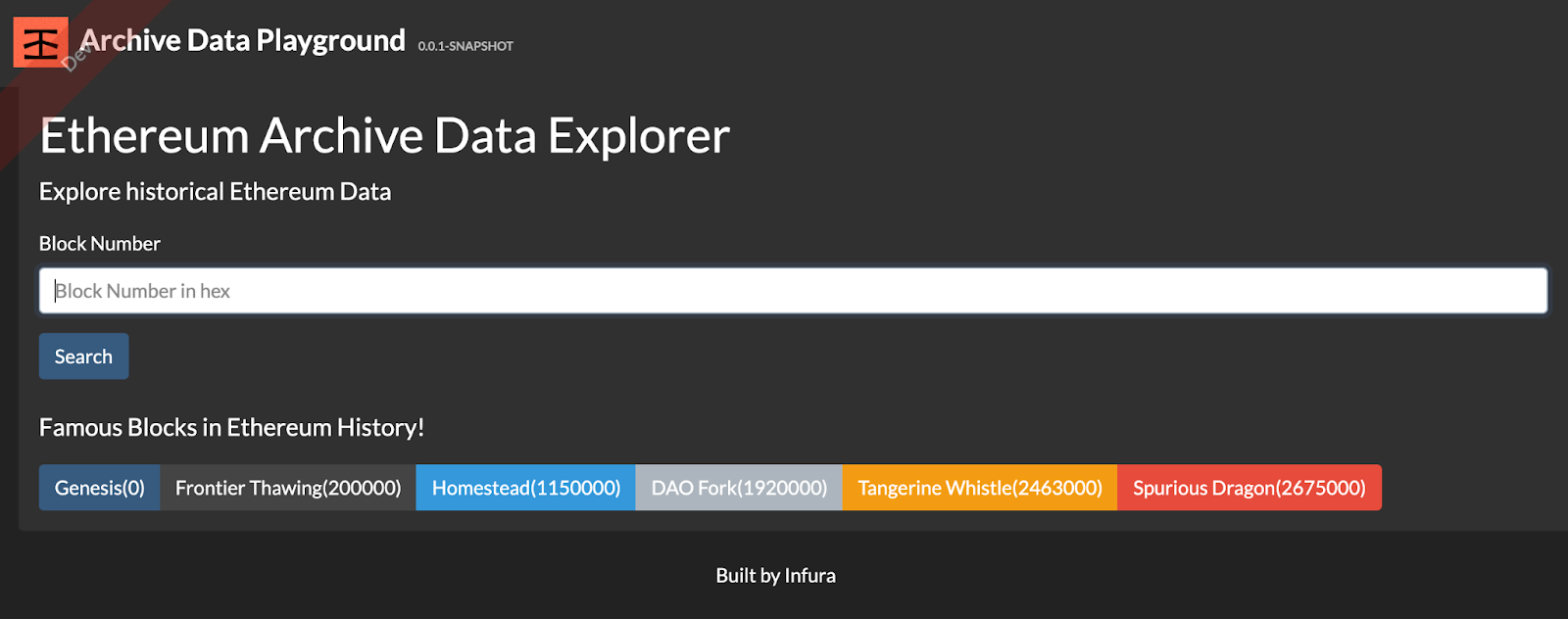
This block explorer displays information about about famous blocks in Ethereum history such as:
Frontier
- Block height: 0
- Genesis block
- Jul 30 2015
Frontier Thawing
- Block height: 200000
- Ethereum price: $1.24 USD
- Sep 07 2015
Homestead
- Block height: 1,150,000
- Ethereum price: $12.50 USD
- Mar 14 2016
The front-end is implemented using React and Typescript. This form allows you to submit a block number and look up that block’s data
and hydrated transactions.
**infura.tsx**
```
…
Explore historical Ethereum Data
Search
…
```
Submitting the form dispatches a request to the Spring Boot API and uses a reducer to parse the JSON returned from the backend and stores
that state in Redux.
**infura.reducer.tsx**
```
…
export const getInfura = createAsyncThunk('infura/get_json', async (blocknumber: string) => axios.get(`api/infura/${blocknumber}`), {
serializeError: serializeAxiosError,
});
…
```
This is only a simple example of functionality that access to archive data enables. Using this basic framework, you could create
Ethereum block analytics, more detailed Block Explorers, back testing for trading algorithms and Blockchain forensics applications!