https://github.com/anders94/blender-llm
A Blender addon that integrates LLM chat functionality directly into Blender using Ollama.
https://github.com/anders94/blender-llm
Last synced: 14 days ago
JSON representation
A Blender addon that integrates LLM chat functionality directly into Blender using Ollama.
- Host: GitHub
- URL: https://github.com/anders94/blender-llm
- Owner: anders94
- License: mit
- Created: 2025-03-12T20:13:26.000Z (about 1 year ago)
- Default Branch: main
- Last Pushed: 2025-03-12T20:22:24.000Z (about 1 year ago)
- Last Synced: 2025-09-14T12:44:22.706Z (9 months ago)
- Language: Python
- Size: 3.66 MB
- Stars: 3
- Watchers: 3
- Forks: 0
- Open Issues: 1
-
Metadata Files:
- Readme: README.md
- License: LICENSE
Awesome Lists containing this project
README
# Blender LLM
A Blender addon that integrates LLM chat functionality directly into Blender using Ollama.
## Demo
[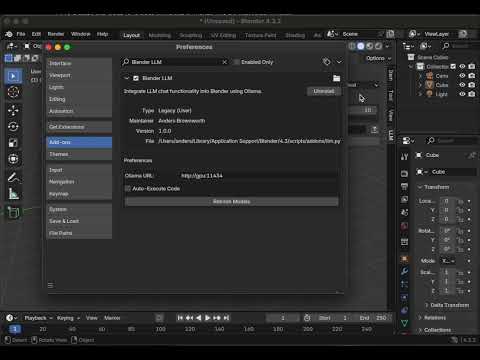](https://youtu.be/uvdLHjl3L4Y)
## Features
- Chat with LLMs directly from within Blender
- Configure Ollama URL from the addon preferences
- Select from available models in your Ollama installation
- Persistent chat history during your Blender session
## Requirements
- Blender 3.0 or newer
- [Ollama](https://ollama.ai/) installed and running
- Python `requests` library
## Installation
1. Download the latest release or clone this repository
2. In Blender, go to Edit > Preferences > Add-ons > Install
3. Select the `llm.py` file or the ZIP of the entire repository
4. Enable the addon by checking the box next to "Blender LLM"
### Installing the Required Dependencies
This addon requires the `requests` library. If you're using Blender's bundled Python, you'll need to install this dependency:
1. Locate your Blender's Python executable:
- Windows: `[Blender Installation]/[version]/python/bin/python.exe`
- macOS: `[Blender Installation]/[version]/python/bin/python3.x`
- Linux: `[Blender Installation]/[version]/python/bin/python3.x`
2. Install the required package:
```
[Blender Python Path] -m pip install requests
```
## Usage
1. Start Ollama on your local machine or server
2. In Blender, open the sidebar in the 3D View (press `N` if it's not visible)
3. Select the "LLM" tab
4. Configure the Ollama URL in Edit > Preferences > Add-ons > Blender LLM
5. Click "Refresh Models" to load available models from your Ollama installation
6. Select a model from the dropdown
7. Type your prompt in the text field and press Enter or click the send button
8. Watch the response stream in real-time in the chat history
9. If your request involves Blender operations, the LLM will respond with executable Python code
10. Click "Execute Code" below code blocks to run them (or enable Auto-Execute in preferences)
## Features
- **Real-time streaming**: See responses as they're generated
- **Multi-line messages**: Both user and AI messages support multiple lines
- **Adjustable chat height**: Control how much space the chat history takes up
- **Press Enter to send**: Submit prompts by just pressing the Enter key
- **Optimized display**: Shows as many messages as will fit without scrolling
- **Custom Ollama URL**: Connect to local or remote Ollama instances
- **Filters out reasoning blocks**: Automatically hides `...` reasoning blocks from displayed responses
- **Blender Python execution**: Automatically identifies and can execute Python code from LLM responses
- **Scene-aware context**: Provides current scene information to LLM for context-aware responses
## Configuration
- **Ollama URL**: The URL where your Ollama instance is running. Default is `http://localhost:11434`.
- **Auto-Execute Code**: When enabled, automatically executes Python code found in LLM responses. Disabled by default for safety.
- **Model**: Select from available models in your Ollama installation.
- **Chat Height**: Adjust the height of the chat display area.
## Python Code Execution
The addon can automatically detect Python code in LLM responses and offers two execution modes:
1. **Manual execution**: When Auto-Execute is disabled (default), a "Execute Code" button appears below responses containing Python code.
2. **Automatic execution**: When enabled in preferences, code is automatically executed after receiving a complete response.
The addon includes a special system prompt that instructs the LLM to:
- Return Blender Python commands surrounded by triple backticks (```).
- Respond with appropriate error messages when commands aren't possible.
- Use information about the current scene objects and their properties.
## License
This project is licensed under the MIT License - see the LICENSE file for details.