https://github.com/anders94/code-llm
A CLI tool that works with a local LLM in an iterative chat-like style, providing code suggestions based on your local directory context.
https://github.com/anders94/code-llm
cli code llm
Last synced: about 2 months ago
JSON representation
A CLI tool that works with a local LLM in an iterative chat-like style, providing code suggestions based on your local directory context.
- Host: GitHub
- URL: https://github.com/anders94/code-llm
- Owner: anders94
- License: mit
- Created: 2025-02-26T14:18:52.000Z (over 1 year ago)
- Default Branch: main
- Last Pushed: 2025-03-13T03:28:04.000Z (over 1 year ago)
- Last Synced: 2025-09-14T12:44:22.776Z (10 months ago)
- Topics: cli, code, llm
- Language: Rust
- Homepage:
- Size: 92.8 KB
- Stars: 25
- Watchers: 2
- Forks: 3
- Open Issues: 0
-
Metadata Files:
- Readme: README.md
Awesome Lists containing this project
README
# Code LLM
A CLI tool that works in an iterative chat-like style, providing code suggestions based on your local directory context using Ollama models.
## Demo
[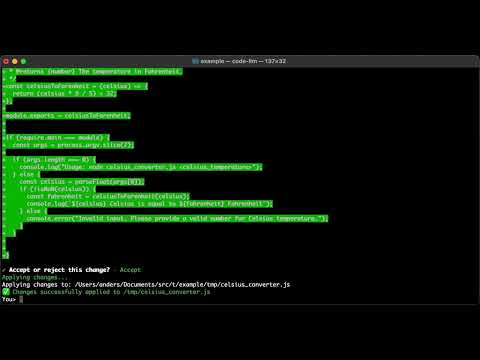](https://youtu.be/JFCjAUYhlqU)
## Features
- Interactive chat interface for code assistance
- Integrates with Ollama models running locally (default) or in the cloud
- Tests connection to Ollama on startup and helps select from available models
- Analyzes code in your local directory to provide context-aware suggestions
- Presents code changes as diffs for easy review
- Allows accepting, rejecting, or modifying suggested changes
- Respects .gitignore patterns for context building
## Prerequisites
- Rust (2021 edition)
- [Ollama](https://ollama.ai/) running locally with at least one model
## Installation
Clone and build the project:
```bash
git clone https://github.com/anders94/code-llm.git
cd code-llm
cargo build --release
```
The binary will be available at `target/release/code-llm`. Copy it somewhere your PATH will search such as `/usr/local/bin`.
## Usage
Basic usage:
```bash
# Start interactive mode - will prompt you to select a model
code-llm
# Specify a model to use
code-llm --model llama3.3
# Change the Ollama API endpoint
code-llm --api-url http://custom-ollama-host:11434
```
Commands:
```bash
# Initialize a project with a local configuration
# Creates a .code-llm/config.toml file in the current directory
code-llm init
# Manage global configuration
code-llm config # Display the current configuration
code-llm config --path # Show the path to the config file
code-llm config --edit # Open the config file in your default editor
```
## How it Works
1. The application tests connectivity to Ollama and prompts you to select an available model
2. The CLI analyzes your current directory, respecting .gitignore patterns
3. It builds a context from your codebase that's sent to the Ollama model
4. You interact with the CLI by asking questions or requesting changes
5. The model responses are parsed for code suggestions in diff format
6. You can review, accept, or reject suggested changes
7. Accepted changes are applied to your codebase
## Configuration
The CLI can be configured both globally and per-project:
- Global configuration is stored in `~/.code-llm/config.toml`
- Local project configuration is stored in `.code-llm/config.toml` in the project directory
- No default model is assumed - you'll be prompted to select from available models if none is specified
- API endpoint: http://localhost:11434 (configurable with `--api-url`)
- Max file size: 100KB per file
- Max context size: 8MB total
The configuration files support customizing system prompts for specific models.
## Contributing
Contributions are welcome! Please feel free to submit a Pull Request.
## License
This project is licensed under the MIT License - see the LICENSE file for details.