https://github.com/andev0x/sql-formatter.nvim
A Neovim auto plugin for formatting SQL code using sqlparse.
https://github.com/andev0x/sql-formatter.nvim
nvim-plugin sql sqlparse vim
Last synced: 6 months ago
JSON representation
A Neovim auto plugin for formatting SQL code using sqlparse.
- Host: GitHub
- URL: https://github.com/andev0x/sql-formatter.nvim
- Owner: andev0x
- License: other
- Created: 2025-06-06T15:25:42.000Z (7 months ago)
- Default Branch: main
- Last Pushed: 2025-07-06T09:05:42.000Z (6 months ago)
- Last Synced: 2025-07-06T09:35:26.012Z (6 months ago)
- Topics: nvim-plugin, sql, sqlparse, vim
- Language: Lua
- Homepage:
- Size: 35.2 KB
- Stars: 3
- Watchers: 0
- Forks: 2
- Open Issues: 0
-
Metadata Files:
- Readme: README.md
- Funding: .github/FUNDING.yml
- License: LICENSE
Awesome Lists containing this project
README
# sql-formatter.nvim
A lightweight, high-performance SQL formatter plugin for Neovim that leverages `sql-formatter` (Node.js) or `sqlparse` (Python) for optimal formatting results, with a Lua fallback for basic formatting.
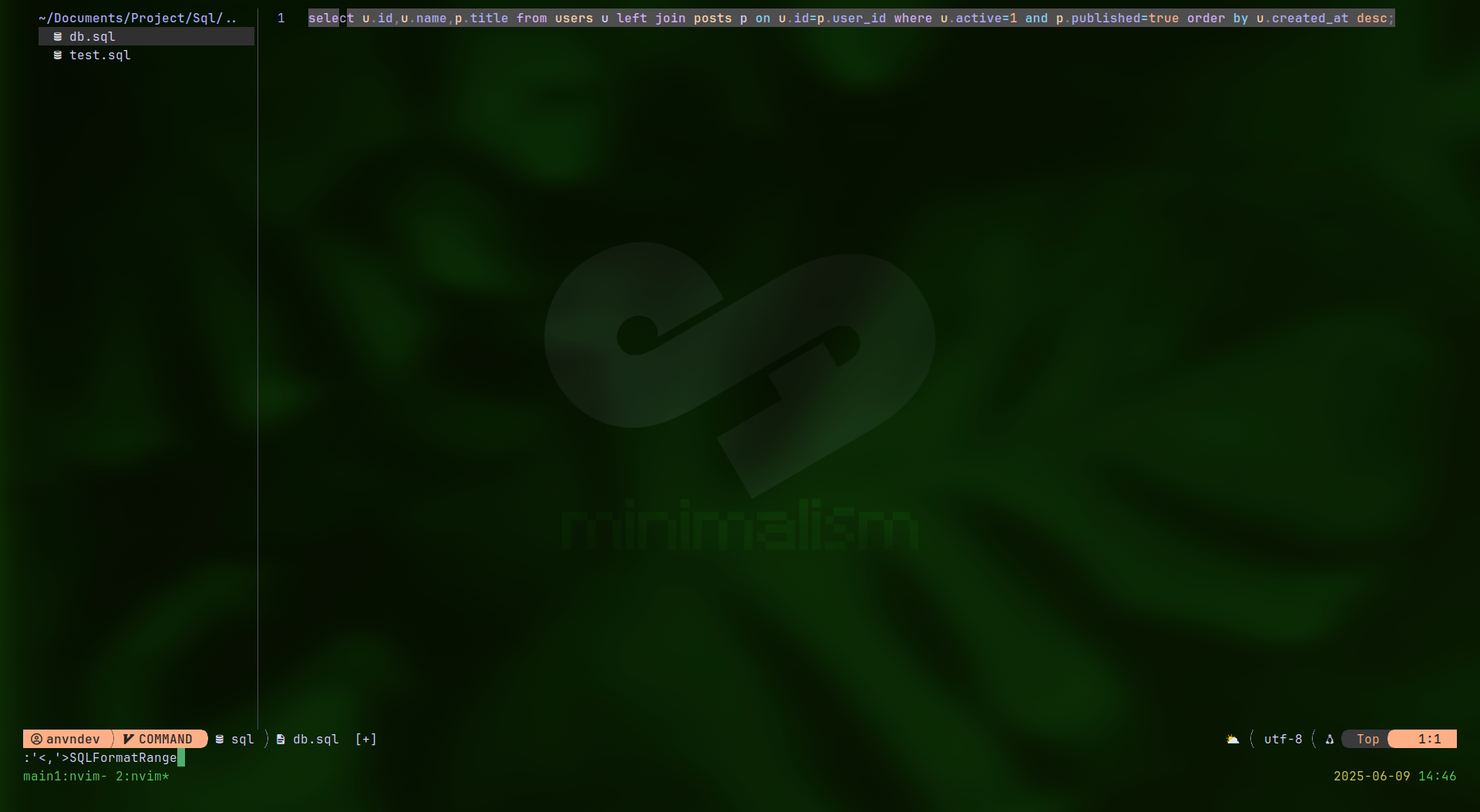
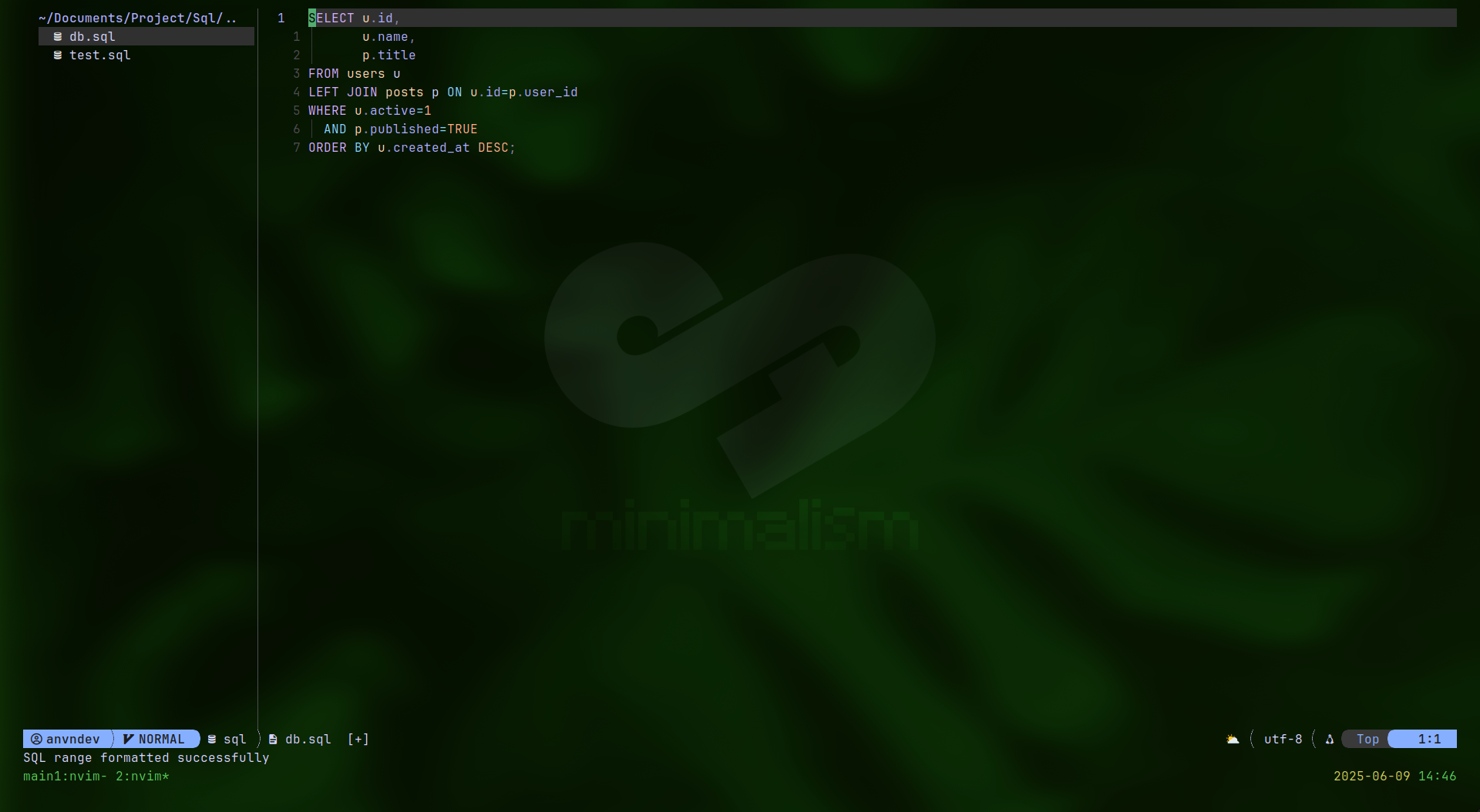
## Images
## Features
- 🚀 **High Performance**: Uses external `sql-formatter` (Node.js) or `sqlparse` (Python) for speed
- 🔧 **Configurable**: Extensive customization options
- 📝 **Format on Save**: Automatic formatting when saving files
- ⌨️ **Key Bindings**: Convenient shortcuts for formatting
- 🎯 **Multi-dialect**: Support for PostgreSQL, MySQL, SQLite, and more
- 🔄 **Fallback**: Improved Lua formatter when external tools unavailable
- 📋 **Range Formatting**: Format selected text only
## Requirements
- Neovim >= 0.8.0
- Optional: `sql-formatter` (Node.js) **or** `sqlparse` (Python) for optimal performance
## Installation
### Prerequisites
For optimal performance, install either `sql-formatter` (recommended) or `sqlparse`:
#### Option 1: sql-formatter (Node.js, recommended)
```bash
npm install -g sql-formatter
```
#### Option 2: sqlparse (Python)
```bash
pip install sqlparse
```
### Plugin Installation
#### lazy.nvim
```lua
{
"andev0x/sql-formatter.nvim",
ft = { "sql", "mysql", "plsql", "pgsql" },
config = function()
vim.g.sqlformat_command = "sqlformat"
vim.g.sqlformat_options = "-r -k upper"
vim.g.sqlformat_prog = "sqlformat"
end,
},
```
#### packer.nvim
```lua
use {
"andev0x/sql-formatter.nvim",
ft = { "sql", "mysql", "plsql", "pgsql" },
config = function()
require("sql-formatter").setup()
end,
}
```
#### vim-plug
```vim
Plug 'andev0x/sql-formatter.nvim'
```
## Configuration
### Minimal Setup
```lua
require("sql-formatter").setup()
```
### Full Configuration
```lua
require("sql-formatter").setup({
-- Core settings
format_on_save = true,
dialect = "postgresql",
-- Indentation
indent = " ",
tab_width = 2,
use_tabs = false,
-- Case formatting
uppercase = true,
identifier_case = "lower",
function_case = "upper",
datatype_case = "upper",
-- Layout
lines_between_queries = 2,
max_column_length = 80,
comma_start = false,
operator_padding = true,
-- File types
filetypes = { "sql", "mysql", "plsql", "pgsql" },
-- Key bindings
keybindings = {
format_buffer = "sf",
format_selection = "ss",
toggle_format_on_save = "st",
},
-- External formatter (choose one)
external_formatter = {
enabled = true,
-- Use sql-formatter (Node.js):
command = "sql-formatter",
args = {},
-- Or use sqlparse (Python):
-- command = "sqlformat",
-- args = { "--reindent", "--keywords", "upper", "--identifiers", "lower", "--strip-comments", "-" }
},
-- Notifications
notify = {
enabled = true,
level = "info",
timeout = 2000,
},
})
```
## Usage
### Commands
- `:SQLFormat` - Format entire buffer
- `:SQLFormatRange` - Format selected lines (visual mode)
- `:SQLFormatToggle` - Toggle format-on-save for current buffer
- `:SQLFormatInfo` - Show formatter information
### Key Bindings (default)
- `sf` - Format buffer
- `ss` - Format selection (visual mode)
- `st` - Toggle format-on-save
### Example
**Before:**
```sql
select u.id,u.name,p.title from users u left join posts p on u.id=p.user_id where u.active=1 and p.published=true order by u.created_at desc;
```
**After:**
```sql
SELECT
u.id,
u.name,
p.title
FROM users u
LEFT JOIN posts p
ON u.id = p.user_id
WHERE u.active = 1
AND p.published = TRUE
ORDER BY u.created_at DESC;
```
## Performance
This plugin prioritizes performance by:
1. **External Formatter**: Uses `sql-formatter` (Node.js, recommended) or `sqlparse` (Python) for heavy lifting
2. **Lua Fallback**: Improved Lua formatter when external tools unavailable
3. **Lazy Loading**: Only loads for SQL file types
4. **Minimal Dependencies**: Pure Lua implementation with optional external tools
## Contributing
1. Fork the repository
2. Create your feature branch (`git checkout -b feature/amazing-feature`)
3. Commit your changes (`git commit -m 'feat: add amazing feature'`)
4. Push to the branch (`git push origin feature/amazing-feature`)
5. Open a Pull Request
## License
MIT License - see [LICENSE](LICENSE) file for details.
## Author
**anvndev** ([@andev0x](https://github.com/andev0x))
## Support
If you find this plugin useful, consider [sponsoring the development](https://github.com/sponsors/andev0x).