https://github.com/andisugandi/pysqmweb
PySQMWeb is a simple Ruby/Sinatra (web) application to display image and data files that generated by PySQM
https://github.com/andisugandi/pysqmweb
pysqm ruby sinatra-applications sinatra-web sqm
Last synced: about 2 months ago
JSON representation
PySQMWeb is a simple Ruby/Sinatra (web) application to display image and data files that generated by PySQM
- Host: GitHub
- URL: https://github.com/andisugandi/pysqmweb
- Owner: andisugandi
- License: gpl-3.0
- Created: 2017-12-22T04:48:28.000Z (over 8 years ago)
- Default Branch: master
- Last Pushed: 2019-04-25T04:39:47.000Z (over 7 years ago)
- Last Synced: 2025-03-01T00:32:14.597Z (over 1 year ago)
- Topics: pysqm, ruby, sinatra-applications, sinatra-web, sqm
- Language: HTML
- Size: 346 KB
- Stars: 1
- Watchers: 2
- Forks: 0
- Open Issues: 0
-
Metadata Files:
- Readme: README.md
- License: COPYING
Awesome Lists containing this project
README
# PySQMWeb
PySQMWeb is a simple Ruby/Sinatra (web) application to display image and data files generated by [PySQM](https://github.com/mireianievas/PySQM). This web app is built with awesome idea of two projects: [web-intro-project](https://github.com/orfjackal/web-intro-project) and [tutsplus-build-an-image-gallery-in-ruby](https://github.com/andisugandi/tutsplus-build-an-image-gallery-in-ruby).
## Getting Started
1. Let's suppose your working directory right now is your user home directory, so clone the repository:
$ cd
$ git clone https://github.com/andisugandi/pysqmweb.git
2. Change working directory to `pysqmweb`:
$ cd pysqmweb
3. Make `public/pictures` and `public/data` directory:
$ mkdir public/pictures
$ mkdir public/data
4. If your SQM image and data files generated by PySQM are in `$HOME/PySQM/data/daily_plots/` and `$HOME/PySQM/data/daily_data/` respectively, then make symbolic link to `$HOME/pysqmweb/public/pictures/` and `$HOME/pysqmweb/public/data/` respectively:
$ ln -s $HOME/PySQM/data/daily_plots/* $HOME/pysqmweb/public/pictures/
$ ln -s $HOME/PySQM/data/daily_data/* $HOME/pysqmweb/public/data/
5. Install Ruby Gems dependencies and start the web server:
$ bundle install
$ bundle exec rackup
6. Using a browser, go to `http://localhost:9292` and you'll see the application running.
## Demo
[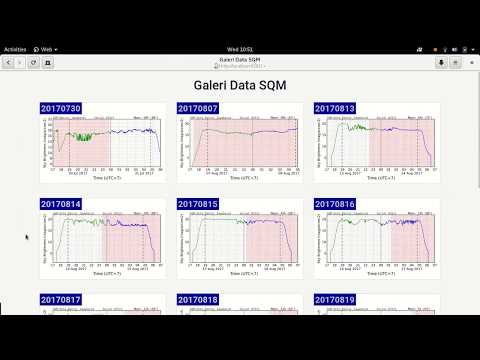](https://www.youtube.com/watch?v=gGiPzz96X6I)