https://github.com/andrei-markeev/pebble-outlook-events
Displays Office 365 Outlook calendar events on Pebble watch and allows sending "I'm late" messages.
https://github.com/andrei-markeev/pebble-outlook-events
Last synced: over 1 year ago
JSON representation
Displays Office 365 Outlook calendar events on Pebble watch and allows sending "I'm late" messages.
- Host: GitHub
- URL: https://github.com/andrei-markeev/pebble-outlook-events
- Owner: andrei-markeev
- Created: 2015-07-07T15:51:39.000Z (about 11 years ago)
- Default Branch: master
- Last Pushed: 2024-12-14T23:59:16.000Z (over 1 year ago)
- Last Synced: 2025-01-30T06:41:34.704Z (over 1 year ago)
- Language: C
- Homepage:
- Size: 90.8 KB
- Stars: 1
- Watchers: 3
- Forks: 0
- Open Issues: 0
-
Metadata Files:
- Readme: README.md
Awesome Lists containing this project
README
# Events 365
This is an app for Pebble smartwatch. It doesn't require a companion app.
It retrieves Outlook events using Office365 APIs and displays them as a list, which you can then browse and see details of each event. Events are cached so they can also be browsed offline, even when watch is not connected to the phone.
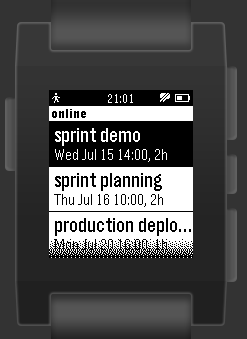
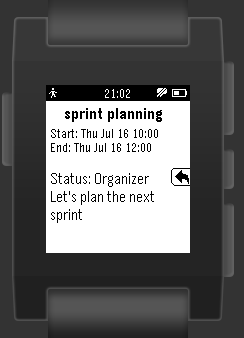
Additionally, if you're late to a meeting, you can reply with an "I'm being late" message. In this case you can select approximate delay and send the message:
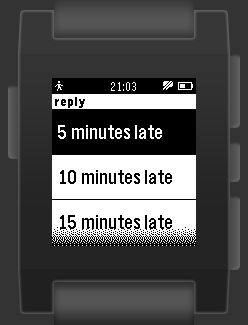
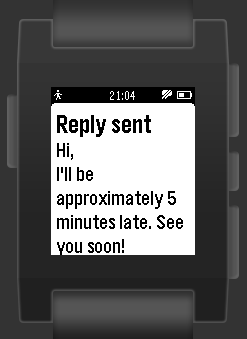
The message is configurable.
Notice: Only Office365 Outlook events are supported, but not Live Connect calendar events.