https://github.com/andrew-tsegaye/3d_developer_portfolio
Make this jaw-dropping website you own and leave a start!
https://github.com/andrew-tsegaye/3d_developer_portfolio
emailjs gsap portfolio react-three-drei react-three-fiber reactjs threejs
Last synced: 3 months ago
JSON representation
Make this jaw-dropping website you own and leave a start!
- Host: GitHub
- URL: https://github.com/andrew-tsegaye/3d_developer_portfolio
- Owner: Andrew-Tsegaye
- Created: 2025-01-13T12:15:52.000Z (over 1 year ago)
- Default Branch: start-engine
- Last Pushed: 2025-01-31T11:11:28.000Z (over 1 year ago)
- Last Synced: 2025-03-09T22:46:04.708Z (over 1 year ago)
- Topics: emailjs, gsap, portfolio, react-three-drei, react-three-fiber, reactjs, threejs
- Language: JavaScript
- Homepage: https://andrew-tsegaye.vercel.app/
- Size: 25 MB
- Stars: 1
- Watchers: 1
- Forks: 0
- Open Issues: 0
-
Metadata Files:
- Readme: README.md
Awesome Lists containing this project
README
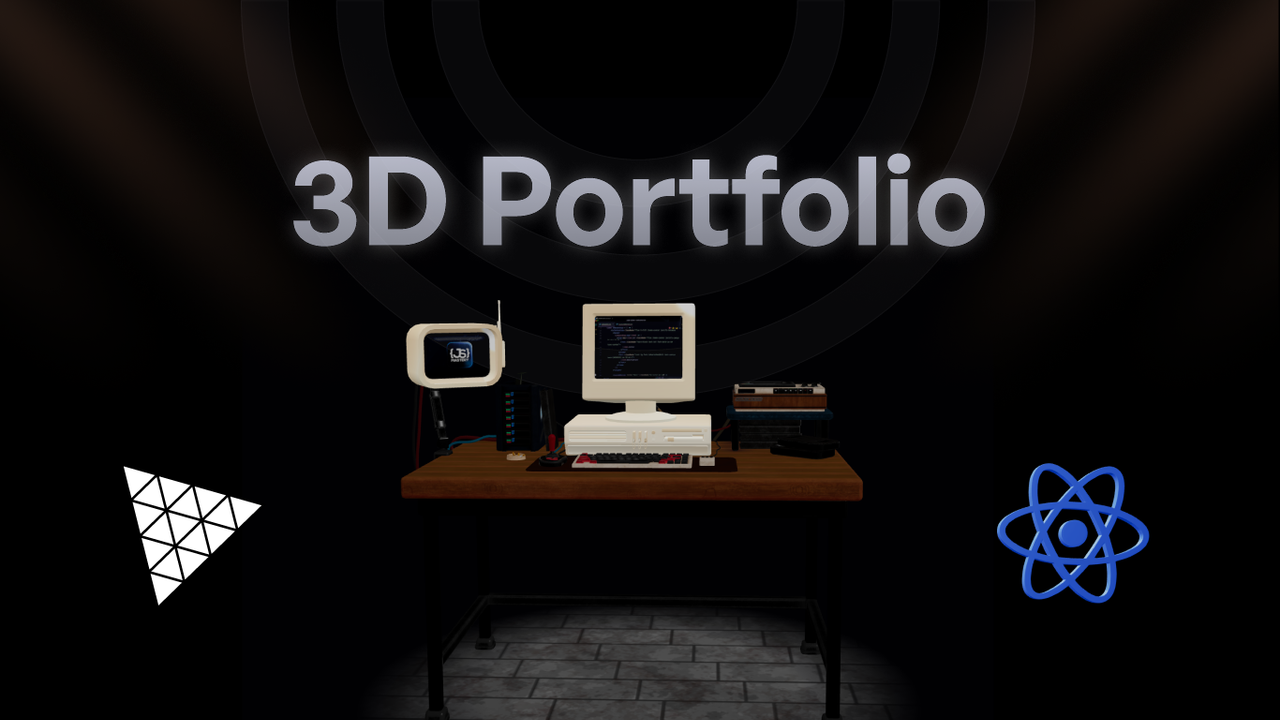



A 3D Dev Portfolio
## 📋 Table of Contents
1. 🤖 [Introduction](#introduction)
2. ⚙️ [Tech Stack](#tech-stack)
3. 🔋 [Features](#features)
4. 🤸 [Quick Start](#quick-start)
5. 🕸️ [Snippets (Code to Copy)](#snippets)
6. 🔗 [Links](#links)
7. 📦 [Assets](#assets)
Built with React.js for handling the user interface, Three.js for rendering 3D elements, and styled with TailwindCSS, the 3D Minimalistic portfolio is a website project. The primary goal is to demonstrate the developer's skills in a unique manner that creates a lasting impact.
- Node.js
- React.js
- Three.js
- React Three Fiber
- React Three Drei
- Email JS
- Vite
- Tailwind CSS
## 🔋 Features
👉 **Immersive Hero**: An eye-catching 3D hacker room that responds to mouse movements, surrounded by animated mini-models.
👉 **Interactive About Me**: A sleek bento grid layout featuring personal info, a 3D globe pinpointing location, tech stack icons, and a one-click email copy option.
👉 **Dynamic Project Showcase**: Browse through projects while watching live demos inside a 3D computer model, seamlessly switching between different projects.
👉 **Engaging Experience Timeline**: Hover over career milestones to trigger interactive 3D animations that bring your professional journey to life.
👉 **Client Testimonials**: A dedicated section highlighting satisfied clients and their feedback.
👉 **Easy Contact Form**: A user-friendly email form for visitors to reach out directly from your portfolio.
👉 **Clean Footer**: A minimalist design featuring social media links for easy networking.
👉 **Fully Responsive**: Optimized layout ensuring a smooth experience across all devices, from desktop to mobile.
and many more, including code architecture and reusability
Follow these steps to set up the project locally on your machine.
**Prerequisites**
Make sure you have the following installed on your machine:
- [Git](https://git-scm.com/)
- [Node.js](https://nodejs.org/en)
- [npm](https://www.npmjs.com/) (Node Package Manager)
**Cloning the Repository**
```bash
git clone https://github.com/JavaScript-Mastery-Pro/threejscc-portfolio.git
cd threejscc-portfolio
```
**Installation**
Install the project dependencies using npm:
```bash
npm install
```
**Set Up Environment Variables**
Create a new file named `.env` in the root of your project and add the following content:
```env
REACT_APP_EMAILJS_USERID=your_emailjs_user_id
REACT_APP_EMAILJS_TEMPLATEID=your_emailjs_template_id
REACT_APP_EMAILJS_RECEIVERID=your_emailjs_receiver_id
```
Replace the placeholder values with your actual EmailJS credentials. You can obtain these credentials by signing up on the [EmailJS website](https://www.emailjs.com/).
**Running the Project**
```bash
npm run dev
```
Open [http://localhost:5173](http://localhost:5173) in your browser to view the project.
## 🔗 Links
Here is the list of all the resources used in the project video:
- [Hacker Room](https://sketchfab.com/3d-models/hacker-room-stylized-a0cfe6edf2dd494c8a95addf6bb13a10)
- [Computer](https://sketchfab.com/3d-models/3d-computer-sketchfab-weekly-11-mar23-d9931a9aba7c4ea1bc12b2a59dcef16e)
- [Target Model](https://vazxmixjsiawhamofees.supabase.co/storage/v1/object/public/models/target-stand/model.gltf)
- [React Logo](https://sketchfab.com/3d-models/react-logo-76174ceeba96487f9863f974636f641e)
- [gltfjsx](https://gltf.pmnd.rs/)
- [ReadyPlayerMe](https://readyplayer.me/)
- [Mixamo](https://www.mixamo.com/)
- [FBX Animations ZIP](https://drive.google.com/file/d/1yQhrRvEQFEwxbjG2qelv_T-gAatXJ3N1/view?usp=sharing)
## 🔗 Assets
Models and Assets used in the project can be found [here](https://drive.google.com/file/d/1UiJyotDmF2_tBC-GeLpRZuFY_gx5e7iX/view?usp=sharing)