https://github.com/andrewrathbun/sync-eztools
A short, focused PowerShell script to automate ensuring that all instances of EZ Tools in a given path have updated ancillary files
https://github.com/andrewrathbun/sync-eztools
dfir digitalforensics eztools kape powershell
Last synced: 10 months ago
JSON representation
A short, focused PowerShell script to automate ensuring that all instances of EZ Tools in a given path have updated ancillary files
- Host: GitHub
- URL: https://github.com/andrewrathbun/sync-eztools
- Owner: AndrewRathbun
- License: mit
- Created: 2025-06-10T21:41:00.000Z (about 1 year ago)
- Default Branch: main
- Last Pushed: 2025-07-10T03:15:25.000Z (12 months ago)
- Last Synced: 2025-08-28T20:37:20.268Z (10 months ago)
- Topics: dfir, digitalforensics, eztools, kape, powershell
- Language: PowerShell
- Homepage: https://ericzimmerman.github.io/#!index.md
- Size: 3.04 MB
- Stars: 3
- Watchers: 0
- Forks: 0
- Open Issues: 0
-
Metadata Files:
- Readme: README.md
- License: LICENSE
Awesome Lists containing this project
README
# Sync-EZTools
A short, focused PowerShell script to automate ensuring that all instances of EZ Tools in a given path have updated [ancillary files](https://youtu.be/mIb1GQP3ciE)
## Example
`.\Sync-EZTools.ps1 -d C:\temp\Path\To\EZTools`
## Use Case
If you download EZ Tools using [Get-ZimmermanTools.ps1](https://ericzimmerman.github.io/#!index.md), this is the script for you! Making sure your EZ Tools are updated is only half the battle. Did you know that EvtxECmd, RECmd, and SQLECmd rely on YAML files that help enhance the output in various ways? You need to keep those updated! This script will help automate that process! But first, you must download EZ Tools, similar to the following example:
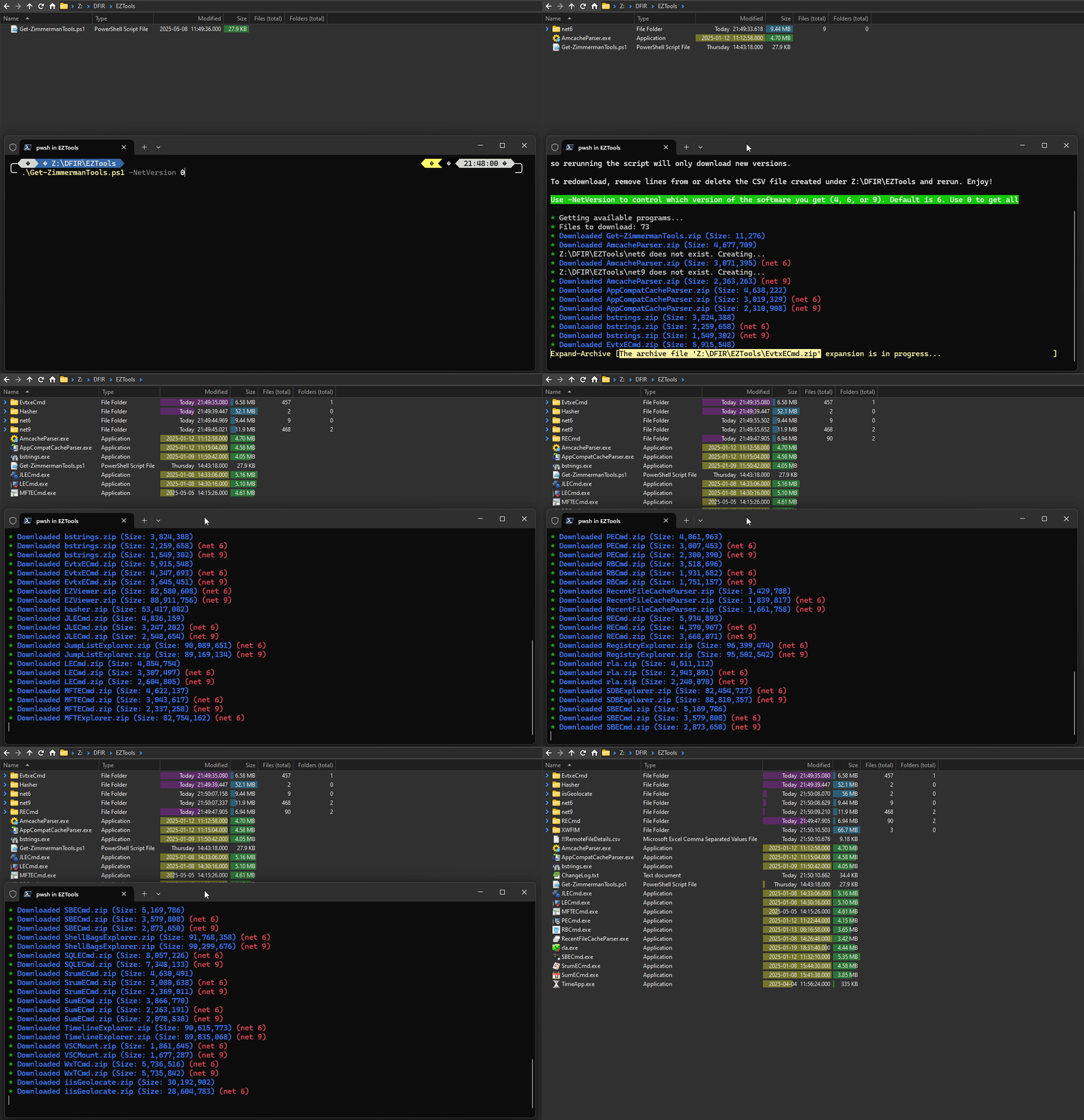
Next, run this script by passing the path where your instance of EZ Tools resides, similar to the following example:
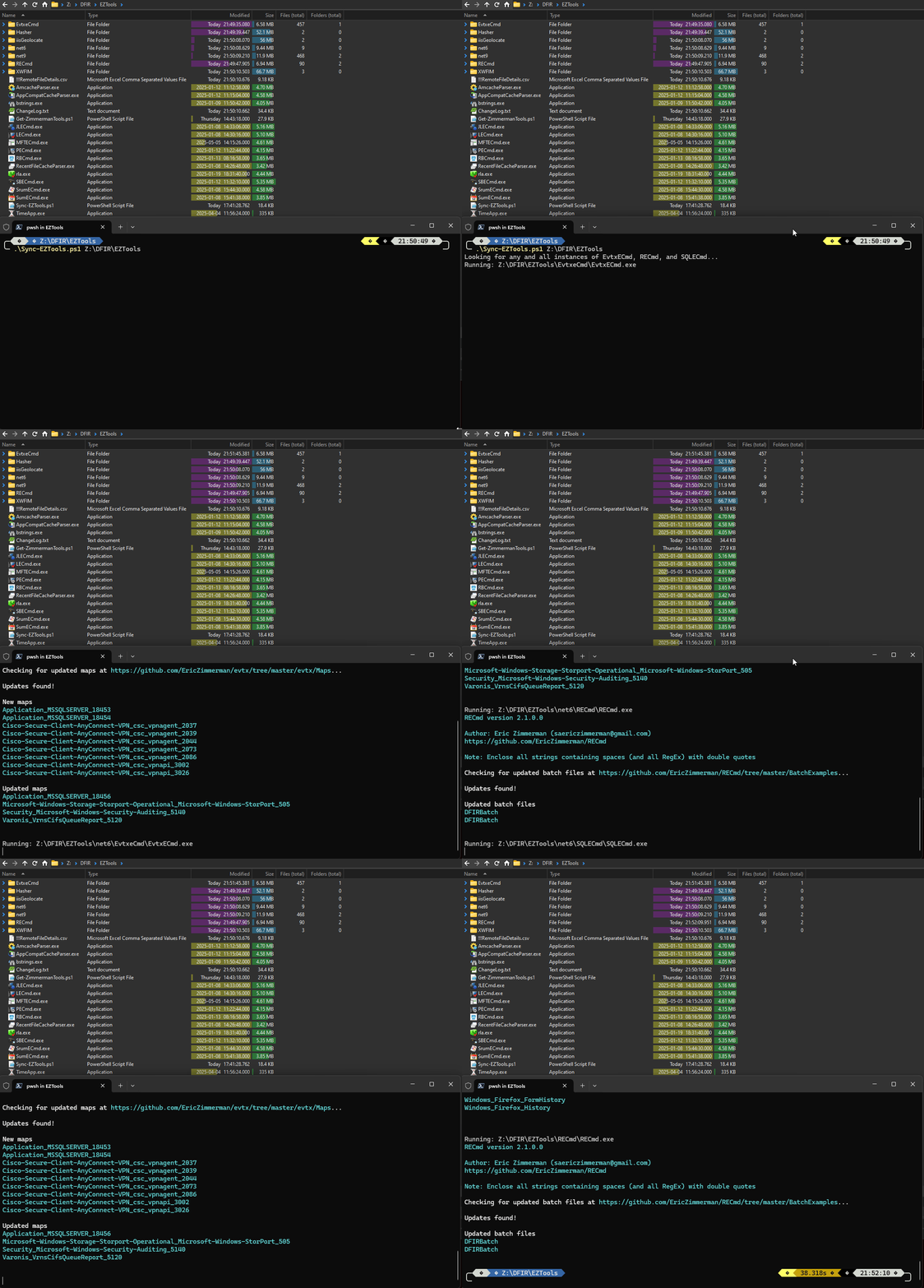
Once you do this, you've successfully updated your instance of EZ Tools! Notice how I passed the path that contains within ALL the EZ Tools I downloaded. That way, EvtxECmd, RECmd, and SQLECmd will be updated in each of the .NET 4, .NET 6, and .NET 9 versions that were downloaded using the `-NetVersion 0` parameter within `Get-ZimmermanTools.ps1`
## Feedback
Please create an Issue if you have any issues or feature requests! Happy updating!