https://github.com/andreyugolnik/simple-viewer-gl
Simple Viewer GL is a simple and tiny image viewer based on OpenGL.
https://github.com/andreyugolnik/simple-viewer-gl
gl image linux macos opengl simple simple-app viewer
Last synced: over 1 year ago
JSON representation
Simple Viewer GL is a simple and tiny image viewer based on OpenGL.
- Host: GitHub
- URL: https://github.com/andreyugolnik/simple-viewer-gl
- Owner: andreyugolnik
- License: gpl-2.0
- Created: 2024-04-30T14:20:33.000Z (about 2 years ago)
- Default Branch: master
- Last Pushed: 2025-02-21T14:01:35.000Z (over 1 year ago)
- Last Synced: 2025-02-21T15:19:55.317Z (over 1 year ago)
- Topics: gl, image, linux, macos, opengl, simple, simple-app, viewer
- Language: C++
- Homepage: https://www.ugolnik.info/?p=1302
- Size: 6.29 MB
- Stars: 11
- Watchers: 3
- Forks: 0
- Open Issues: 0
-
Metadata Files:
- Readme: README.md
- License: Copying.txt
Awesome Lists containing this project
README
# Simple Viewer GL
**Simple Viewer GL** is a simple and tiny image viewer based on OpenGL.

***


master | development
:----: | :----:
[](https://ci.appveyor.com/project/andreyugolnik/simple-viewer-gl/branch/master "Branch: master")  | [](https://ci.appveyor.com/project/andreyugolnik/simple-viewer-gl/branch/development "Branch: development") 
The primary goal for writing **Simple Viewer GL** is to create an image viewer, which only has the most basic features required for fast image viewing. It has some `vi`-like key bindings and works nicely with tiling window managers (such as ion3/notion, i3wm, dwm, xmonad, hyprland, sway, etc).
Supported formats: `PNG`, `JPEG`, `JPEG 2000`, `PSD` (Adobe Photoshop), `AI` (Adobe Illustrator), `EPS`, `XCF` (GIMP image format), `GIF`, `SVG`, `TIFF`, `TARGA`, `ICO`, `ICNS` (Apple Icon Image), `BMP`, `PNM`, `DDS`, `XWD`, `SCR` (ZX-Spectrum screen), `XPM`, `WebP`, `OpenEXR` and more.
***
## Screenshots
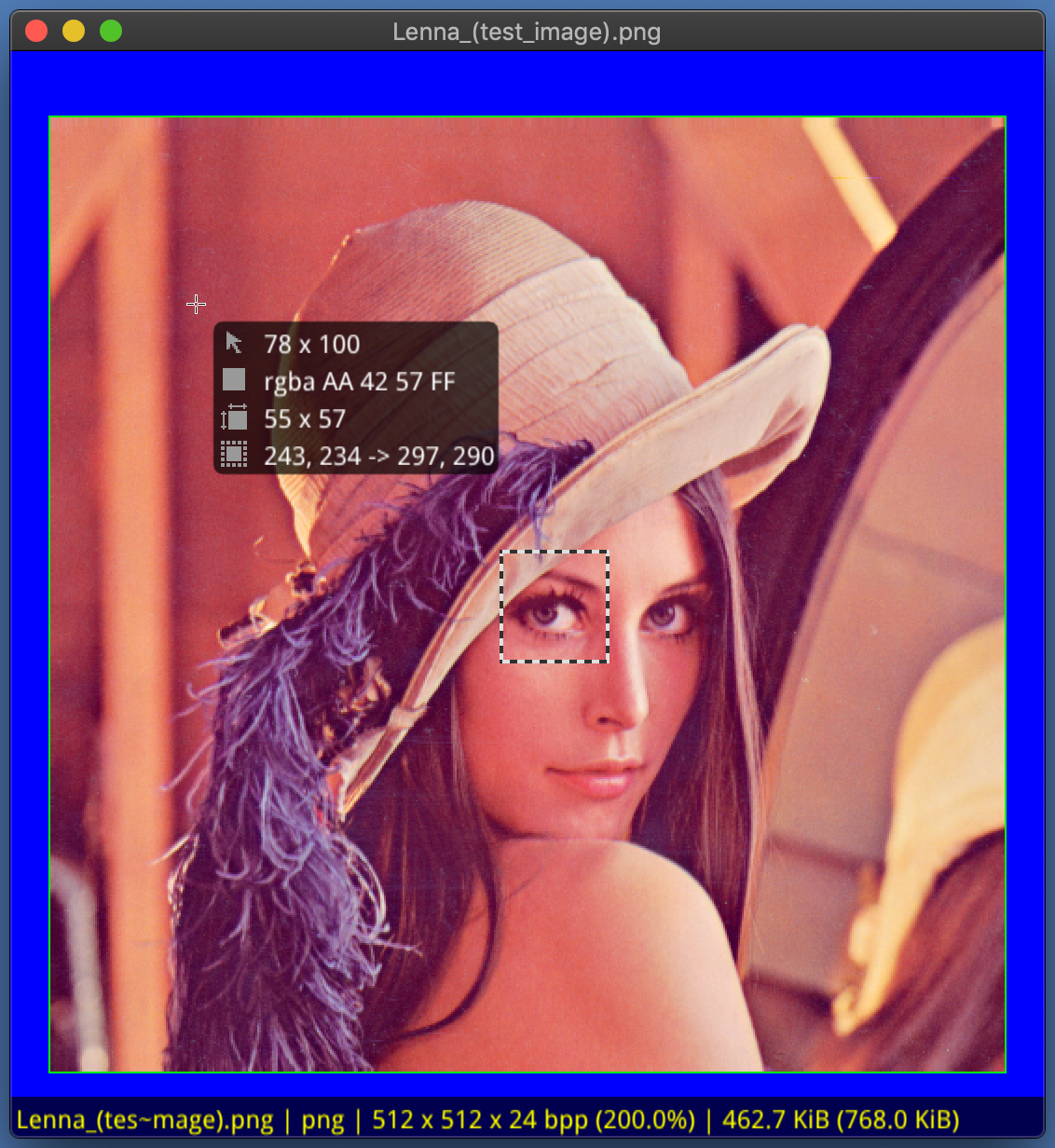
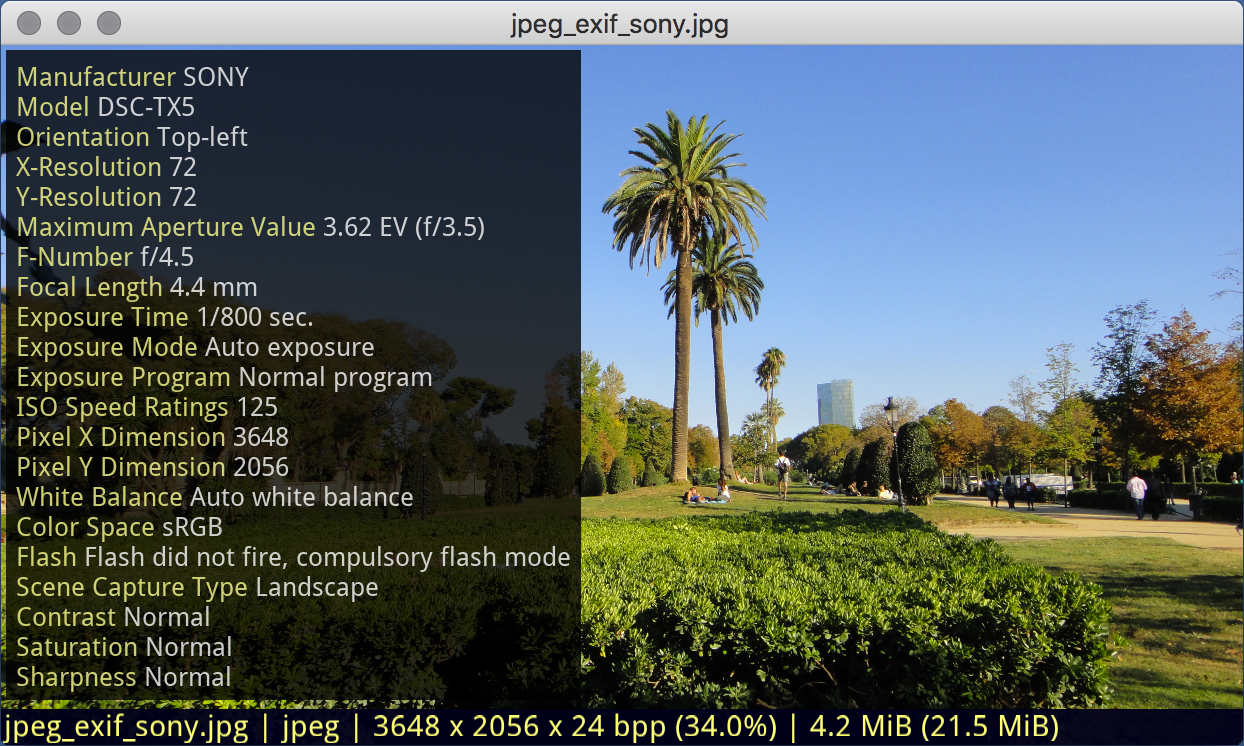
***
## Features
- [x] Lightweight and fast: utilize hardware-accelerated video card;
- [x] Support embedded ICC profiles;
- [x] GIF animation support;
- [x] GIMP XCF support;
- [x] Adobe PSD format support;
- [x] Adobe AI, EPS formats preview support;
- [x] SVG format support;
- [x] Exif support;
- [x] Very simple interface;
- [x] Suitable for default image viewer for the desktops and laptops;
- [x] Minimal lib dependency: look library requirements below;
- [x] Desktop independent: doesn't require any specific desktop environment;
- [x] Open source, licensed under GNU GPL;
***
## Usage
**Simple Viewer GL** has two modes of operation: image viewer and image info mode. The default is image mode, in which only the current image is shown. In image info mode pixel info and rectangular selection available. This mode useful for brief resource description.
***
## Key bindings
Hotkey | Action
-----------------------|----------------------------------
`` | exit
`` | next image
`` | previous image
`` | first file in list
`` | last file in list
`<+> / <->` | scale image
`<1>...<0>` | set scale from 100% to 1000%
`` | switch fullscreen / windowed mode
` / ` | pan left / right in pixels
` / ` | pan down / up in pixels
` + / ` | pan left / right in percents
` + / ` | pan down / up in percents
`` | toggle deletion mark
` + ` | delete marked images from disk
`` | rotate clockwise
` + ` | rotate counterclockwise
` / ` | previous /next subimage
`` | fit image to window
` + ` | toggle 'keep scale' on image load
`` | hide / show chequerboard
`` | hide / show on-screen info
`` | hide / show exif
`` | hide / show pixel info
`` | hide / show border around image
`` | hide / show image grid
`>` | hide / show keybindings popup
***
## Download and build from sources
You can browse the source code repository on GitHub or get a copy using git with the following command:
```bash
$ git clone https://github.com/andreyugolnik/simple-viewer-gl.git
$ cd simple-viewer-gl
$ make release
```
> On success **sviewgl** binary produced in current directory. Just symlink it `ln -s /path/to/sviewgl /usr/bin/sviewgl` or copy it `cp /path/to/sviewgl /usr/bin/`.
[Slackbuild by](https://github.com/saahriktu/saahriktu-slackbuilds/tree/master/simple-viewer-gl) [saahriktu](https://www.linux.org.ru/people/saahriktu/profile).
[Gentoo ebuild by](https://gogs.lumi.pw/mike/portage/src/master/media-gfx/simpleviewer-gl) [imul](https://www.linux.org.ru/people/imul/profile)
***
## Make DEB package
Update and install required dependencies:
```bash
$ sudo apt-get update
$ sudo apt-get install g++ make build-essential debhelper cmake pkg-config libgl1-mesa-dev
$ sudo apt-get install libxrandr-dev libxcursor-dev libfreetype6-dev libjpeg-dev
$ sudo apt-get install libtiff-dev libgif-dev liblcms2-dev libimlib2-dev libwebp-dev
$ sudo apt-get install libglfw3-dev libexif-dev libilmbase-dev libopenexr-dev
```
Clone and make DEB:
```bash
$ git clone https://github.com/andreyugolnik/simple-viewer-gl.git
$ cd simple-viewer-gl
$ make deb
```
> You can purge installed packages with `apt-get purge PACKAGE_NAME && apt-get autoremove`
***
## Make RPM package
Update and install required dependencies:
```bash
$ sudo dnf install gcc-c++ make cmake mesa-libGL-devel glfw-devel freetype-devel
$ sudo dnf install libpng-devel libjpeg-turbo-devel libtiff-devel giflib-devel lcms2-devel
$ sudo dnf install libwebp-devel libexif-devel imlib2-devel zlib-devel ilmbase-devel OpenEXR-devel
```
Clone and make source for RPM:
```bash
$ git clone https://github.com/andreyugolnik/simple-viewer-gl.git
$ cd simple-viewer-gl
$ sudo make rpm
```
***
## Dependencies
Name | Debian package | Description / Notes
---------------|------------------------------------|---------------------
`CMake` | *cmake* | Cross-platform family of tools designed to build, test and package software.
`GLFW3` | *libglfw3-dev* | Multi-platform library for creating windows with OpenGL contexts and receiving input and events.
`JPEG` | *libjpeg-dev* | JPEG format support.
`PNG` | *libpng12-dev* | PNG format support.
`Little CMS 2` | *liblcms2-dev* | Color management engine supporting ICC profiles.
`Zlib` | *zlib1g-dev* | Compression support.
`Exif` | *libexif-dev* | Exif support.
`X11` | *libxrandr-dev*, *libxcursor-dev* | X11 related libraries (Linux only)
`GIF` | *libgif-dev* | (Optional) GIF format support.
`TIFF` | *libtiff5-dev* | (Optional) TIFF format support.
`WebP` | *libwebp-dev* | (Optional) WebP format support.
`OpenEXR` | *libilmbase-dev*, *libopenexr-dev* | (Optional) OpenEXR is a high dynamic-range (HDR) image file format developed by Industrial Light & Magic for use in computer imaging applications.
`OpenJPEG` | *libopenjpeg-dev*, | (Optional) JPEG 2000 support.
`ImLib2` | *libimlib2-dev* | (Optional) Common formats support.
`curl` | *libcurl-dev* | (Optional) Support loading via http/https/ftp protocols.
```
Copyright © 2008-2024 Andrey A. Ugolnik. All Rights Reserved.
https://www.ugolnik.info
andrey@ugolnik.info
Icon was created by
Iryna Poliakova (Iryna.poliakova@icloud.com).
```