https://github.com/andriy-git/stocksTUI
StocksTUI: Real-time stock market data in your terminal.
https://github.com/andriy-git/stocksTUI
Last synced: 3 months ago
JSON representation
StocksTUI: Real-time stock market data in your terminal.
- Host: GitHub
- URL: https://github.com/andriy-git/stocksTUI
- Owner: andriy-git
- License: gpl-3.0
- Created: 2025-07-09T01:43:04.000Z (12 months ago)
- Default Branch: main
- Last Pushed: 2026-02-06T02:39:35.000Z (5 months ago)
- Last Synced: 2026-02-06T11:57:49.612Z (5 months ago)
- Language: Python
- Size: 1.06 MB
- Stars: 119
- Watchers: 1
- Forks: 7
- Open Issues: 2
-
Metadata Files:
- Readme: README.md
- Changelog: CHANGELOG.md
- License: LICENSE
Awesome Lists containing this project
- awesome-cli-apps-in-a-csv - stocksTUI - StocksTUI: Real-time stock market data in your terminal. (<a name="financial"></a>Financial tools)
- awesome-cli-apps - stocksTUI - StocksTUI: Real-time stock market data in your terminal. (<a name="financial"></a>Financial tools)
README
# stocksTUI
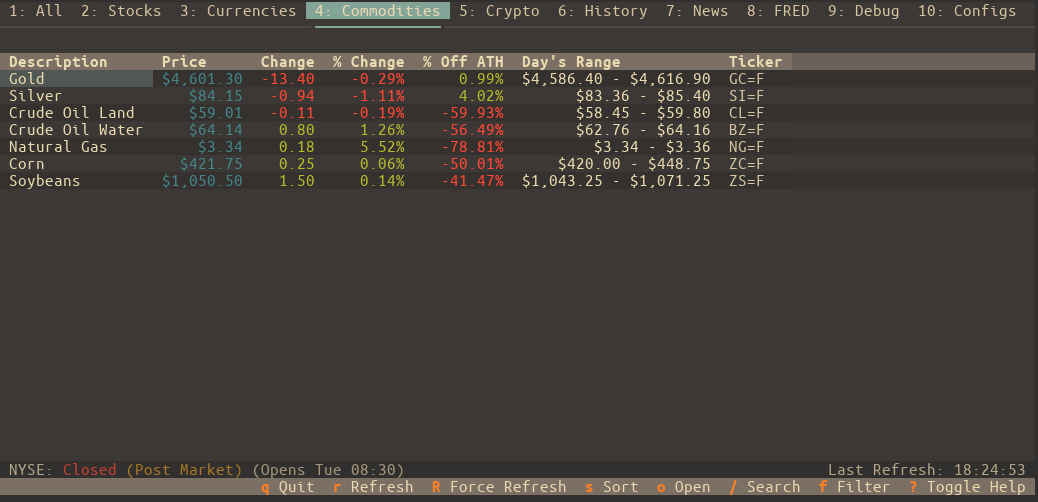
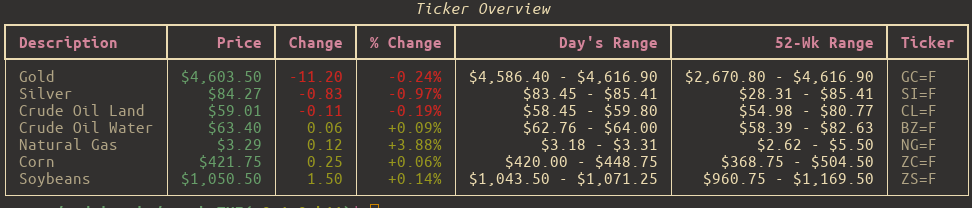
A fast, minimalist terminal app for checking stock prices, crypto, news, and historical charts — without leaving your shell. Built with [Textual](https://github.com/textualize/textual), powered by [yfinance](https://github.com/ranaroussi/yfinance), and made for people who prefer the command line over CNBC.
---
## ✨ Features
* **Live-ish Price Data**
Watch your favorite tickers update in near real-time with configurable refresh intervals.
* **Watchlists That Make Sense**
Organize your assets into lists like "Tech", "Crypto", "Dividend Traps", or "Memes". Manage them entirely from the UI — no need to touch JSON unless you want to.
* **Tag-Based Filtering**
Assign tags (e.g., `growth`, `ev`, `semiconductor`) to your tickers and instantly filter any watchlist to see only what's relevant.
* **Charts & Tables, Your Way**
View historical performance from `1D` to `Max`, from a table or a chart.
* **Options Chain Support**
View detailed options chains with strike prices, bid/ask spreads, Greeks (Delta, Gamma, Theta, Vega), and open interest visualization. Track your positions with quantity and average cost.
* **News That Matters**
See the latest headlines per ticker or a combined feed — no ads, no autoplay videos, just info.
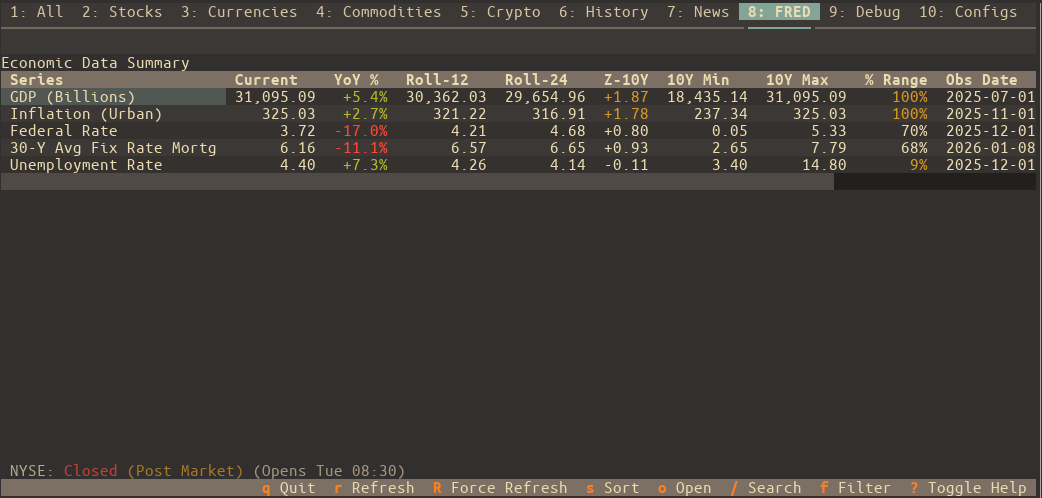
* **Economic Data (FRED)**
Monitor key economic indicators directly with integration for St. Louis Fed (FRED) data. Track GDP, Unemployment, CPI, and more with rolling averages and Z-score trend analysis.
* **Deep Market Context**
View comprehensive asset details including All Time High (ATH), % Off ATH, PE Ratio, Market Cap, and historical performance charts.
* **Quick Actions & Open Mode**
Instantly edit ticker aliases and notes with `e`. Use "Open Mode" (`o`) to quickly jump to external resources or switch between news, history, and options.
* **Keyboard-Friendly, Mouse-Optional**
Navigate everything with Vim-style keys or arrow keys. Bonus: lots of helpful keybindings, fully documented.
* **Custom Themes & Settings**
Tweak the look and feel with built-in themes or your own. Set your default tab, hide unused ones, and make it feel like *your* dashboard.
* **Smart Caching**
The app remembers what it can. Market-aware caching keeps startup fast and avoids pointless API calls on weekends or holidays.
> ⚠️ Note: All symbols follow [Yahoo Finance](https://finance.yahoo.com/) format — e.g., `AAPL` for Apple, `^GSPC` for S\&P 500, and `BTC-USD` for Bitcoin.
---
## 🛠 Requirements
* **Python** 3.10 or newer
* **OS Support:**
* **Linux / macOS** — Fully supported
* **Windows** — Use **Windows Terminal** with **WSL2**. It *won’t* work in the old `cmd.exe`.
---
## 🚀 Installation
The easiest way to install is with [`pipx`](https://pypa.github.io/pipx/):
### 1. Install pipx (if you don’t already have it):
```bash
# Debian/Ubuntu
sudo apt install pipx
# Arch Linux
sudo pacman -S python-pipx
# macOS
brew install pipx
# Or fallback to pip
python3 -m pip install --user pipx
python3 -m pipx ensurepath
```
### 2. Install stocksTUI:
```bash
pipx install stocksTUI
```
Done. You can now run `stockstui` from anywhere.
---
## 🧭 Usage
Run the app like so:
```bash
stockstui
```
Need help?
```bash
stockstui -h # Short help
stockstui --man # Full user manual
```
---
### 💡 Command-Line Examples
Open on Tesla's History tab.
```bash
stockstui --history TSLA
```
Get combined news for NVIDIA and AMD.
```bash
stockstui --news "NVDA,AMD"
```
Open on Apple's Options tab to view the options chain.
```bash
stockstui --options AAPL
```
Create a temporary watchlist for this session only.
```bash
stockstui --session-list "EV Stocks=TSLA,RIVN,LCID"
```
Launch a 5-day chart for Tesla.
```bash
stockstui --history TSLA --period 5d --chart
```
Open directly to a specific FRED economic series (e.g., Unemployment Rate).
```bash
stockstui --fred UNRATE
```
CLI mode: Output "stocks" list, filtered by the "tech" tag.
```bash
stockstui -o stocks --tags tech
```
---
## 🔑 FRED API Key
To use the Economic Data (FRED) features, you must provide a free API key from the Federal Reserve Bank of St. Louis.
1. Create a free account and request an API key at [fred.stlouisfed.org](https://fred.stlouisfed.org/docs/api/fred/v2/index.html).
2. Once you have your key, enter it in the app under **Configs > FRED Settings**.
3. Click **Save** to enable FRED data fetching.
## ⌨️ Keybindings
* Press `?` inside the app for a quick keybinding cheat sheet
* Run `stockstui --man` for the full breakdown
---
## 🧑💻 For Developers: Install from Source
Want to try the bleeding-edge version or contribute?
```bash
git clone https://github.com/andriy-git/stocksTUI.git
cd stocksTUI
./install.sh
```
This sets up a virtual environment and a global `stockstui` command so you can test and develop from anywhere.
---
## ⚖️ License
Licensed under the **GNU GPL v3.0**.
See `LICENSE` for the legalese.