https://github.com/angkarn/qrgen
QR Code Generator Tools
https://github.com/angkarn/qrgen
cli csv image qr qr-code qrcode qrcode-generator rust text
Last synced: 6 months ago
JSON representation
QR Code Generator Tools
- Host: GitHub
- URL: https://github.com/angkarn/qrgen
- Owner: angkarn
- Created: 2024-04-07T16:44:10.000Z (over 2 years ago)
- Default Branch: main
- Last Pushed: 2025-08-17T13:26:12.000Z (11 months ago)
- Last Synced: 2025-08-17T15:21:53.897Z (11 months ago)
- Topics: cli, csv, image, qr, qr-code, qrcode, qrcode-generator, rust, text
- Language: Rust
- Homepage:
- Size: 18 MB
- Stars: 0
- Watchers: 1
- Forks: 0
- Open Issues: 0
-
Metadata Files:
- Readme: README.md
Awesome Lists containing this project
README
# QR Code Generator and Draws
Generate QRCode image and draw customizable texts (font, template on json) via command line and library, written in Rust.
## Features
- Draw custom text, font, .etc on image via json template!.
- Generate multiple QR from a csv format file.
- Set template from data list e.g. qr content, draw, filename, set base image.
## Download
See [Release](https://github.com/angkarn/qrgen/releases).
### Mac (Apple Silicon)
```sh
curl -L -o qrgen https://github.com/angkarn/qrgen/releases/latest/download/aarch64-apple-darwin && chmod +x qrgen
```
### Mac (Intel)
```sh
curl -L -o qrgen https://github.com/angkarn/qrgen/releases/latest/download/x86_64-apple-darwin && chmod +x qrgen
```
### Linux GNU (x86-64)
```sh
curl -L -o qrgen https://github.com/angkarn/qrgen/releases/latest/download/x86_64-unknown-linux-gnu && chmod +x qrgen
```
### Windows (x86_64)
Download from [Release](https://github.com/angkarn/qrgen/releases).
### WASI
Download from [Release](https://github.com/angkarn/qrgen/releases).
### Other
See [build](#build) and try build it.
## Uasge
You can use help command to see this.
`qrgen help`
```bash
Usage: qrgen
Commands:
gen Generate one QR code
from Generate multiple QR codes from a CSV file
config Run command from config file
help Print this message or the help of the given subcommand(s)
Options:
--help
Print help
-V, --version
Print version
```
### gen
`qrgen help gen`
```bash
Generate one QR code
Usage: qrgen gen [OPTIONS]
Arguments:
QR code content
Options:
-f, --format Output format (console|png|base64) [default: console]
-b, --base_image Path to base image file. Overrides image width/height (also works with data template)
-1, --qr_color_1 QR color (1, like black) [default: 000000ff]
-0, --qr_color_0 QR color (0, like white) [default: ffffffff]
--fill Fill background color [default: ffffffff]
-w, --image_width Image width (pixels) [default: 1000]
-h, --image_height Image height (pixels) (default: image width)
-s, --qr_size QR size (pixels) (default: image width)
-x, --pos_x QR X position (pixels) [default: 0]
-y, --pos_y QR Y position (pixels) [default: 0]
-d, --td Draw template as string (json5)
--fp Font file paths
--fs Default font size (percentage of image width) [default: 3]
-o, --outdir Output directory [default: output]
--ecc QR error correction level (l|m|q|h) [default: m]
```
### from
`qrgen help from`
```bash
Generate multiple QR codes from a CSV file
Usage: qrgen from [OPTIONS]
Arguments:
Path to CSV file
Options:
-c, --tc QR content template [default: {{1}}]
-n, --tfn Filename template [default: {{1}}]
-f, --format Output format (console|png|base64) [default: console]
-b, --base_image Path to base image file. Overrides image width/height (also works with data template)
-1, --qr_color_1 QR color (1, like black) [default: 000000ff]
-0, --qr_color_0 QR color (0, like white) [default: ffffffff]
--fill Fill background color [default: ffffffff]
-w, --image_width Image width (pixels) [default: 1000]
-h, --image_height Image height (pixels) (default: image width)
-s, --qr_size QR size (pixels) (default: image width)
-x, --pos_x QR X position (pixels) [default: 0]
-y, --pos_y QR Y position (pixels) [default: 0]
-d, --td Draw template as string (json5)
--fp Font file paths
--fs Default font size (percentage of image width) [default: 3]
-o, --outdir Output directory [default: output]
--ecc QR error correction level (l|m|q|h) [default: m]
Template can use `{{Number of column}}` to replace column data, and `{{ROW}}` to replace row number.
```
### config
`gen help config`
```bash
Run command from config file
Usage: qrgen config
Arguments:
Path to the config file
```
## Example
You can try on browser [Demo](https://qrgen-browser-demo.pages.dev) (Run via WASI build)
#### gen
Generate one qr and print to console.
```bash
qrgen gen "Hello World"
```
Save to image file and custom size.
```bash
qrgen gen "Hello World" -f=png -w=400
```
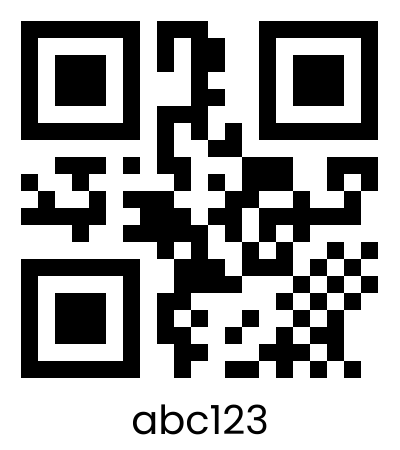
Simple Draw text to image.
```bash
qrgen gen abc123 -f=png --fs=10 -w=400 -h=450 --td="[{a:1,p:2,ts:[{t:'abc123'}]}]"
```
## 
#### from
Generate from csv list and set template of QR content, Draw, Filename. (file on repo)
```bash
qrgen from example/data.csv -f=png -w=1000 -h=1340 -y=150 --tfn="no_{{ROW}}" --tc="{{ROW}}|{{1}}" -d="[{a:1,ts:[{f:10,fs:8,t:'🌈'},{f:2,fs:11,c:'C63658',t:'Hello '},{f:1,fs:12,t:'*world*'}]},{y:85,h:15,fill:'435058',c:'ffffff',fs:5,wi:[{p:1,ml:5,fs:5,ts:[{t:'Infomation\nNo. {{ROW}}'}]},{y:16,a:2,mr:12,c:'ffffff',ts:[{t:'{{1}}'}]},{y:16,a:2,mr:4,c:'ffffff',ts:[{f:3,t:'👤'}]},{y:50,a:2,mr:12,c:'ffffff',ts:[{t:'{{2}}'}]},{y:50,mr:4,a:2,c:'ffffff',ts:[{f:3,t:'✉️'}]}]}]" --fp=fonts/LibreBarcode39Text-Regular.ttf,fonts/Monofett-Regular.ttf,fonts/noto-emoji-v53-emoji-regular.ttf,fonts/noto-sans-arabic-v28-arabic-regular.ttf,fonts/noto-sans-devanagari-v26-devanagari-regular.ttf,fonts/noto-sans-jp-v53-japanese-regular.ttf,fonts/noto-sans-kr-v36-korean-regular.ttf,fonts/noto-sans-sc-v37-chinese-simplified-regular.ttf,fonts/noto-sans-thai-v25-thai-regular.ttf,fonts/NotoColorEmoji.ttf
```
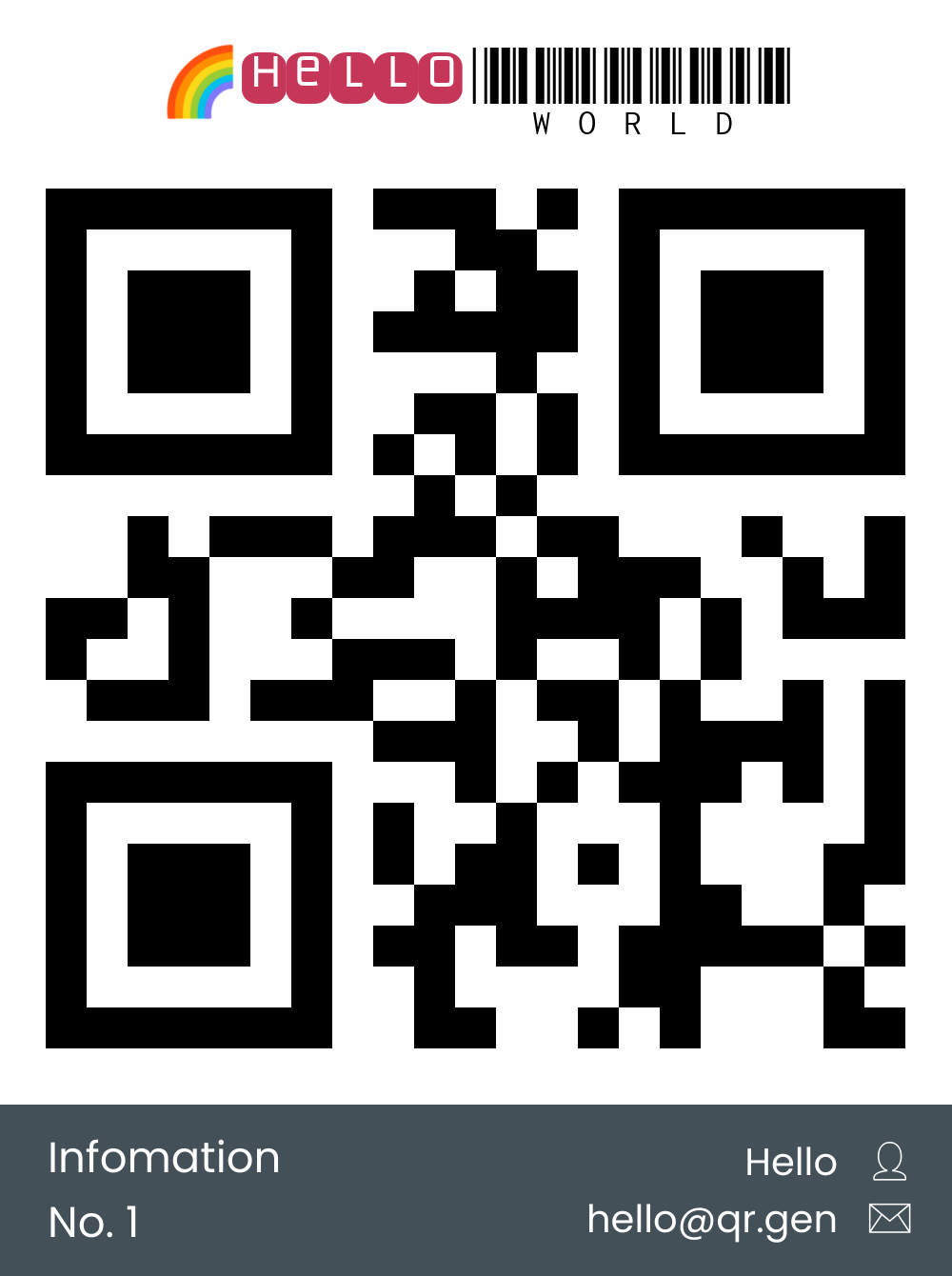
```
output/
no_1.png
no_2.png
no_3.png
```
---
### Config Command
You can run QRGen using a config file in JSON5 (support json) format with the `config` command.
**Usage:**
```bash
qrgen config example.json5
```
**Config file structure example for Gen:**
```json5
{
command: "gen",
content: "abc123",
common_arg: {
format: "png",
image_width: 400,
}
}
```
**Config file structure example for From:**
```json5
{
command: "from",
path: "example/data.csv",
common_arg: {
format: "png",
image_width: 400,
}
}
```
**Notes:**
- If you use a draw template, you can specify it directly as an array/object with the template_draw key in JSON5, or as a stringified JSON using the `template_draw_string` key.
- See [example](example/json5_config).
---
### Fun!
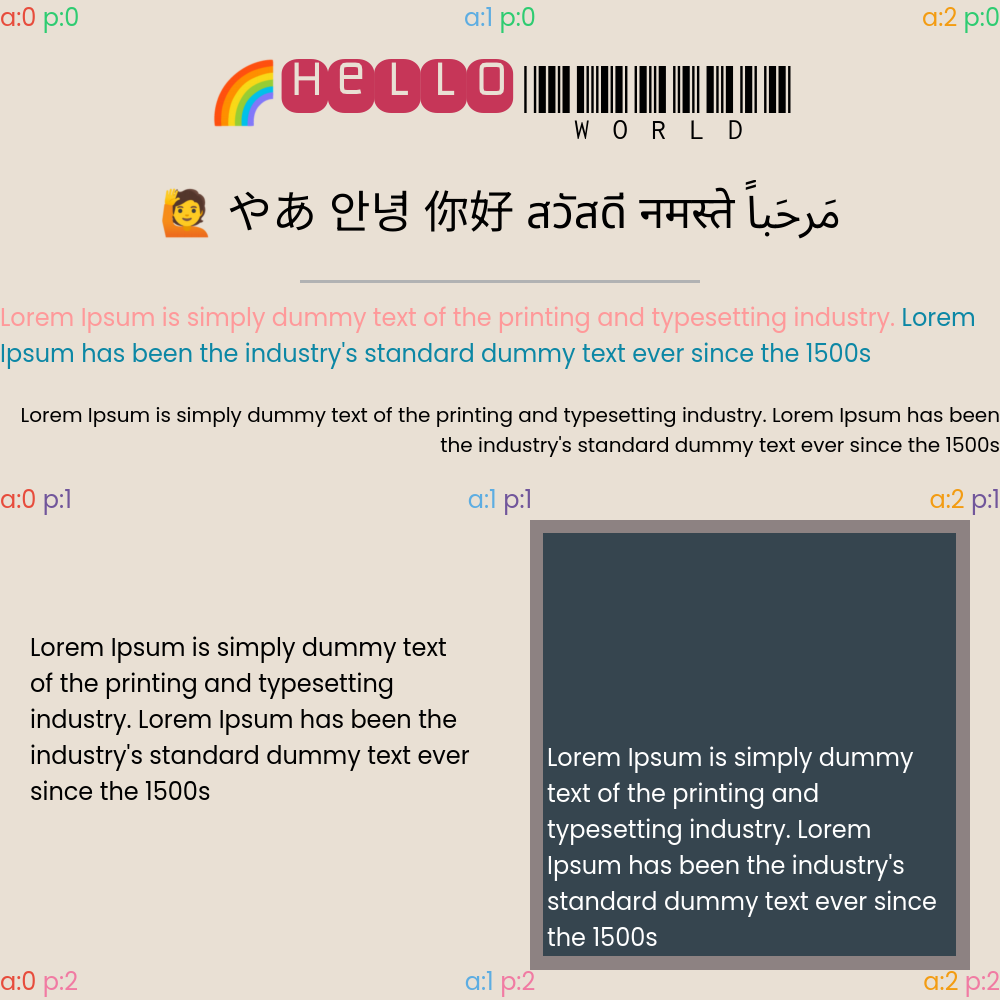
No QR
```bash
qrgen from example/data_markup.csv -f=png -w=1000 -h=1000 -s=0 --fs=2.4 --tfn="hello_world" --fp=fonts/noto-sans-thai-v25-thai-regular.ttf,fonts/noto-sans-arabic-v28-arabic-regular.ttf,fonts/noto-sans-jp-v53-japanese-regular.ttf,fonts/noto-sans-kr-v36-korean-regular.ttf,fonts/noto-sans-sc-v37-chinese-simplified-regular.ttf,fonts/noto-sans-devanagari-v26-devanagari-regular.ttf,fonts/NotoColorEmoji.ttf,fonts/Monofett-Regular.ttf,fonts/LibreBarcode39Text-Regular.ttf -d="[{fill:'e9e0d4'},{y:3,a:1,c:'000000',ts:[{fs:6,t:'{{1}}'},{f:8,fs:8,c:'C63658',t:'{{2}} '},{f:9,fs:8,t:'*{{3}}*'}]},{a:1,y:18,fs:4.5,ts:[{t:'{{4}}'}]},{y:28,h:0.3,ml:30,mr:30,fill:'b1b2b3'},{y:30,c:'ff999a',ts:[{t:'{{5}}'},{c:'0c87a5',t:' {{6}}'}]},{y:40,a:2,ts:[{fs:2,t:'{{5}} {{6}}'}]},{y:52,ml:3,mr:3,p:1,w:50,h:40,ts:[{c:'000000',t:'{{5}} {{6}}'}]},{x:50,y:52,w:50,h:45,ml:3,mr:3,fill:'8d8282',wi:[{ml:3,mr:3,mb:3,mt:3,fill:'36454F',wi:[{p:2,ml:1,mr:1,ts:[{c:'ffffff',t:'{{5}} {{6}}'}]}]}]},{ts:[{c:'e74c3c',t:'a:0'},{c:'2ecc71',t:' p:0'}]},{a:1,ts:[{c:'5dade2',t:'a:1'},{c:'2ecc71',t:' p:0'}]},{a:2,ts:[{c:'f39c12',t:'a:2'},{c:'2ecc71',t:' p:0'}]},{p:1,ts:[{c:'e74c3c',t:'a:0'},{c:'71569b',t:' p:1'}]},{a:1,p:1,ts:[{c:'5dade2',t:'a:1'},{c:'71569b',t:' p:1'}]},{a:2,p:1,ts:[{c:'f39c12',t:'a:2'},{c:'71569b',t:' p:1'}]},{p:2,ts:[{c:'e74c3c',t:'a:0'},{c:'f17ba3',t:' p:2'}]},{a:1,p:2,ts:[{c:'5dade2',t:'a:1'},{c:'f17ba3',t:' p:2'}]},{a:2,p:2,ts:[{c:'f39c12',t:'a:2'},{c:'f17ba3',t:' p:2'}]}]"
```
## 
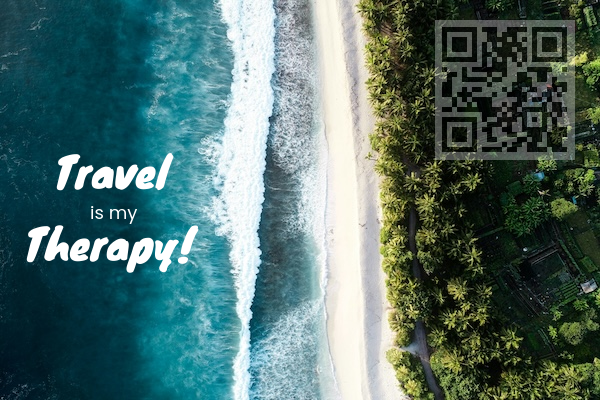
Set base image, custom qr color.
```bash
qrgen gen "travel is my therapy\!" -b="example/base_image.jpg" -f=png -s=140 -x=435 -y=20 -0="ffffff4d" -1="00000080" --fp=fonts/knewave-v14-latin-regular.ttf -d="[{x:9,y:35,f:1,fs:7,c:'ffffff',ts:[{t:'Travel'}]},{x:15,y:50,fs:3,c:'ffffff',ts:[{t:'is my'}]},{x:4,y:53.1,f:1,fs:7,c:'ffffff',ts:[{t:'Therapy!'}]}]"
```
---
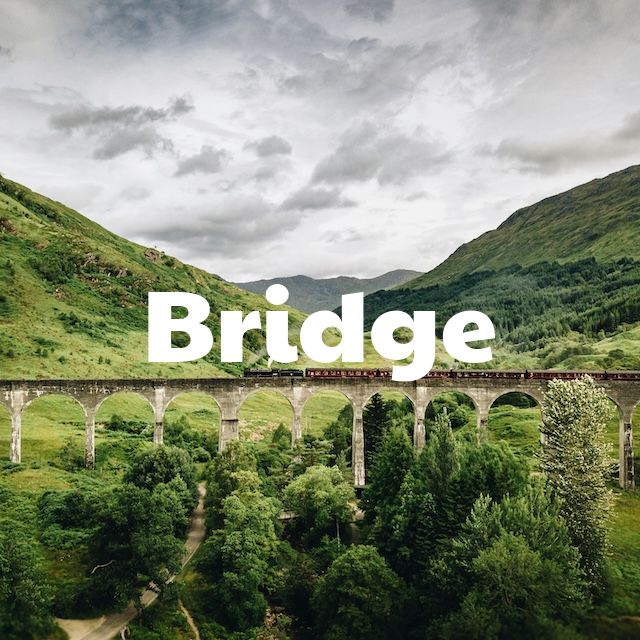
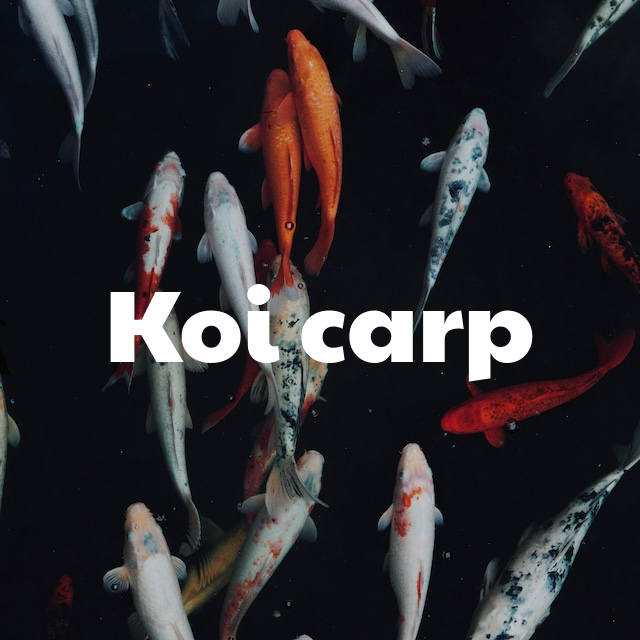
Set base image by data template.
```bash
qrgen from "example/set_base_image/from/data.csv" -b="example/set_base_image/from/{{2}}" -f=png -s=0 --fp=fonts/paytone-one-v23-latin-regular.ttf -d="[{a:1,p:1,f:1,fs:16,c:'ffffff',ts:[{t:'{{1}}'}]}]"
```

---
## Build
This project uses dependency from [rust-text-draw](https://github.com/angkarn/rust-text-draw). Please clone this repo before.
---