https://github.com/aniketmishr/pocket-agent
Pocket Agent is your personal AI assistant on Telegram. It can answer your quick questions, help with complex tasks, and even manage daily routines, all from your pocket.
https://github.com/aniketmishr/pocket-agent
ai ai-agents chatbot portia-ai telegrambot
Last synced: 9 months ago
JSON representation
Pocket Agent is your personal AI assistant on Telegram. It can answer your quick questions, help with complex tasks, and even manage daily routines, all from your pocket.
- Host: GitHub
- URL: https://github.com/aniketmishr/pocket-agent
- Owner: aniketmishr
- Created: 2025-08-25T17:27:32.000Z (10 months ago)
- Default Branch: main
- Last Pushed: 2025-08-25T19:12:08.000Z (10 months ago)
- Last Synced: 2025-08-25T20:37:28.810Z (10 months ago)
- Topics: ai, ai-agents, chatbot, portia-ai, telegrambot
- Language: Python
- Homepage:
- Size: 739 KB
- Stars: 1
- Watchers: 0
- Forks: 0
- Open Issues: 0
-
Metadata Files:
- Readme: README.md
Awesome Lists containing this project
README
# Pocket Agent 🤖

## What is Pocket Agent?
Pocket Agent is your **personal AI assistant in your pocket** – simple, accessible, and powerful. You can talk to it anytime, even from your mobile through Telegram. It can handle everything from simple queries to complex tasks, boring chores, and even multi-step workflows by connecting to your favorite tools.
Unlike niche agents built for very specific use cases, Pocket Agent is designed for **everyone**. Whether you want quick information, tool integration, or daily workflows, it’s here to make life easier (as it should be!).
---
| Image 1 | Image 2 |
|---------|---------|
|  |  |
| Image 3 | Image 4 |
|---------|---------|
|  |  |
---
## Demo Video 🎥
[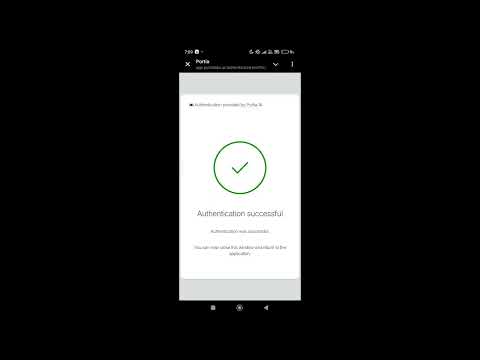](https://www.youtube.com/watch?v=ZcSaIaX0p0o)
---
## The Problem It Solves
Most AI agents today are either too complex for general users or limited in what they can do. Pocket Agent solves this by:
* Being **easy to use** via Telegram commands.
* Keeping **humans in control** with clarification before important actions.
* Seamlessly **connecting to multiple tools** with OAuth.
* Supporting **ready-to-use workflows** for everyday tasks.
---
## Technical Details ⚙️
Pocket Agent is built using:
* [telegram-python-bot](https://github.com/python-telegram-bot/python-telegram-bot)
* [Portia Python SDK](https://github.com/portiaAI/portia-python-sdk)
### Core Concepts from Portia AI
1. **Spectrum of Autonomy**
* Full autonomy agents using `portia.run`.
* Built-in workflows using **PlanBuilderV2** with controllability.
2. **OAuth**
* Secure connections to external tools like Google Docs, Notion, and more.
3. **Clarification**
* Human-in-the-loop confirmation before executing important actions, ensuring agents remain controllable and safe.
---
## Telegram Commands 📱
* `/start` → Start the Pocket Agent bot.
* `/help` → List available commands.
* `/workflow` → Run built-in workflows using Portia’s PlanBuilderV2.
### How it Works
* **Simple queries** → handled by a lightweight LLM call.
* **Complex queries** → handled by `portia.run`, which can plan and execute actions.
* **OAuth required?** → The bot will send a friendly clarification request to connect your tool.
* **Important step?** → The bot always asks for confirmation before taking action (human in the loop).
---
## My Learnings from this Hackathon 📚
Before this hackathon, I knew very little about AI agents. Now, I have a **solid understanding of how agents work**, and how to build them to solve not just my own problems but also those of friends and family.
I also learned:
* How to build Telegram bots.
* How to use `asyncio` (a bit confusing at first, but very powerful!).
* How to design agents that are **controllable, safe, and useful**.
---
## Installation Guide 🛠️
### Requirements
* Python 3.9+
* [OpenAI API Key](https://platform.openai.com/)
* Telegram Bot (created via [BotFather](https://core.telegram.org/bots#6-botfather))
### Steps
1. Clone the repository:
```bash
git clone https://github.com/aniketmishr/pocket-agent.git
cd pocket-agent
```
2. Install dependencies:
```bash
pip install -r requirements.txt
```
3. Set up environment variables:
```bash
PORTIA_API_KEY = "YOUR-PORTIA-API-KEY"
OPENAI_API_KEY = "YOUR-OPENAI-API-KEY"
TELEGRAM_BOT_TOKEN = "YOUR-TELEGRAM-BOT-TOKEN"
TELEGRAM_USERNAME = "YOUR-TELEGRAM-USER-NAME"
```
4. Run the bot:
```bash
python main.py
```
---
## Future Work 🚀
1. Add **streaming support** for faster responses.
2. Build **new workflows** for more everyday tasks.
3. Add **file support** (upload, process, summarize).
4. Scale to **multiple users** with better session handling.
5. Allow **workflow scheduling** for automation.
---
### ⭐ Pocket Agent – AI in your pocket, power at your fingertips.