https://github.com/anilkumarum/live-preview-server
Dependency-free native nodejs live preview server
https://github.com/anilkumarum/live-preview-server
reload-server vscode-extensions
Last synced: 12 months ago
JSON representation
Dependency-free native nodejs live preview server
- Host: GitHub
- URL: https://github.com/anilkumarum/live-preview-server
- Owner: anilkumarum
- License: other
- Created: 2023-05-17T20:42:58.000Z (about 3 years ago)
- Default Branch: master
- Last Pushed: 2023-06-21T10:32:20.000Z (almost 3 years ago)
- Last Synced: 2025-04-01T23:37:31.430Z (about 1 year ago)
- Topics: reload-server, vscode-extensions
- Language: JavaScript
- Homepage: https://marketplace.visualstudio.com/items?itemName=anilkumarum.live-preview-server
- Size: 69.1 MB
- Stars: 5
- Watchers: 1
- Forks: 1
- Open Issues: 2
-
Metadata Files:
- Readme: README.md
- Changelog: CHANGELOG.md
- License: LICENSE
Awesome Lists containing this project
README
## Dependency-free native nodejs live preview server
- Updates your files instantly while typing on your keyboard
- Don't need to leave vscode. Embedded inline preview
- Url path completion intellisense in embedded preview
- file extension **(.html)** don't require in url
- Link multiple custom routes on any file url [know more]()
- Option to choose browser in status bar [know more]()
- Typescript support out of box [know more]().
- Trigger reload only fetched files not all workspace's files.
- 10x-30x less memory consumption due to dynamic loading and no dependency.
⚠️ WARNING: This extension is still under development! ⚠️
# Features
### HTML File Previewing
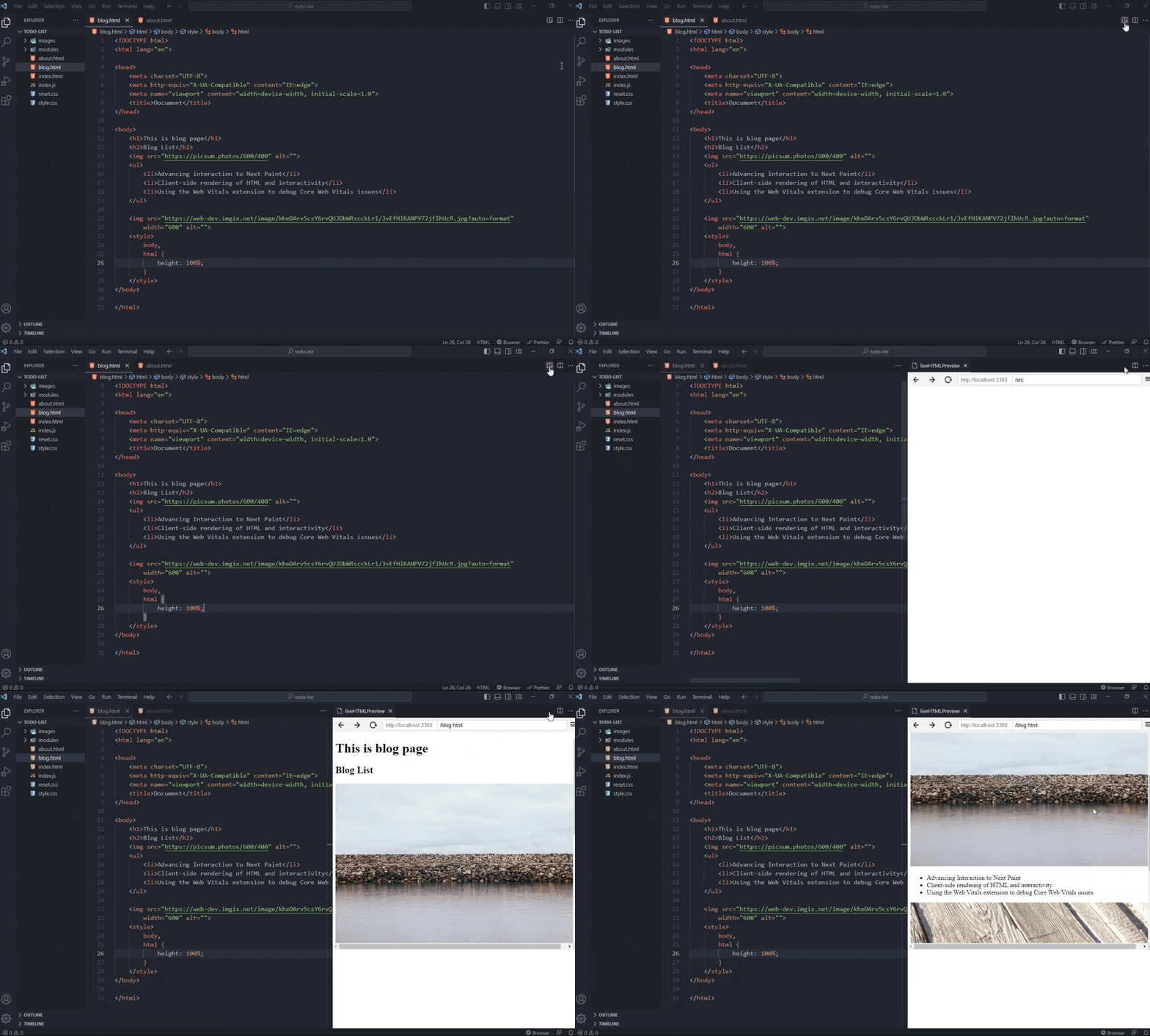
Preview your HTML files quickly by clicking the preview button in the top right corner of your editor or using the context menu.
### Live Refreshing
live refresh is the reason for writing whole extension from scratch.
- It doesn't reload whole browser page on every key like others do.\
It only update changed DOM element using javascript.
- It doesn't compare 100+ dom's properties like others do.\
**LPS** know where you are and which tag or attributes are you updating then just update only that property.
| Features | Live preview Server | Live Preview | Five Server |
| --------- | ------------------- | ------------------------ | ---------------------------------------- |
| Mechanism | update element | reload page on every key | find by regrex & compare, update element |
| file type | Html & Css | reload every file | only Html |
### Reload only fetched files
Other live server reload webpage on any file changed in open workspace.\
**Live preview server** reload only fetched files
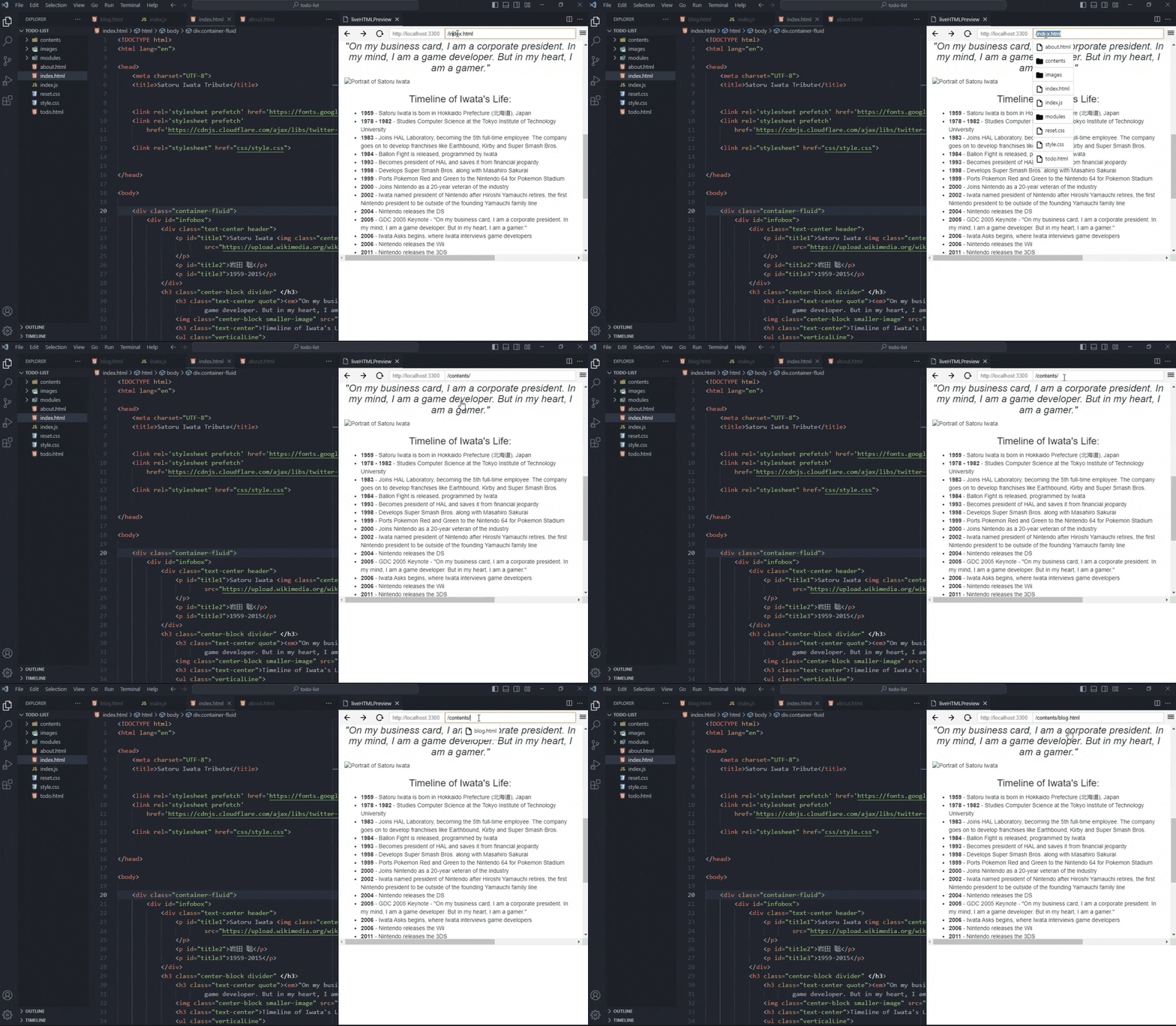
### Page url path completion intellisense
#### In embedded preview
**Live Preview Server** show path completion same as vscode show in `src=""` or `import('')`.
#### In browser
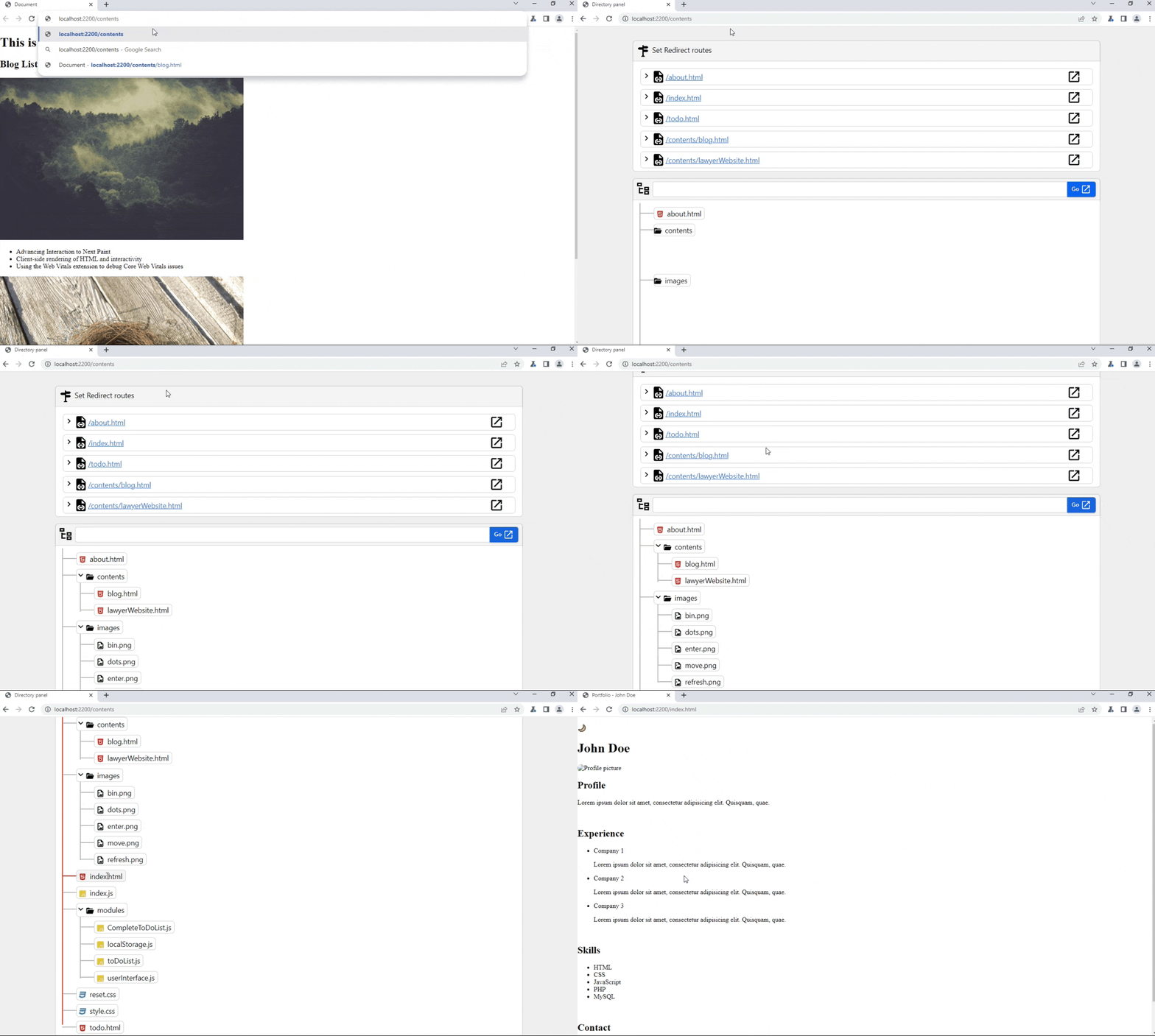
Go to `/paths` and hover over file and directories tree then press enter key.
### Map custom paths with file paths
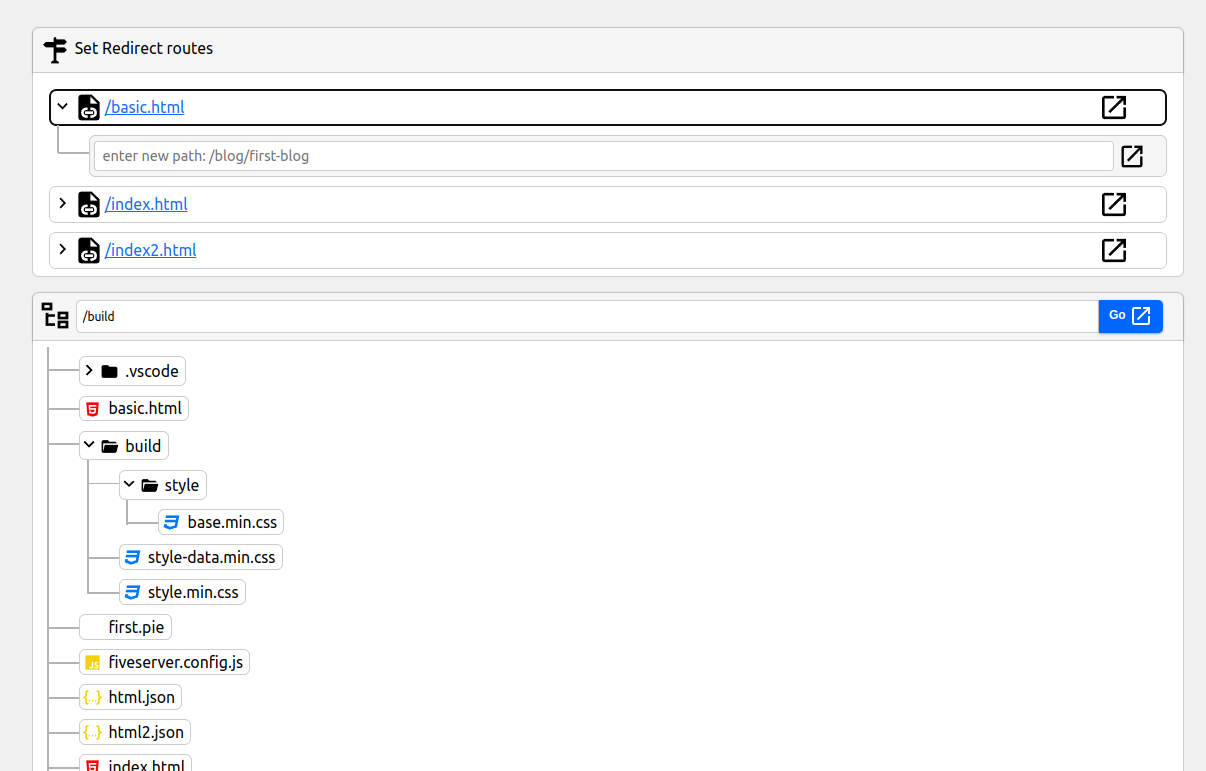
Don't need to add `.html` in browser address bar.\
`LPS` let you to map multiple custom paths to your files.
### HMR features like vite
### Embedded Preview
Preview current html file in right panel in vscode. Don't need to leave vscode.\
keyboard shortcuts:`ctrl+alt+v`
### keys features
- Path completion intellisense
- Page history tracking
- URL bar for address-based navigation
- Open the editor's webview DevTools
### External Browser Previewing
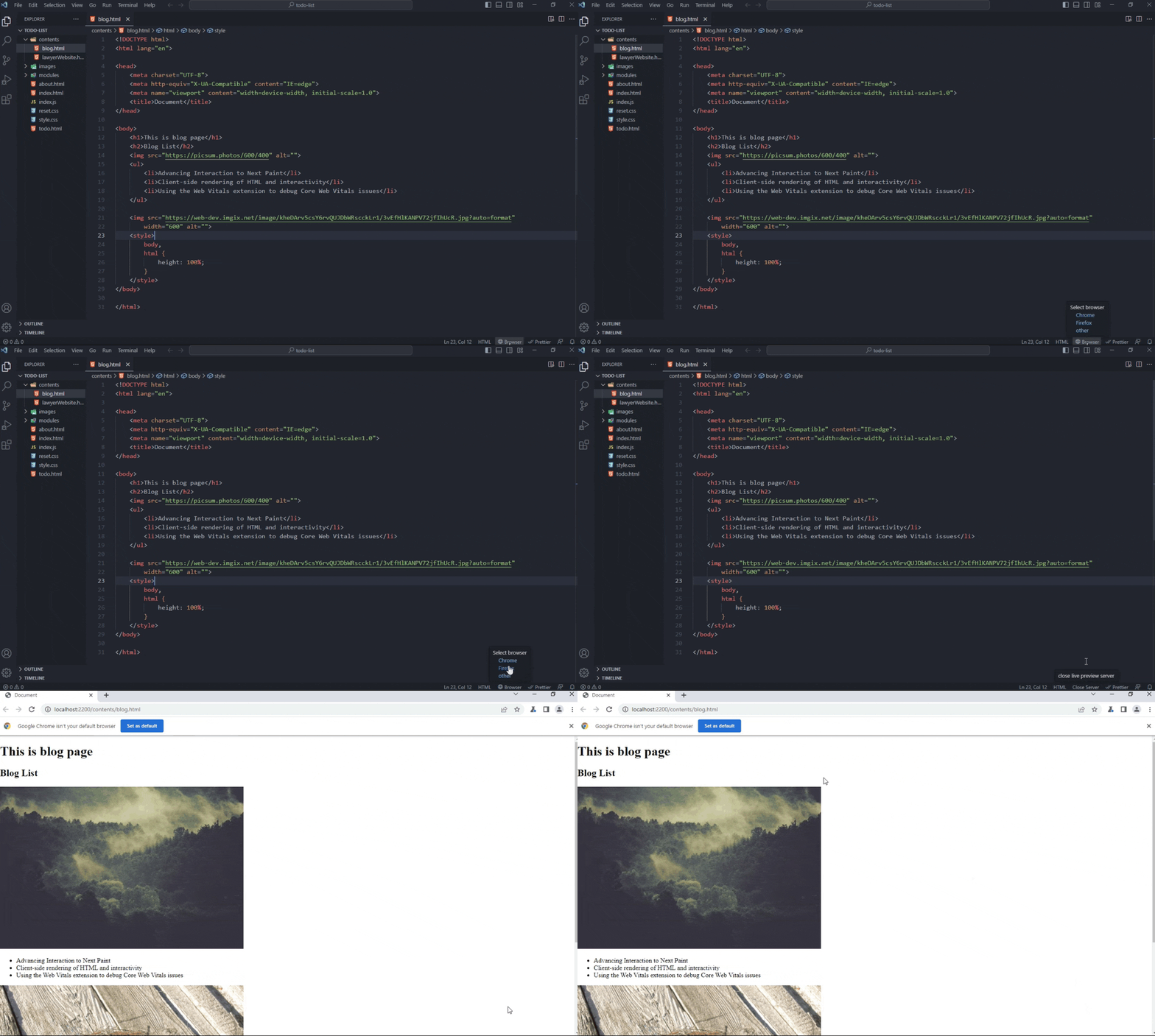
Launch any browser from status bar in one click.\
Choose and launch different browser from status bar in one click.
### External Browser Debugging
Run `LPS: Start debug server` in the command palette to start debugging server.
### Console Output Channel (For Embedded Preview)
For a simple view of the embedded preview's console messages, go to the Output tab and select `LPS Preview log` Console in the dropdown.
### HTTP proxy,custom domain
coming soon...
### Lazy loading
All existing live server load whole extension every time when you launch vscode.\
This extension take different approach: `dynamic importing`. When you open html file then this extension load with status bar functionality only. This extension only load its core functionality when you give command.
## Some gotchas in live refresh
- live refresh not update on boolean attribute e.g hidden\
solution: add `=""`. example: `hidden=""`
- CSS live refresh doesn't update in html file\
solution: Use css file
# FAQ
1. How to add workspace specific settings
ans: Copy setting id from vscode settings page. \
Add setting id in `settings.json` inside `.vscode` folder
2. Why I should choose this instead of [live-server](https://marketplace.visualstudio.com/items?itemName=ritwickdey.LiveServer)
| Features | Live preview Server | Live Server |
| ------------ | ---------------------------------------- | ------------------------------- |
| Reload | Only trigger reload on fetched files | trigger reload page on any file |
| Inline-panel | ✅ Available | ❌ Not available |
| Dependency | Zero dependency | More than 20 dependencies |
| Live refresh | Instant update on every keystroke | Need to save file |
| Css Reload | HMR replace stylesheet (no FOUC) | Css replace cause FOUC |
| PHP | Web extension coming soon | Web extension |
| Https | ❌ coming soon | ✅ Available |
| CORS & proxy | ❌ coming soon | ✅ Available |
| Debug | auto-config debug and start in one click | Manually config |
| Browser | Select any browser in status bar | Only default browser |
| File Ext | Don't require `.html` in url | Require `.html` in url |
| urlPath | Tree-structure path intellisense | Directory listing |
# Issue Tracking
Please file issues against the [Live Preview Server repository](https://github.com/anilkumarum/live-preview-server/issues).
⚠️ NOTE: No tested on macos.