https://github.com/anilkumarum/quick-notes
quick sticky notes vscode sidebar extension
https://github.com/anilkumarum/quick-notes
notes-tool sticky-notes vscode-extension
Last synced: about 1 month ago
JSON representation
quick sticky notes vscode sidebar extension
- Host: GitHub
- URL: https://github.com/anilkumarum/quick-notes
- Owner: anilkumarum
- License: other
- Created: 2023-05-26T17:22:51.000Z (about 3 years ago)
- Default Branch: master
- Last Pushed: 2023-05-26T21:44:24.000Z (about 3 years ago)
- Last Synced: 2025-01-11T17:19:18.838Z (over 1 year ago)
- Topics: notes-tool, sticky-notes, vscode-extension
- Language: TypeScript
- Homepage: https://marketplace.visualstudio.com/items?itemName=anilkumarum.quick-sticky-notes
- Size: 190 KB
- Stars: 1
- Watchers: 1
- Forks: 0
- Open Issues: 0
-
Metadata Files:
- Readme: README.md
- Changelog: CHANGELOG.md
- License: LICENSE
Awesome Lists containing this project
README
# Quick notes in sidebar
Quick notes is any file format sticky notes for quick access.
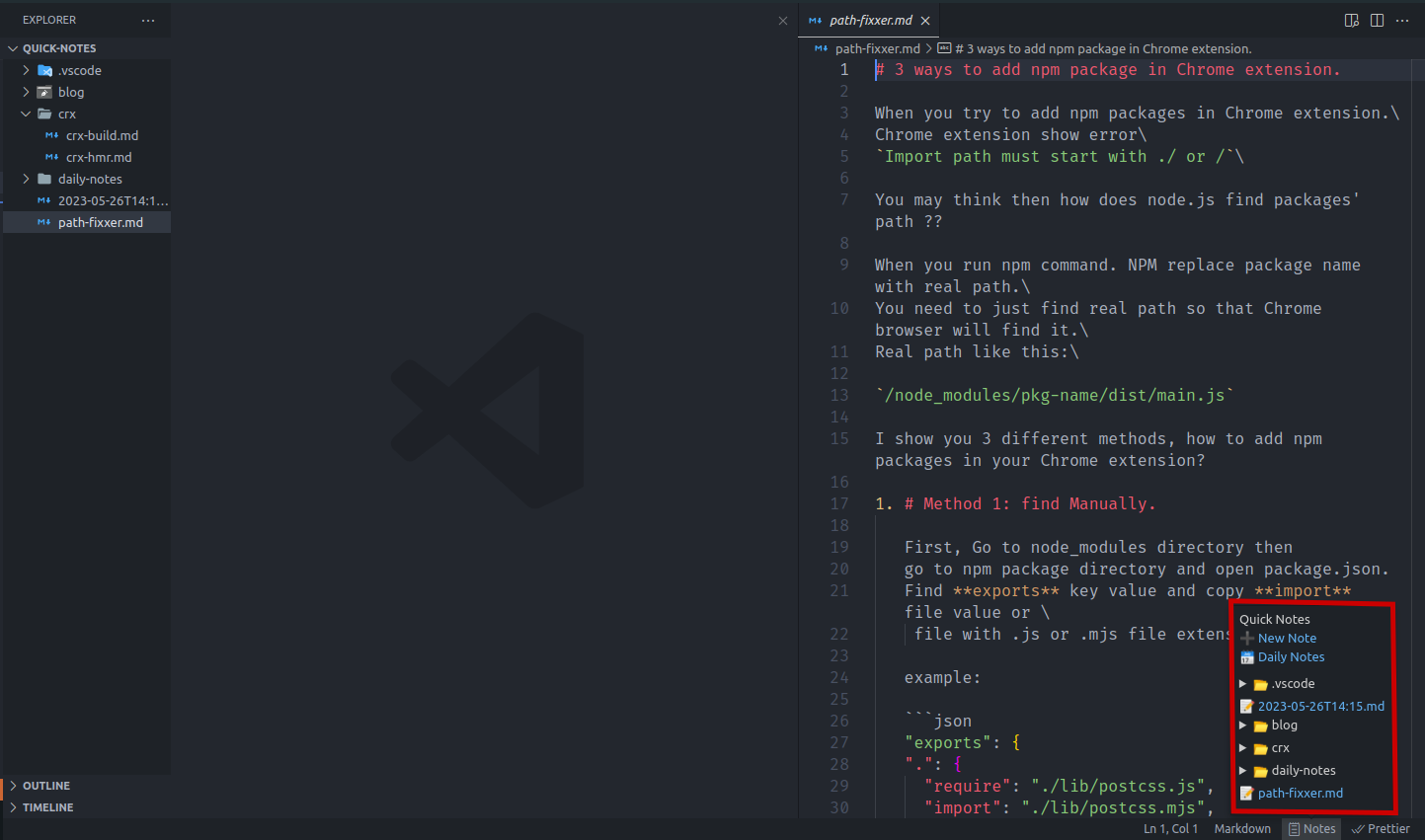
# Features
- Quick notes in sidebar
- One click to re-open last-note or daily-note
- Daily notes support
- any file format supported
- Less than 5 kb size
- Multi notes folder location. Easy to switch between them.
# Extension Settings
This extension contributes the following settings:
- `quicknotes.config.notesFolderList`: list of notes folders
Add one or more note folders into this array.
Quickly change default folder by running this command: `quicknotes.changeNotesFolder`
- `quicknotes.config.defaultNotes`:
When you click on status bar,default node is opened.
Be default, last opened note is configured.
You can switch between **last note** or **daily note**
- `quicknotes.config.showFolderLocation`:Reveal notes location in os file explorer
# How to use
1. You may want to set `quicknotes.config.notesLocation` in vscode setting
2. Hover over `Notes` on side and click on `New Note` to create new note.
- Use `ctrl+alt+n` keyboard shortcuts to open default node (last note or daily note)
# FAQs
## How to configure the settings in my project?
Create a `.vscode` folder in the root of project. Inside of `.vscode` folder create a json file named `settings.json`.
Inside of the `settings.json`, type following key-value pairs. By the way you'll get intellisense.