https://github.com/anonymous961/smallfiles
A React Native app for quick and efficient PDF and image compression. Save time and space with our user-friendly tools that reduce file sizes without compromising quality. Perfect for easy sharing and storage.
https://github.com/anonymous961/smallfiles
compress-images compress-pdf convert-pdf-documents react-native
Last synced: about 2 months ago
JSON representation
A React Native app for quick and efficient PDF and image compression. Save time and space with our user-friendly tools that reduce file sizes without compromising quality. Perfect for easy sharing and storage.
- Host: GitHub
- URL: https://github.com/anonymous961/smallfiles
- Owner: Anonymous961
- Created: 2024-03-29T20:55:08.000Z (over 2 years ago)
- Default Branch: main
- Last Pushed: 2024-05-22T18:52:19.000Z (about 2 years ago)
- Last Synced: 2025-10-09T14:34:43.057Z (9 months ago)
- Topics: compress-images, compress-pdf, convert-pdf-documents, react-native
- Language: TypeScript
- Homepage:
- Size: 1.41 MB
- Stars: 2
- Watchers: 1
- Forks: 1
- Open Issues: 0
-
Metadata Files:
- Readme: README.md
Awesome Lists containing this project
README
# SmallFiles
SmallFiles is a React Native application designed to simplify everyday tasks with three core features: PDF compression, image compression, and PDF to DOC conversion. Our app is aimed at making your file management and conversion needs effortless and efficient.
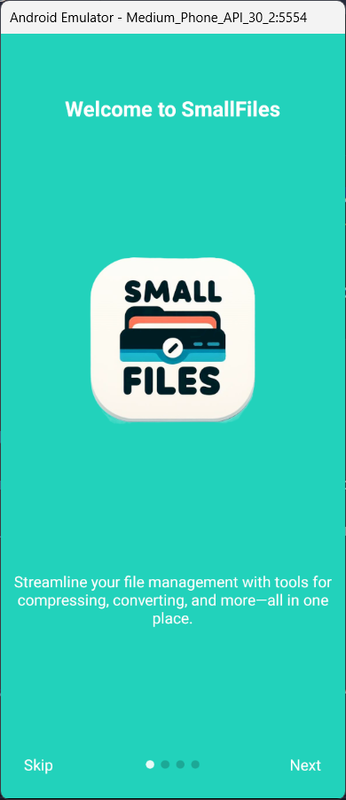
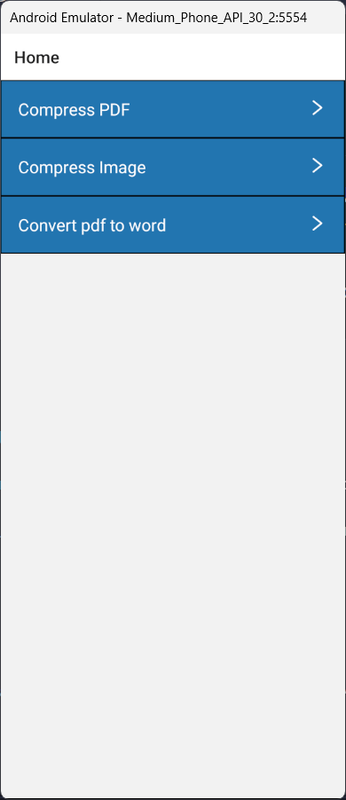
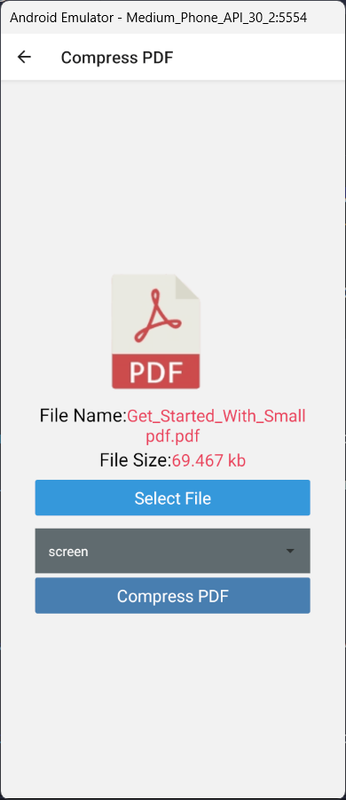
Backend repository can be found here
## Features
1. PDF Compression
- Reduce the size of your PDF files without compromising on quality.
- Easy-to-use interface for selecting and compressing PDFs.
- Save storage space and make sharing documents faster.
2. Image Compression
- Compress images to save space while maintaining resolution.
- Supports various image formats (JPEG, PNG, etc.).
- Simple and quick process to compress multiple images at once.
3. PDF to DOC Conversion
- Convert PDF files to editable DOC format.
- Preserve the original formatting and layout of the PDF.
- Convenient for editing and reusing PDF content.
This is a new [**React Native**](https://reactnative.dev) project, bootstrapped using [`@react-native-community/cli`](https://github.com/react-native-community/cli).
# Getting Started
> **Note**: Make sure you have completed the [React Native - Environment Setup](https://reactnative.dev/docs/environment-setup) instructions till "Creating a new application" step, before proceeding.
## Step 1: Start the Metro Server
First, you will need to start **Metro**, the JavaScript _bundler_ that ships _with_ React Native.
To start Metro, run the following command from the _root_ of your React Native project:
```bash
# using npm
npm start
# OR using Yarn
yarn start
```
## Step 2: Start your Application
Let Metro Bundler run in its _own_ terminal. Open a _new_ terminal from the _root_ of your React Native project. Run the following command to start your _Android_ or _iOS_ app:
### For Android
```bash
# using npm
npm run android
# OR using Yarn
yarn android
```
### For iOS
```bash
# using npm
npm run ios
# OR using Yarn
yarn ios
```
If everything is set up _correctly_, you should see your new app running in your _Android Emulator_ or _iOS Simulator_ shortly provided you have set up your emulator/simulator correctly.
This is one way to run your app — you can also run it directly from within Android Studio and Xcode respectively.
## Step 3: Modifying your App
Now that you have successfully run the app, let's modify it.
1. Open `App.tsx` in your text editor of choice and edit some lines.
2. For **Android**: Press the R key twice or select **"Reload"** from the **Developer Menu** (Ctrl + M (on Window and Linux) or Cmd ⌘ + M (on macOS)) to see your changes!
For **iOS**: Hit Cmd ⌘ + R in your iOS Simulator to reload the app and see your changes!
## Congratulations! :tada:
You've successfully run and modified your React Native App. :partying_face:
### Now what?
- If you want to add this new React Native code to an existing application, check out the [Integration guide](https://reactnative.dev/docs/integration-with-existing-apps).
- If you're curious to learn more about React Native, check out the [Introduction to React Native](https://reactnative.dev/docs/getting-started).
# Troubleshooting
If you can't get this to work, see the [Troubleshooting](https://reactnative.dev/docs/troubleshooting) page.
# Learn More
To learn more about React Native, take a look at the following resources:
- [React Native Website](https://reactnative.dev) - learn more about React Native.
- [Getting Started](https://reactnative.dev/docs/environment-setup) - an **overview** of React Native and how setup your environment.
- [Learn the Basics](https://reactnative.dev/docs/getting-started) - a **guided tour** of the React Native **basics**.
- [Blog](https://reactnative.dev/blog) - read the latest official React Native **Blog** posts.
- [`@facebook/react-native`](https://github.com/facebook/react-native) - the Open Source; GitHub **repository** for React Native.