https://github.com/answerdotai/fh-pyinstrument
Using pyinstrument to profile FastHTML apps
https://github.com/answerdotai/fh-pyinstrument
Last synced: 3 months ago
JSON representation
Using pyinstrument to profile FastHTML apps
- Host: GitHub
- URL: https://github.com/answerdotai/fh-pyinstrument
- Owner: AnswerDotAI
- License: apache-2.0
- Created: 2025-03-22T02:14:40.000Z (over 1 year ago)
- Default Branch: main
- Last Pushed: 2025-03-27T01:36:00.000Z (over 1 year ago)
- Last Synced: 2025-07-18T21:21:20.557Z (12 months ago)
- Language: Jupyter Notebook
- Homepage: https://answerdotai.github.io/fh-pyinstrument/
- Size: 396 KB
- Stars: 1
- Watchers: 7
- Forks: 0
- Open Issues: 3
-
Metadata Files:
- Readme: README.md
- Changelog: CHANGELOG.md
- License: LICENSE
Awesome Lists containing this project
README
# fh-pyinstrument
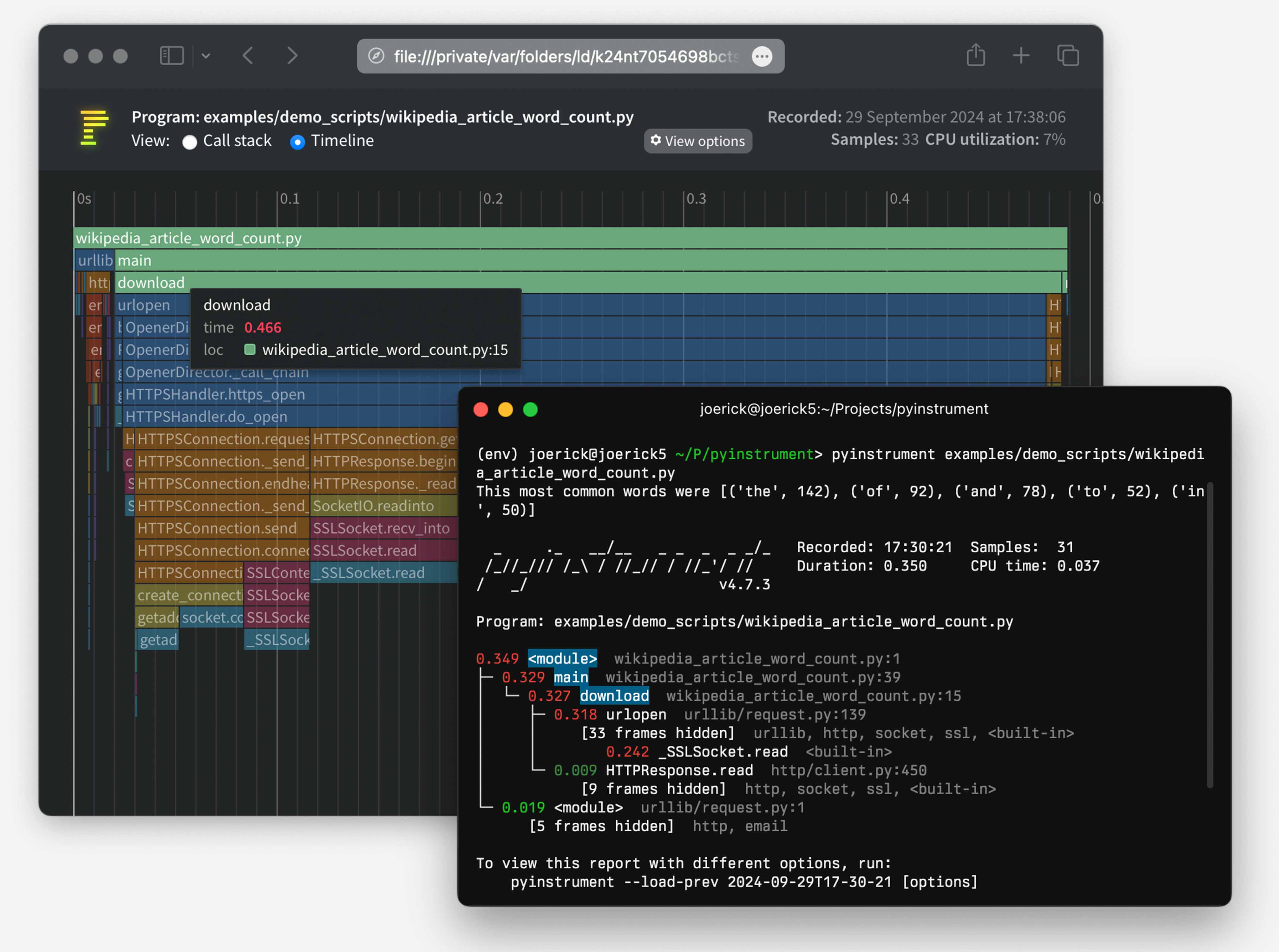
Sometimes when building FastHTML apps we run into performance
bottlenecks. Figuring out what is slow can be challenging, especially
when building apps with async components. That’s where profiling tools
like [pyinstrument](https://pyinstrument.readthedocs.io/en/latest/) can
help. Profilers are tools that show exactly how long each component of a
project takes to run. Identifying slow parts of an app is the first step
in figuring out how to make things run faster.
## How to install
Install from PyPI:
``` sh
pip install fh-pyinstrument
```
## How to configure
The easiest way is to import the ProfileMiddleware into your project and
add it to your app’s list of Middleware via the `app.add_middleware()`
method:
``` python
from fasthtml.common import *
from fh_pyinstrument import ProfileMiddleware
app, rt = fast_app()
app.add_middleware(ProfileMiddleware, save_dir='/tmp/profiles')
@rt
def index(): return Titled('Hello, profiler!')
serve()
```
If you want to add it to the project when `fast_app()` is declared,
you’ll need to run it through Starlette’s middleware pre-processor:
``` python
from starlette.middleware import Middleware
app, rt = fast_app(middleware=(Middleware(ProfileMiddleware)))
@rt
def index(): return Titled('Hello, profiler!')
serve()
```
If you want to change the querypath trigger key from `profile` to
something else, set the desired value to `PYINSTRUMENT_TRIGGER`.
``` sh
export PYINSTRUMENT_TRIGGER=instrument
```
Now this will trigger the report:
https://localhost:5001/?instrument=1
## How to use the middleware
Simply add `?profile=1` to any url, that will cause the app to display
an amazing chart set in the browser. In the example above, run it and
click this link:
If instead you want to have the results show up in the terminal, also
add `term=1` to the query string. The normal web page will display in
your browser, and the pyinstrument view will show up in limited form
within the terminal.
## How to use the stand-alone `@instrument` decorator
If you want to temporarily use fh-pyinstrument on an isolated route
handler, the `@instrument` decorator can be used. This triggers on any
call to the affected route, isn’t triggered by the \`?profile=1” query
value.
``` python
from fh_pyinstrument import instrument
@rt
@instrument
def index(): return Titled('Hello, profiler!')
```
## Saving and analysing sessions
Pass `save_dir` to the middleware to pickle each profiled request’s
session to disk:
``` python
app.add_middleware(ProfileMiddleware, save_dir='/tmp/profiles')
```
Each request with `?profile=1` now saves a `.pkl` file alongside the
HTML view. Load it later for analysis:
``` python
from pathlib import Path
from fh_pyinstrument import load_session, render_session
sess = load_session(sorted(Path('/tmp/profiles').glob('*.pkl'))[-1])
print(render_session(sess))
```
`render_session` returns console text by default (with
`show_all=False, short_mode=True`). Pass `text=False` for HTML output.
## Programmatic analysis
Sessions have four analysis methods patched in. All accept an optional
`paths` list to filter by file path substrings
(e.g. `['myapp/', 'fasthtml/']`) and `n` to limit results.
**`sess.flat(paths, n)`** — Which functions have the most self-time?
``` python
sess.flat(paths=['myapp/'], n=10)
# [ProfileEntry(time=0.287, func='_to_xml', file='fastcore/xml.py', line=177),
# ProfileEntry(time=0.115, func='_get_deps', file='myapp/db.py', line=525), ...]
```
**`sess.callers(func_name, paths, n)`** — Who’s calling this hot
function?
``` python
sess.callers('ft_html')
# Shows which functions call ft_html and how much time they contribute
```
**`sess.callees(func_name, paths, n)`** — What does a function spend its
time on?
``` python
sess.callees('MsgButtons', paths=['myapp/', 'fasthtml/'], n=5)
# Shows the most expensive functions called inside MsgButtons
```
**`sess.hot_paths(paths, n, depth)`** — Most expensive call stacks,
collapsed to matching frames:
``` python
for t, s in sess.hot_paths(paths=['myapp/'], n=5):
print(f'{t*1000:.1f}ms {s}')
# 245.0ms dialog_ core.py:2236 → chat core.py:2206 → MessageCard cards.py:249 → _to_xml xml.py:177
```
## Quick reference: pyinstrument’s `Session` / `Frame`
A `Session` contains a tree of `Frame` objects. The key attributes on
`Frame`:
| Attribute | Description |
|-----------------------|-------------------------------------------------|
| `function` | Function name |
| `file_path` | Absolute path to source file |
| `line_no` | Line number |
| `children` | List of child frames |
| `time` | Total time including children |
| `total_self_time` | Time in this function only (excluding children) |
| `absorbed_time` | Time hidden by pyinstrument’s grouping |
| `is_application_code` | Whether pyinstrument considers this app code |
Walking the tree manually:
``` python
from pyinstrument.session import Session
sess = load_session('profile.pkl')
root = sess.root_frame()
print(f'Duration: {sess.duration:.2f}s')
def walk(frame, depth=0):
if frame.total_self_time > 0.01:
print(f'{" "*depth}{frame.total_self_time*1000:.0f}ms {frame.function} {frame.file_path}:{frame.line_no}')
for c in frame.children: walk(c, depth+1)
walk(root)
```
You can also render a session directly without going through `Profiler`:
``` python
from pyinstrument.renderers import ConsoleRenderer, HTMLRenderer
print(ConsoleRenderer(show_all=False, short_mode=True).render(sess))
```