https://github.com/antonfisher/react-express-webpack
React boilerplate with ES2015, Express.js, and Webpack 4
https://github.com/antonfisher/react-express-webpack
boilerplate es2015 expressjs material-ui react redux webpack4
Last synced: over 1 year ago
JSON representation
React boilerplate with ES2015, Express.js, and Webpack 4
- Host: GitHub
- URL: https://github.com/antonfisher/react-express-webpack
- Owner: antonfisher
- License: mit
- Created: 2017-02-21T02:34:50.000Z (over 9 years ago)
- Default Branch: master
- Last Pushed: 2019-01-26T23:50:19.000Z (over 7 years ago)
- Last Synced: 2025-03-21T16:06:05.917Z (over 1 year ago)
- Topics: boilerplate, es2015, expressjs, material-ui, react, redux, webpack4
- Language: JavaScript
- Homepage:
- Size: 853 KB
- Stars: 84
- Watchers: 9
- Forks: 59
- Open Issues: 1
-
Metadata Files:
- Readme: README.md
- Changelog: CHANGELOG.md
- License: LICENSE
Awesome Lists containing this project
README
React boilerplate with ES2015, Express.js, and Webpack
[](https://travis-ci.org/antonfisher/react-express-webpack)
[](https://github.com/antonfisher/react-express-webpack/blob/master/LICENSE)
## Technologies
- React (v16) + Redux (v3) + React Router (v4)
- Express.js (v4) as production and development server
- Webpack 4 (production and development configurations)
- SCSS support (+ sanitize.css included)
- ES2015+
## Features
- preconfigured router
- React Material UI example theme
- preconfigured modal windows
- preconfigured eslint and Prettier code formatter
- React Hot Loader
- Linux/MacOS/Windows
## Screenshots
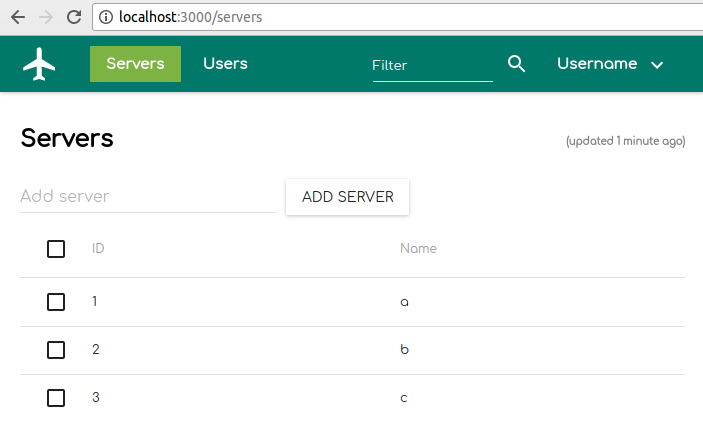
Demo UI view:
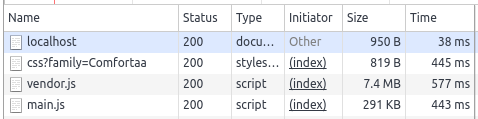
Development `.js` bundles:
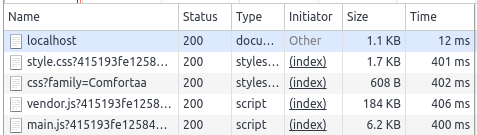
Production `.js` bundles:
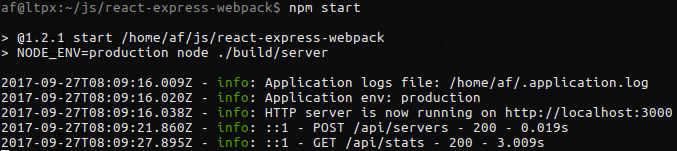
Production mode server output:
## Usage
### Installation
```bash
git clone git@github.com:antonfisher/react-express-webpack.git
cd react-express-webpack
npm install
# remove boilerplate git references
rm ./.git
```
### Scripts
```bash
# run development mode
npm run dev
# run production mode
npm run build
npm start
# run prettier
npm run prettier
# run lint
npm run lint
# run on a different port
HTTP_PORT=3001 npm run dev
```
## License
MIT License. Free use and change.