https://github.com/antoniosarosi/pycritty
CLI program that allows you to change your Alacritty config with one command without editing the config file.
https://github.com/antoniosarosi/pycritty
alacritty alacritty-config alacritty-theme alacritty-theme-changer nerd-fonts python
Last synced: over 1 year ago
JSON representation
CLI program that allows you to change your Alacritty config with one command without editing the config file.
- Host: GitHub
- URL: https://github.com/antoniosarosi/pycritty
- Owner: antoniosarosi
- License: mit
- Created: 2020-12-09T19:09:31.000Z (over 5 years ago)
- Default Branch: master
- Last Pushed: 2024-07-21T17:51:42.000Z (almost 2 years ago)
- Last Synced: 2025-03-28T23:07:55.299Z (over 1 year ago)
- Topics: alacritty, alacritty-config, alacritty-theme, alacritty-theme-changer, nerd-fonts, python
- Language: Python
- Homepage:
- Size: 249 KB
- Stars: 233
- Watchers: 6
- Forks: 37
- Open Issues: 2
-
Metadata Files:
- Readme: README.md
- License: LICENSE
Awesome Lists containing this project
README
# Pycritty
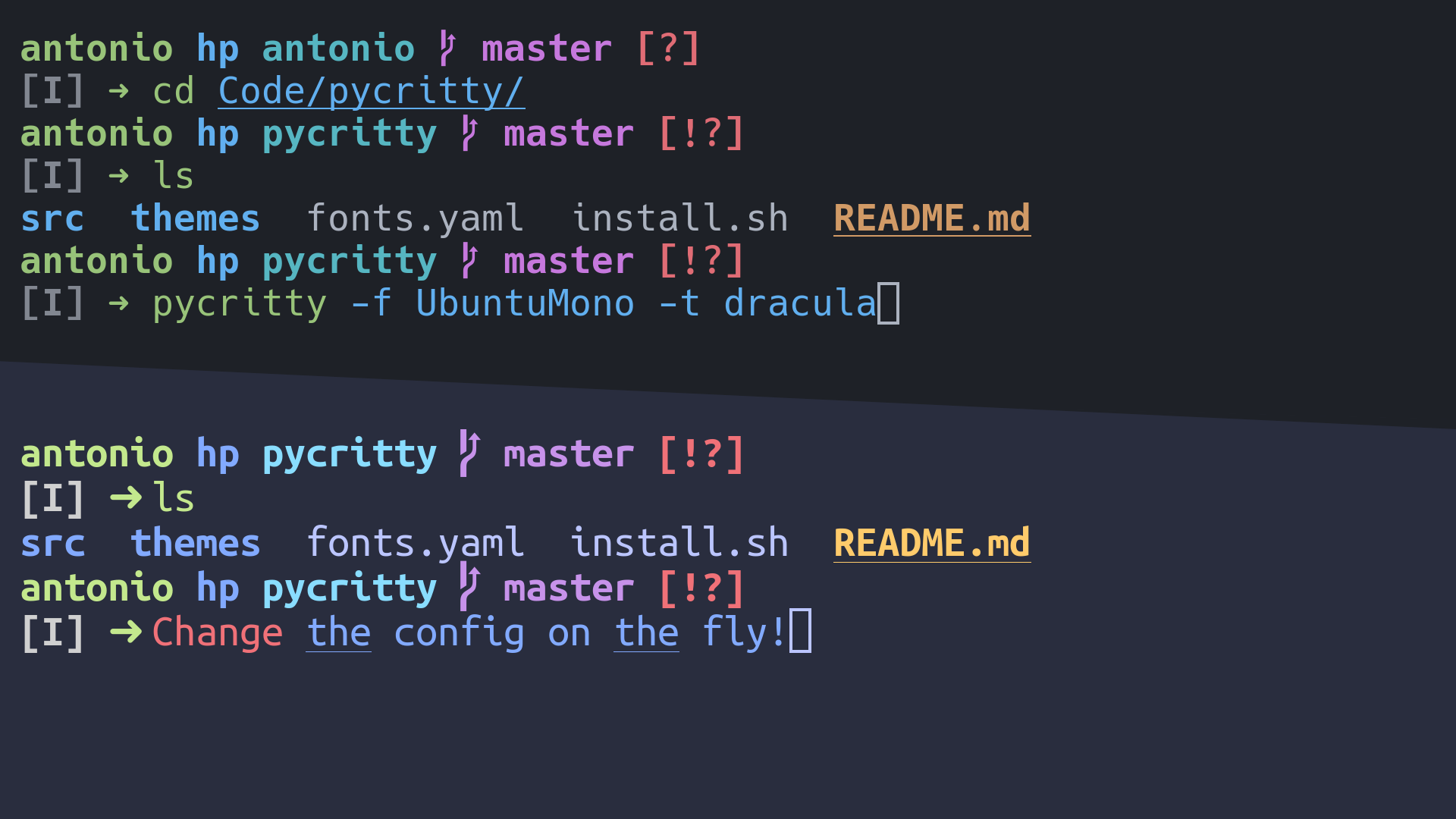
Change your alacritty config on the fly!
## Installation:
```bash
pip install pycritty
```
By default, only the program itself will be installed, but you can install
default themes from [```config/themes```](https://github.com/antoniosarosi/pycritty/tree/master/config):
```bash
pip install --install-option="--themes=onedark,dracula,nord" pycritty
```
Or if you want them all:
```bash
pip install --install-option="--themes=all" pycritty
```
Make sure to have ```~/.local/bin``` directory in your ```$PATH```, otherwise
your shell won't find the ```pycritty``` command. Add this line to your
```~/.xprofile``` if you haven't already:
```bash
export PATH=$HOME/.local/bin:$PATH
```
Also if you are an Arch user you can install from the AUR (only the program will be installed)
```bash
git clone https://aur.archlinux.org/pycritty.git
cd pycritty
makepkg -si
```
Or with an AUR helper like yay
```bash
yay -S pycritty
```
## Usage:
Change your current config:
```bash
pycritty --font UbuntuMono --font-size 14 --opacity 0.95 --padding 3 3
```
Save multiple configs and reuse them later:
```bash
pycritty save ThisConfig
pycritty load AnotherConfig
```
Install themes and configs from URLs:
```bash
pycritty install --theme https://raw.githubusercontent.com/antoniosarosi/pycritty/master/config/themes/breeze.yaml
pycritty --theme breeze # Apply downloaded theme
pycritty install --config --name SomeCoolConfig https://raw.githubusercontent.com/antoniosarosi/dotfiles/master/.config/alacritty/config.yaml
pycritty load SomeCoolConfig # Apply downloaded config
```
Check help for all available options:
```bash
pycritty -h
# pycritty subcomand -h
pycritty save -h
```
## Fonts Config
Fonts are configured at ```~/.config/alacritty/fonts.yaml``` with this format:
```yaml
fonts:
Alias: Font Name
```
When applied using ```pycritty -f Alias```, the previous format will be
converted into the alacritty equivalent:
```yaml
font:
normal:
family: Font Name
italic:
family: Font Name
bold:
family: Font Name
```
You can also specify a different font for each font type:
```yaml
fonts:
Alias:
normal: Normal Font Name
bold: Bold Font Name
italic: Italic Font Name
```
Note that the fonts must be installed on your system.
## Theme Config
You can make your own custom themes by creating new theme files with the
correct format, ```~/.config/alacritty/themes/custom.yaml``` should look like
this:
```yaml
colors:
# Default colors
primary:
background: '0x292d3e'
foreground: '0xbbc5ff'
# Normal colors
normal:
black: '0x101010'
red: '0xf07178'
green: '0xc3e88d'
yellow: '0xffcb6b'
blue: '0x82aaff'
magenta: '0xc792ea'
cyan: '0x89ddff'
white: '0xd0d0d0'
# Bright colors
bright:
black: '0x434758'
red: '0xff8b92'
green: '0xddffa7'
yellow: '0xffe585'
blue: '0x9cc4ff'
magenta: '0xe1acff'
cyan: '0xa3f7ff'
white: '0xffffff'
```
Then you can apply it using the name of the file:
```bash
pycritty -t custom
```
## Custom scripts
If you want to apply different configs programmatically, you can either use
the CLI in a shell script or use ```pycritty``` as a python module:
```python
#!/bin/python3
# Dummy script that changes the theme every 5 minutes
import time
import pycritty
def main():
config = pycritty.Config()
while True:
for theme in pycritty.list_themes():
config.change_theme(theme) # or config.set(theme=theme)
config.apply()
time.sleep(300)
if __name__ == '__main__':
main()
```
Shell equivalent:
```bash
#!/bin/bash
while :; do
# Same as pycritty ls --themes --iterable
for theme in $(pycritty ls -ti); do
pycritty -t $theme
sleep 300
done
done
```
## Development
Clone the repository and run it as a module.
```bash
git clone git@github.com:antoniosarosi/pycritty
cd pycritty
python -m pycritty.main
```
## Publishing
### PyPi
```bash
# First make sure you have these packages installed
pip install --user --upgrade setuptools wheel twine
# Generate distribution files
python setup.py sdist bdist_wheel
# Test upload
python -m twine upload --repository testpypi dist/*
# Test download
pip install -i https://test.pypi.org/simple/ --no-deps pycritty
# Upload to PyPi
python -m twine upload --repository pypi dist/*
```
### AUR
```bash
# In the AUR repository
sed -i "s/^pkgver=[[:digit:]].[[:digit:]].[[:digit:]]/pkgver=$(python -m pycritty.main -v)/" PKGBUILD
updpkgsums
makepkg --printsrcinfo > .SRCINFO
# Theoretically this package should be fine with only update its version and checksums
# but you have to check if this package compiles or not
git add PKGBUILD .SRCINFO
# Commits will be authored with global git name and email address
# If you want to use different credentials change them with git config
git commit -m "bump to $(python -m pycritty.main -v)"
git push
```