https://github.com/antosser/water-simulation
Simulates how virtual water would flow in a 2d environment
https://github.com/antosser/water-simulation
Last synced: 10 months ago
JSON representation
Simulates how virtual water would flow in a 2d environment
- Host: GitHub
- URL: https://github.com/antosser/water-simulation
- Owner: Antosser
- Created: 2023-06-22T17:46:17.000Z (over 2 years ago)
- Default Branch: master
- Last Pushed: 2024-01-06T21:07:42.000Z (about 2 years ago)
- Last Synced: 2025-02-07T18:51:23.454Z (11 months ago)
- Language: Rust
- Size: 31.9 MB
- Stars: 1
- Watchers: 1
- Forks: 0
- Open Issues: 0
-
Metadata Files:
- Readme: README.md
Awesome Lists containing this project
README
# Water Simulation
Simulates how virtual water would flow in a 2d environment
## Examples
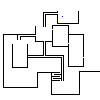
https://github.com/Antosser/water-simulation/assets/71790328/3446ae80-bf5c-4c0b-8323-9d22f46580c5
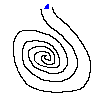
https://github.com/Antosser/water-simulation/assets/71790328/e9278dd7-364a-4835-bd53-4e15381329b4
## Usage
```
A water simulation written in Rust
Usage: water-simulation.exe [OPTIONS]
Arguments:
Location of the image
Options:
-f, --framerate Framerate of the output video [default: 30]
-n, --filename Name of the output video [default: out.mp4]
-a, --approximate Whether to use the approximate algorithm (gray will be treated as wall)
-d, --debug Whether to convert image to simplest form
-h, --help Print help
-V, --version Print version
```
## Image
* Black (0, 0, 0) = wall
* Blue (0, 0, 255) = water
* Anything else = air
## Requirements
1. ffmpeg in path
2. cargo if you want to build yourself
## Installation using GitHub Releases
1. Download the executable
2. Run it with the image as an argument
## Installation using Cargo
1. Install cargo (Rust)
2. Run `cargo install water-simulation`
3. Run `water-simulation your_file.png`