https://github.com/antvis/a8
🎼 A library for audio visualization.
https://github.com/antvis/a8
a8 ai music visualization
Last synced: over 1 year ago
JSON representation
🎼 A library for audio visualization.
- Host: GitHub
- URL: https://github.com/antvis/a8
- Owner: antvis
- Created: 2023-12-24T08:02:59.000Z (over 2 years ago)
- Default Branch: master
- Last Pushed: 2024-05-17T03:59:03.000Z (about 2 years ago)
- Last Synced: 2025-04-13T06:17:29.408Z (over 1 year ago)
- Topics: a8, ai, music, visualization
- Language: TypeScript
- Homepage: https://a8.antv.vision/
- Size: 1.24 MB
- Stars: 28
- Watchers: 9
- Forks: 2
- Open Issues: 1
-
Metadata Files:
- Readme: README.md
- Changelog: CHANGELOG.md
- Contributing: CONTRIBUTING.md
Awesome Lists containing this project
README
# @antv/a8
A library for audio visualization using the following rendering techniques:
- Canvas2D with [@antv/g-canvas](https://g.antv.antgroup.com/api/renderer/canvas).
- WebGPU WGSL compute shader with [@antv/g-device-api](https://github.com/antvis/g-device-api). For more information: https://observablehq.com/@antv/compute-toys
We provide the following effects now:
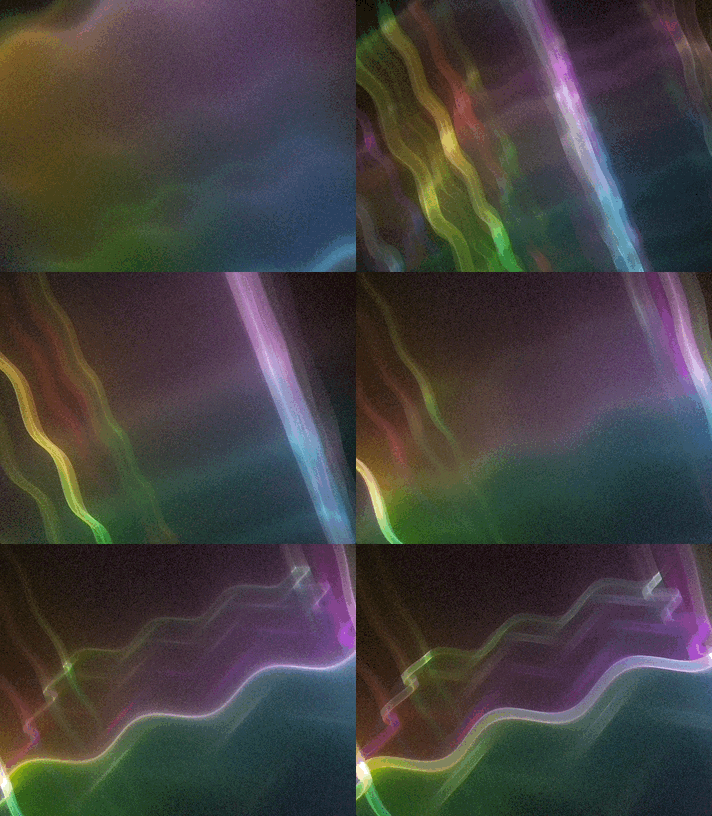
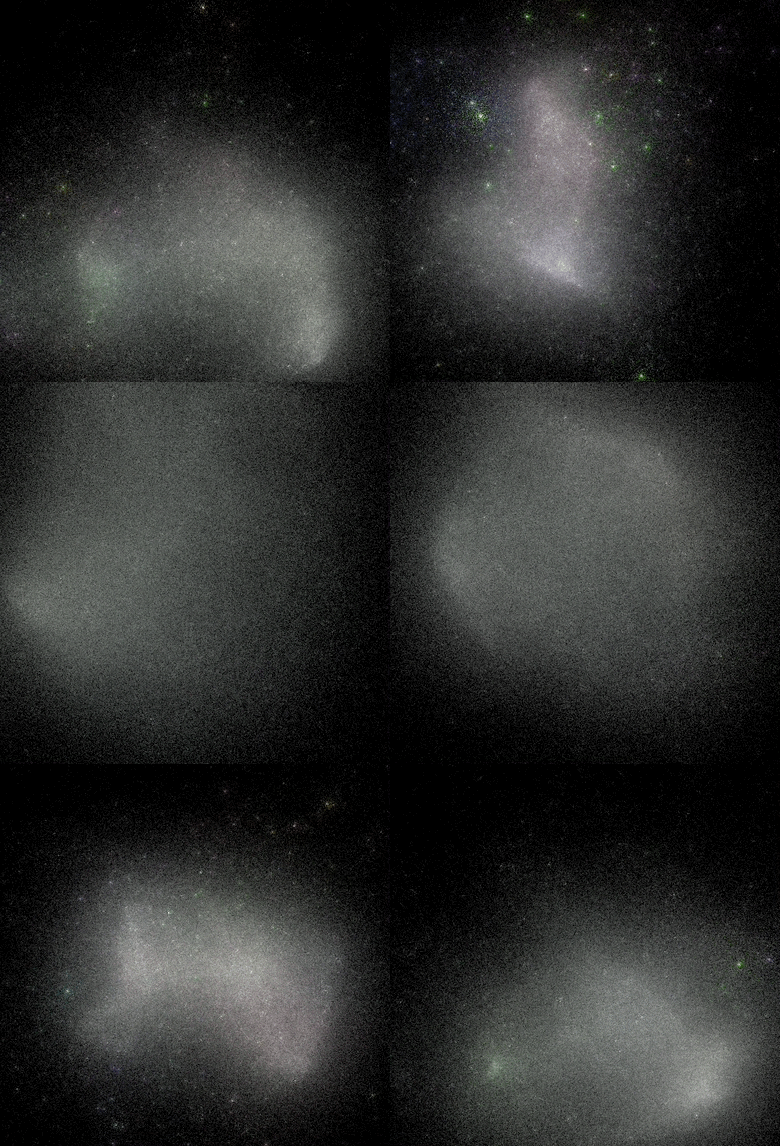
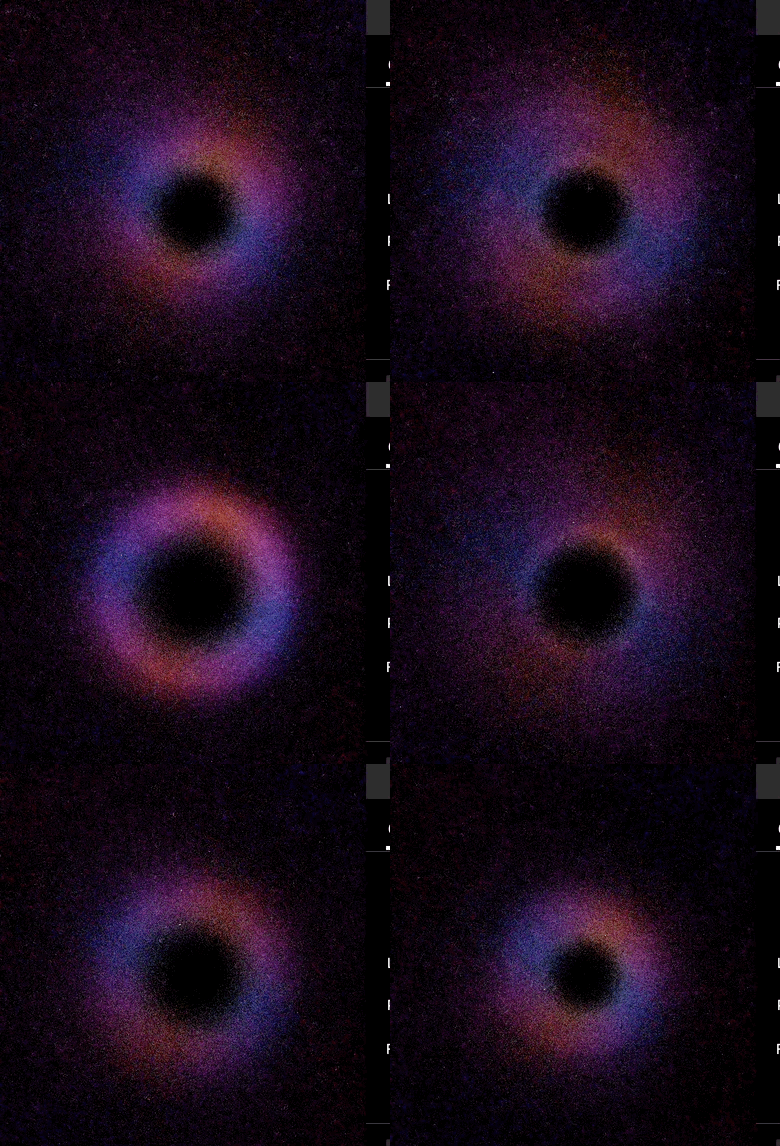
## Getting Started
Install from NPM.
```bash
npm install @antv/a8
```
Create a audio, set effect and start playing.
```ts
import { Audio, Sine } from '@antv/a8';
const audio = new Audio({
canvas: $canvas,
});
audio.data($audio).effect(new Sine()).play();
```
## API
### Constructor
```ts
new Audio({
canvas: $canvas,
});
```
- canvas `HTMLCanvasElement`
### data()
Pass in an `HTMLAudioElement`, create a [AudioContext]() and [Analyser]() later.
```ts
audio.data($audio);
```
### effect()
Mount an effect.
```ts
import { Sine } from '@antv/a8';
audio.effect(new Sine());
audio.effect(new Sine()); // switch to another
```
### style()
Update style options of effect.
```ts
audio.style({ blur: 1 });
```
### play()
Start visualizing the audio.
```ts
audio.play();
```
### destroy()
Destroy rAF and GPU resources(if any).
```ts
audio.destroy();
```
## Effects
We provide the following effect now.
- GPU Particles
### GPU Particles
- [Sine](#gpu-sine)
- [Stardust](#gpu-stardust)
- [Black Hole](#gpu-blackhole)
When creating GPU particle effects, we should use a WASM to compile shader chunks. For more informations, see https://observablehq.com/@antv/compute-toys#cell-712
```ts
const shaderCompilerPath = new URL(
'/public/glsl_wgsl_compiler_bg.wasm',
import.meta.url,
).href;
const effect = new Stardust(shaderCompilerPath, {});
```
Let me briefly describe the implementation. The whole process inside compute shaders can be divided into four stages:
- Simulate particles
- Clear
- Rasterize
- Output to storage buffer
- Blit to screen
The particle structure is really simple, it consists of 2 properties: `position` and `velocity`. We will load/store particles from/to storage textures later.
```wgsl
struct Particle {
position: float4,
velocity: float4,
}
fn LoadParticle(pix: int2) -> Particle {
var p: Particle;
p.position = textureLoad(pass_in, pix, 0, 0);
p.velocity = textureLoad(pass_in, pix, 1, 0);
return p;
}
fn SaveParticle(pix: int2, p: Particle) {
textureStore(pass_out, pix, 0, p.position);
textureStore(pass_out, pix, 1, p.velocity);
}
```
At the first frame, we assign the initial `position` & `velocity` for each particle.
```wgsl
@compute @workgroup_size(16, 16)
fn SimulateParticles(@builtin(global_invocation_id) id: uint3) {
if (time.frame == 0u) {
let rng = rand4();
// Normalize from [0, 1] to [-1, 1].
p.position = float4(2.0 * rng.xyz - 1.0, 0.0);
p.velocity = float4(0.0, 0.0, 0.0, 0.0);
}
}
```
And in each of the next frames, `position` will be updated with `velocity`.
```wgsl
let dt = custom.Speed * custom.TimeStep;
p.velocity += (ForceField(p.position.xyz, t) - custom.VelocityDecay * p.velocity) * dt;
p.position += p.velocity * dt;
```
#### GPU Sine
[Online DEMO](https://a8.antv.vision/?name=GPUSine)
- radius `number`
- sinea `number`
- sineb `number`
- speed `number`
- blur `number`
- samples `number`
- mode `number`
#### GPU Stardust
[Online DEMO](https://a8.antv.vision/?name=GPUStardust)
- radius `number`
- timeStep `number`
- samples `number`
- blurRadius `number`
- velocityDecay `number`
- speed `number`
- blurExponentA `number`
- blurExponentB `number`
- animatedNoise `number`
- accumulation `number`
- exposure `number`
#### GPU BlackHole
https://en.wikipedia.org/wiki/Kerr%E2%80%93Newman_metric
[Online DEMO](https://a8.antv.vision/?name=GPUBlackHole)
- radius `number`
- timeStep `number`
- samples `number`
- animatedNoise `number`
- accumulation `number`
- exposure `number`
- blurExponentA `number`
- blurExponentB `number`
- blurRadius `number`
- kerrA `number`
- kerrQ `number`
- initSpeed `number`
- initThick `number`
- steps `number`
- focalPlane `number`
- motionBlur `number`
- gamma `number`
## Appendix
- https://juandiegomontoya.github.io/particles.html