https://github.com/anycodes/sae-container-action-demo
阿里云SAE Github
https://github.com/anycodes/sae-container-action-demo
Last synced: about 1 year ago
JSON representation
阿里云SAE Github
- Host: GitHub
- URL: https://github.com/anycodes/sae-container-action-demo
- Owner: anycodes
- Created: 2021-07-10T01:52:13.000Z (almost 5 years ago)
- Default Branch: master
- Last Pushed: 2021-07-10T03:54:10.000Z (almost 5 years ago)
- Last Synced: 2025-02-01T13:11:12.603Z (over 1 year ago)
- Language: JavaScript
- Size: 8.79 KB
- Stars: 1
- Watchers: 1
- Forks: 0
- Open Issues: 0
-
Metadata Files:
- Readme: README.md
Awesome Lists containing this project
README
# Serverless Devs: SAE与Github Action珠联璧合,让CD从未如此简单
## 前言
SAE是什么?在阿里云官方给的解释是:
> Serverless 应用引擎(简称 SAE)是首款面向应用的Serverless PaaS,提供成本更优、效率更高的一站式应用托管方案。支持Spring Cloud/Dubbo/HSF应用零改造上云,提供监控诊断、自动构建镜像、Java全链路加速、多发布策略、秒级自动弹性等能力,支持Jenkins/云效/插件等部署应用,还能通过Docker镜像部署任何语言的应用。
由此可见,SAE实际上是Serverless架构的另一种形态。他将会对镜像,Java等项目有着更好的支持。但是可惜的是,在SAE的官方文档中,最佳实践中,并没有看到与Github Action结合进行自动化发布等相关的描述:

Github Action这么有趣,怎么可以少的了Github Action的案例呢?所以本文将会是首个,基于Serverless Devs,并且让SAE和Github Action有机结合的实战案例。
整个案例分为几个部分:
- Github操作
- 创建Github仓库
- 配置密钥等信息
- 本地创建应用
- 创建一个应用
- 编写Dockerfile
- 编写s.yaml(用Serverless Devs进行托管)
- 编写action所必须的Yaml
- 启动🚀
- 将代码推动到Github,触发CD流程,进行自动化部署
关于`编写action所必须的Yaml`,主要包括了几个流程:
- 登陆阿里云ACR
- Docker Build
- Docker Push
- 设置Push后的镜像地址到环境变量
- 安装Serverless Devs
- 配置Serverless Devs密钥信息
- 启动部署操作🚀
## Github 操作
首先进行仓库的创建:

例如,我创建的仓库就是:https://github.com/anycodes/SAE-Container-Action-Demo
创建完仓库开始进行密钥的配置,可以参考文档:http://www.serverless-devs.com/blog/serverless-devs-ci-cd-github-action-usage#%E8%B4%A6%E5%8F%B7%E4%BF%A1%E6%81%AF%E9%85%8D%E7%BD%AE
主要就是在Settings->Secrets中进行信息配置:

配置完成:

## 本地创建应用
由于本次实践,主要是看Build,Push镜像之后,部署到SAE,所以我就在本地随便准备了一个代码,仅供测试使用:

完成之后,我们针对这个项目,象征性编写一个Dockerfile:
```
FROM node:14.5.0-alpine3.11
# Create app directory
WORKDIR /usr/src/app
# Install app dependencies
# A wildcard is used to ensure both package.json AND package-lock.json are copied
# where available (npm@5+)
COPY package*.json ./
RUN npm install
# If you are building your code for production
# RUN npm ci --only=production
# Bundle app source
COPY . .
EXPOSE 8080
ENTRYPOINT [ "node", "server.js" ]
```
编写完成之后,我们再根据SAE组件(可以参考 https://github.com/devsapp/sae ),编写一个s.yaml:
```yaml
edition: 1.0.0 # 命令行YAML规范版本,遵循语义化版本(Semantic Versioning)规范
name: sae-app # 项目名称
access: publish_access # 秘钥别名
services:
sae-test: # 服务名称
component: devsapp/sae
props:
Region: cn-beijing
Namespace:
NamespaceId: cn-beijing:test
NamespaceName: serverless-devs
NamespaceDescription: namespace desc
Application:
AppName: serverless-devs-app
AppDescription: This is a test description.
Code:
Image: ${env(DOCKER_IMAGE)}
Cpu: 500
Memory: 1024
Replicas: 1
AutoConfig: true
SLB:
Internet: [{"port":80,"targetPort":8080,"protocol":"TCP"}]
```
这里面有一个叫做Image的字段,他是容器镜像的地址,此时使用的是一个环境变量作为引入,也就是说,之后在Github Action实例中,推送镜像之后,将结果打入ENV即可读取到。
关于这种方法的妙用还有很多:
例如,当我们需要配置一下密钥信息等,是不是也可以通过这种方法,将密钥放入环境变量,然后在Yaml中直接引用?
接下来还需要编写一个Github Action相关的Yaml:
```yaml
name: Build and Deploy to SAE
on:
push:
branches: [ master ]
# Environment variables available to all jobs and steps in this workflow.
env:
REGION_ID: cn-beijing
REGISTRY: registry.cn-beijing.aliyuncs.com
NAMESPACE: custom-container
IMAGE: sae
TAG: ${{ github.sha }}
jobs:
build:
runs-on: ubuntu-latest
environment: production
steps:
- name: Checkout
uses: actions/checkout@v2
# 1.1 Login to ACR
- name: Login to ACR with the AccessKey pair
uses: aliyun/acr-login@v1
with:
region-id: "${{ env.REGION_ID }}"
access-key-id: "${{ secrets.ACCESS_KEY_ID }}"
access-key-secret: "${{ secrets.ACCESS_KEY_SECRET }}"
# 1.2 Buid and push image to ACR
- name: Build and push image to ACR
run: |
docker build --tag "$REGISTRY/$NAMESPACE/$IMAGE:$TAG" .
docker push "$REGISTRY/$NAMESPACE/$IMAGE:$TAG"
# 1.3 et Docker Image to Env
- name: Set Docker Image to Env
run: echo "DOCKER_IMAGE=$REGISTRY/$NAMESPACE/$IMAGE:$TAG" >> $GITHUB_ENV
# 2.1 Install Serverless Devs
- name: Install Serverless Devs
uses: actions/setup-node@v2
with:
node-version: 12
registry-url: https://registry.npmjs.org/
- run: npm install -g @serverless-devs/s
# 2.2 Config Serverless Devs
- name: Config Serverless Devs
run: s config add --AccountID ${{secrets.Account_ID}} --AccessKeyID ${{secrets.ACCESS_KEY_ID}} --AccessKeySecret ${{secrets.ACCESS_KEY_SECRET}} -a publish_access
# 2.3 Deploy to SAE
- name: Deploy to SAE
run: s deploy
```
至此,我们完整了所有的基础准备。
在上面的Yaml中,每一个过程都有注释,整体来说,下载Serverless Devs,到部署项目,其实只有3条命令:
```
npm install -g @serverless-devs/s
s config add --AccountID ${{secrets.Account_ID}} --AccessKeyID ${{secrets.ACCESS_KEY_ID}} --AccessKeySecret ${{secrets.ACCESS_KEY_SECRET}} -a publish_access
s deploy
```
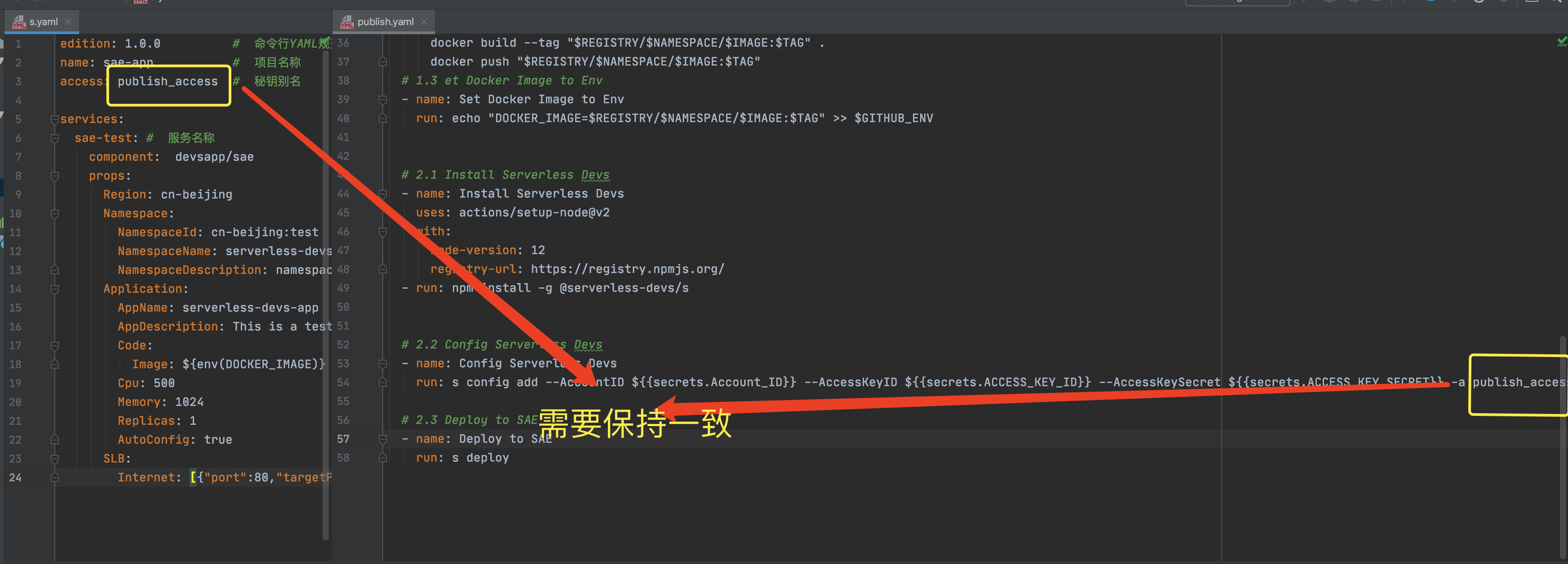
这里要注意,s.yaml中指定的密钥要和我们创建(`s config add`)时的密钥保持一致。
## 启动🚀
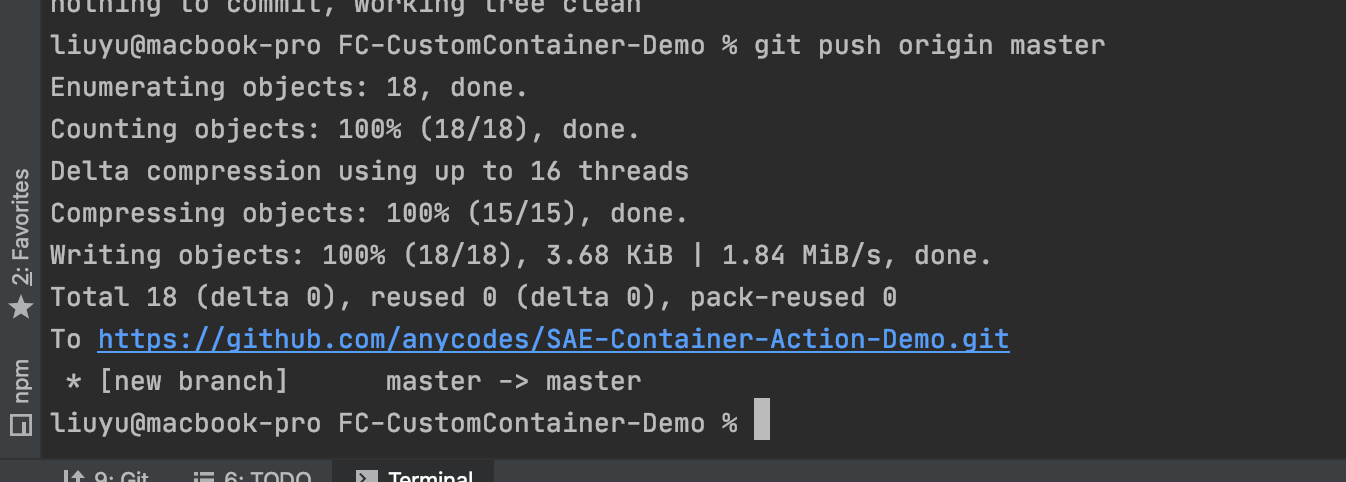
完成之后我们将代码推动到Github:
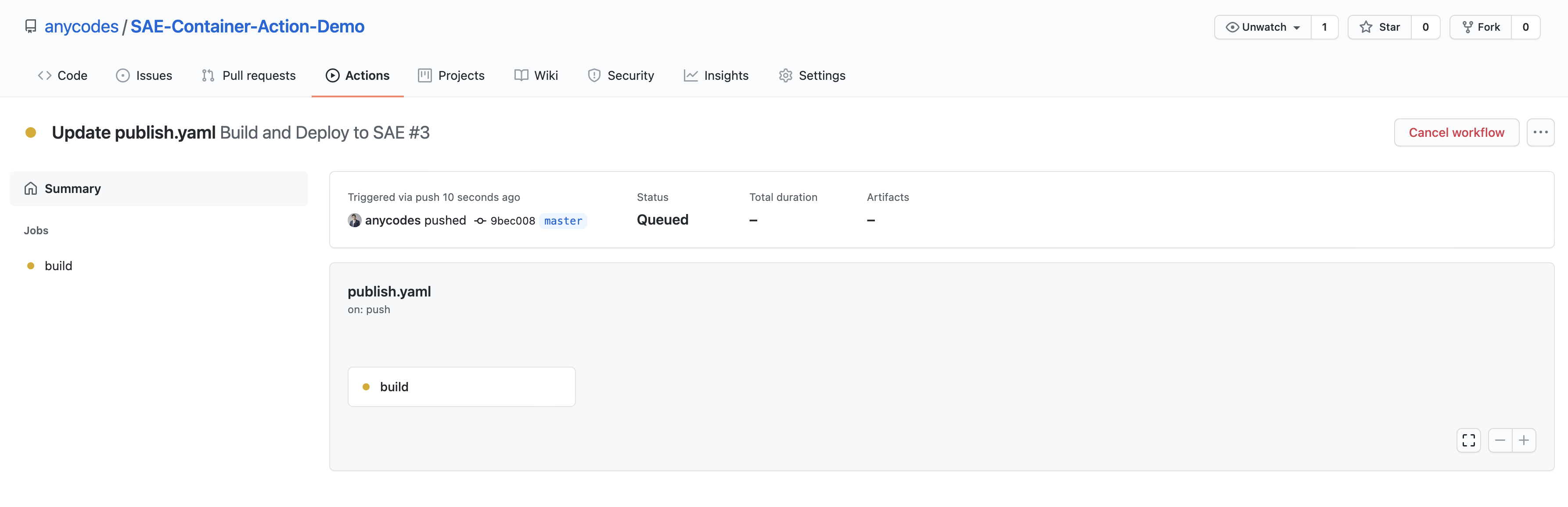
推送完成,可以看到线上的代码已经更新,并触发了CD流程:
此时,我们可以移步到SAE控制台( https://sae.console.aliyun.com/ ):

此时正在创建/更新应用

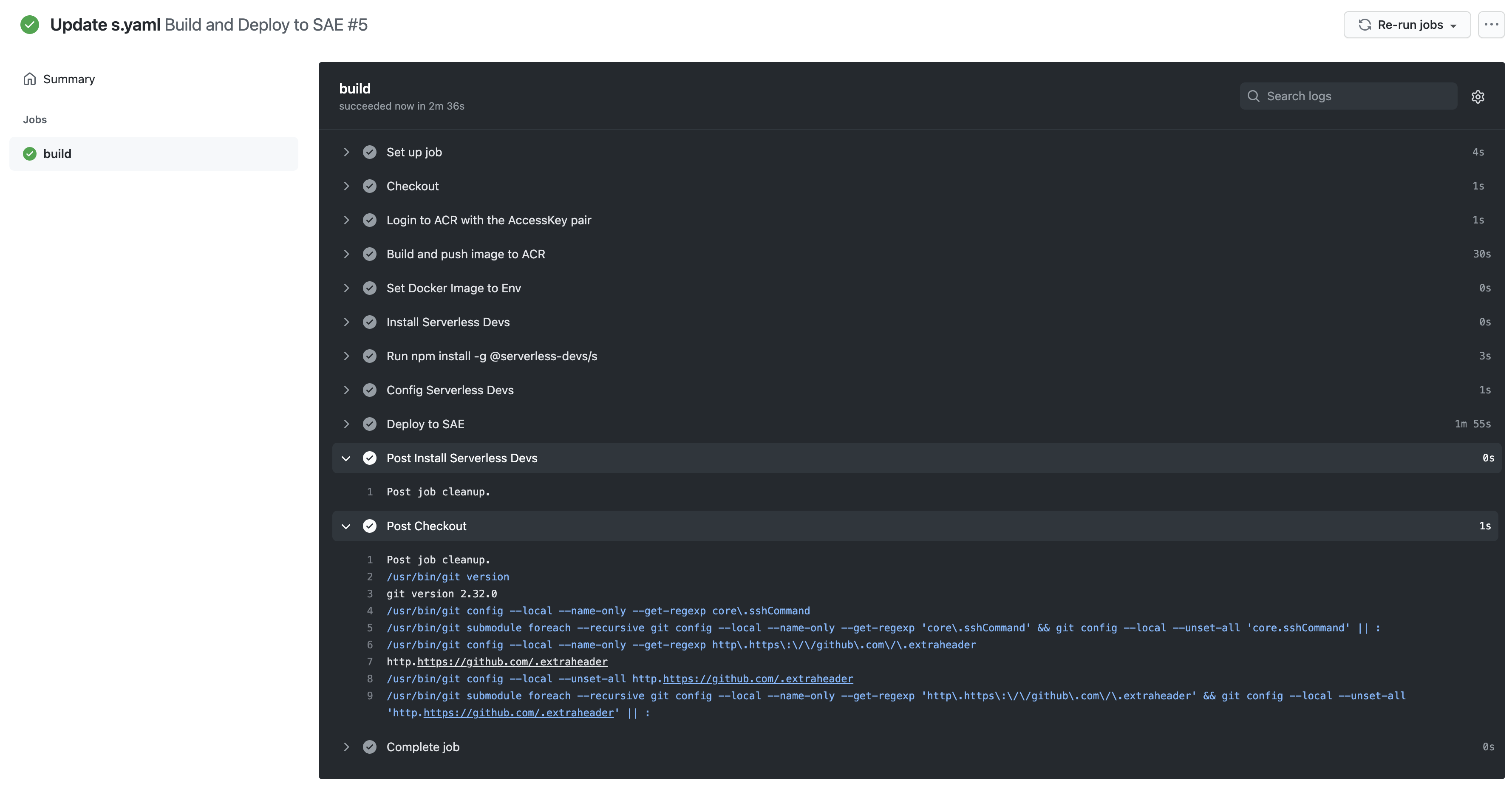
稍等片刻,即在进行SLB等相关的绑定。再稍等片刻,即可看到Github这头的Action已经完成:
此时,我们在看SAE控制台,整个项目算是完成了创建/更新:

## 总结
这个是一个典型的SAE+Github ACtion实现CD的案例。希望通过这样一个案例,可以帮助更多人学习和了解Serverless Devs,可以将其应用到自己的项目中。