https://github.com/aplbrain/motif-studio-v1
https://github.com/aplbrain/motif-studio-v1
Last synced: over 1 year ago
JSON representation
- Host: GitHub
- URL: https://github.com/aplbrain/motif-studio-v1
- Owner: aplbrain
- License: apache-2.0
- Created: 2020-12-13T18:36:48.000Z (over 5 years ago)
- Default Branch: master
- Last Pushed: 2022-07-15T13:21:40.000Z (about 4 years ago)
- Last Synced: 2025-01-22T00:16:17.960Z (over 1 year ago)
- Language: TypeScript
- Size: 959 KB
- Stars: 3
- Watchers: 9
- Forks: 0
- Open Issues: 4
-
Metadata Files:
- Readme: README.md
- License: LICENSE
Awesome Lists containing this project
README
Motif Studio
Motif Studio is a browser-based tool to assist in writing and executing motif searches with the DotMotif motif query language.
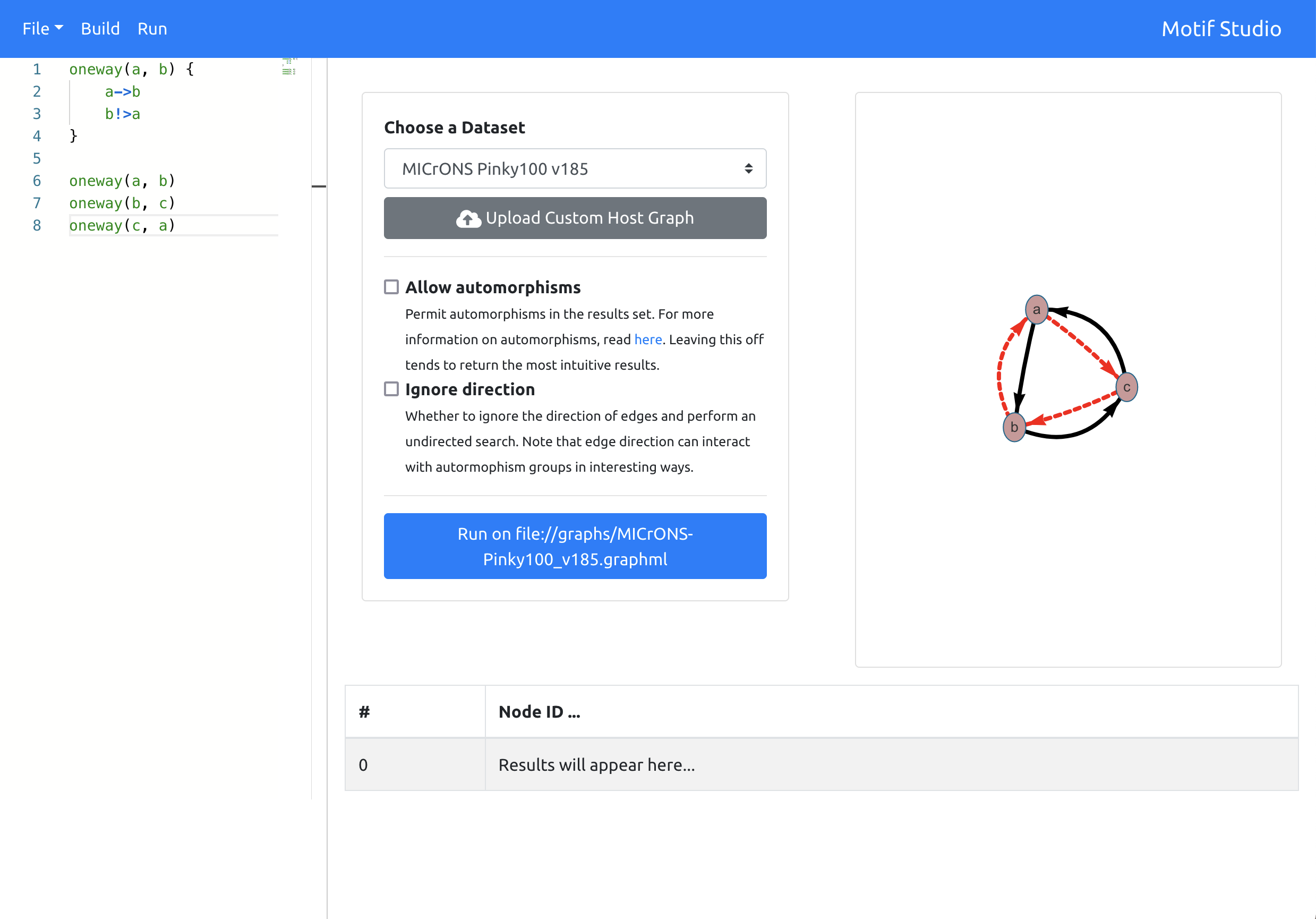
# Demo
There is a live version of Motif Studio running at http://motifstudio.bossdb.org.
## Deploying with Docker-Compose
You can deploy a production-ready version of the application from the root of the project directory:
```shell
docker-compose up -d
```
If you don't want to support user uploads or a database-backed version of the application, you can run a much simpler version by running:
```shell
docker-compose -f docker-compose.simple.yml up -d
```
Both of these will run the backend server on port 5000, and the frontend on port 80.
## Get Started: Simple Version
You can put a set of graphml files in `server/graphs`. These will be automatically detected.
Start the backend with:
```shell
cd server
python3 ./simpleserver.py
```
Start the frontend in another shell:
```shell
cd motif-studio
yarn start
```
## Get Started: Complete Version
You must run a MongoDB service in the background. By default, it is expected that this lives at `localhost:27017`.
Start the flask backend in one terminal:
```shell
cd server
python3 ./server.py
```
Start the frontend in another:
```shell
cd motif-studio
yarn start
```
This will serve the API at `http://localhost:5000`, and the frontend will be available in the browser at `http://localhost:3000`.
## Roadmap
- [ ] Click/drag interface for adding edges and nodes
- [ ] Inspection panel
- [ ] Motif "interestingness" heuristics to indicate anticipated search complexity
- [x] Pass warnings and errors from the backend along to the user
- [ ] Pass Validator errors to the user